

Object storage is where most applications keep the files that don’t fit in a database, such as uploads, backups, logs, video, and AI training data.
The costing depends on egress when files are downloaded, request fees, and minimum storage periods, and a migration depends on how closely the service follows the S3 API your tools already use.
This guide covers top cloud object storage providers, with the free storage each one offers, its price per TB, and how it charges for egress.
Cloud Object Storage Platform Comparison
| Provider | Type | Best for | Free storage | Storage per TB | Egress | Link |
|---|---|---|---|---|---|---|
| 01 Amazon S3 | Hyperscaler | The widest feature set | $200 credit for new accounts | $23 ($0.023/GB) | 100 GB free, then $0.09/GB | Visit |
| 02 Cloudflare R2 | Zero-egress storage | Serving files with no egress fees | 10 GB/month | $15 ($0.015/GB) | Free | Visit |
| 03 Strg | S3-compatible storage | One price that includes egress and requests | 10 GB | $6.80 | Included | Visit |
| 04 Backblaze B2 | Low-cost storage | Backups and media at a low per-TB price | 10 GB, always free | $6.95 | Free up to 3x stored data | Visit |
| 05 Wasabi | Hot cloud storage | Predictable bills for backup data | Free trial only | $7.99 | No fees, fair use | Visit |
| 06 Google Cloud Storage | Hyperscaler | Analytics and AI on Google Cloud | 5 GB/month in 3 US regions | About $20 ($0.020/GB) | $0.12/GiB | Visit |
| 07 Azure Blob Storage | Hyperscaler | Microsoft and Azure workloads | $200 credit for 30 days | $18.40 (Hot LRS) | 100 GB free, then $0.087/GB | Visit |
| 08 DigitalOcean Spaces | Developer cloud | Small apps that need a built-in CDN | None | $5/month for 250 GiB | 1 TiB included | Visit |
| 09 Akamai Object Storage | Developer cloud | Pairing storage with a global CDN | None | $5/month for 250 GB | 1 TB included, then $0.005/GB | Visit |
| 10 Vultr Object Storage | Developer cloud | Choosing a performance tier | None | From $18/month for 1 TB | 1 TB included, then $0.01/GB | Visit |
| 11 Hetzner Object Storage | EU storage | Low-cost storage in the EU | None | €6.49 ($7.99)/month for 1 TB | 1 TB included, then €1/TB | Visit |
| 12 OVHcloud Object Storage | EU storage | Free egress with EU data residency | $200 credit for one month | From about $8.10 (One-Zone) | Free | Visit |
| 13 Ceph | Open source, self-hosted | Running your own object storage | Free, open source | Your hardware | Your network | Visit |
S3 Compatibility and Data Protection Features
Almost every provider here says it’s S3-compatible, but support for individual features varies. If your backup tool depends on Object Lock, or your app serves a static site from a bucket, check this table before you migrate.
| Provider | API | Object Lock | Versioning | Replication | Static website |
|---|---|---|---|---|---|
| Amazon S3 | Native S3 | Yes | Yes | Yes | Yes |
| Cloudflare R2 | S3-compatible | Bucket locks | No | No | Public buckets only |
| Strg | S3-compatible | Yes | Yes | Cross-region | No |
| Backblaze B2 | S3 and B2 Native | Yes | Yes | Yes | Not listed |
| Wasabi | S3 and IAM | Yes | Yes | Same continent | Not listed |
| Google Cloud Storage | Own API, S3 interop via XML API | Retention lock | Yes | Dual-region | Yes |
| Azure Blob Storage | Own Blob API | Immutable storage | Yes | Yes | Yes |
| DigitalOcean Spaces | S3-compatible | Not listed | API only | No | Yes |
| Akamai Object Storage | S3-compatible | Yes | Yes | Not listed | E0 and E1 endpoints |
| Vultr Object Storage | S3-compatible | Yes | Yes | Not listed | Not listed |
| Hetzner Object Storage | S3-compatible | Yes | Yes | No | No |
| OVHcloud Object Storage | S3-compatible | Yes | Yes | Yes | Yes |
| Ceph (RGW) | S3 and Swift | Yes | Yes | Multisite | Yes |
Best Cloud Object Storage Providers
01. Amazon S3
HyperscalerThe widest feature set
Amazon S3 doesn’t need an introduction, but still :). When a vendor calls itself S3-compatible, it means its API answers the same way S3 does, so S3 gets new features first and works with nearly every backup tool, SDK, and data platform.
It offers nine storage classes, from S3 Standard down to Glacier Deep Archive for data you may never read, and Intelligent-Tiering moves objects between tiers on its own.
Event notifications can start Lambda functions. S3 Tables stores data in Apache Iceberg format for Athena and other query engines, and S3 Vectors, generally available since December 2025, holds embeddings for AI search without a separate vector database.
Standard storage is $0.023 per GB in US East, requests are billed per thousand, and internet egress costs $0.09 per GB after the first 100 GB each month. New accounts no longer get a fixed amount of free S3 storage, only up to $200 in credits that cover S3 and other AWS services.
Our take: Pick S3 when the rest of your stack runs on AWS or you need event-driven processing, Iceberg tables, or deep archive tiers. For a bucket that mostly serves files to the internet, Cloudflare R2, Strg, or Backblaze B2 will usually cost less.
Standout features:
- Nine storage classes, including Intelligent-Tiering and Glacier Deep Archive
- Object Lock, versioning, and same-region or cross-region replication
- Event notifications that can trigger Lambda functions
- S3 Tables for Apache Iceberg and S3 Vectors for embeddings
Pros & Cons
PROS
CONS
02. Cloudflare R2
Zero-egress storageServing files with no egress fees
R2 doesn’t charge for egress for a public bucket that serves images, downloads, or static files. The storage price is $0.015 per GB for Standard and $0.01 per GB for Infrequent Access.
The free tier renews every month with 10 GB of storage, 1 million Class A operations (writes and lists), and 10 million Class B operations (reads). Beyond that, operations are billed per million.
R2 fits best when you also use Cloudflare. Workers can read and write buckets through bindings, event notifications go to Cloudflare Queues, and a public bucket on a custom domain is served through Cloudflare’s network. R2 Data Catalog adds a managed Apache Iceberg catalog.
For migrations, Super Slurper copies a bucket in bulk, and Sippy copies objects from S3, Azure Blob Storage, or other S3-compatible sources the first time they’re requested.
Cloudflare’s own compatibility list marks object versioning, bucket replication, S3 website configuration, and S3-style Object Lock as unsupported, although R2 has its own bucket locks for retention. You also don’t pick a region, only a location hint or an EU, FedRAMP, or US jurisdiction.
Our take: The default choice for serving files to the public. Look elsewhere if your backup software needs versioning or S3 Object Lock.
Standout features:
- No egress fees on any storage class
- Workers bindings and event notifications to Queues
- Lifecycle rules, bucket locks, and presigned URLs
- Super Slurper and Sippy for migrating from other clouds
Pros & Cons
PROS
CONS
03. Strg
S3-compatible storageOne price that includes egress and requests
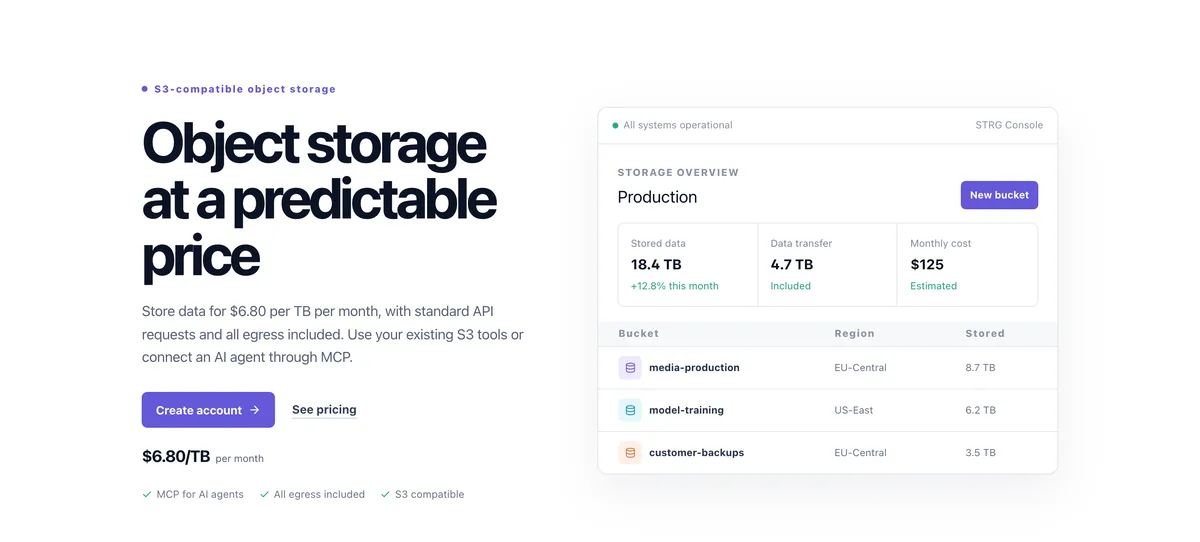
Strg charges $6.80 per TB per month, and that price covers all egress and standard S3 API requests. There are no retrieval fees or minimum storage periods, and the first 10 GB on each account is free.
Wasabi charges $7.99 per TB with a 90-day minimum, and Backblaze B2 charges $6.95 with free egress up to three times your stored data, so among the main picks here, Strg has the lowest per-TB rate.
Data lives in EU-Central in Amsterdam and US-East in Reston, Virginia. Requests enter through the nearest Strg edge and travel to the bucket’s region over an optimized route. Cross-region replication between the two is optional, and Object Lock works in both. Objects are encrypted with AES-256 at rest and TLS in transit.
Strg also works with AI agents. Its MCP server connects Claude, Codex, Cursor, and other MCP clients through OAuth, and you choose which access key, buckets, and permissions an agent gets.
An AI agent can then create buckets, upload and organize objects, create scoped keys, manage lifecycle and retention rules, and generate temporary upload or download links.
You can take help from Strg assistant to migrate from Amazon S3, Backblaze B2, Wasabi, Cloudflare R2, or another S3-compatible source.
Strg signs requests with AWS Signature Version 4 only and doesn’t support SSE-KMS, IAM roles, or static website configuration.
Our take: A strong pick for backups, media libraries, and datasets that get downloaded often. It’s also the most agent-ready option here if you want Claude or Cursor to manage storage directly.
Standout features:
- Egress and standard API requests included in the storage price
- MCP server for Claude, Codex, Cursor, and other MCP clients
- Object Lock, versioning, lifecycle rules, and cross-region replication
- Assisted migration from S3, Backblaze B2, Wasabi, and Cloudflare R2
Pros & Cons
PROS
CONS
04. Backblaze B2
Low-cost storageBackups and media at a low per-TB price
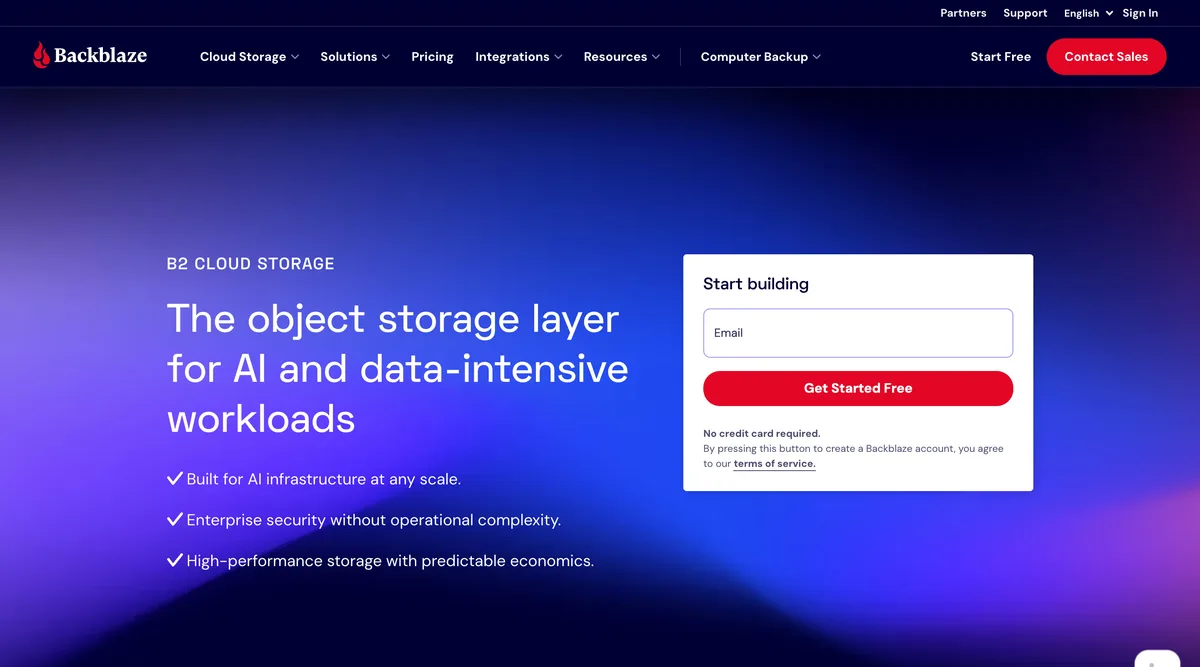
Backblaze B2 costs $6.95 per TB per month, and the first 10 GB is free. Most API calls cost nothing, since Class A, B, and C transactions are free on pay-as-you-go.
Egress is free up to three times your average monthly storage, then $0.01 per GB. Traffic through Backblaze’s partners doesn’t count toward that limit, and the list includes Fastly, Cloudflare, bunny.net, CacheFly, CoreWeave, Vultr, and phoenixNAP.
B2 speaks the S3 API and its own B2 Native API. Files keep earlier versions by default, lifecycle rules clean them up, and Object Lock makes backups immutable. Cloud Replication copies data between regions with no replication or egress fees. Event notifications send webhooks, but you need to ask Backblaze support to turn them on.
It supports multiple backup like Veeam, Synology, Commvault, rclone, and LucidLink, and Snowflake. For AI and HPC workloads, B2 Overdrive offers very high throughput and unlimited free egress from $15 per TB.
Our take: A cheap object storage for backups and media archives, with one of the few free tiers that doesn’t need a card. Teams that need data in Asia or Australia should look at Wasabi or a hyperscaler, since B2 has four regions in the US, Canada, and Europe.
Standout features:
- S3-compatible API plus the B2 Native API
- Object Lock, lifecycle rules, and fee-free Cloud Replication
- Free egress through CDN and compute partners
- Integrations with Veeam, Synology, Commvault, and rclone
Pros & Cons
PROS
CONS
05. Wasabi
Hot cloud storagePredictable bills for backup data
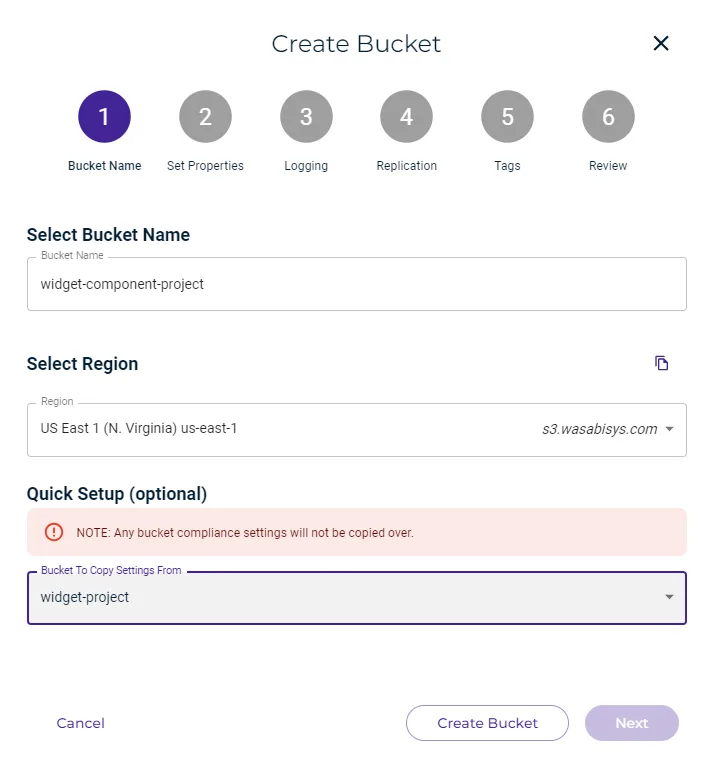
Wasabi sells a single hot storage class at $7.99 per TB per month. Egress and API requests doesn’t cost extra. The free egress has a fair-use limit, though, and monthly downloads should stay around the amount of data you store.
Pay-as-you-go storage has a 90-day minimum, so a file deleted after 10 days is billed for the other 80. The smallest monthly bill equals 1 TB of storage, and every object is billed as at least 4 KB. That works well for backups that sit for months, but it can be expensive for short-lived files.
Wasabi is compatible with the S3 and IAM APIs. You get Object Lock with a separate Compliance mode, versioning, lifecycle policies, replication between regions on the same continent, and event notifications. Covert Copy keeps a hidden copy of a bucket, and Multi-User Authorization requires a second person to approve sensitive actions, both aimed at ransomware.
Its 16 regions span North America, Europe, and Asia-Pacific.
Our take: One of the easiest picks for backup data, with ready support in Veeam, Commvault, Cohesity, Veritas, MSP360, and Acronis. Skip it for small or short-lived data.
Standout features:
- No egress or API request fees within fair use
- Object Lock, Compliance mode, and Covert Copy for ransomware protection
- Replication between regions on the same continent
- 16 storage regions across three continents
06. Google Cloud Storage
HyperscalerAnalytics and AI on Google Cloud
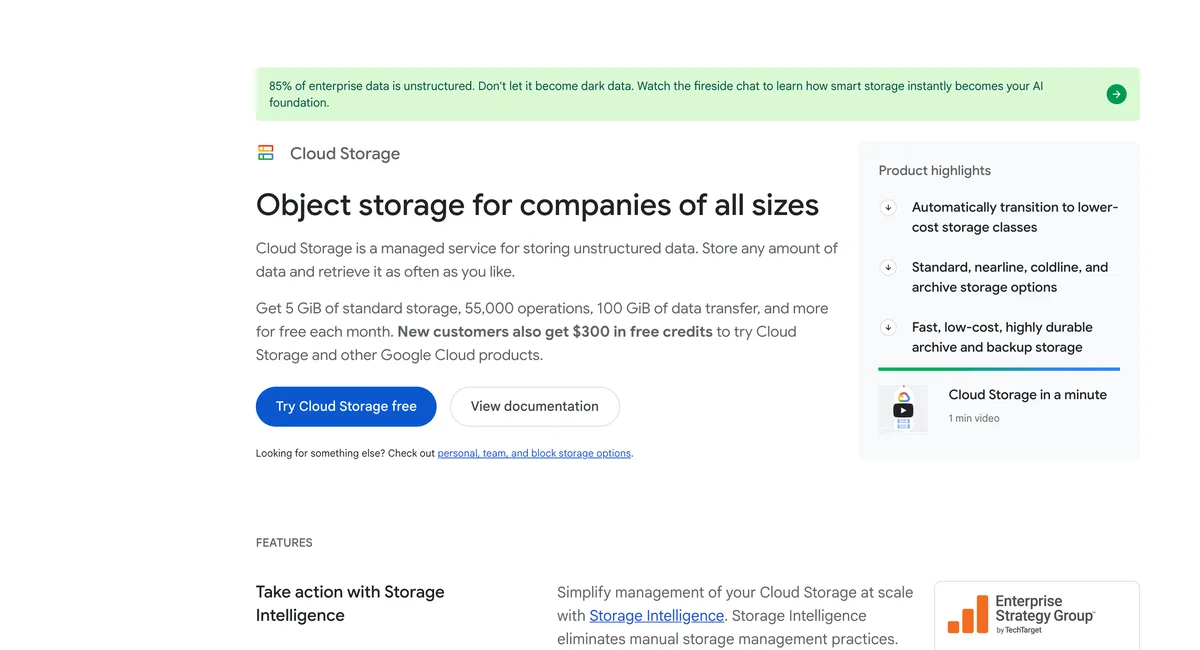
Google Cloud Storage has a small forever free tier. Each month you get 5 GB of Standard storage, 5,000 Class A and 50,000 Class B operations, and 100 GB of egress from North America, as long as the bucket sits in us-west1, us-central1, or us-east1. New customers also get $300 in credit for 90 days but you need to add your card.
Standard storage is about $0.020 per GB a month in Iowa, with Nearline, Coldline, and Archive below it at 30, 90, and 365-day minimums. Autoclass moves objects between those classes as access patterns change.
For AI training, Rapid Bucket became available in March 2026 as a zonal class built for speed, and Rapid Cache adds an SSD read cache close to your compute.
Google’s own JSON and gRPC APIs are the primary interface. The XML API works with some S3 tools using HMAC keys, but GCS isn’t a drop-in S3 replacement, so test your tools before moving.
Our take: The perfect choice when the data feeds BigQuery, Spark, or Google’s AI services, and a Cloud Storage MCP server became generally available in April 2026 for agent access.
Standout features:
- Standard, Nearline, Coldline, and Archive classes with Autoclass
- Rapid Bucket and Rapid Cache for AI and analytics workloads
- Object versioning, retention lock, and Pub/Sub notifications
- Static website hosting and signed URLs
Pricing
Standard storage costs about $0.020 per GB per month in us-central1 (Iowa).
Class A operations cost $0.005 per 1,000 and Class B operations $0.0004 per 1,000 in a single region.
Internet egress starts at $0.12 per GiB.
The Always Free tier includes 5 GB of Standard storage a month.
07. Azure Blob Storage
HyperscalerMicrosoft and Azure workloads
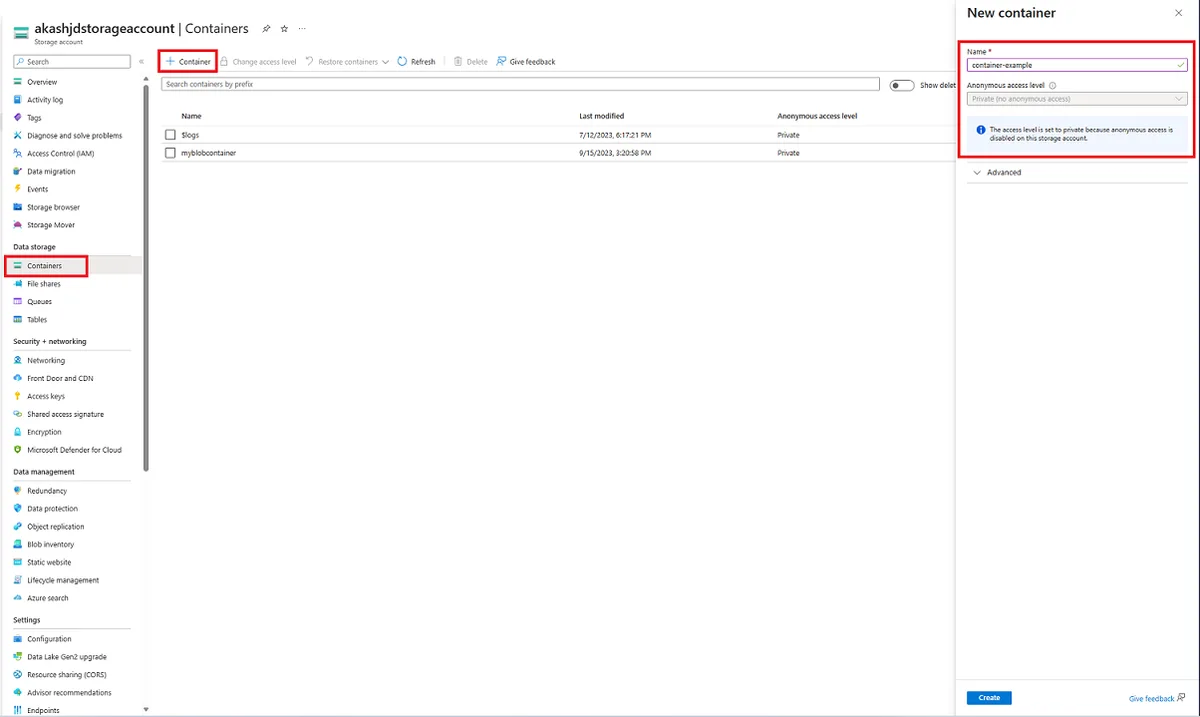
Azure Blob Storage is the only major service in this list without an S3 API. It uses Microsoft’s own Blob REST API, and it can also act as Data Lake Storage with an HDFS-compatible interface, or accept files over NFS 3.0 and SFTP. Tools written for S3 will need a change or need a gateway.
Inside Azure, the tiering is flexible. Hot, Cool, Cold, and Archive tiers have minimums of 0, 30, 90, and 180 days. Smart tier, now generally available in zone-redundant regions, moves blobs between Hot, Cool, and Cold without early-deletion fees.
Redundancy ranges from locally redundant storage to geo-zone-redundant copies with read access in a second region.
Hot storage costs $0.0184 per GB in East US 2, though East US and West US charge $0.0208. Immutable storage, versioning, lifecycle management, object replication, and Event Grid events are all built in, and SAS tokens play the role of presigned URLs.
Our take: The right choice when your apps use Azure Functions, Databricks, Microsoft Fabric, or Entra ID for access control. Outside the Microsoft ecosystem, the missing S3 API is a limitation.
Standout features:
- Hot, Cool, Cold, Archive, and Smart access tiers
- Data Lake Storage, NFS 3.0, and SFTP access
- Immutable storage, versioning, and object replication
- Integrations with Azure Functions, Databricks, Fabric, and AzCopy
08. DigitalOcean Spaces
Developer cloudSmall apps that need a built-in CDN
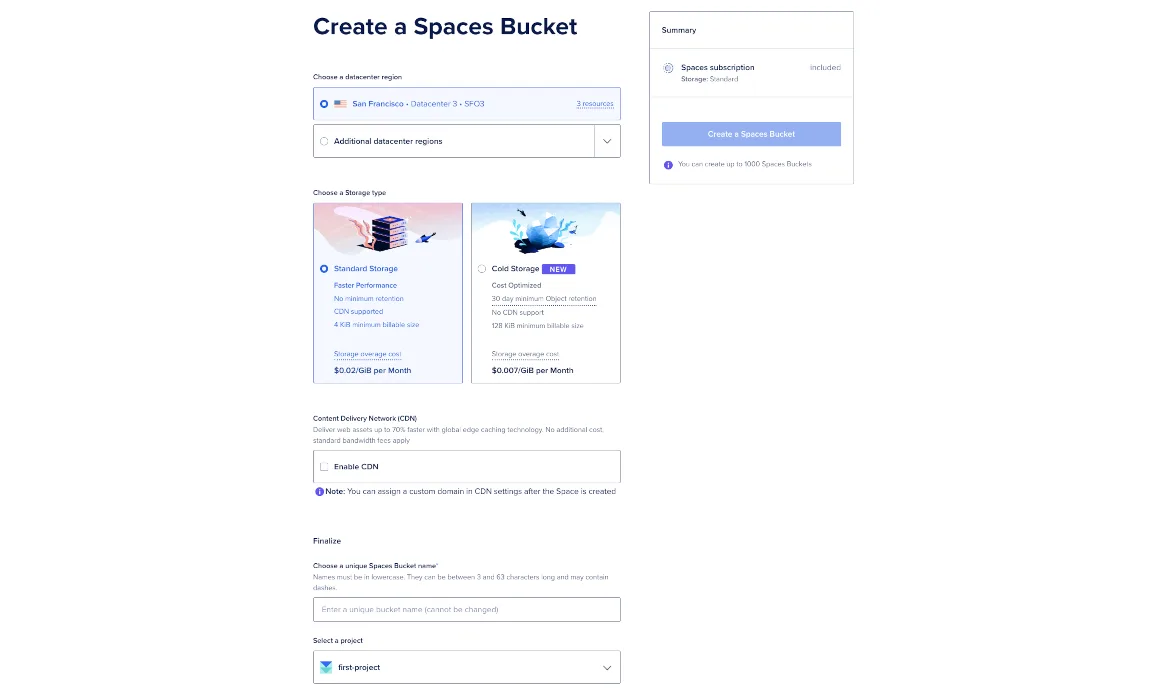
Spaces starts at $5 a month, which gives you 250 GiB of storage and 1 TiB of outbound transfer shared by all your buckets. Extra storage costs $0.02 per GiB, extra transfer $0.01 per GiB, and DigitalOcean lists no request fees. A CDN is included at no extra cost.
It’s built on Ceph and supports a large part of the S3 API but with some limits. Versioning can only be turned on through the API. Lifecycle rules handle expiration and cleanup of incomplete multipart uploads but not tag-based rules. Static sites work through a separate endpoint, without the CDN.
Cold Storage is at $0.007 per GiB a month, with a 30-day minimum and a 128 KiB minimum object size. Since April 2026, Droplets can reach Spaces over a private VPC connection that doesn’t count against the transfer allowance.
Our take: Good value for small apps on DigitalOcean that need uploads and a CDN. Backup software that expects Object Lock should go to Wasabi or Backblaze B2 instead.
Standout features:
- Built-in CDN at no extra cost
- Standard and Cold Storage classes
- Static website hosting and presigned URLs
- Terraform backend, s3cmd, Cyberduck, and rclone support
Pros & Cons
PROS
CONS
09. Akamai Object Storage
Developer cloudPairing storage with a global CDN
Akamai Object Storage costs $5 a month for 250 GB and adds 1 TB to your account’s transfer pool. After that, storage is $0.02 per GB and egress $0.005 per GB in most data centers, lower than DigitalOcean’s transfer rate. There are no API request charges, and Akamai says per-request fees for E3 endpoints won’t appear on any invoice before October 1, 2027.
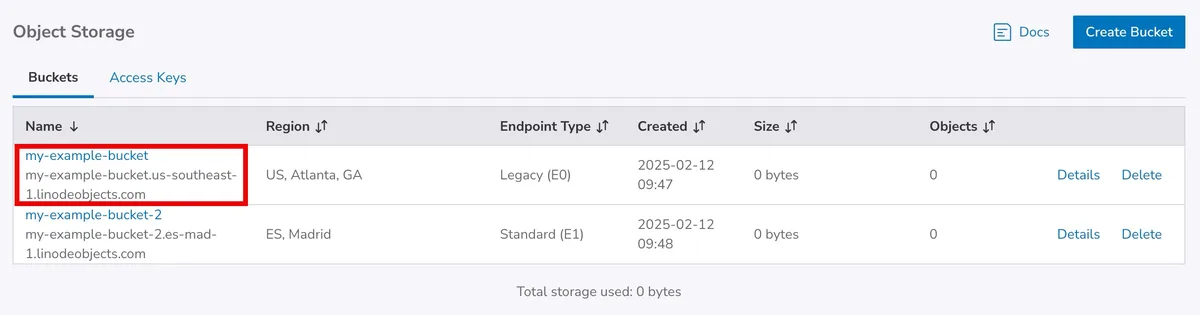
E2 and E3 endpoints get new features, default encryption, and metrics, and E3 handles up to 20,000 requests per second and 5 PB per bucket. Static website hosting, CORS, and object-level ACLs only work on the older E0 and E1 endpoints, so Akamai recommends its CDN for serving sites.
Versioning, Object Lock, lifecycle policies, and bucket policies are all supported, and the endpoint table lists 26 locations.
Our take: A good fit if you already use Akamai’s CDN or Linode compute, or need cheap egress. New accounts get a $100 credit for 60 days to try it.
Standout features:
- Four endpoint types, with E3 for high request rates
- Versioning, Object Lock, and lifecycle policies
- Integration with Akamai CDN and Grafana Loki
- Works with AWS CLI, s3cmd, s4cmd, and Cyberduck
Pricing
The $5 monthly plan includes 250 GB of storage and adds 1 TB of transfer.
Extra storage costs $0.02 per GB, and extra egress costs $0.005 per GB in most data centers.
Jakarta and São Paulo charge more for egress.
New accounts get a $100 credit for 60 days after adding a payment method.
10. Vultr Object Storage
Developer cloudChoosing a performance tier
Vultr sells object storage in four performance tiers, and each one includes 1,000 GB of storage and 1,000 GB of outbound transfer.
Standard is $18 a month and Premium $36 which run on hard drives with an SSD index.
Performance is $50 and Accelerated $100 which use NVMe, and Accelerated reaches 10,000 operations per second and 5 Gbps, against 800 operations and 600 Mbps on Standard.
That makes Vultr one of the few providers where you pick speed per bucket. An Archive plan for cold data starts at $6 a month. Versioning and Object Lock are set when you create a bucket, and lifecycle policies move data to archival storage. A bucket that has ever used versioning can’t use archival storage.
Our take: Worth a look when you need fast object storage for AI pipelines or media. Vultr is also a Backblaze egress partner, so data can move from B2 to Vultr compute without egress fees. For small amounts of data, the $18 minimum costs more than DigitalOcean’s or Akamai’s $5 plans.
Standout features:
- Four tiers from HDD to NVMe, with published speed limits
- Archive plan and lifecycle rules for cold data
- Versioning and Object Lock at bucket creation
- Vultr CDN pull zones, Terraform, and Vultr CLI support
11. Hetzner Object Storage
EU storageLow-cost storage in the EU
Hetzner charges a base price of €6.49 a month excluding VAT, which includes 1 TB of storage and 1 TB of egress. Beyond that, storage costs about €6.26 per TB a month and egress only €1 per TB. Ingress and API calls are free.
Data stays in Germany or Finland, in Falkenstein, Nuremberg, or Helsinki, which suits teams that need EU data residency. Each bucket can hold up to 100 TB and 50 million objects and handle 750 requests per second, with a limit of 100 buckets per account.
Hetzner doesn’t support replication, static website hosting, or custom domains, and it has no CDN. The base price is charged for every hour you have at least one bucket, even an empty one, and objects are billed at a minimum of 64 KB.
Our take: Excellent value for backups and app data from Hetzner servers. If your users are mostly outside Europe, or you need replicated copies, choose another provider.
Standout features:
- 1 TB of storage and egress included in the base price
- Object Lock, versioning, and lifecycle rules
- Locations in Germany and Finland
- Works with rclone, s3cmd, s5cmd, AWS CLI, and Bareos
Pros & Cons
PROS
CONS
12. OVHcloud Object Storage
EU storageFree egress with EU data residency
OVHcloud charges no fees for egress, ingress, or API calls on any S3 storage class. You pay by the GiB-hour for storage only, from about $0.0081 per GiB a month for One-Zone Standard to about $0.0157 for Standard replicated across three availability zones.
It has more storage classes than most providers outside the hyperscalers. High Performance, Standard, Infrequent Access, Active Archive, and Cold Archive cover everything from fast workloads to long retention, with 30, 90, and 180-day minimums on the colder classes.
Data protection is complete for an S3 service. Object Lock, versioning, lifecycle rules, asynchronous replication, static website hosting, and server-side encryption are all supported, and buckets can be reached privately over OVHcloud’s vRack network.
OVHcloud holds ISO 27001, 27017, 27018, and 27701 certifications.
Our take: A strong option for European companies that want free egress and data residency, with regions in France, Italy, Germany, the UK, Poland, Canada, Singapore, Australia, and India. US customers buy through OVHcloud’s separate US entity.
Standout features:
- No egress, ingress, or API request fees
- Five storage classes, including tape-based Cold Archive
- Object Lock, replication, and static website hosting
- Integrations with Veeam, HYCU, Veritas NetBackup, and Terraform
Pros & Cons
PROS
CONS
13. Ceph
Open source, self-hostedRunning your own object storage
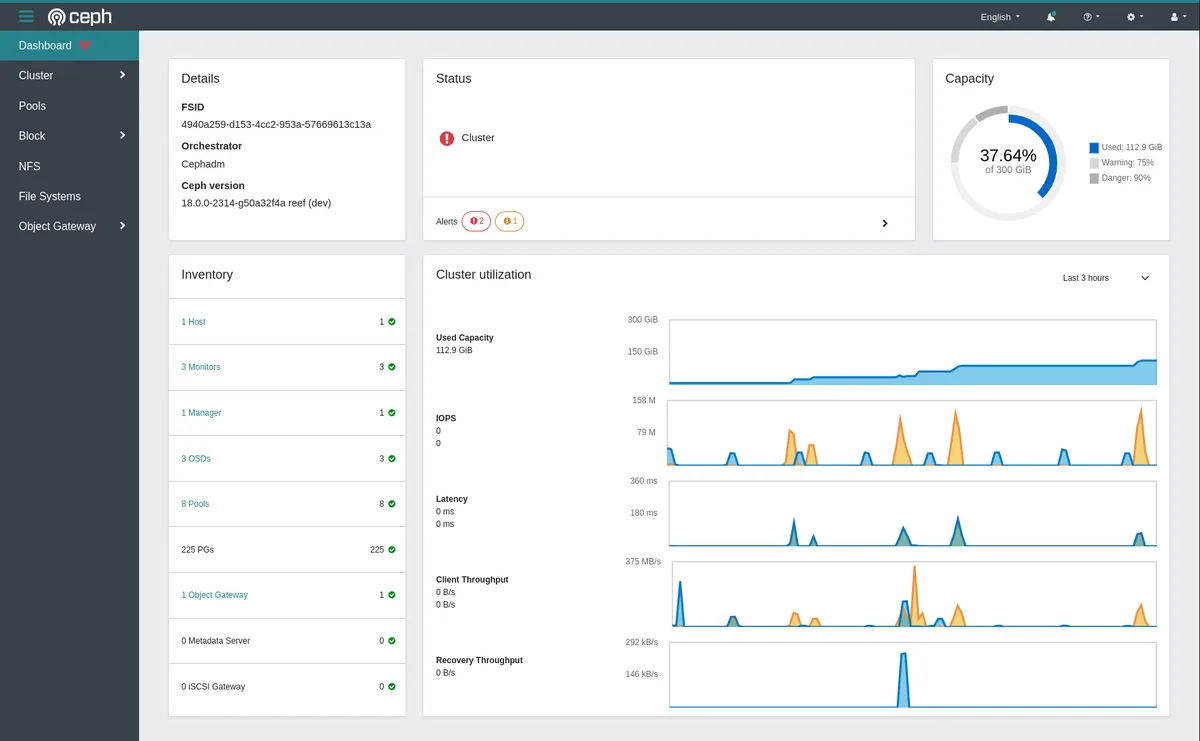
Ceph is open-source storage software that provides object, block, and file storage from one cluster. Its RADOS Gateway (RGW) serves a large part of the S3 API and the OpenStack Swift API. DigitalOcean Spaces is built on it, which gives a sense of the scale it handles.
RGW supports versioning, lifecycle rules, bucket websites, bucket and object policies, notifications, and Object Lock in governance and compliance modes. Multisite replication copies data between zones, and AWS STS, multi-tenancy, and Lua scripting are there for larger setups.
The latest stable release supports full-object deduplication, bucket logging, AES-256-GCM encryption, and restore from Glacier or tape. You can use cephadm for installs and Rook for running Ceph on Kubernetes.
Our take: The serious choice for running S3-compatible storage in your premises, and an option for teams moving off MinIO’s community edition.
Standout features:
- S3 and Swift APIs through RADOS Gateway
- Object Lock, versioning, lifecycle, and multisite replication
- Object, block, and file storage in one cluster
- cephadm and Rook for Kubernetes deployments
Pros & Cons
PROS
CONS
Other Object Storage Options
Always Free includes 10 GB each of Standard, Infrequent Access, and Archive storage, and the first 10 TB of egress each month is free.
An enterprise option with 22 locations, Object Lock, replication, and Aspera transfer.
30 regions, 12 of them in mainland China, which makes it the main choice for serving users in China. 5 GB of Standard storage is free each month, and the S3 API is partly supported.
22 regions, including 10 in mainland China, with S3-compatible APIs. New users get 50 GB of Standard storage free for six months.
Globally distributed S3-compatible storage behind one endpoint, where data moves toward the regions that read it. Egress is free, and 5 GB of storage is free each month.
$6 per TB per month with a 1 TB minimum charge, free API calls, and free egress up to three times your stored data, across 15 regions.
A lightweight open-source S3 server that runs as a single binary with 1 GB of RAM and spreads copies across sites over ordinary internet links.
Apache-2.0 storage built for billions of small files, with an S3 gateway, a POSIX filer, erasure coding, and tiering to cloud storage.
How to Choose an Object Storage Provider
- If people or apps download a lot from the bucket, R2, Strg, Wasabi, and OVHcloud avoid per-GB transfer fees, while S3, Google Cloud, and Azure can charge more for egress than for storage.
- Check minimum storage periods and minimum bills. Wasabi’s 90-day minimum and 1 TB minimum charge suit backups but not short-lived files.
- List the S3 features your tools rely on, such as Object Lock for immutable backups or versioning, and confirm each one in the table above.
- Pick a region close to your users or compute, and check data residency rules if you store personal data from the EU.
- Storage inside the same provider as your servers or analytics tools often avoids transfer charges entirely.
- Run a small migration with rclone or the provider’s own tool before moving production data.
Storage is often one of the larger lines on a cloud bill, so it’s worth tracking alongside compute with cloud cost management tools.
FAQ
Which object storage has the most free storage?
IBM’s Lite plan includes 25 GB a month, and Oracle’s Always Free tier includes 10 GB in each of three storage tiers. Cloudflare R2, Strg, and Backblaze B2 each give 10 GB. Google Cloud Storage gives 5 GB in three US regions.
What is the cheapest object storage?
Strg ($6.80 per TB), Backblaze B2 ($6.95), and Wasabi ($7.99) have the lowest storage prices.
Can I host a website on object storage?
Yes, for static sites. Amazon S3, Google Cloud Storage, Azure Blob Storage, DigitalOcean Spaces, OVHcloud, and Ceph support static website hosting. Cloudflare R2 serves public buckets through a custom domain, and you’ll want a CDN in front for HTTPS and caching.
What happened to MinIO?
MinIO stopped publishing binaries for its free community edition in October 2025 and archived it in April 2026. The supported product is now AIStor, which has a free single-node tier and paid tiers for distributed setups. Ceph, Garage, and SeaweedFS are the common open-source alternatives.
Conclusion
For most applications, the choice comes down to where your compute runs and how much data leaves the bucket. Teams on AWS, Google Cloud, or Azure will usually stay with S3, Cloud Storage, or Blob Storage for the integrations, even with higher egress.
Cloudflare R2 suits public files behind Cloudflare. Strg includes egress and requests in a single rate and adds MCP access for AI agents, while Backblaze B2 and Wasabi are proven homes for backups. Hetzner and OVHcloud keep data in Europe at low prices, and Ceph is the open-source route if you’d rather run storage yourself.