



Choosing the right transactional email service is an infrastructure decision that may seem minor until something breaks. How does a 99% delivery rate sound? Maybe fine. However, it is not until you realize that there are 100 users locked out of their accounts per 10,000 password reset emails sent.
It even gets worse when you consider 2FA codes and purchase receipts, as this 1% failure is considered a product failure. Roughly one in six emails never reaches the inbox, meaning the global average inbox placement rate is around 84%. That average shows how badly things can go wrong when transactional and marketing emails share infrastructure.
Below, I break down the best transactional email services in 2026, evaluated on API speed, deliverability infrastructure, and pricing scaling.
The Golden Rule of Email Deliverability
One of the most common mistakes teams make is sending transactional and marketing emails from the same IP or subdomain. If promotional emails you send trigger spam complaints, bounces, or low engagement, they negatively affect your sender reputation. Unfortunately, transactional emails sent from the same address can take the hit too.
When your domain reputation takes a hit, critical messages start landing in spam folders. This means they may not receive purchase confirmations, links to confirm their email addresses after signing up, or even OTPs on those emails unless they check their spam folder.
There are several fixes; the first is to separate your sending identities by using a dedicated subdomain, such as mail.yourdomain.com, for transactional emails and routing marketing traffic elsewhere. Secondly, you can also use dedicated platforms that specialize in transactional emails. We shall focus on the second approach for this article.
Best Transactional Email Services
I tested and researched the following providers based on deliverability infrastructure, API quality, developer experience, and pricing transparency. Here’s what each one is best at and where it falls short.
Postmark
Best for reliable delivery and strict anti-spam policies
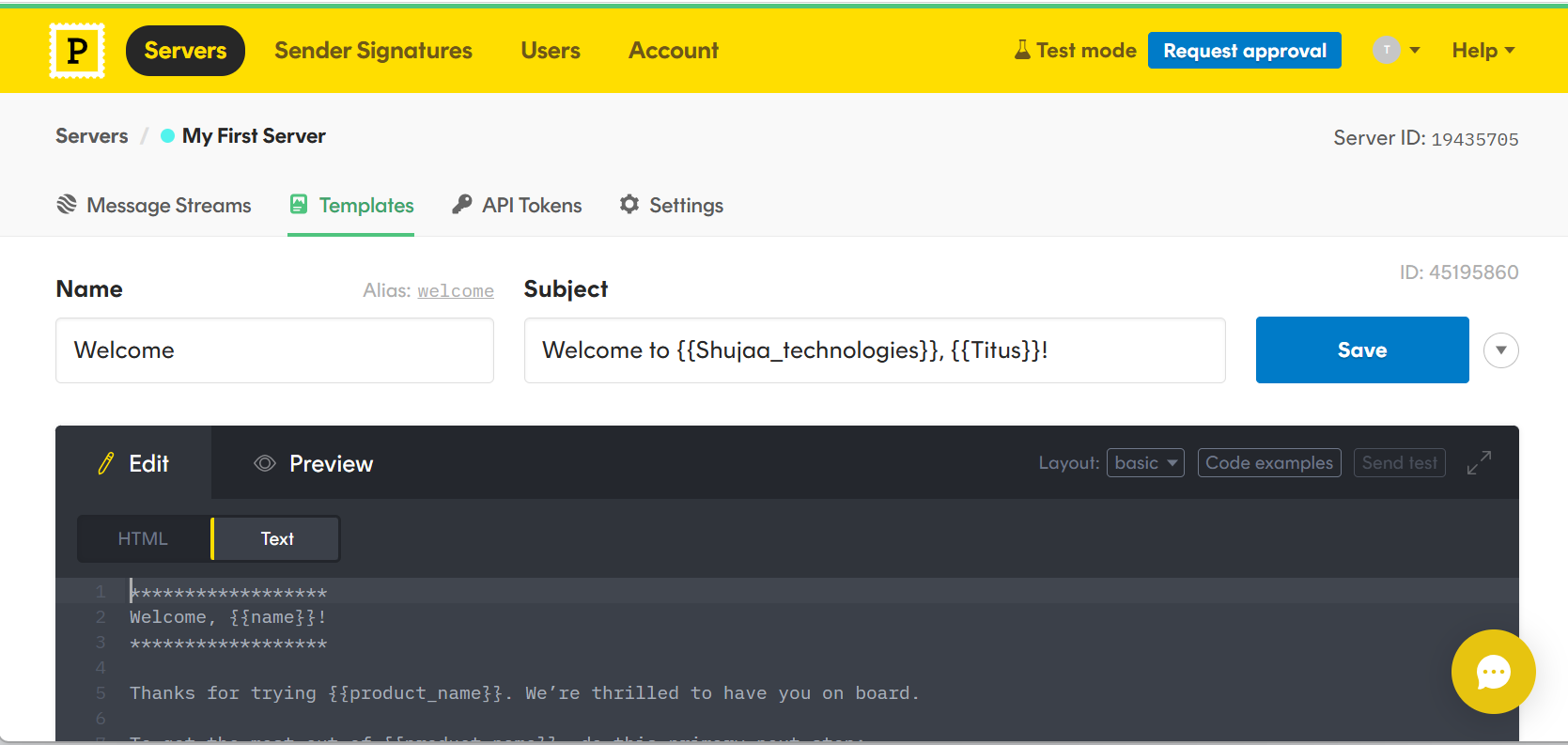
Postmark is a transactional email service that you can integrate in minutes through an API or SMTP. This tool uses Message Streams, a separate sending infrastructure, to optimize deliverability for different email types. The platform also has redundant data centers in different parts of the world. This ensures users experience low latency through geographic load balancing.
Postmark’s email deliverability stands at 0-10 seconds. The platform handles all the technical stuff from reverse DNS, blocklists, IP reputation, and feedback loops, so users don’t have to be techy to use it. Users also don’t have to waste time drafting emails from scratch, as they can pick and edit the pre-built transactional email templates.
Pros & Cons
PROS
CONS
Pricing
Postmark offers a free plan that lets users test their integration with 100 emails/month. Paid plans offering 45-day data retention, detailed analytics, and insights start from $15/month.
Mailtrap
Best for Developer and Product Teams
Mailtrap is a RESTful email API and SMTP that you can use for both transactional and marketing emails. Its stream separation feature keeps transactional email apart from marketing sends across every single account. You can connect a different sending domain for each account. This approach keeps sending activity organized by domain and makes usage easier to track across every single account.
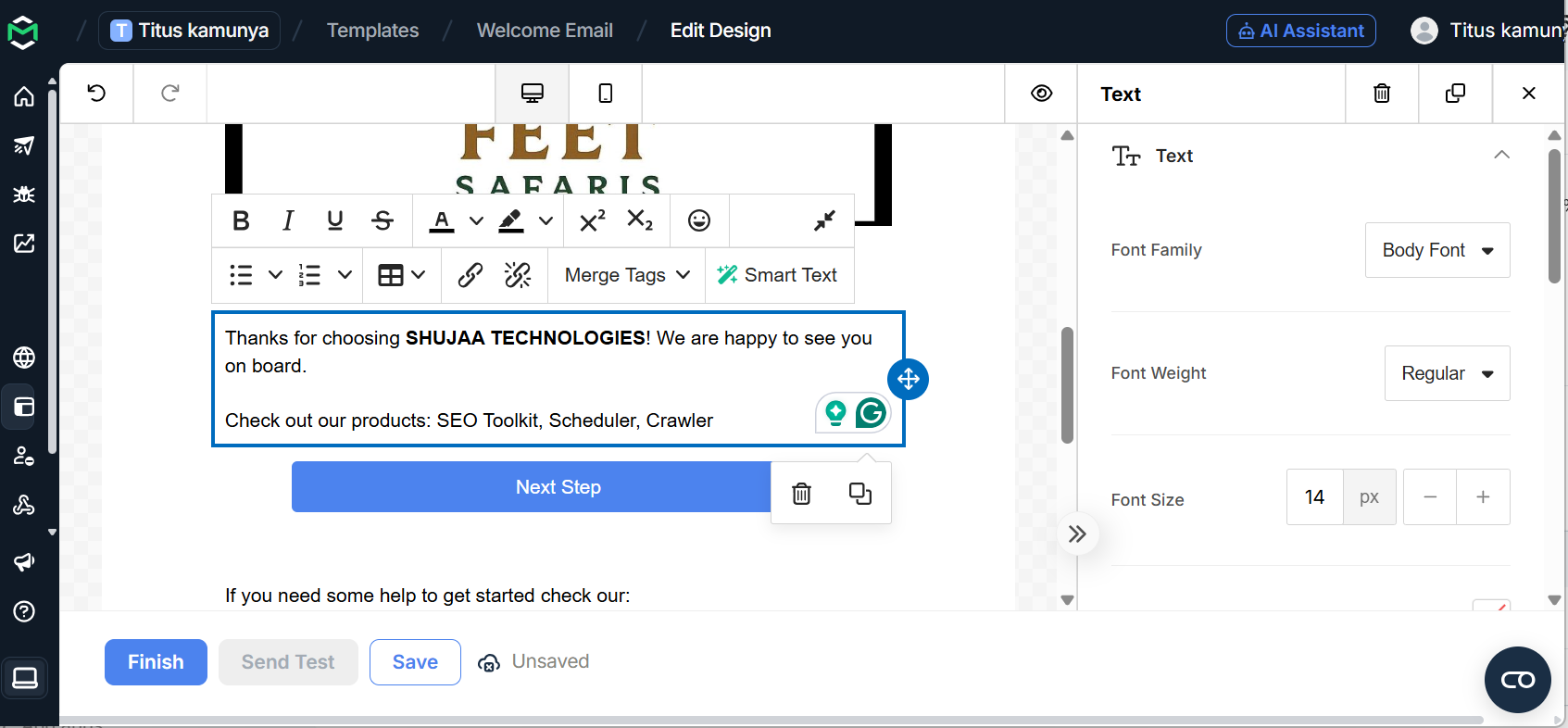
Mailtrap is known for its actionable analytics. You can get important metrics, such as unique open rate, spam complaints, unsubscribe rates, delivered emails, and bounce rate. It also features visual graphics on its helicopter-view dashboard to help you better understand your emails. Mailtrap integrates with various programming languages, such as Ruby, Python, Scala, .NET, and Java.
Pros & Cons
PROS
CONS
Pricing
Mailtrap has a free plan that allows users to send 150 emails/day and up to 4,000 emails. However, this free package supports only 1 user, 1 domain, and 3 days of email logs. Paid plans with more features start at $15/month.
Resend
Best for React Developers
Resend lets users visually build emails and change the design by adding custom styles through its easy-to-use editor. Its React Email integration lets you write templates as typed components alongside your app code. This means you don’t need a separate editor, inline styles, or table layouts. SDKs are also available for Node.js, Python, Ruby, PHP, Go, Rust, Java, Elixir, and .NET.
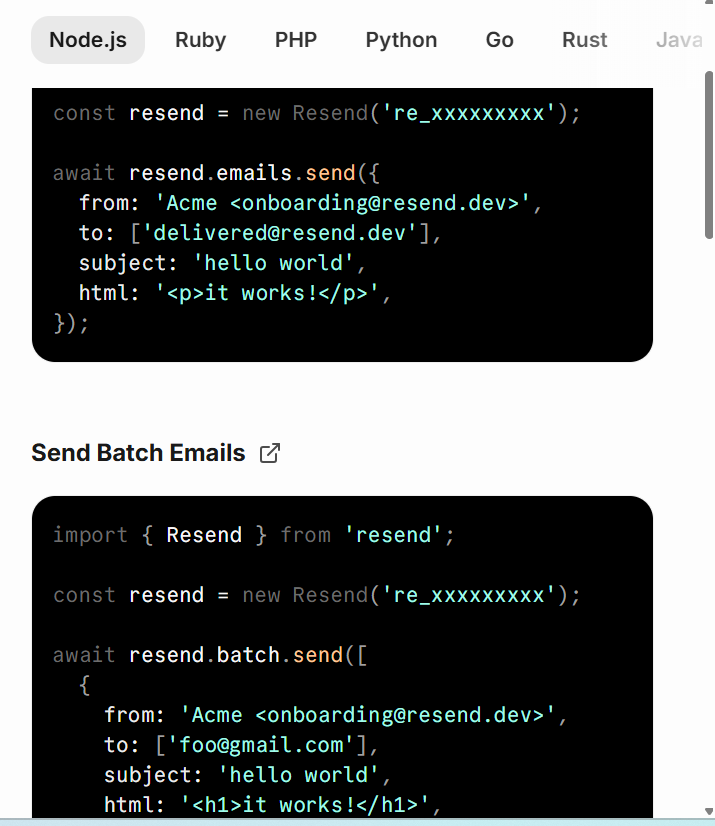
On the deliverability side, Resend handles the infrastructure fundamentals. It features proactive DNSBL monitoring, automated removal requests, and managed dedicated IPs that warm up and autoscale. Users also enjoy multi-region sending across North America, South America, Europe, and Asia to reduce latency. Lastly, the modular webhooks fire in real time for every email event, such as delivered, opened, clicked, bounced, and reported.
Pros & Cons
PROS
CONS
Pricing
Resend has a free plan that allows users to send up to 3,000 emails/month, 100 emails/day, connect 1 domain, and do 10,000 automation runs/month. Paid plans with no daily limits start at $20/month.
Sender
One platform for marketing and transactional emails
Sender is a transactional email platform that comes with built-in security to protect users’ reputations. It features a drag-and-drop workflow builder that ensures you can design and send transactional emails without writing a single line of code. You can also create and save dynamic templates that save tons of hours you could have spent drafting the perfect emails.
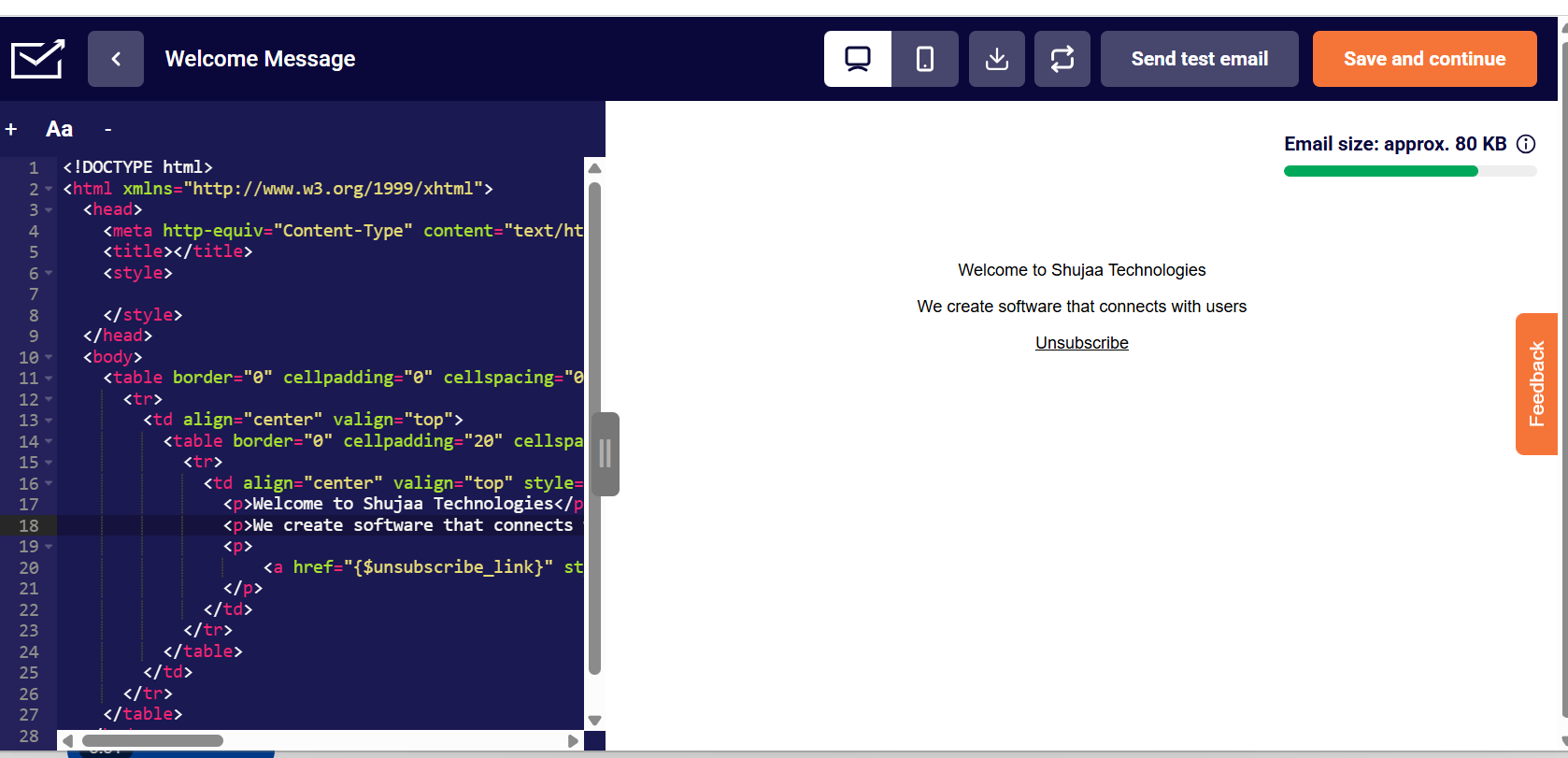
Sender does all the heavy technical stuff in the background, such as providing dedicated IPs and domain authentication. You can set up webhooks and notifications so you are instantly notified when an email is delivered, clicked, or opened. Sender also provides detailed logs and analytics for every email sent over the past 30 days, with search and filter features.
Pros & Cons
PROS
CONS
Pricing
Sender has a free plan that lets users send up to 15000 emails/month, offers 1 seat, and includes Sender branding. Paid plans with higher monthly email limits, no Sender branding, and SMS messaging start from $7/month.
Amazon Simple Email Service (Amazon SES)
Best for teams that want cost-efficiency
Amazon Simple Email Service (Amazon SES) is a cloud-based service you can use to send transactional and other types of email. It is flexible, supporting shared, dedicated, and owned IP address deployments. It also features detailed analytics and a Virtual Deliverability Manager (VDM) to help users track email deliverability and recipient interactions.
Global Endpoints splits sending load across two AWS regions. This means that if one automatically goes down, the other can pick up the load. Amazon SES supports multiple sending methods, such as the SES console, SMTP interface, and the SES API via the AWS CLI or SDKs. Also, it’s built-in Mailbox Simulator lets you test bounce and complaint scenarios.
Pros & Cons
PROS
CONS
Pricing
Amazon Simple Email Service (Amazon SES) has a free plan that supports up to 3,000 message charges free each month for the first 12 months. Paid plans are on a pay-per-use basis, starting from $0.10/1000 emails.
Twilio Sendgrid
Best for SendGrid Users and Legacy Integrations
SendGrid Email API, Twilio’s mail service, allows individuals and businesses to create, manage, and send emails through SMTP or RESTful APIs. Its built-in cloud authentication and connections manage delivery and maximize inbox placement. Shopify uses SendGrid Email API to send alerts to its 1.7 million merchants, and its average inbox placement rate and delivery rates are 91.3% and 99.5%, respectively.
Bounce rates on the SendGrid Email API are minimal, as you can validate email addresses in real-time. The email testing feature also allows users to validate links, avoid spam filters, and ensure flawless rendering across devices and browsers. SendGrid also has a single dashboard for detailed performance monitoring and improving deliverability.
Pros & Cons
PROS
CONS
Pricing
SendGrid doesn’t have a free plan, but it offers a free trial that lets you send 100 emails/day for 60 days. You also don’t need to add a credit card, and you enjoy analytics and deliverability optimization during the free trial. Paid plans, which let you send over 50,000/month, start at $19.95/month.
Mailgun
Best for Inbound Email Routing and Parsing
Mailgun is known for its inbound email routing, which automatically parses, prioritizes, and organizes incoming emails, reducing the risk of wasted time, customer frustration, and missed messages. The tool simplifies and parses complex messages into all the data you need with Inbound Routes. Thus, you no longer collect unnecessary details such as repeated email threads or signatures.
Mailgun is owned by Sinch, which also owns Mailjet (a platform that covers both marketing campaigns and transactional email APIs under one roof). Teams that need email marketing features alongside transactional tools can use Mailjet without switching providers entirely. That said, Mailgun allows users to run A/B tests and offers advanced analytics that track changes in real time.
Pros & Cons
PROS
CONS
Pricing
Mailgun has a free plan that supports 1 domain, RESTful email APIs, SMTP relay, and 100 emails per day. Paid plans without daily email limits and higher monthly email sending limits start at $15/month.
Zoho ZeptoMail
Best For Small Businesses And Developers Who Want A Pay-As-You-Go Transactional Email Service
Zoho ZeptoMail is a transactional-only email service that prioritizes fast delivery and inbox placement. This email platform is built for everyday users, with an easy-to-set-up SMTP configuration that lets users plug into systems they already use. However, if you have developer experience, you can use its email API for deeper integration and advanced functionalities.
ZeptoMail uses an “Agent” system to segment emails into separate streams. This is useful if you run multiple applications or send different types of transactional emails. Each Agent gets its own credentials, analytics, and sending history, so order confirmations, password resets, and billing alerts never share the same stream or reputation.
Pros & Cons
PROS
CONS
Pricing
Zoho ZeptoMail doesn’t have a free-forever plan. However, it offers 1 credit, which lets you send 10,000 free transactional emails before you start paying. Paid plans are on a pay-as-you-go model, where you buy credits starting at $2.50 per credit, which includes 10,000 emails. However, these credits are valid for only 6 months from the date of purchase.
MailerSend
Best for Small Businesses Looking for a Cost-effective Email Service
MailerSend is a flexible transactional email service that supports both Email API and SMTP relays. It has SDKs for Node.js, PHP, Laravel, Python, Ruby, Go, and Java, meaning you can use it with the most popular programming languages. The inbound email routing feature lets you receive and process incoming emails directly into your application.
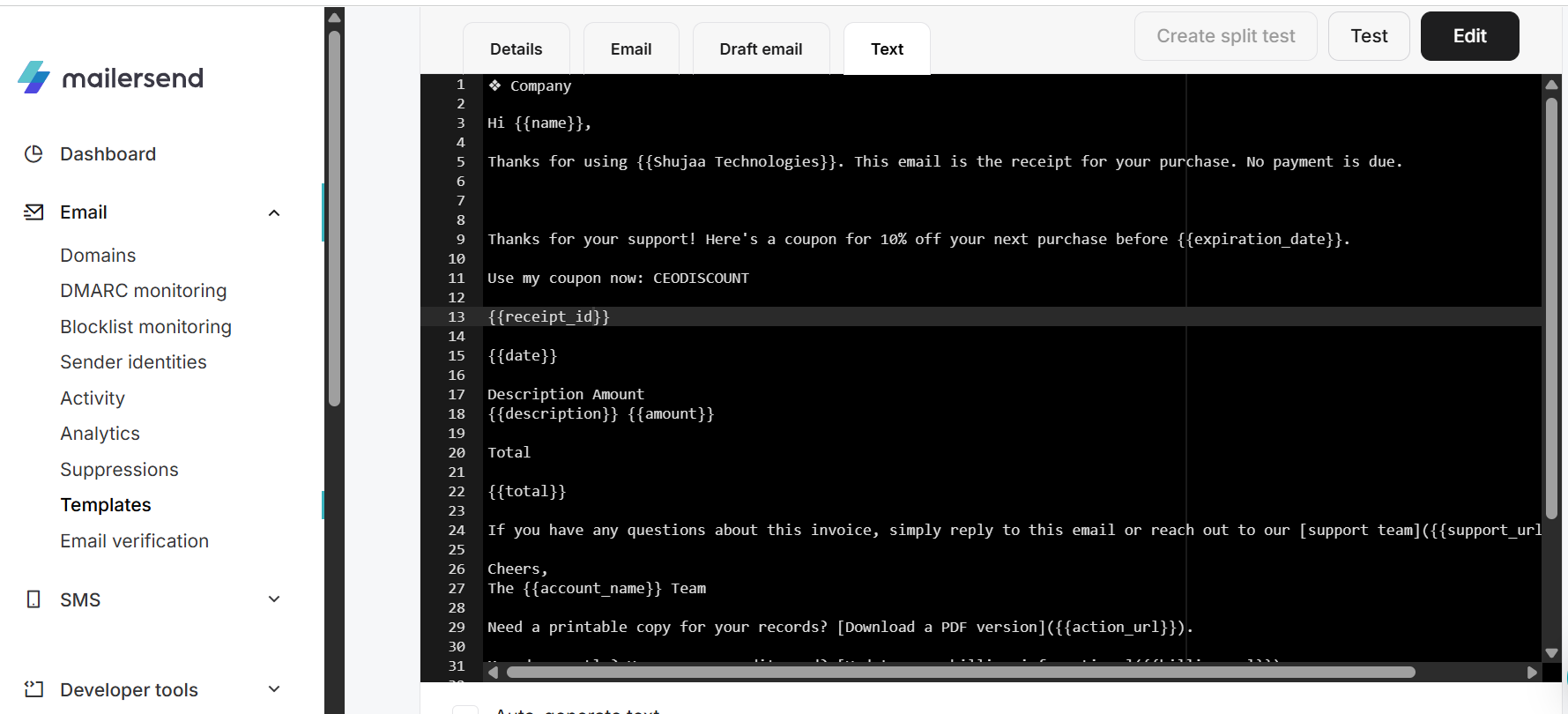
MailerSend includes three email builders: drag-and-drop, HTML, and rich text, to suit different user types. You can also use the dynamic templates that you can edit and personalize to suit your brand and needs. DMARC monitoring and an email verification tool are also built in, reducing bounce rates before they affect your sender reputation.
Pros & Cons
PROS
CONS
Pricing
MailerSend has a free plan that lets you send 500 emails/month, includes 10 email verification credits, supports email threads, and comes with a drag-and-drop email builder. Paid plans that let you send 5,000 emails per month and include more email verification credits start at $6.30/month.
Plunk
Best for Developers looking for an Open-Source Solution
Plunk is an open-source email service licensed under AGPL-3.0, EU-hosted, and GDPR-compliant. The full platform ships with every install, meaning there are no locked modules or upsell pages. It supports transactional email, marketing campaigns, and workflow automation. Its no-code visual builder allows users to compose complex email sequences using triggers, delays, and conditional logic.
Plunk provides a single source of truth for engagement history. This means that every contact interaction, such as transactional sends, campaign emails, workflow events, and inbound replies, flows into a single contact record. Inbound email is supported natively via webhooks, and dynamic segments update in real time based on contact data and behavior.
Pros & Cons
PROS
CONS
Pricing
Plunk has a free plan that lets users send 1,000 emails per month. Paid plans start at $0.001 per email, and you can have unlimited contacts with no hidden fees.
More Email API Services
The following services didn’t make it into our main transactional email services list. However, they are still worth mentioning.

WAYPOINT

Cloudflare Email Service

Brevo

SMTP
Transactional Email Services Free Quota
| Provider | Free Emails | Key Features | Starting Price |
|---|---|---|---|
| Postmark | 100 emails/month | SMTP, API, multi-region routing | $15/month |
| Mailtrap | 4000 emails/month | 1 domain, 3 days of logs, 1 user | $15/month |
| Resend | 3000 emails/month | 30-day data retention, 1 domain, 10,000 automation rules | $20/month |
| Sender | 15000/month | 1 seat, sign-up forms, and popups | $7/month |
| Amazon Simple Email Services (Amazon SES) | No limit | Pay-as-you-go model, flexible deployment modes (hybrid, owned, and shared IP addresses) | $0.10/1000 emails |
| Twilio | 100 emails/day for 60 days | Analytics, 1 event webhook | $19.95/month |
| Mailgun | 100 emails per day | 1 domain, RESTful email APIs, and SMTP relay | $15/month |
| Zoho ZeptoMail | No free plan. Offers 10,000 free transactional emails for new sign-ups | Pay-as-you-go pricing, purchases are valid for 6 months | $ 2.50 (10,000 emails) |
| MailerSend | 500 emails/month | Drag-and-drop editor, 10 email verification credits | $6.30/month |
| Plunk | 1000 emails/month | Open-source, inbound email, email editor | Self-hostable at $0.001 per email |
How to Evaluate a Transactional Email API
Not all transactional email APIs are created equal. Below are some of the guidelines to follow when evaluating such services:
Shared IP pools vs. dedicated IPs
On a shared IP, your sender reputation is influenced by every other customer in that pool. One bad actor can negatively impact deliverability for everyone else. A dedicated IP, on the other hand, isolates your reputation entirely.
However, this makes sense if you send high volumes, let us say, above 50,000 emails per month. Below that threshold, low volume gives mailbox providers too little data to establish trust.
Availability of SDKs, REST APIs, SMTP relays, and clear documentation
The ideal providers offer three integration paths: a REST API, an SMTP relay, and official SDKs. The API gives the most control and fastest response times. SMTP relay, on the other hand, requires the least code change and will come in handy when migrating an existing setup. Lastly, SDKs suit advanced developers.
Look for providers with interactive API references, quickstart guides, and maintained SDK repos.
Real-time tracking for bounces, drops, opens, and clicks to sync back to your app database
How the provider tracks delivery events, such as bounces, drops, spam complaints, opens, and clicks, is an important consideration. Ideally, such events should fire as webhooks in real time, allowing your application to act immediately.
Providers that display these events only through a dashboard, without webhooks, force you to track them manually.
How costs scale from 10,000 to 1,000,000+ emails per month
Most providers have comparable rates for users sending 10,000 emails per month. However, the gap widens at 100,000+, where per-email pricing and add-ons like dedicated IPs and extended log retention start making a difference. The secret is figuring in the compounding effects, the add-ons, and the features you’re looking for.
Hidden Traps to Avoid When Switching Providers
Finally, signing up for that transactional emailing service may sound like a new idea. However, there are some mistakes you should avoid:
Don’t Blast 50,000 Emails on Day One With a New Dedicated IP
A fresh dedicated IP has zero sending history, meaning mailbox providers don’t trust it yet. Sending high volumes immediately may trigger spam filters, negatively affecting your delivery rates before you’ve even started.
Gradually increase send volume over 4–6 weeks to warm your IP. Start at a few hundred emails per day and scale slowly until the IP builds a verifiable reputation.
Abstract Your Email Sending Logic to Avoid Vendor Lock-In
If your codebase calls a specific provider’s SDK directly across dozens of files, switching providers means rewriting every single touchpoint. Instead, wrap your email-sending logic in a single internal service or module. This means you have a single interface your app calls, regardless of what’s running underneath.
When a provider raises prices or degrades deliverability, you simply swap the integration in one place, not across your entire codebase.
FAQs
What is the difference between an SMTP relay and an Email API?
An SMTP relay sends emails using the standard mail protocol with credentials, exactly like a traditional mail client. An email API sends emails via modern methods such as HTTP requests, giving you more control, faster response times, and easier access to delivery data.
Can I use Mailchimp for transactional emails?
Yes, Mailchimp has a transactional email service named Mailchimp Transactional. The platform claims to have delivered over 300 billion emails since 2018.
How many transactional emails can I send for free?
It depends on the platform. For instance, MailerSend lets users send 500 emails/month, Postmark lets users send 100 emails/month, while Mailtrap supports up to 4000 emails/month






