



A lot of popular CRMs promise to simplify your sales process but end up doing the opposite – bloated features, steep learning curves, and pricing that balloons the moment your team grows.
If you’re a small or mid-size business tired of paying HubSpot-level prices for features you don’t use, Nutshell CRM might be exactly what you’ve been looking for.
Nutshell is a sales-focused, all-in-one CRM built for small to mid-size teams that want to close deals – not spend weeks configuring software. It combines contact management, pipeline tracking, sales automation, and email marketing under one roof, at a price that stays affordable as you scale.
This Nutshell CRM review is written for SMBs, B2B sales teams, and agencies evaluating whether Nutshell is worth their time and money in 2026.
How We Tested Nutshell CRM
I signed up for Nutshell’s Business plan ($67/user/mo) using the 14-day free trial to put the Nutshell CRM system through its paces.
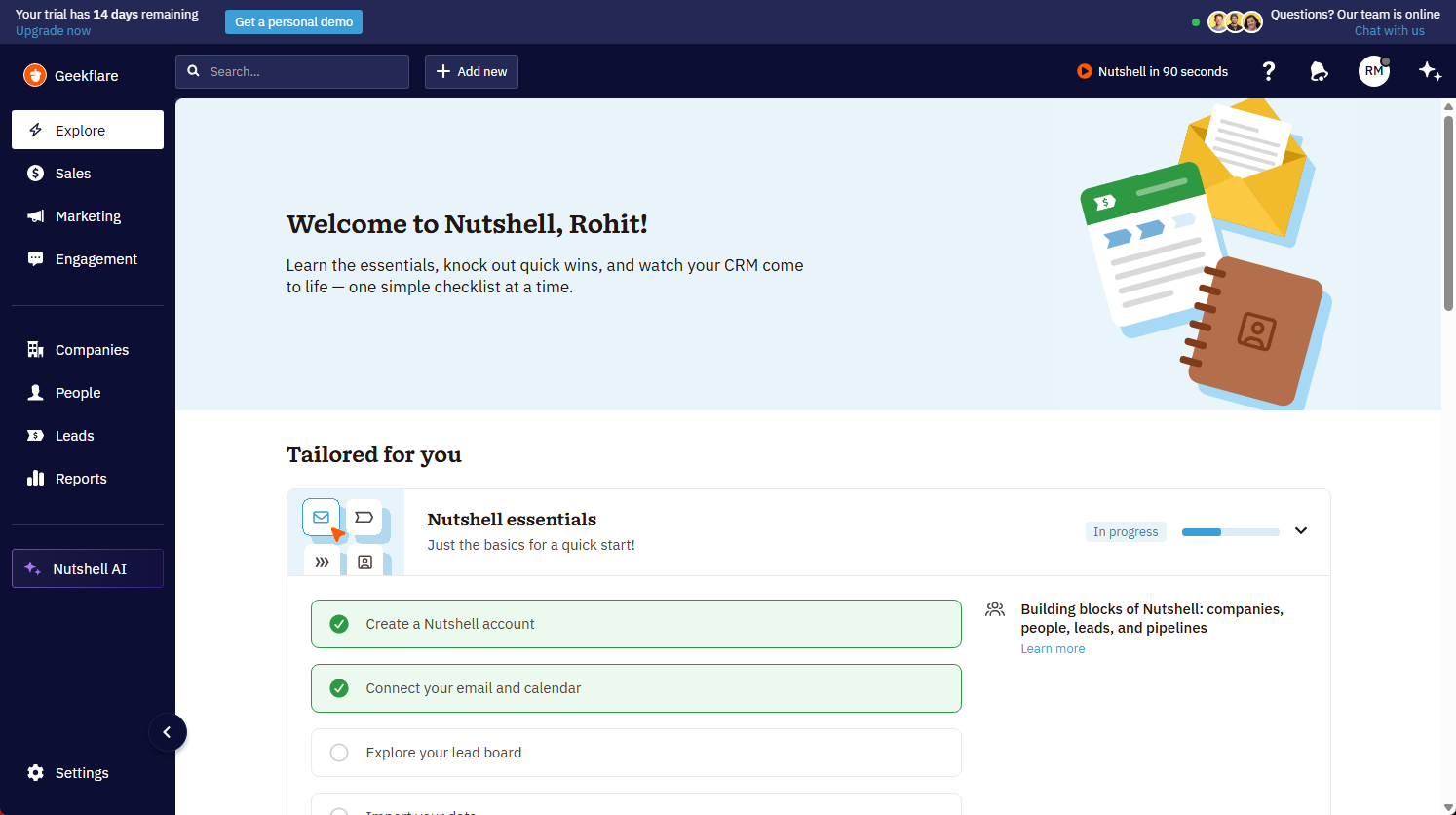
Over the testing period, I set up a sales pipeline from scratch, imported contacts, built email sequences, explored the reporting dashboards, and tested the meeting scheduler.
I also went through the Nutshell CRM tutorial resources available inside the app, including the onboarding checklist and help docs—to evaluate how beginner-friendly the setup actually is.
Beyond my own experience, I cross-referenced findings with real user feedback on G2 and Capterra and reviewed Nutshell’s official feature pages to ensure accuracy.
Everything you read in this Nutshell CRM review (the features, the friction points, the pricing) is based on hands-on testing combined with verified research.
What Is Nutshell?
Nutshell is a sales-focused, all-in-one CRM founded in 2010 and headquartered in Ann Arbor, Michigan. It’s built for small and midsize businesses that need a capable CRM without the implementation overhead of enterprise tools like Salesforce or the pricing complexity of HubSpot.
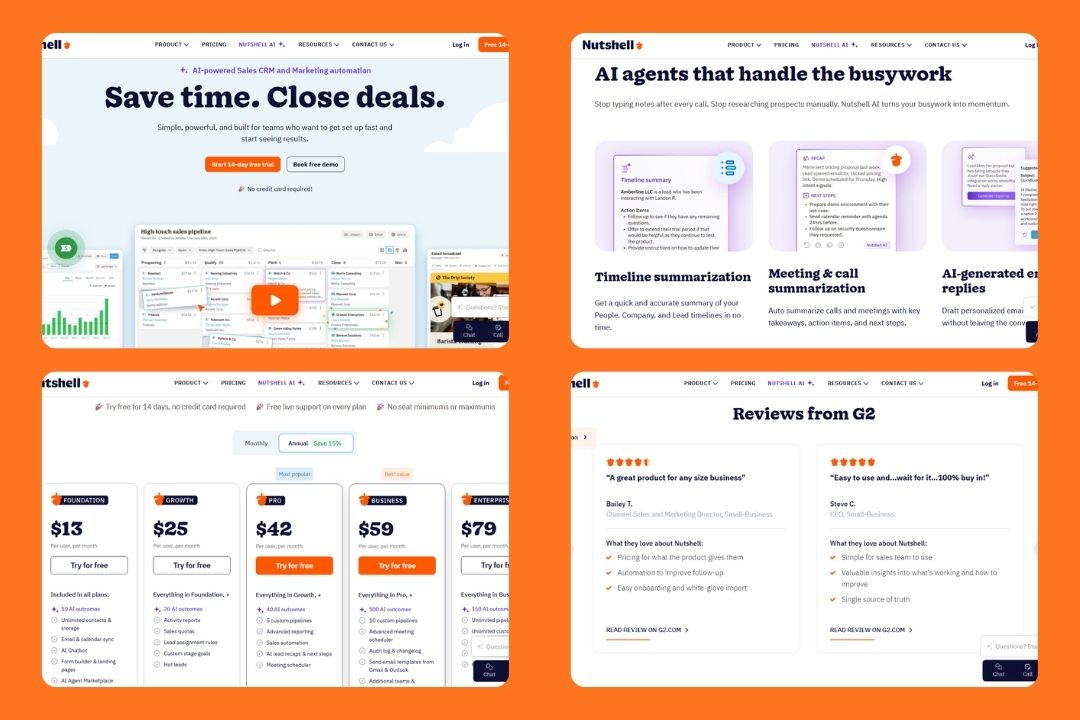
The core promise of the Nutshell CRM system is straightforward: give growing sales teams everything they need – pipeline management, contact tracking, email marketing, and automation – in one place, without requiring a dedicated CRM admin to keep it running.
Nutshell targets B2B sales teams, agencies, and SMBs that have outgrown spreadsheets but don’t need (or want to pay for) enterprise-grade complexity. If your team is between 5 and 200 people and you want a fast setup with a short learning curve, Nutshell is designed with you in mind.
Here’s how Nutshell compares against the most common alternatives:
| Feature | Nutshell | HubSpot | Pipedrive | Zoho CRM |
|---|---|---|---|---|
| Starting Price (annual) | $13/user/mo | Smart CRM $45/mo/user | $14/user/mo | $14/user/mo |
| Built-in Email Marketing | ✅ Yes | ✅ Yes (paid) | ✅ Yes (paid) | ✅ Yes |
| Sales Automation | ✅ From Pro plan | ✅ Paid plans | ✅ From Growth | ✅ From Standard |
| Ease of Setup | Very Easy | Moderate | Easy | Complex |
| Pipeline Customization | Moderate | High | High | High |
| Free Plan | ❌ No | ✅ Yes, for Sales – not for Smart CRM | ❌ No | ✅ Yes (limited) |
| Best For | SMBs, B2B teams | Scaling startups | Sales-first teams | Feature-heavy needs |
What is Nutshell AI?
Nutshell AI is a set of built-in artificial intelligence features woven directly into the Nutshell CRM workflow. So, there is no need for a third-party AI tool. It’s designed to reduce the manual work that slows down sales reps, from writing follow-up emails to summarizing long conversation threads.
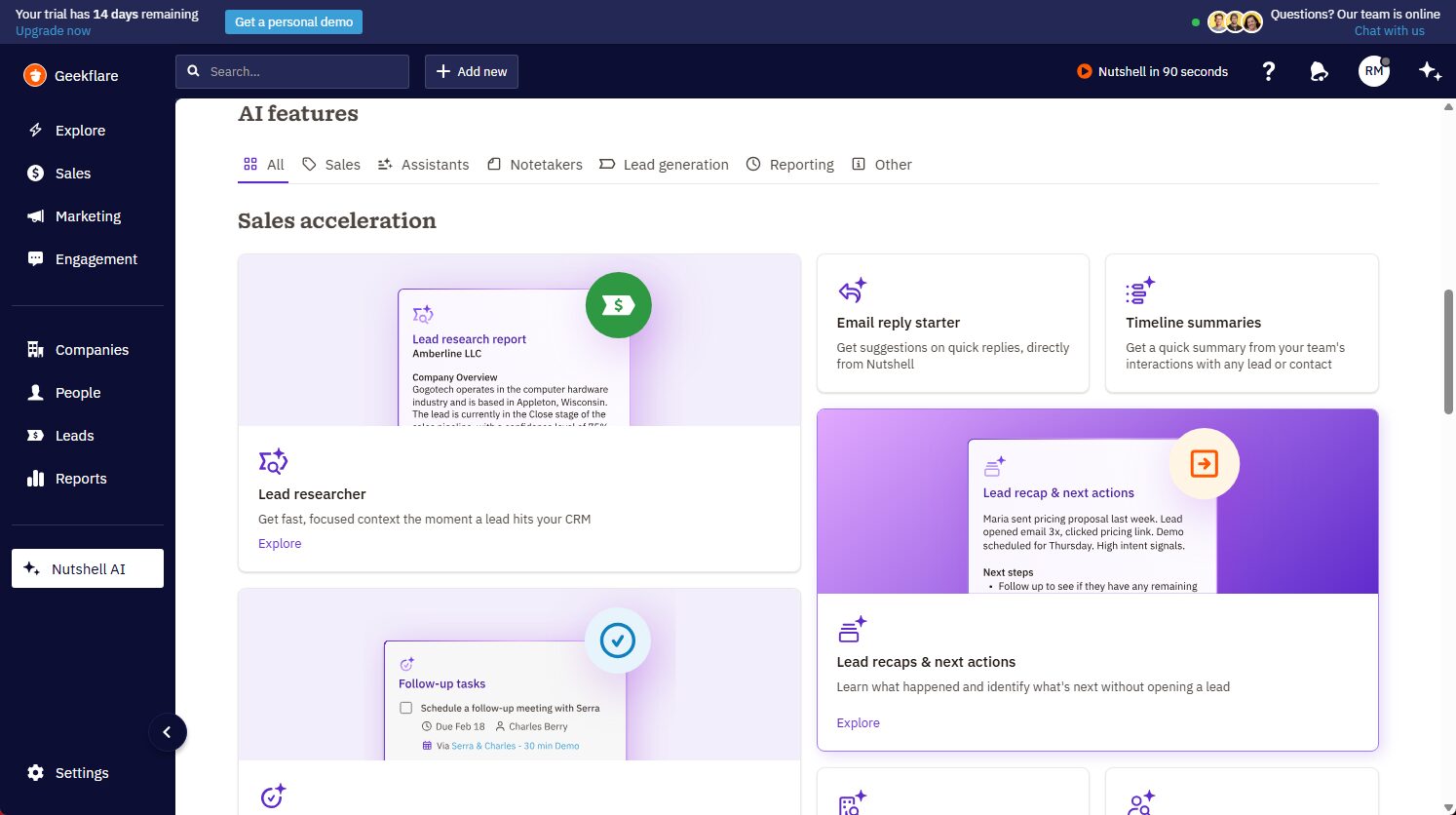
What I found useful is that Nutshell splits its AI capabilities into two buckets: AI Outcomes (counted against a monthly limit, varies by plan) and AI Assists (unlimited on all plans). Here’s what’s included:
AI Assists (Unlimited)
- Smart email reply suggestions
- Text-to-speech note-taking
- AI-powered smart reports
- AI follow-up task suggestions
AI Outcomes (Plan-limited)
- Call and meeting summarization
- Lead research and scoring
- AI email campaign generator
- AI timeline summaries (Business plan and above)
- AI chatbot for website visitor engagement
- Zoom meeting transcription and summary
Unlike HubSpot or Salesforce, Nutshell doesn’t bolt AI onto an already complex system; it builds it directly into a platform designed for speed and simplicity.
You get practical features like call transcription, timeline summaries, and AI coaching at a fraction of the cost, with onboarding that takes days, not months.
Nutshell CRM Pros & Cons
Before diving into the features, here’s a quick look at what makes Nutshell stand out and where it falls short, based on my testing and real user feedback from G2, Capterra, and Reddit.
Pros & Cons
PROS
CONS
Key Features
Contact and lead management
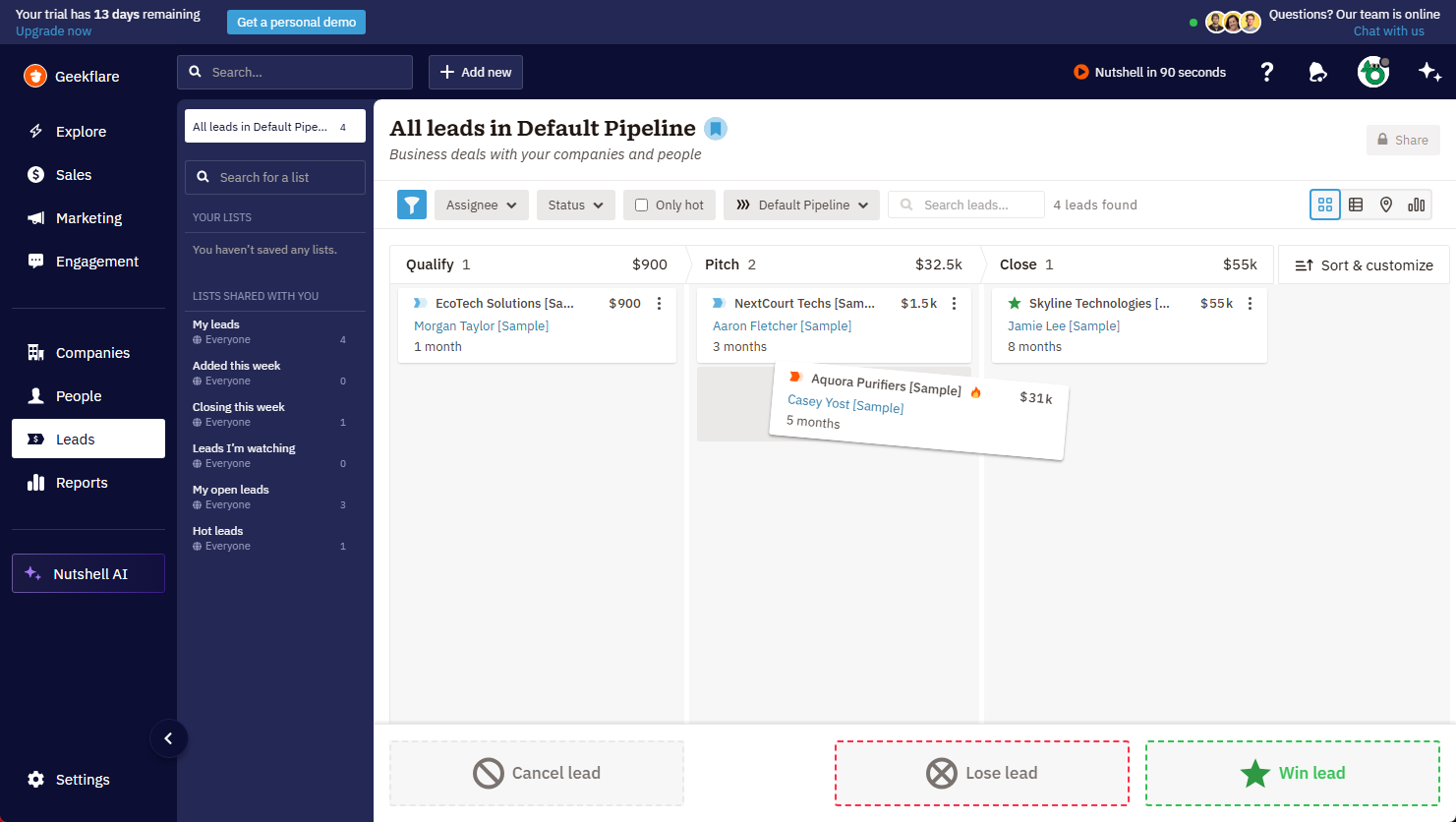
When I imported sample contacts into Nutshell CRM, the structure felt clean and practical. People, companies, and leads live in one place, and every contact opens into a full timeline with emails, calls, notes, and activities.
That made it easier to follow the story behind each deal instead of jumping between tabs. For SMBs, this is one of the most useful parts of the Nutshell CRM system.
Pipeline and deal management
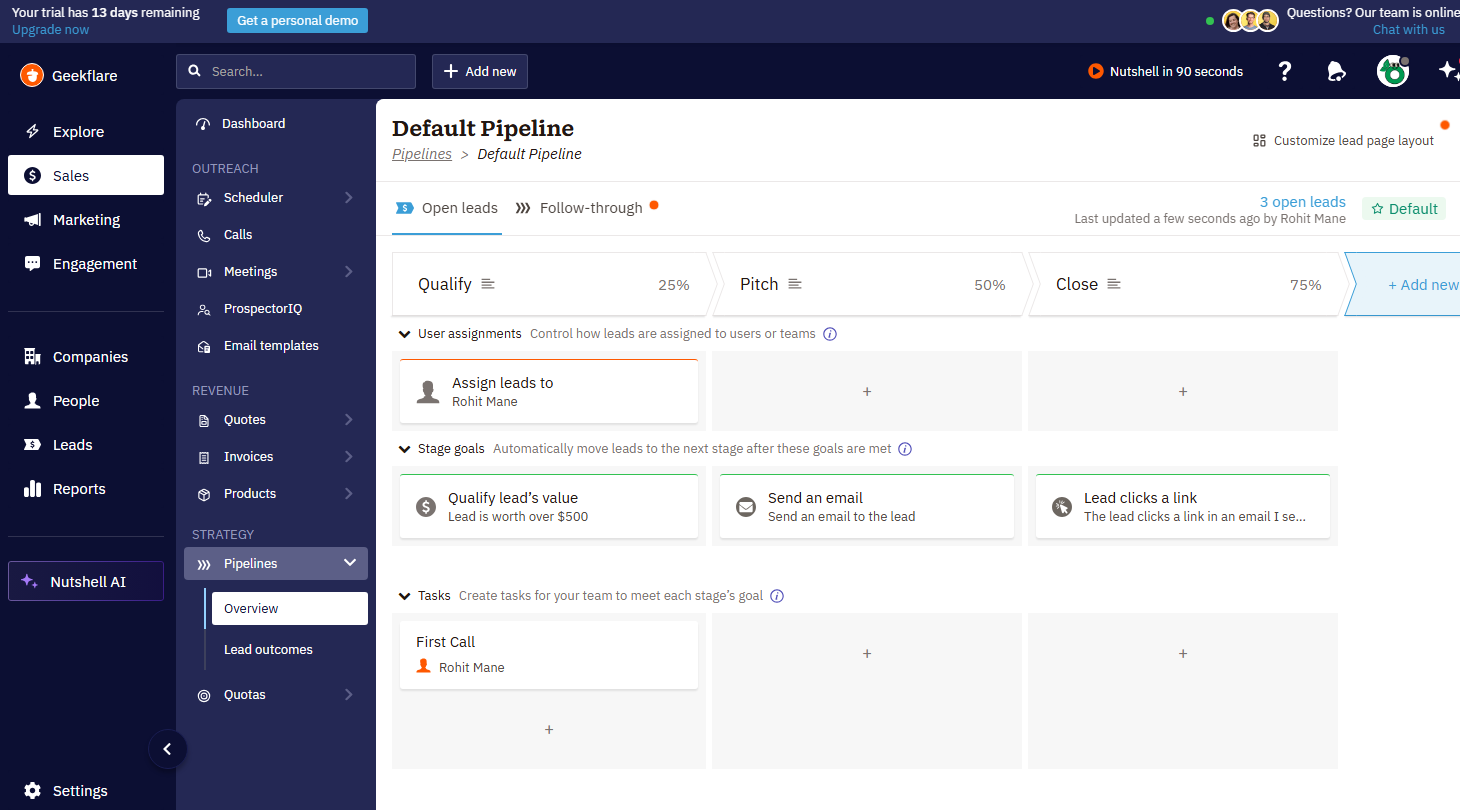
I set up the pipeline myself, and Nutshell kept the process simple. The deal view is visual, drag-and-drop, and easy to understand, so I could move prospects from stage to stage without extra setup.
The platform also supports different views, which helps small B2B sales teams keep deals organized without feeling buried in configuration.
Sales automation and sequences
I built email sequences during testing, and Nutshell handled follow-ups in a way that felt genuinely sales-friendly.
I could personalize messages with contact fields, and the sequence stopped automatically when someone replied, which avoids awkward duplicate emails. It is not built for complex if/then branching logic, but for Nutshell CRM reviews focused on SMB workflows; it works well.
Email marketing
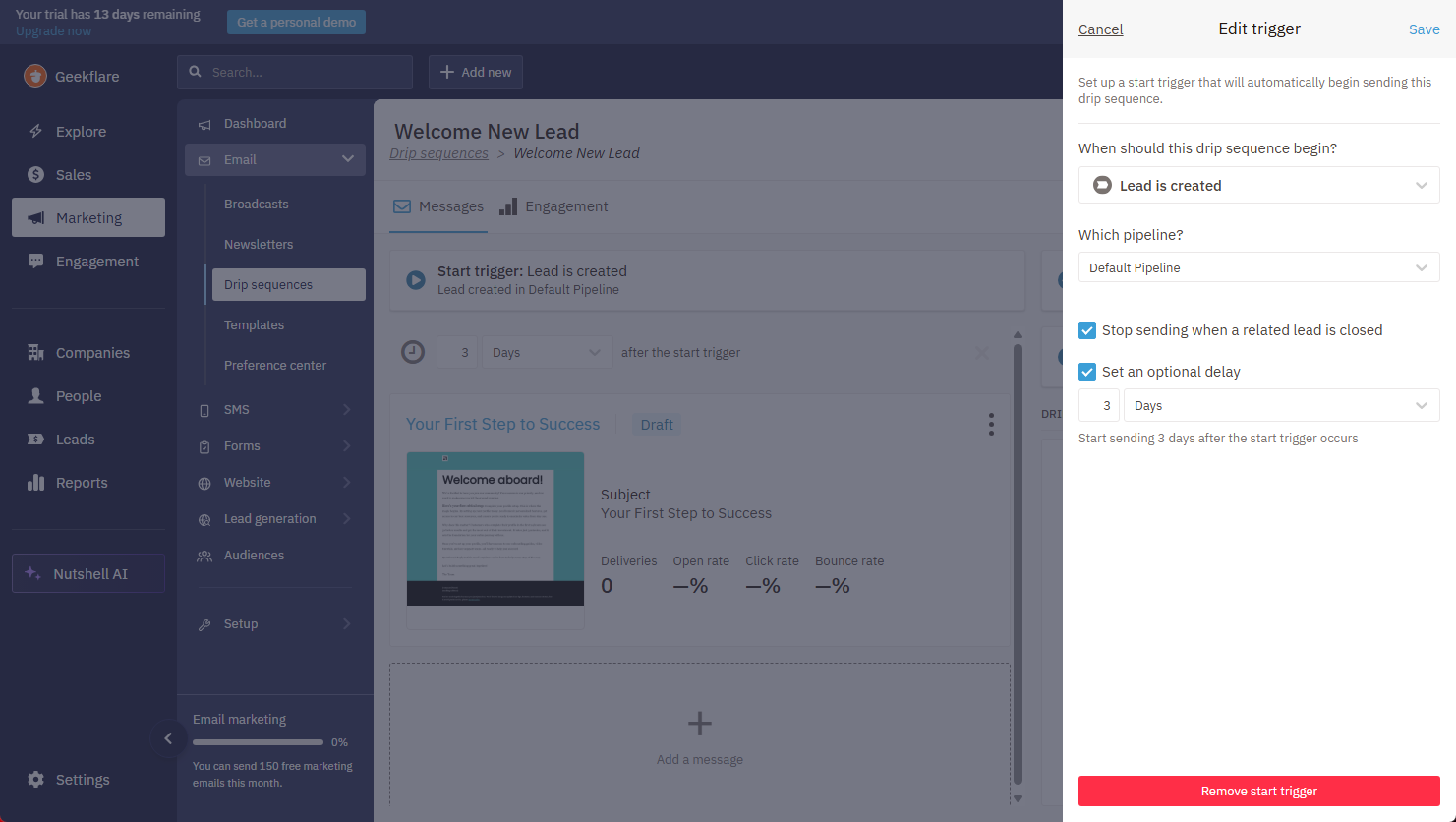
Nutshell also includes email marketing, which is a big plus if you want one tool for sales and outreach. I could create campaigns, newsletters, and drip sequences without relying on third-party tools.
Nutshell Campaigns also ties campaign activity back to the CRM, so I could see opens, clicks, and replies on a contact’s timeline.
👉 If your team needs a dedicated inbox and workflow layer beyond CRM-based outreach, compare Nutshell with the best email management software.
Reporting and analytics
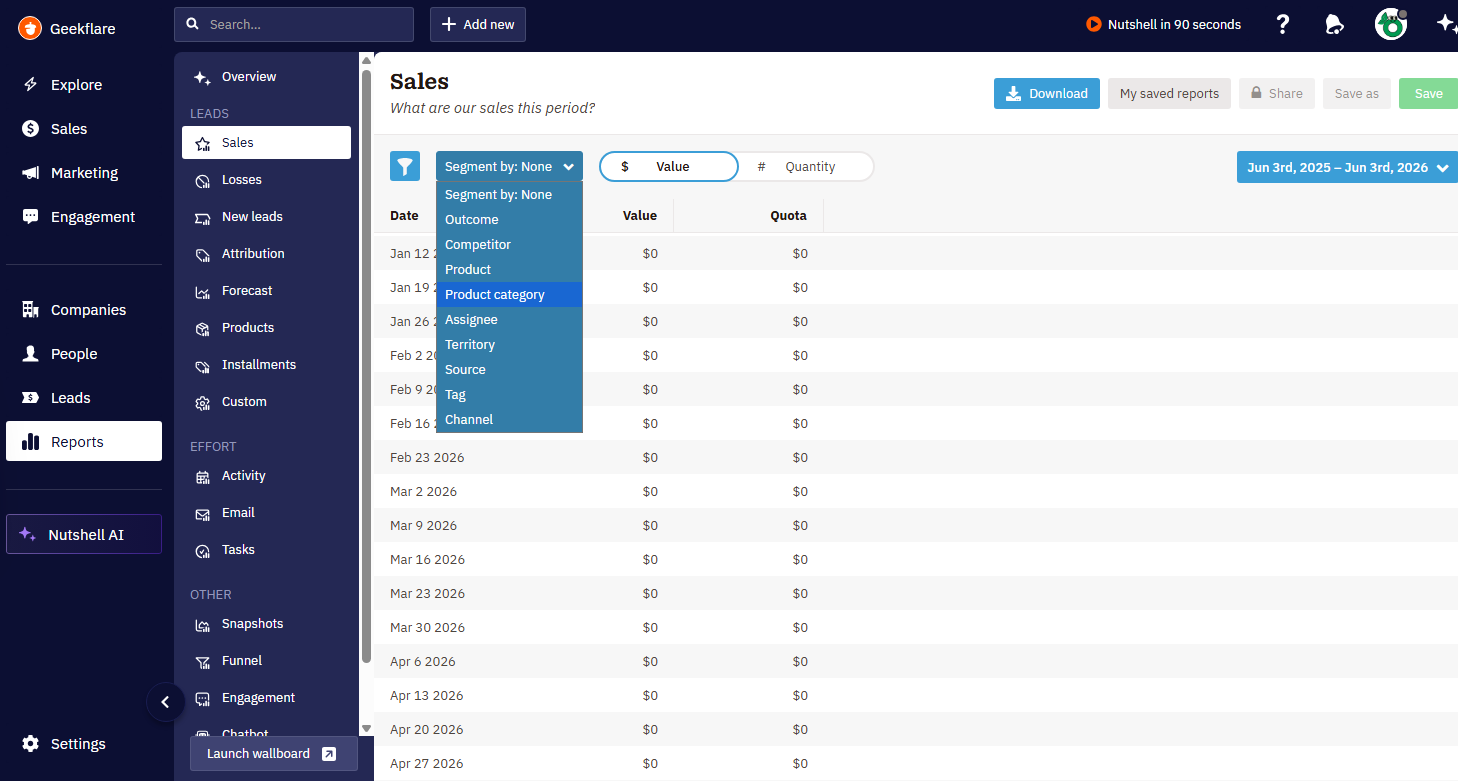
The reporting dashboard gave me a quick view of win rates, deal values, pipeline progress, and team activity. I could filter by assignee, competitor, channel, product, and more, which made the data feel usable rather than overwhelming.
For small teams that want sales visibility without having to build reports from scratch, this is one of the more practical aspects of the Nutshell CRM experience.
Team collaboration
Nutshell keeps team coordination inside the same workspace, which I found helpful while testing the Nutshell CRM system.
Shared timelines, assigned contacts, and activity history make it easier for teammates to stay aligned on who did what and when. It is not as deep as some enterprise platforms, but for SMBs and B2B sales teams, it reduces handoff friction nicely.
Meeting scheduler
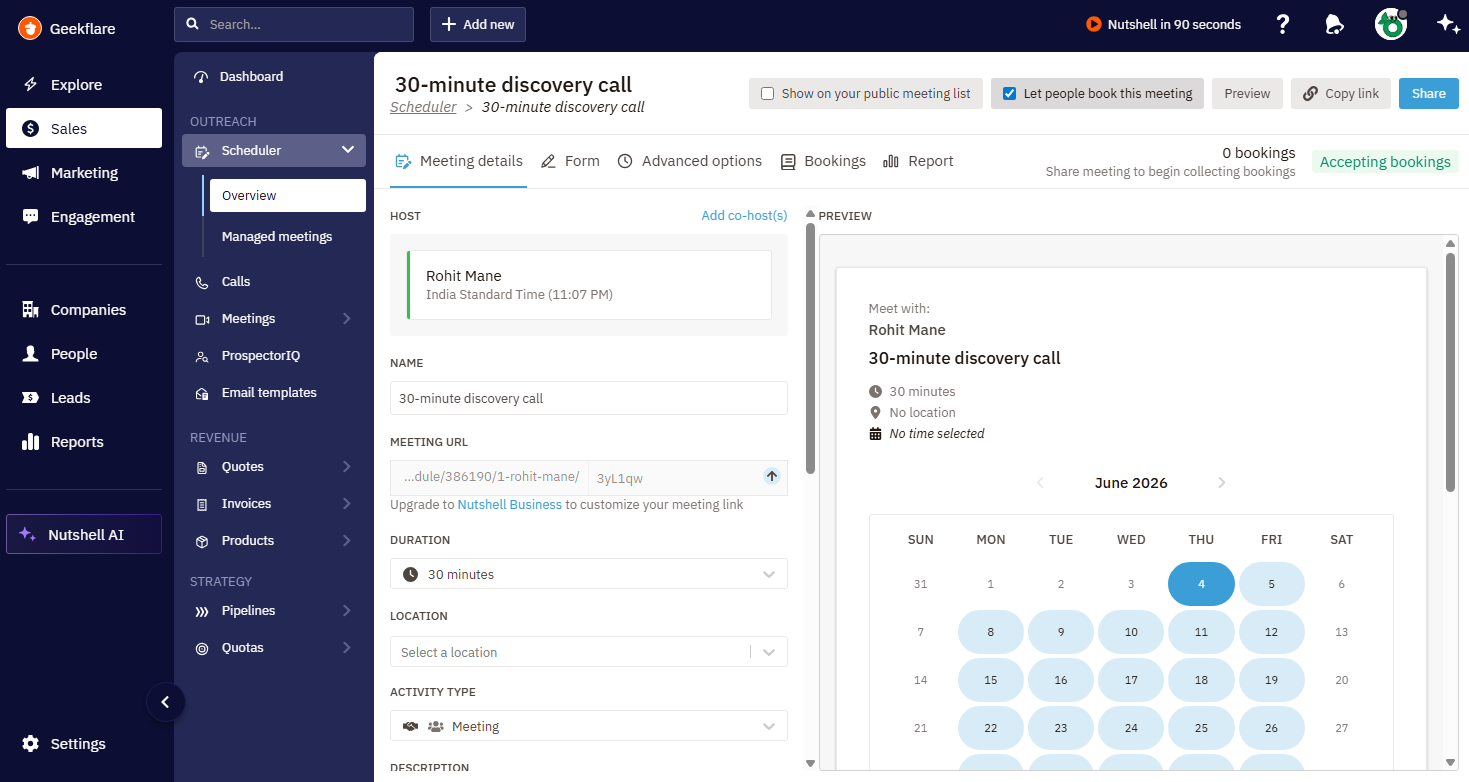
I tested the meeting scheduler as part of the workflow, and it fit neatly into the sales process. It made it easy to move from lead follow-up to booking a meeting without leaving the platform, which is useful when speed matters.
For teams comparing Nutshell CRM vs HubSpot, this kind of built-in scheduling is another reason Nutshell feels more focused and less cluttered.
Ease of Use
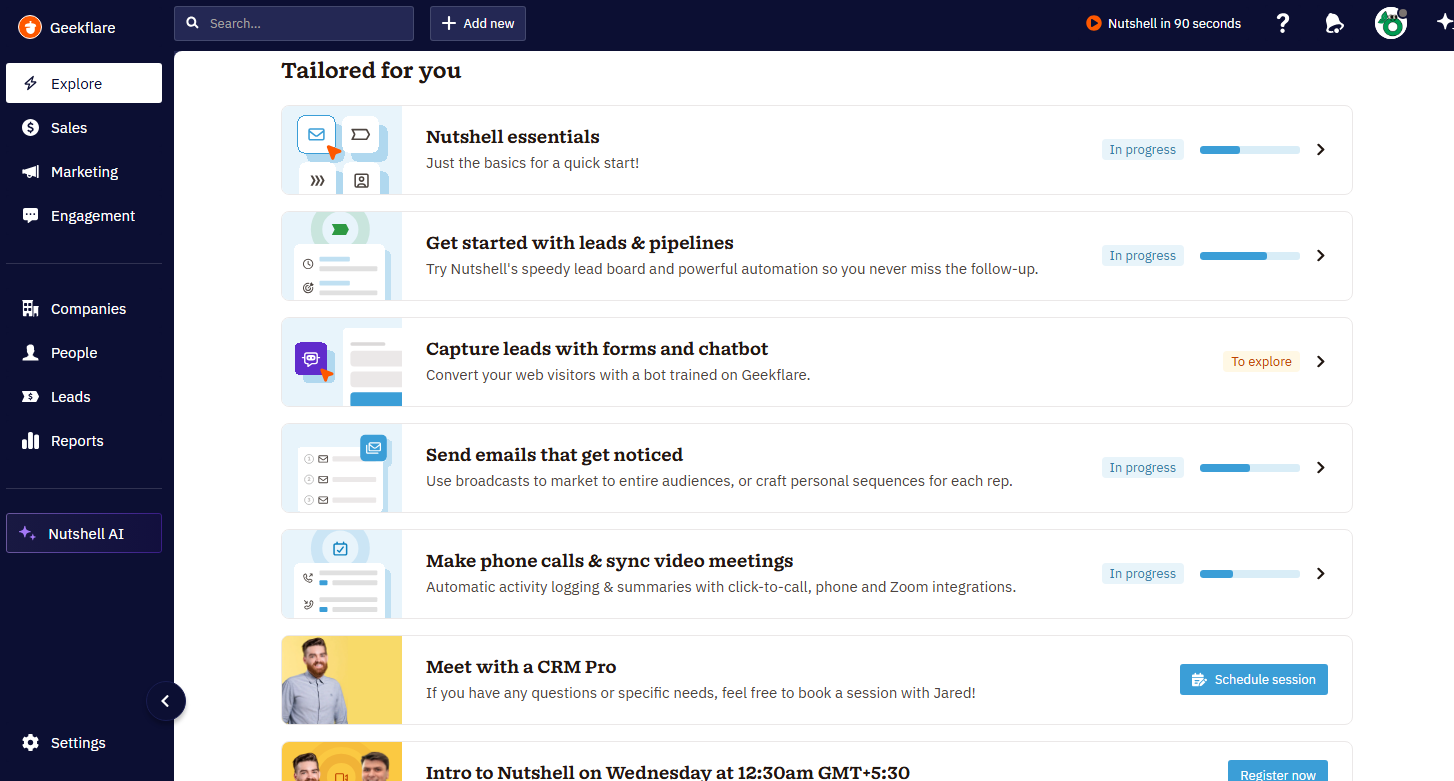
Nutshell CRM stays easy to use even after you move past the basics, which is one reason it works so well for SMBs and B2B sales teams. The interface keeps the pipeline, contacts, and tasks close at hand, while admin controls stay simple enough for smaller teams to manage without a dedicated CRM specialist.
- Onboarding experience: I found the setup quick, and Nutshell’s white-glove import assistance plus self-onboarding guide made the process simple. The mobile apps also let you keep working on the go, with core CRM actions available on iPhone and Android.
- UI/UX walkthrough: The dashboard is clean, and the pipeline is front and center. On mobile, you can create companies, people, leads, tasks, and activities quickly, which keeps the experience consistent across devices.
- Learning curve and data import: CSV import is straightforward, and admins can map fields, handle duplicates, and decide whether Nutshell should create leads or tags during import. The learning curve stays low because most of the key actions are pretty intuitive from day one.
👉 If your team wants stronger ticketing and support workflows alongside CRM, you may also want to compare the best helpdesk software.
Nutshell CRM Integrations
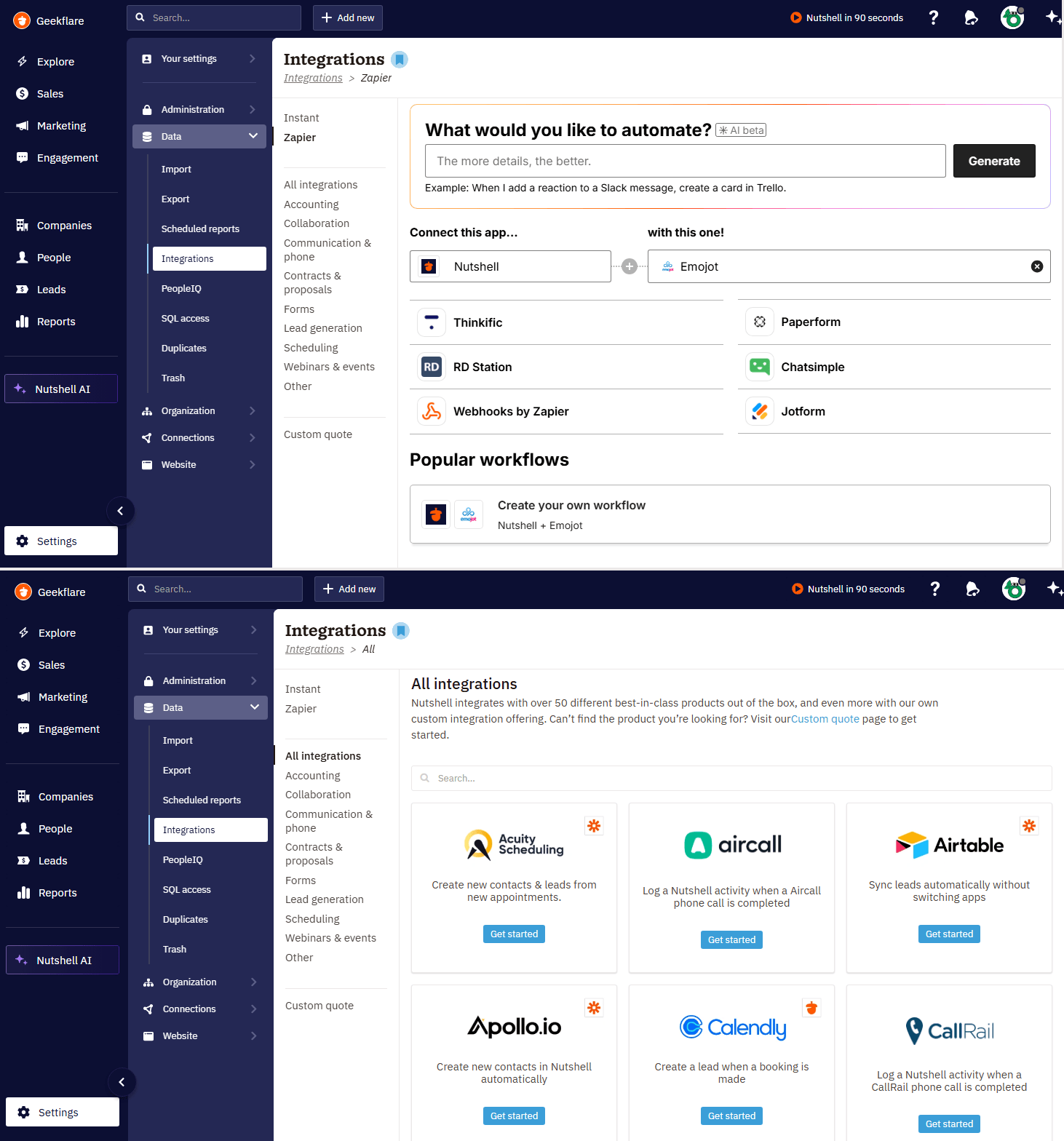
Nutshell CRM connects well with over 50+ tools that small teams already use, which makes it easier to fit into an existing sales stack. In my experience, the integration offers enough native options for day-to-day work, plus Zapier and API access when you need to push further.
- Native integrations: Nutshell offers Slack natively, and its ecosystem also includes connections for Mailchimp, QuickBooks, Google Workspace, Zendesk, and Microsoft 365 through the broader integrations catalog and partner workflows. These Nutshell integrations can be set up instantly inside the Nutshell App.
- Zapier and API access: You get Nutshell CRM API keys and REST API access, while Zapier opens the door to thousands of third-party apps and no-code automations, such as Thinkific, Paperform, Chatsimple, Jotform, and more. Nutshell bears the Zapier costs for you, although there are limitations to that.
- Notable gaps: The biggest gap is that deeper enterprise-style integrations are not the focus here; if your team needs highly specialized, multi-system automation, you may still need custom work or middleware.
Nutshell Pricing
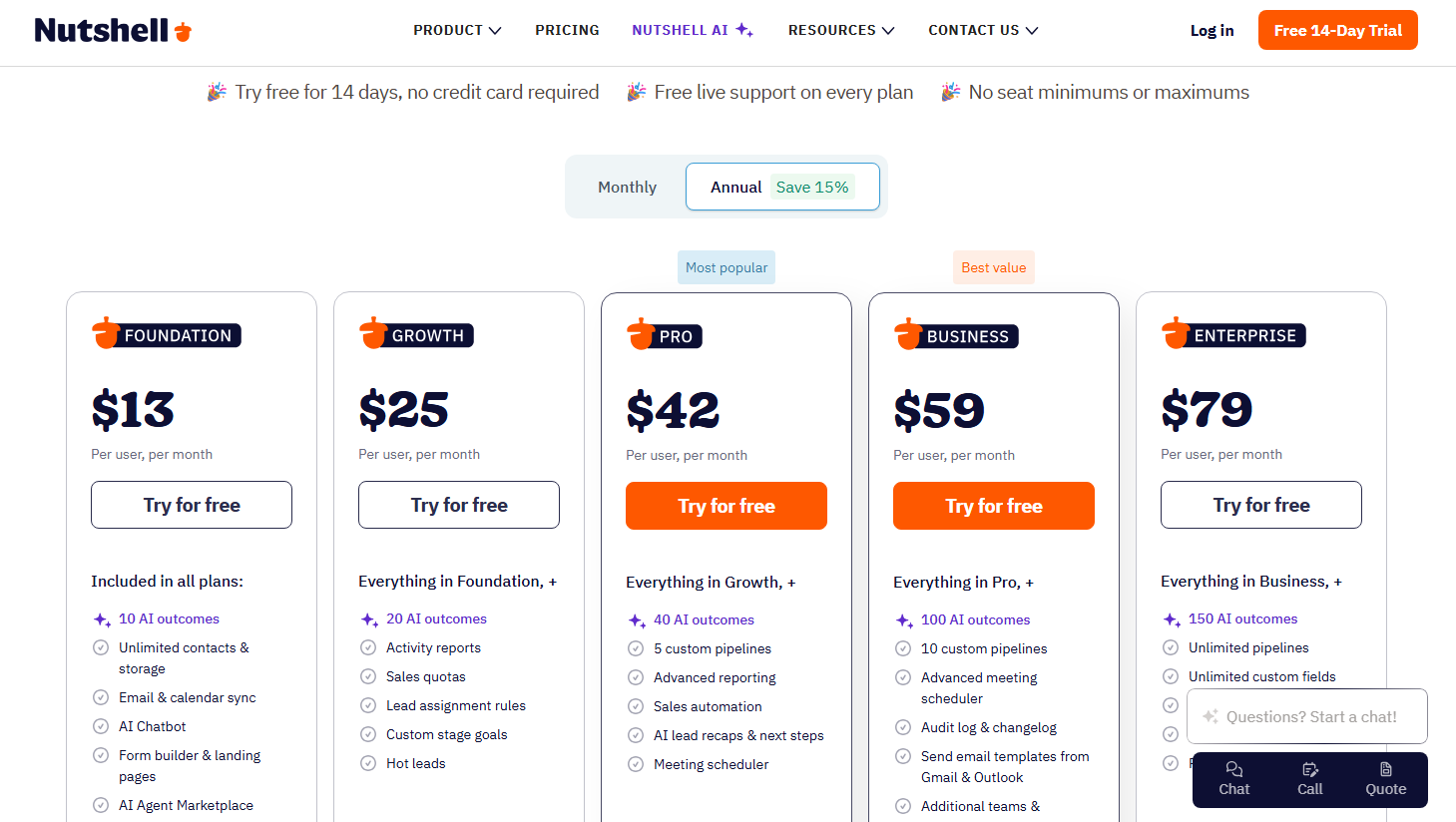
Nutshell keeps its pricing simple for SMBs, but the real value depends on whether you stay within the core Sales Suite or start adding extras. The Nutshell CRM pricing starts at $13/user/month billed annually, and the paid tiers scale up to $79/user/month for Enterprise.
The core plans already include useful CRM basics, while add-ons such as:
- Quotes & Invoices cost $67/company/month
- Nutshell IQ starts at $37/company/month
- Engagement Pro is $16/user/month
- Marketing Pro is $49/company/month
That said, the total can rise quickly if you want lead enrichment, marketing, or billing features in one place.
If we compare Nutshell CRM vs. HubSpot in terms of pricing, I think Nutshell is easier to justify for smaller teams that want predictable pricing without a free plan upgrade trap. It also feels more focused than Nutshell CRM reviews often suggest, especially for B2B teams that only need sales-first workflows.
📌Every plan includes a 14-day free trial that unlocks all the features of a plan, so you can test the fit before committing.
Who Should Use Nutshell?
Nutshell CRM is best for SMBs, B2B sales teams, and agencies that want a simple system for tracking leads, managing deals, and keeping follow-ups organized. It also works well if your Nutshell CRM system needs are mostly sales-first, not enterprise-wide process management.
You should look elsewhere if your team needs heavy customization, advanced reporting depth, or a sprawling Nutshell CRM API setup across multiple departments.
In a real-world sense, Nutshell is a strong fit for a small sales team managing inbound leads, a founder-led agency tracking proposals, or a B2B rep who wants a cleaner workflow.
Real User Reviews & Reputation of Nutshell CRM
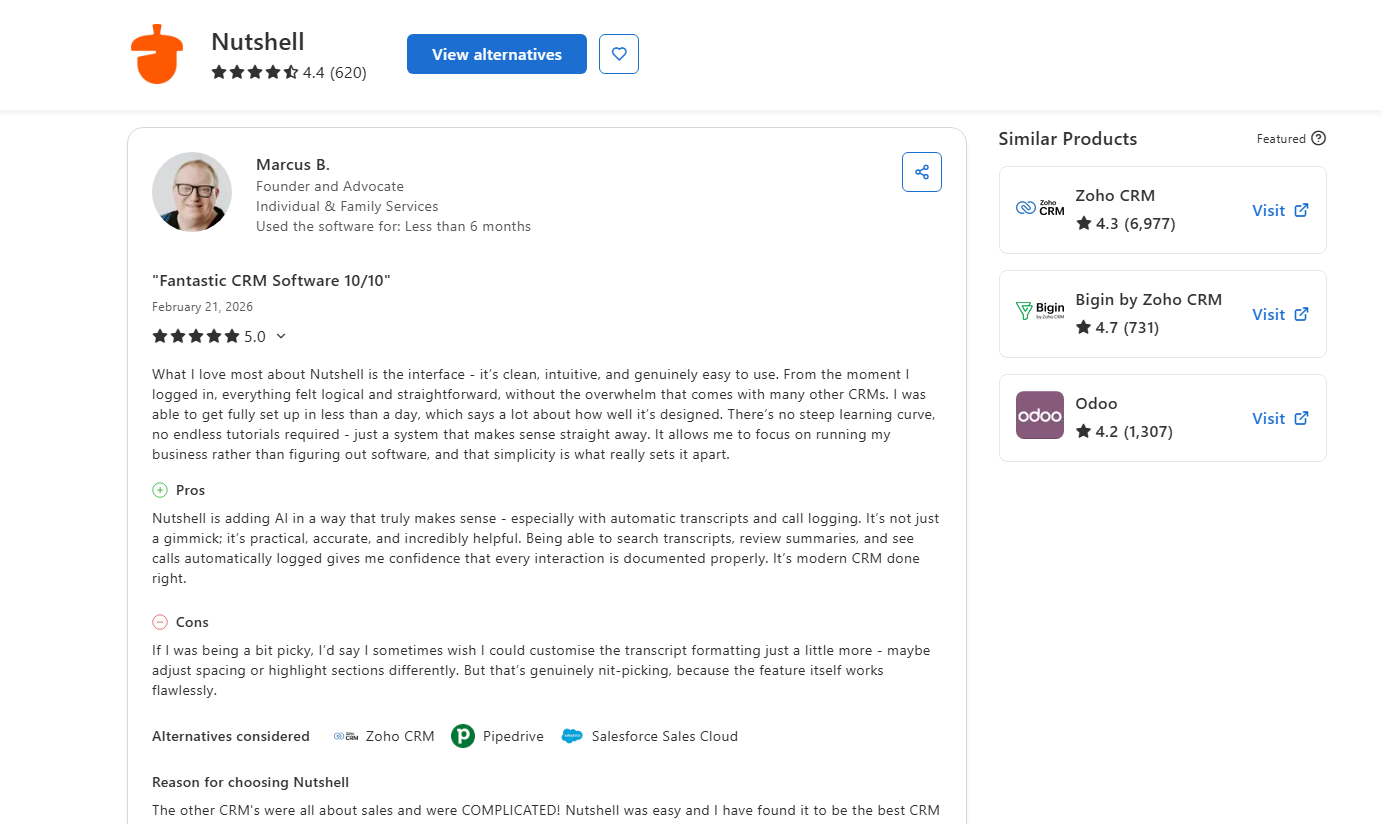
Nutshell’s reputation is strong across the review sites that matter most for B2B software. On G2, it holds a 4.3/5 rating from about 1,410 reviews, and Nutshell itself highlights strong praise for ease of use and value.
On Capterra, Nutshell was recently ranked #11 on the Top 20 Most User-Friendly CRM Software list and #7 on the Top 20 Most Affordable CRM Software list, which lines up with the product’s SMB positioning. Nutshell’s review page on Trustpilot has active customer feedback as well, but the volume is much smaller and less B2B-focused than G2 or Capterra.
For me, that reputation matches the product: Nutshell CRM is the kind of tool users praise for being easy to adopt and practical for daily sales work, not for chasing endless configuration.
Our Verdict
After testing Nutshell CRM firsthand, I think it is a strong fit for small and midsize sales teams that want a practical CRM without the clutter of enterprise software.
It is easy to adopt; its pipeline workflow feels natural, and the built-in email marketing plus automation make it more complete than many tools in this price range.
It is not the best choice if you need deep customization or heavyweight enterprise automation, but for SMBs and B2B teams, it delivers real day-to-day value.






