A visually impaired user abandons your checkout because a button has no accessible label. A keyboard-only user cannot get past a JavaScript dropdown that was never tested. These are everyday failures, and they cost businesses real revenue.
Web accessibility testing is the process of evaluating a website to confirm that people with disabilities can perceive, understand, navigate, and interact with it.
The current benchmark is WCAG 2.2, which the W3C published in October 2023, and now most legal frameworks require Level AA conformance. Also, 95.9% of the top one million website homepages carry detectable WCAG 2 failures. This marks a 10.1% increase from 2025, averaging 56.1 errors per page.
In 2024, 3,188 ADA website lawsuits were filed across US courts, with New York, Florida, and California accounting for over 85% of all filings. Filings continued rising sharply into 2025, with Illinois alone seeing a 746% year-over-year jump.
In this guide, we’ll cover the best web accessibility testing tools available.
Business and SEO Benefits of Accessibility Testing
Approximately 1.3 billion people, or 16% of the global population, live with a significant disability. In the United States, working-age adults with disabilities hold roughly $490 billion in after-tax disposable income. Inaccessible websites exclude this audience entirely and hand revenue directly to competitors.
ADA website lawsuit settlements in the US range from $25,000 to $100,000, before attorney fees and emergency remediation costs. 41% of federal ADA lawsuits in 2024 targeted companies that had already been sued before. This proves that ignoring accessibility issues leads to repeated legal risk.
When Google sends its bots to scan your website, they read your content almost the same way the screen reader does for someone with visual impairment. They don’t see your design; they only read the words, the structure, and the labels.
So if your website is built thoughtfully, Google understands your content better. And when Google understands it better, it ranks it higher. Teams that invest in ADA-compliant website work consistently see stronger Core Web Vitals scores, lower bounce rates, and greater crawl depth.
Top Accessibility Tools
Skynet Technologies’ All in One Accessibility
Most tools either scan for issues or help you fix them. Skynet Technologies’ All in One Accessibility does both, and that distinction matters enormously for teams without a dedicated accessibility engineer. I have used this platform across several mid-sized ecommerce projects and found it replaces what would otherwise require three or four separate tools. It is designed specifically for businesses that need to move fast without deep technical overhead.
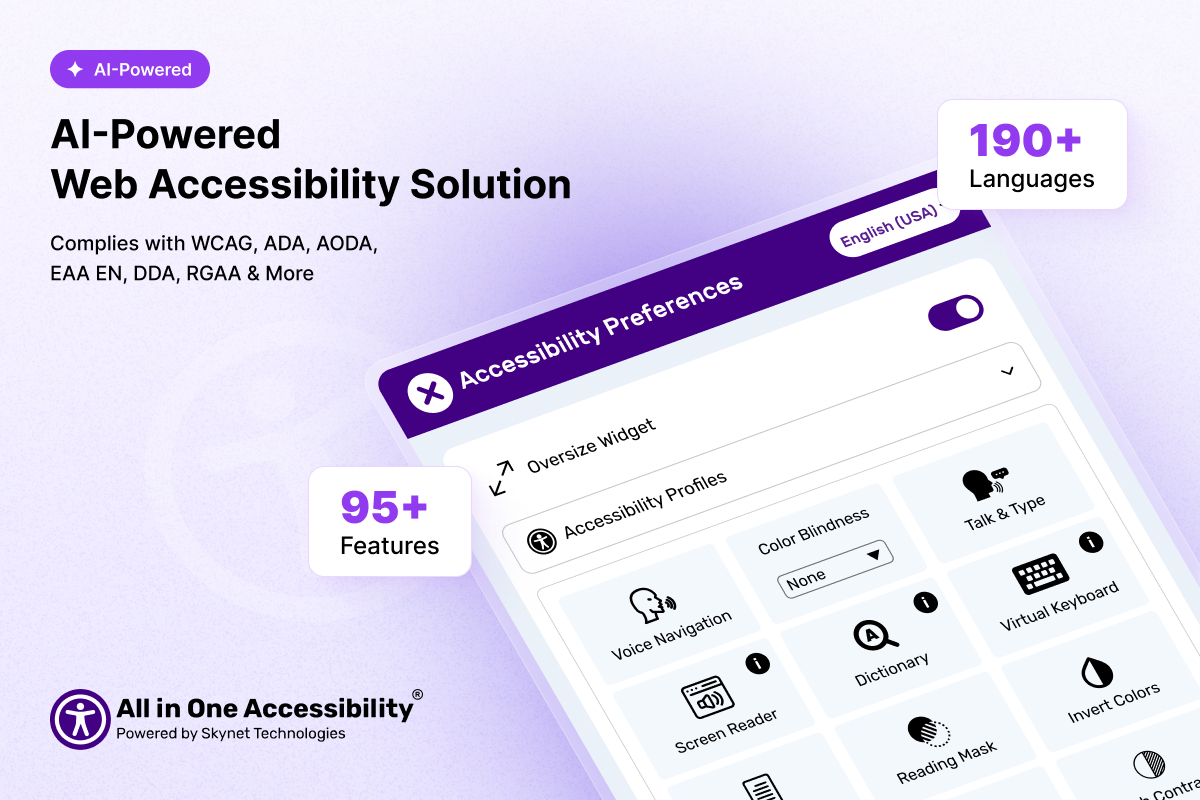
The accessibility widget bundles over 90 features into a single implementation. These include Talk and Type, an AI Screen Reader, Voice Navigation, a Virtual Keyboard, AI-generated image alternative text remediation, a dictionary, dyslexia-friendly font rendering, color contrast adjustment, animation pause controls, and built-in accessibility statement generation.
Accessibility Widget integrates natively with Google Analytics 4 and Adobe Analytics, so teams can actually measure how users with accessibility needs engage with the site after deployment. It supports 190+ languages and is compatible with over 700 CMS and ecommerce platforms. Compliance coverage spans WCAG 2.0, 2.1, and 2.2, plus ADA, Section 508, EAA, UK Equality Act, German BITV, Indian RPD Act, California Unruh, France RGAA, Italian Stanca Act, Switzerland DDA, and more.
The tool addresses users with visual, motor, dyslexia, ADHD, cognitive, Parkinson’s, epilepsy, and age-related accessibility requirements. Enterprises can layer on optional add-ons, such as manual accessibility audits, remediation, VPAT/ACR reporting, and the Skynet Accessibility Scanner for organizations that require more than automated fixes.
Data protection certifications cover GDPR, CCPA, COPPA, HIPAA, SOC 2 Type II, ISO 9001:2015, and ISO 27001:2022.
A 10-day free trial is available, and paid plans start at approximately $25 per month, scaling by monthly pageviews and site size.
Best for: Small to mid-sized businesses, agencies, ecommerce stores, nonprofits, and enterprises that need automated quick fixes with the option to extend into full manual audit coverage.
axe DevTools
axe DevTools by Deque Systems is built for engineering teams that want accessibility treated as part of the development process rather than a post-launch audit. It sits at the intersection of automation and developer workflow in a way no other tool matches.
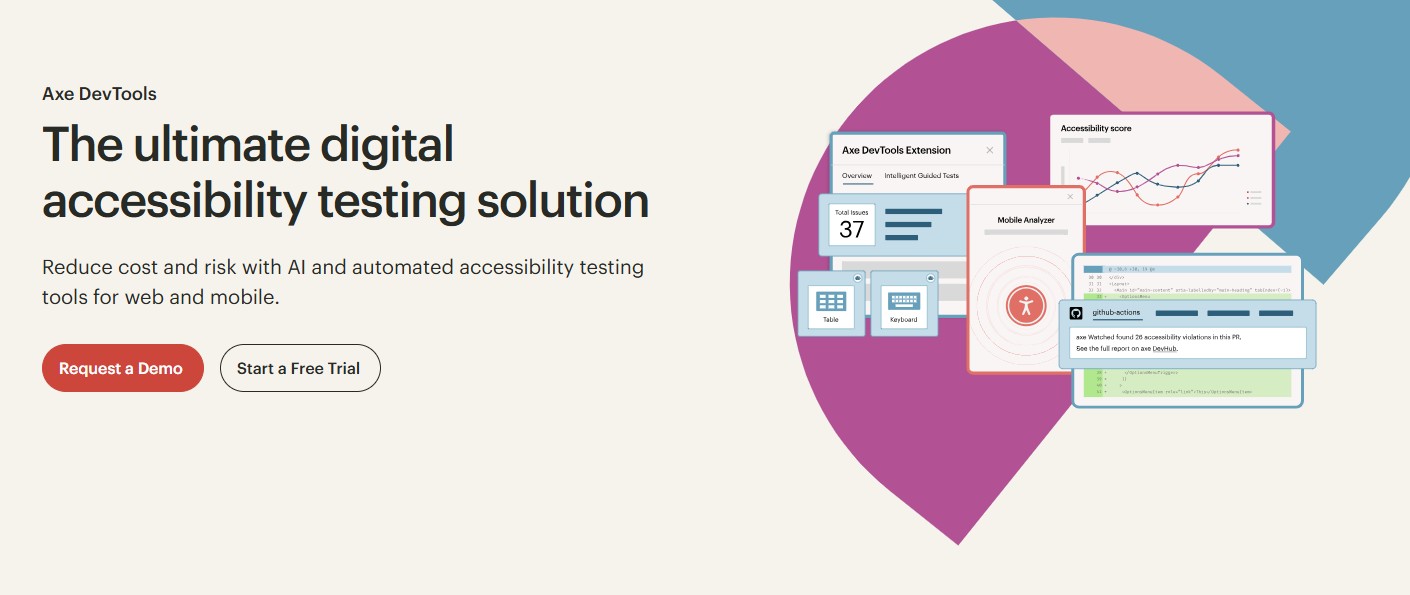
Deque’s axe-core engine powers the underlying test logic. The platform integrates directly into Jest, Cypress, Playwright, Selenium, and CI/CD pipelines through GitHub pull request blocking and Jenkins integrations. This means accessibility regressions get caught before they reach production.
The browser extension delivers in-context, guided remediation that explains what is broken, why it matters, and how to fix it in plain language. Intelligent Guided Tests (IGTs) extend the automated scan by walking developers through checks that require human judgment, such as whether a chart’s alt text meaningfully describes the underlying data.
axe DevTools offers an MCP Server integration that enables developers to accept or reject code-level accessibility fixes directly from their IDE.
Best for: Development teams wanting shift-left accessibility testing embedded in their existing CI/CD and testing frameworks.
WAVE
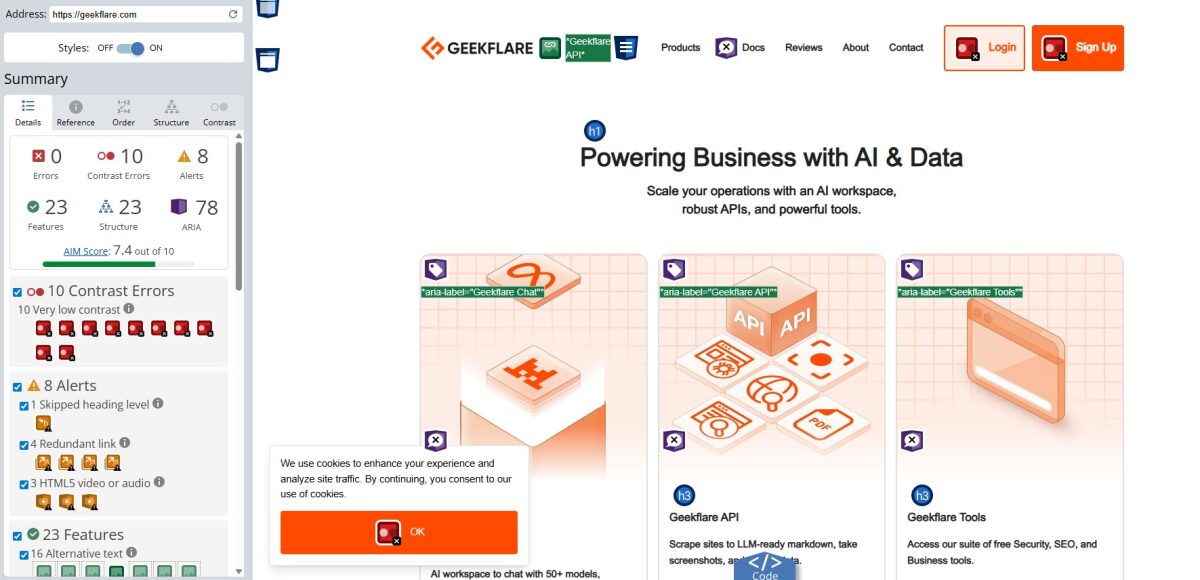
WAVE injects visual indicators directly onto the page under review rather than producing a separate report. Errors show as red icons, alerts as yellow, structural elements as blue, and ARIA attributes as purple, all sitting in context on the live page. A content editor reviewing a landing page can see immediately that an image has no alt text without needing to understand a single line of HTML.
The tool is free as a browser extension and also offers an API for automated batch scanning across large site inventories. It is one of the tools I used to check the Geekflare website because it surfaces the most visible structural problems instantly.
Best for: Content managers, designers, and beginners who benefit from in-page visual feedback rather than code-level output.
Google Lighthouse
Lighthouse is built into Chrome DevTools and available as a Node CLI, which means every developer already has access to it. Its accessibility audit runs on axe-core and evaluates heading structure, ARIA roles, form labels, color contrast ratios, keyboard traps, document language, and more. The result is a 0 to 100 accessibility score that is easy to track across deployments.
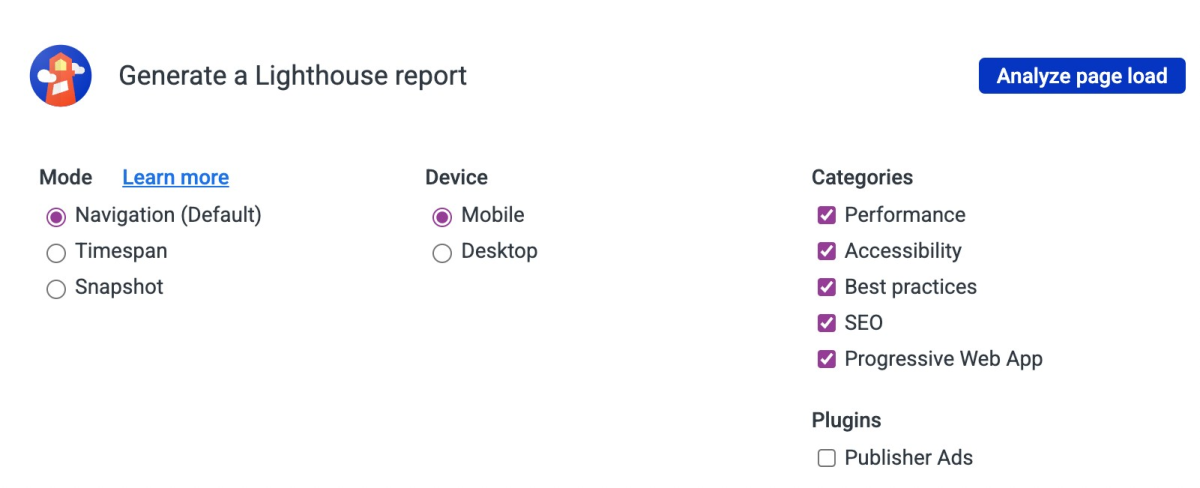
Lighthouse is different from pure accessibility tools due to its scope. A single run also scores performance, SEO, and best practices. Teams that run Lighthouse regularly can see their accessibility improvements correlating with SEO gains in the same report, which makes the case for continued investment straightforward.
For pages that need scanning without opening DevTools, Geekflare’s Website Audit tool runs Lighthouse-powered assessments for accessibility, SEO, and best practices from a clean web interface.
Best for: Developers who perform accessibility and performance audits together, and teams integrating automated checks into Node-based build pipelines.
NVDA (NonVisual Desktop Access)
NVDA is a free, open-source screen reader for Windows maintained by NV Access, an Australian nonprofit. Testing with NVDA means navigating your site the way a blind user actually does, such as by headings, landmarks, links, form controls, and reading order through the DOM.
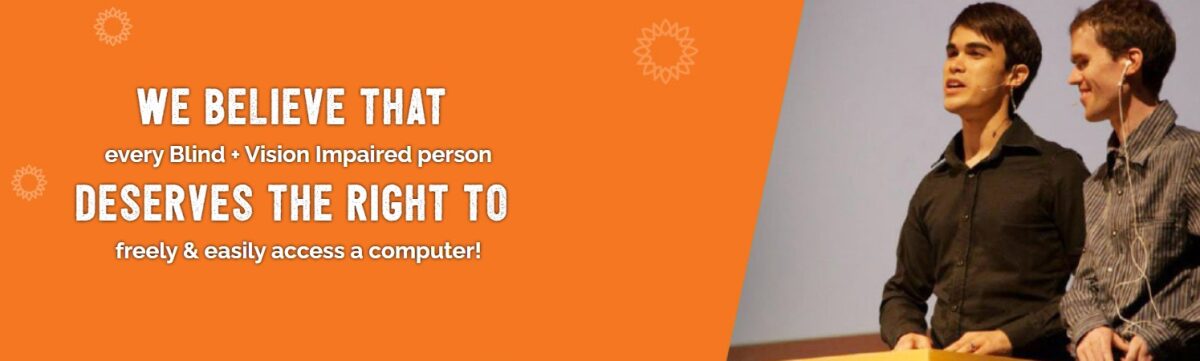
The experience surfaces usability failures that no automated tool will ever catch.
- A platform that traps keyboard focus permanently
- A carousel that announces slide position in a confusing sequence
- A form error message that fires before the user has finished typing
These are the failures that cause real users to abandon tasks, and they only appear in a genuine screen reader session.
Best for: QA testers and developers doing real-world usability validation on Windows.
Siteimprove
Siteimprove is a comprehensive digital quality platform that combines accessibility monitoring, SEO analysis, content quality management, and web analytics in one dashboard. It includes generative AI and agentic content intelligence layered on top of its core accessibility and quality scanning engine.
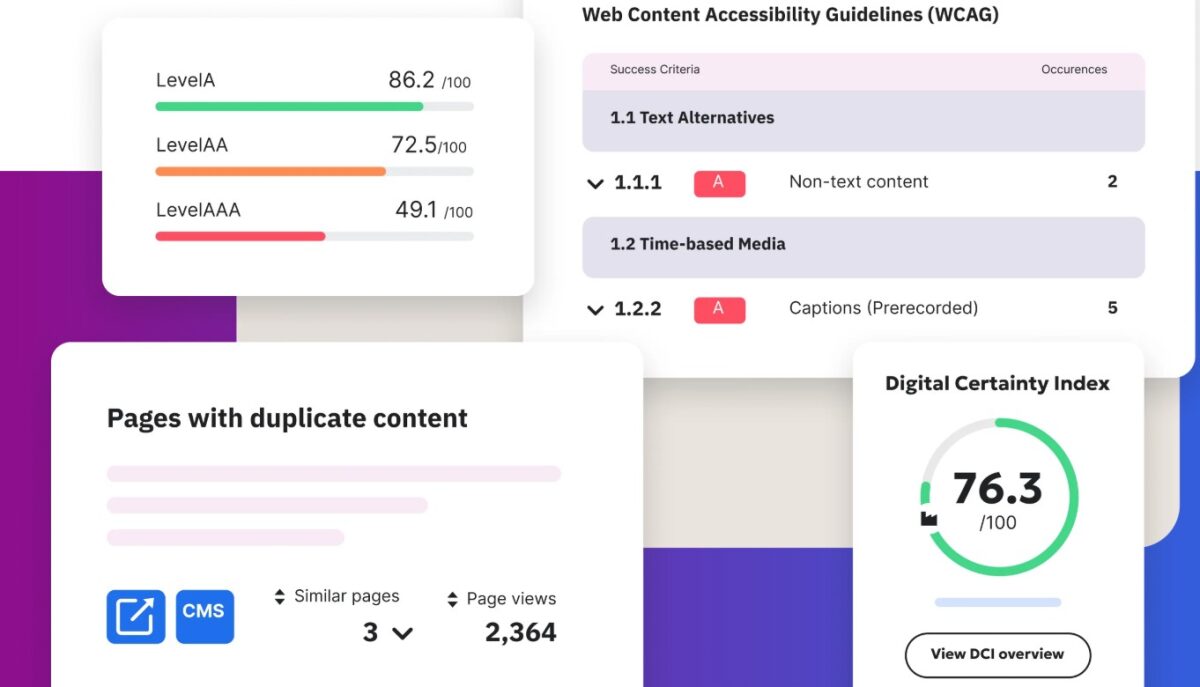
The platform continuously crawls your site, maps detected issues to WCAG 2.1 and 2.2 criteria with severity ratings and step-by-step remediation guidance, and tracks your accessibility score over time. That longitudinal view is particularly valuable when organizations need to demonstrate progress in compliance to legal teams, regulators, or executive stakeholders.
You can assign issues to specific team members based on severity so that they can track resolution within the platform’s workflow tools.
Best for: Large organizations and enterprises that need continuous monitoring, team-based issue management, and integrated accessibility and SEO reporting.
Accessibility Checker
Accessibility Checker is a straightforward web-based solution for teams that require a quick scan without creating an account or installing a tool. The tool scans your page, catches every accessibility issue, and groups them into clear categories. For every problem, it tells you exactly which WCAG rule it breaks and walks you through how to fix it. I checked the BBC website and got the below result.
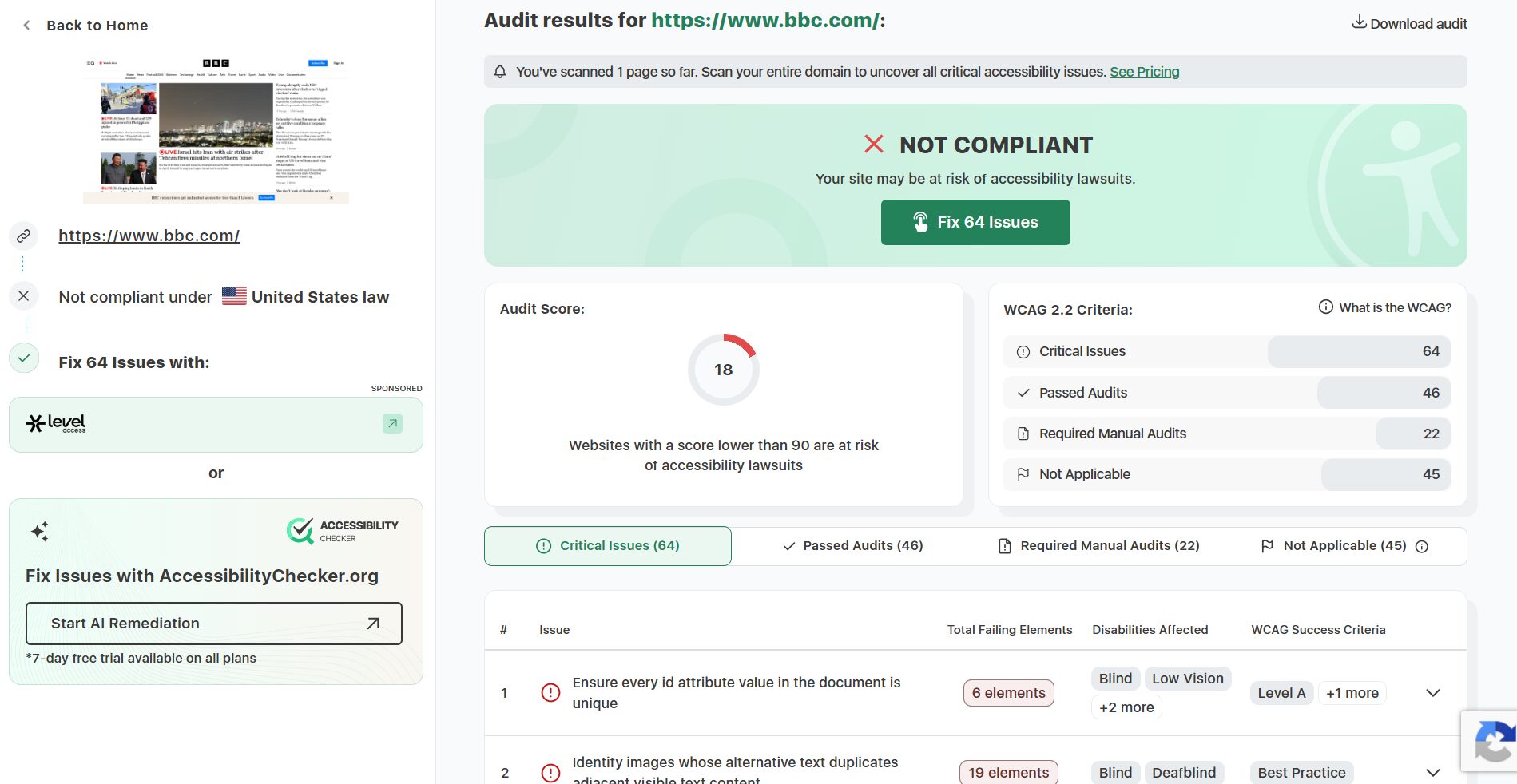
Accessibility Checker is a useful tool for initial triage before investing in a deeper audit. It helps generate quick client-facing reports or assess third-party vendor sites before committing to an integration. The output is readable enough that non-technical stakeholders can understand it without a developer present.
Best for: Quick one-off scans, pre-audit triage, and client-facing accessibility snapshots.
Vispero
Vispero is the parent company of JAWS (Job Access With Speech), the longest-standing commercial screen reader in the industry. Testing against JAWS specifically matters because screen reader behavior is not uniform across products.
Each reader interprets ARIA roles, live regions, and JavaScript-driven content updates differently. Vispero produces ZoomText for low-vision users and Fusion, which combines JAWS with ZoomText in a single licence.
Best for: Teams building for enterprise, government, or Section 508 compliance contexts where JAWS dominates the user base.
accessiBe
accessiBe is an AI-driven overlay solution aimed at small and medium businesses seeking automated WCAG compliance. Its two-component system pairs a background AI process that handles screen reader optimization and keyboard navigation with a front-end interface.
I used accessiBe to audit Geekflare website and got the below result.
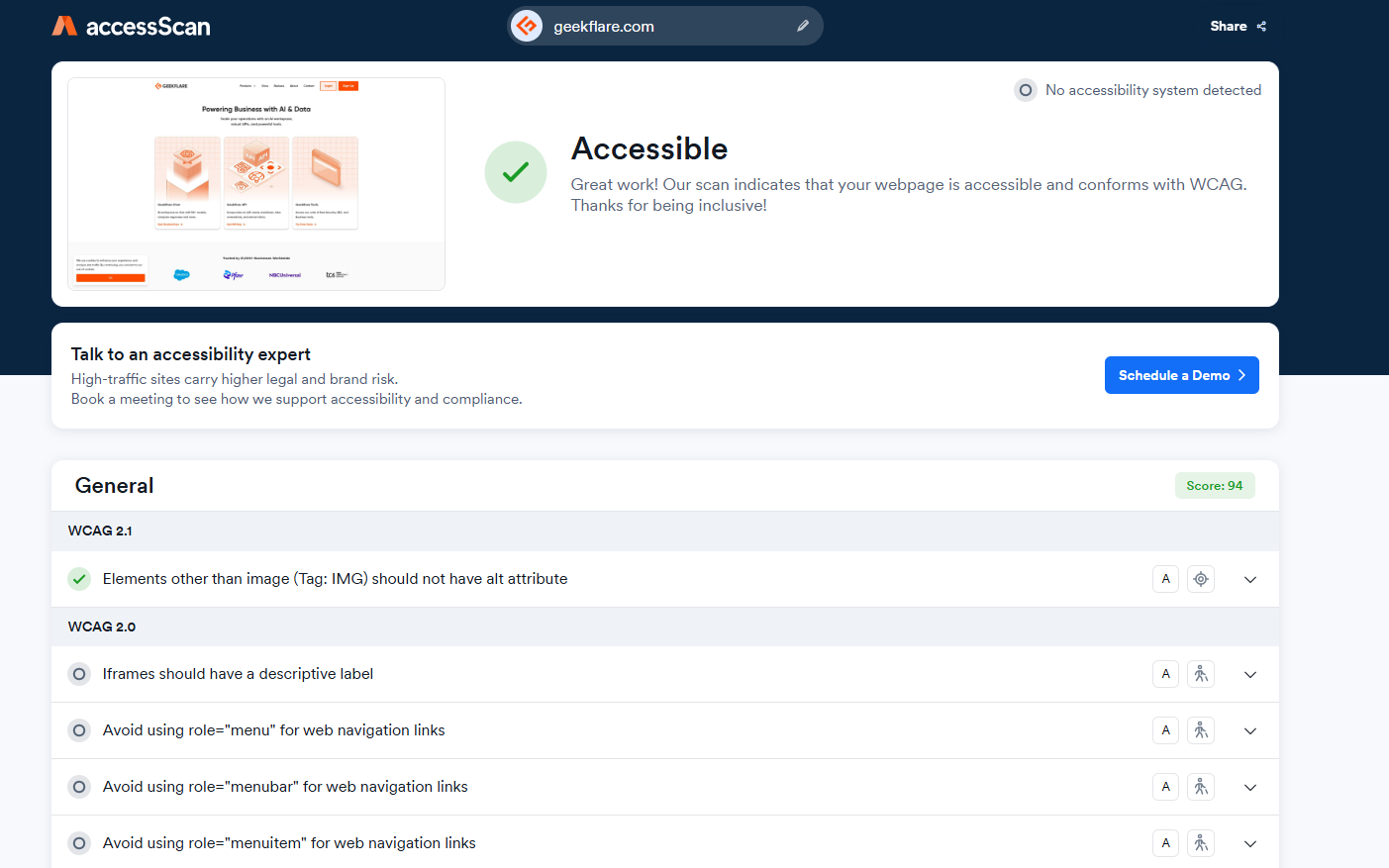
accessiBe gives users control over visual preferences, such as contrast, text size, and cursor behavior. It offers expert testing and custom accessibility fixes, litigation support backed by a $15k+ pledge, and cutting-edge automated AI remediation.
Best for: Small businesses that need a fast starting point without skipping the real code improvements after launch.
UserWay
UserWay provides an AI-powered accessibility widget, scanner, and audit service that addresses a wide range of WCAG 2.1 and 2.2 requirements. Its user-facing toolbar lets visitors independently adjust text size, color contrast, cursor size, reading guides, and more.
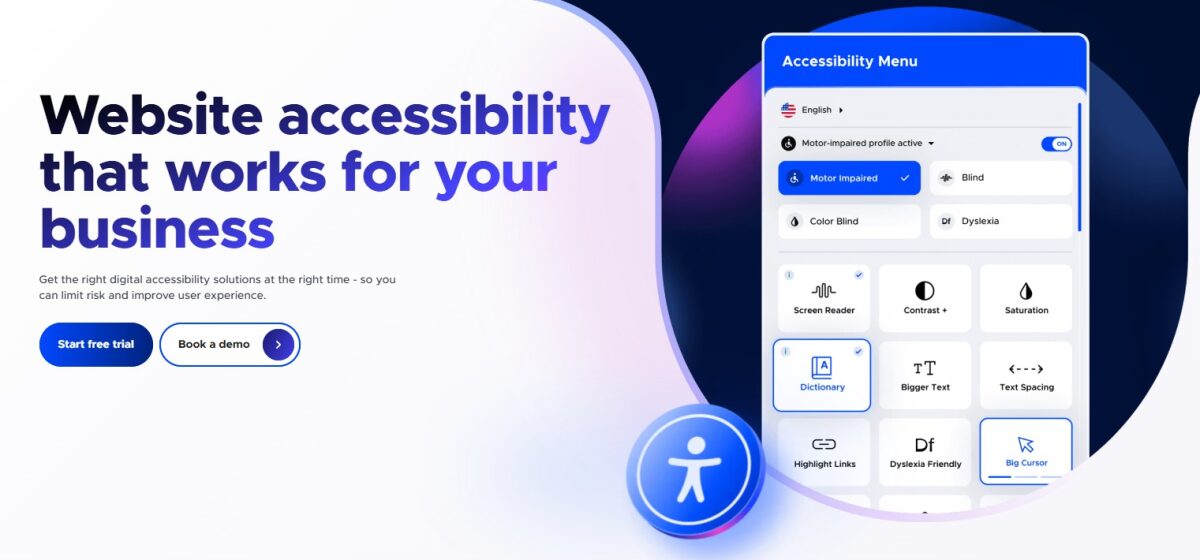
The widget supports a large number of CMS platforms, which makes deployment simple for site owners who do not want to involve a developer for every configuration change. UserWay offers automated scanning to identify WCAG violations across your site and optional manual auditing for organizations that need documented compliance evidence.
UserWay serves a broad customer base ranging from small business websites to large ecommerce operations. It takes user privacy and security seriously. This helps your organization stay compliant with GDPR and other privacy regulations.
Best for: Businesses wanting a user-facing customization toolbar combined with scanning capabilities and a path to more formal audit coverage.
BrowserStack Accessibility Testing
BrowserStack Accessibility Testing module integrates WCAG scanning directly into your existing infrastructure. This allows teams to test accessibility across real devices and real browsers in a single workflow rather than maintaining a separate tool.
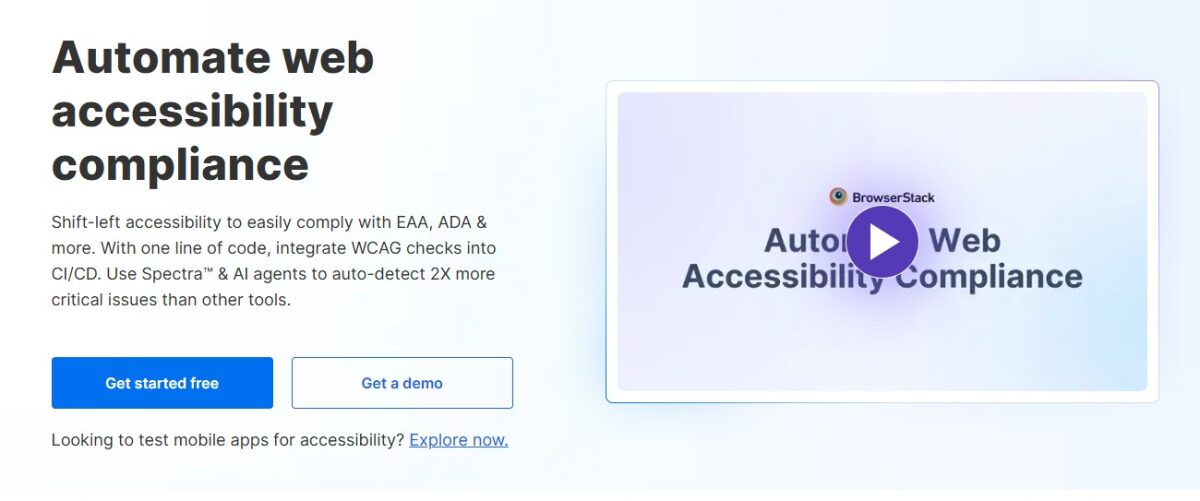
A touch target that is adequately sized on desktop may fall below the 44×44 pixel minimum on a phone. A color contrast issue can be significantly more severe on older displays with narrower color gamuts. BrowserStack integrates with CI/CD pipelines using its BrowserStack Automate tool and supports Selenium, Cypress, and Playwright test suites.
Teams running existing browser-compatibility tests can add accessibility assertions to the same runs without significant additional setup. I have found this particularly useful on projects where cross-device parity was already a requirement, since it eliminates the overhead of context-switching between tools.
Best for: QA teams that are using BrowserStack and want cross-device accessibility coverage layered onto their existing test infrastructure.
AudioEye
AudioEye combines a continuously updated JavaScript remediation layer with a managed service component where human accessibility experts review and fix issues that automation alone cannot address. The real-time fix layer monitors your site and applies remediations dynamically, targeting WCAG 2.1 and 2.2 failures as they are detected.
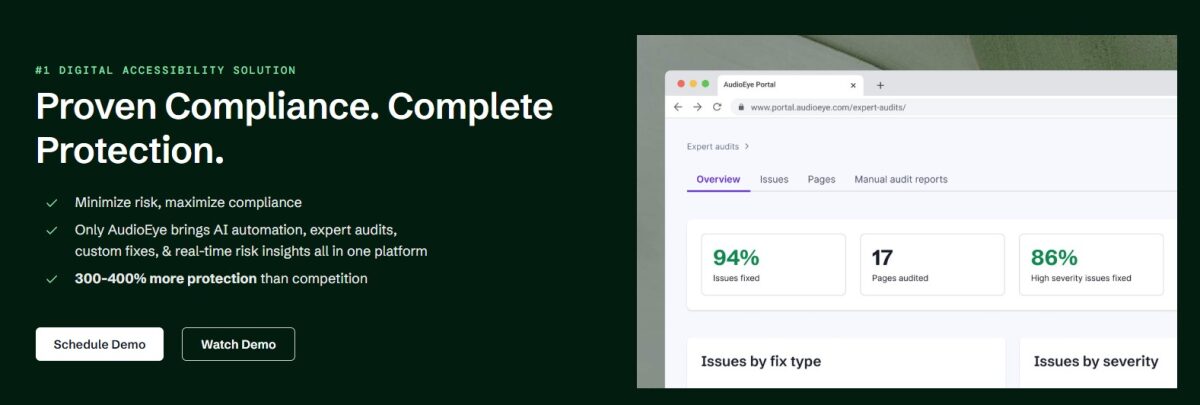
The human-in-the-loop review process then produces documented compliance evidence, including certification artifacts that some enterprise procurement processes and government contracts explicitly require.
AudioEye provides legal support resources, which differentiates it from purely technical tools. Organizations that have received demand letters or operate in high-litigation industries, such as healthcare, finance, or hospitality, face greater legal risk. Having both automated remediation and documented expert review in one platform can significantly reduce that exposure.
Best for: Organizations that need compliance documentation, defensible audit records, and a managed remediation service alongside automated fixes.
EqualWeb
EqualWeb automates accessibility through a combination of widget deployment, AI-driven scanning, and optional manual audit services. It targets WCAG 2.1 and 2.2 compliance alongside ADA, Section 508, EAA, and a range of country-specific standards.
The platform supports right-to-left languages, multilingual sites, and compliance frameworks spanning European, Indian, Australian, and other regional requirements. EqualWeb’s AI scans pages continuously for new violations and provides guided remediation steps accessible to non-technical users.
Best for: Multinational organizations and agencies managing clients across multiple regulatory jurisdictions who need a single platform to cover varied regional compliance requirements.
How to Choose the Right Accessibility Tool
The right selection depends on three factors. Where your money goes, who on your team actually uses the tool, and how well it connects to your existing workflow.
Budget
Free tools such as NVDA, WAVE, and Google Lighthouse cover a substantial portion of WCAG requirements at no cost. Combining these three provides a defensible starting baseline for small teams.
Paid platforms like Siteimprove and BrowserStack add continuous monitoring, team-based issue management, and reporting that justifies their cost at enterprise scale. Overlay solutions typically start at $25 to a few hundred dollars monthly, depending on traffic volume.
Managed audit services can reach tens of thousands of dollars for large sites, but they produce the kind of documented compliance evidence that automated tools alone cannot generate.
Team Roles
Matching the right tool to the appropriate role prevents the common failure of buying a comprehensive platform that only one person on the team knows how to use:
- Designers benefit most from visual, in-context tools like WAVE that surface issues in staging without requiring code knowledge.
- Developers need CI/CD integrations and linting tools like axe DevTools that fit into existing test frameworks without adding a separate workflow.
- Content editors need simple, visual scanners like Accessibility Checker that produce reports for non-technical stakeholders to read and act on.
- QA teams and auditors benefit from real screen readers like NVDA or JAWS for genuine usability validation that no automated tool can replicate.
Integration Capabilities
A tool needs to fit easily into your current workflow, so your team uses it without any barriers.
- axe DevTools integrates with Jira, GitHub Actions, Jenkins, and all major test runners. Siteimprove connects with CMS platforms and project management tools.
- BrowserStack plugs into Selenium and Playwright pipelines.
- All in One Accessibility works with over 700 platforms out of the box.
If your team designs in Figma, look for browser extensions that flag accessibility issues at the design stage before any code is written. This is because catching a contrast issue in a mockup costs seconds, whereas catching it in production costs sprints.
Conclusion
No tool in this list guarantees full WCAG 2.2 conformance. Automated scanners surface 30 to 40 percent of issues at best. The barriers that matter most to real users often only appear during genuine screen reader sessions.
The most effective way is to combine layers. Automated scanners like axe DevTools, Lighthouse, and WAVE catch structural and code-level issues continuously in the pipeline. Runtime tools like All In One Accessibility address user interaction issues and give individuals direct control over their experience. Screen readers like NVDA and JAWS validate that the result is actually usable, besides being technically sound.
Accessibility should be an ongoing practice. A site that keeps improving becomes more usable, more trusted, easier to find, and far less likely to land you in legal trouble.