



If you follow the SEO industry on social media, you’ve probably seen every piece of advice to add an llms.txt file to your site, and AI assistants like ChatGPT and Claude will understand and cite your content better. It’s, as of today, mostly unproven.
This guide covers what llms.txt actually is, what the format looks like, and what real evidence says about whether it does anything. Then I show you how to build one, manually and with a free tool, for the one use case that’s actually working right now.
What llms.txt Actually Is
llms.txt is a markdown file hosted at the root of a website, for example https://geekflare.com/llms.txt. It follows a convention proposed at llmstxt.org in late 2024. The same way robots.txt talks to search crawlers and sitemap.xml talks to indexers, llms.txt talks to language models, in a format they can parse without going through menus, ad scripts, and cookie banners.
The format itself is simple. A title, a one-line summary, then sections of linked pages with short descriptions.
Here’s a real one, pulled directly from Geekflare’s own geekflare.com/llms.txt:
# Geekflare

> Geekflare is an API platform for AI agents and web automation. One account and one API key give access to multiple endpoints covering AI-ready web scraping, web search, screenshots, PDF generation, and website/DNS/security testing — all returning structured JSON or clean Markdown. No proxies or headless browsers to manage; Geekflare handles CAPTCHAs, JS rendering, and proxy rotation. Free tier: 500 credits/month, no credit card required.

## Get Started

- [Home](https://geekflare.com/): Product overview, live interactive demos, and quick summary of every endpoint.
- [Get a Free API Key](https://auth.geekflare.com/register?service=geekflare_api): Create an account and get an API key in under 30 seconds.
- [Pricing](https://geekflare.com/pricing/): Plan tiers, credit costs per endpoint, and concurrency limits.
- [API Reference](https://docs.geekflare.com/api/endpoint/reference): Complete parameter and response reference for every endpoint.
Title, summary blockquote, section header, then a flat list of [link](url): description entries. That’s the entire spec. No schema to validate against, no required fields beyond the title.
llms.txt vs. robots.txt vs. sitemap.xml
These three files get lumped together constantly, but they do different jobs.
| File | Who it’s for | What it does |
|---|---|---|
| robots.txt | Search and AI crawlers | Says what a bot is and isn’t allowed to access |
| sitemap.xml | Search engine indexers | Lists every URL on the site, machine-readable, for crawl discovery |
| llms.txt | Language models | Hand-picked summary of the pages that actually matter, in plain language |
→ robots.txt is about permission.
→ sitemap.xml is about completeness.
→ llms.txt is about curation, it’s the only one of the three where you’re allowed to leave things out on purpose.
Does Anyone Actually Read It?
This is the part most llms.txt content skips. Here’s what the evidence actually says.
Google has stated directly that it doesn’t use it. Google Search’s AI optimization guide, published explicitly, tells site owners that llms.txt is not needed for AI Overviews, AI Mode, or any other generative AI Search feature.
Google does still index the files as regular text content, somewhere between 30,000 and 60,000 of them globally, according to Wix Studio’s AI Search Lab, who tested this via Google Advanced Search in October 2025, but indexing a file and using it as a ranking or citation signal are different things.
Other major AI providers haven’t committed to it either. Perplexity has published no support for the format in its crawler documentation. OpenAI’s documentation for OAI-SearchBot covers robots.txt compliance and publishes its crawler IP ranges, but makes no reference to llms.txt. Microsoft’s Copilot and Bing haven’t published support for it.
Adoption is real but modest. An SE Ranking study of roughly 300,000 domains found 10.13% overall adoption. Interestingly, mid-traffic sites adopt it slightly more often (10.54%) than high-traffic sites over 100,000 visits (8.27%), reported via OrganiKPI’s analysis of the SE Ranking data.
So it’s not fringe, but it’s nowhere near universal either, roughly one in ten sites, eighteen months after the format was proposed.
Where it’s actually working: developer tools reading documentation. Coding assistants like Cursor and Windsurf support pulling llms.txt-formatted docs into their context, Cursor via its @Docs feature, Windsurf via @ references or its .windsurfrules file. GitHub Copilot Chat can reference these files directly by URL.
This is a narrower claim than “AI reads your site,” and it’s not fully automatic in every tool, some require the developer to explicitly reference the file, but it’s real and verifiable. One correction worth making here since a lot of llms.txt content gets this wrong: Claude Code does not use llms.txt as its primary convention; it looks for CLAUDE.md instead, a different file entirely.
So, what should you do?
If your goal is “get cited more often by ChatGPT,” there’s no evidence llms.txt does that today. If your goal is to make your API or framework docs easier for a developer’s AI coding assistant to reference, that’s a real, working use case, and one Geekflare’s own docs site already uses.
How to Create an llms.txt File
Manual
For a small site, this will take approximately 30 minutes.
- Pick your key pages. Documentation, API references, pricing, your best explainer content.
- Write a one-line summary of what your site or product does. This becomes the
>blockquote under your title. - Group pages into sections with
##headers, Docs, Get Started, Pricing, whatever groupings make sense for your site. - Write a short description for each link, one sentence, what the page actually covers, not marketing copy.
- Save it as
llms.txtand upload it to your domain root, the same way you’d hostrobots.txt.
Generate it automatically
Geekflare has a free llms.txt generator tool that does this for you. Enter a URL or sitemap, and it crawls the site, reads each page’s title and description, and groups everything into a properly formatted llms.txt you can copy or download.
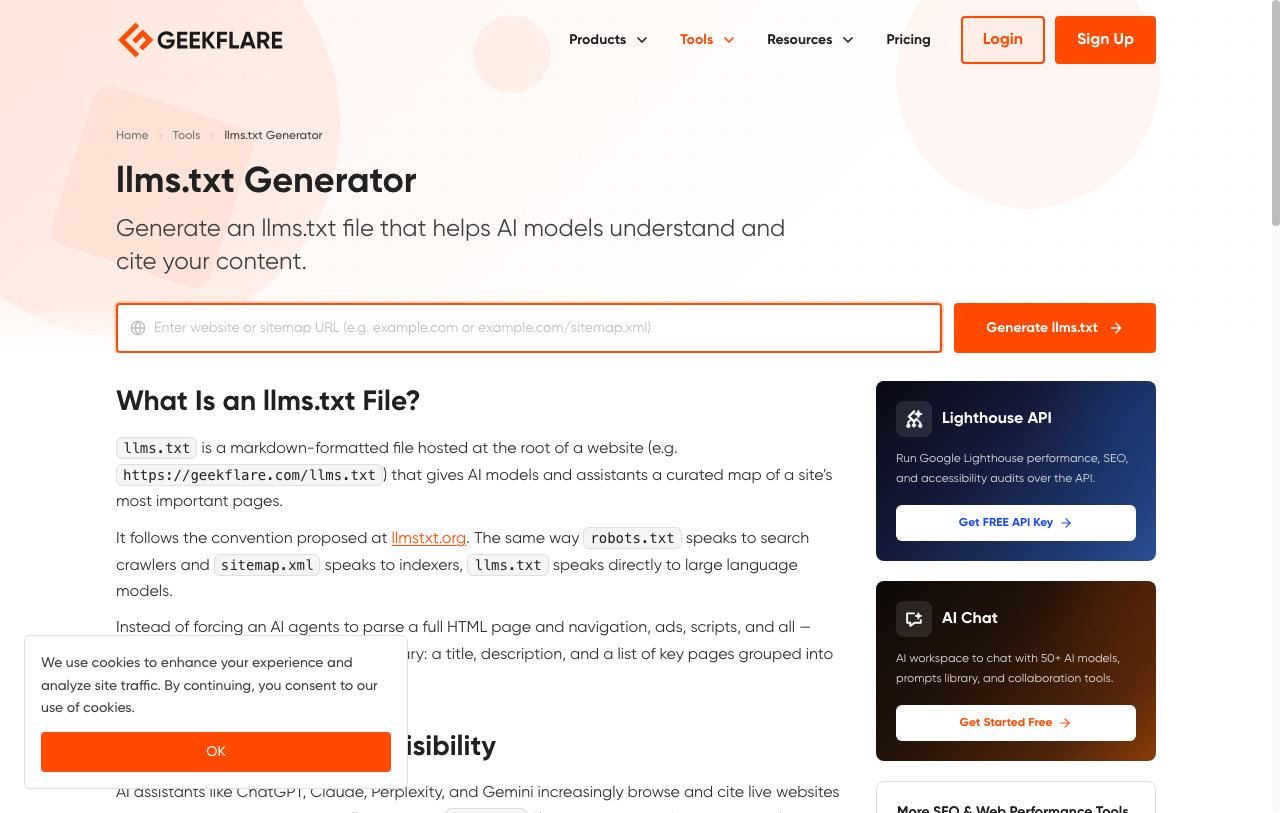
It respects your existing robots.txt rules, and if you don’t have a sitemap, it crawls your homepage for internal links using Geekflare’s own Web Scraping API instead. For most sites, this gets you 90% of the way there in under a minute, then you can hand-edit the descriptions before publishing.
What to Include
Prioritize documentation, API references, and pricing or product pages, the pages where an accurate summary actually matters. Exclude your full blog archive, tag pages, and anything already thin or duplicate. A curated 20-page llms.txt is more useful than a 500-page dump of your entire sitemap, the whole point of the format is that it’s not just another sitemap.
Keeping It Updated
An llms.txt file goes stale the same way a sitemap does: new pages don’t show up, renamed or removed pages leave dead links. Treat it as part of normal site maintenance, not a one-time file you generate and forget. If you’re already regenerating your sitemap on a schedule, do the same here.
Good to know.
Is llms.txt an official web standard?
No. It’s a community-proposed convention from llmstxt.org, not a W3C or IETF standard, and no major AI provider has formally adopted it as a required or supported input.
Will llms.txt improve my Google SEO ranking?
No. Google has explicitly stated it isn’t used for AI Overviews, AI Mode, or any generative Search feature, and it has no connection to traditional organic ranking signals either.
Do I need both robots.txt and llms.txt?
Yes, if you want either. They do different jobs. robots.txt controls crawler access, llms.txt is a curated summary for models that already have access. One doesn’t replace the other.
Does having an llms.txt file guarantee AI tools will cite my content?
No. There’s currently no evidence that llms.txt increases citation rates in ChatGPT, Gemini, Claude, or Perplexity. Treat any claim otherwise as unproven until a provider says differently.
Which AI tools actually use llms.txt today?
Coding assistants working with documentation, Cursor and Devin Desktop support referencing it, GitHub Copilot Chat can pull from it by URL. Major chat assistants and search-AI crawlers largely don’t request it yet.
Is it worth building one anyway?
If you maintain documentation or an API, yes, it’s a low-effort way to make your docs more usable by AI coding tools. If your only goal is showing up more in ChatGPT answers, the honest answer is that nothing currently guarantees that, llms.txt included.






