


Competitor pages contain more than the content visible to visitors. Competitor metadata, such as page titles, meta descriptions, canonical URLs, and Open Graph tags, provides details about how a page is presented to search engines and social platforms.
Analyzing this information can reveal the topics a page targets, the search intent it addresses, and how the content is positioned. Reviewing multiple competitor pages can also help identify patterns in their content strategy.
This article explores the insights you can gain from competitor metadata and shows how to collect it from web pages using a metadata scraper.
Understanding Competitor Metadata
Website metadata is information placed in a web page’s HTML that describes the page to search engines, browsers, and social platforms. Most visitors do not see this information directly, but it plays a role in how the page appears in search results and social media posts.
When analyzing a competitor’s page, metadata can provide useful details about the page and its purpose. Common types of metadata include:
- Page title: Describes the main topic of the page. It can also provide clues about the keywords or search queries the page targets.
- Meta description: Provides a short summary of the page. Competitors may use it to highlight key information and encourage users to visit the page from search results.
- Canonical URL: Identifies the preferred version of a page. This can be useful when a website has similar or duplicate pages.
- Open Graph tags: Define details such as the title, description, and image displayed when someone shares the page on social platforms.
- Robots tags: Provide instructions to search engine crawlers about indexing the page and following its links.
Competitor Metadata Insights and Patterns
Competitor metadata can provide useful clues about how a website positions its content. A page title may show the main topic or keyword focus. The meta description can reveal the message the company wants users to see in search results. Open Graph tags can also show how the same page is presented on social platforms.
For example, imagine three competitors publish articles about the same topic. Their titles may focus on different angles. One may use a beginner focused title, another may highlight pricing, and a third may focus on product comparisons. Comparing these choices can help you understand the audience and search intent each competitor is targeting.
Looking at a single page provides only a small view of a competitor’s approach. Reviewing metadata from several pages can reveal repeated patterns in titles, descriptions, canonical URLs, and social tags. You may find that a competitor follows a similar title format across its articles or uses descriptions that consistently highlight a particular benefit.
Comparing these patterns across different competitors can also reveal similarities and differences in their content strategy. This information can support content research and help you understand how competing websites position similar topics.
Extracting Metadata With a Metadata Scraper API
Checking metadata manually can take time when you need to review several competitor pages. Geekflare offers a Metadata Scraping API that collects metadata from a given URL and returns it in a structured format.
You provide the page URL, and the API retrieves information such as the page title, meta description, canonical URL, and Open Graph tags.
The API supports several tasks:
- AI context and embeddings: Extract page metadata to provide context for AI applications, summaries, embeddings, or vector databases.
- Link previews: Build rich link previews for messaging apps, forums, and social media tools.
- SEO auditing and monitoring: Check metadata across multiple pages and identify missing canonical URLs, descriptions, or language tags.
- News aggregation: Extract details such as the publisher, author, and publication date to categorize articles.
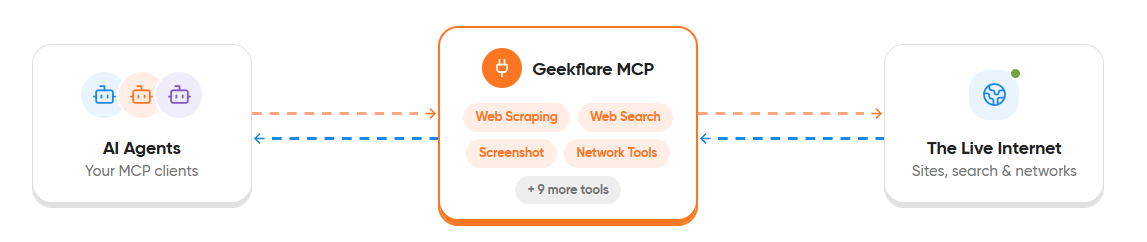
Developers can also integrate the API into applications using Geekflare SDKs for different programming languages. Geekflare provides other APIs for web scraping, search, screenshots, website analysis, and network checks. It also provides an MCP server that connects its API capabilities with AI agents and supported MCP clients.
Using Geekflare Metadata Scraping API
Geekflare provides two ways to use the Meta Scraping API. Developers can integrate it into applications using Geekflare SDKs, and non developers can use the no code Geekflare Playground.
The following sections show both methods using a practical example.
Method 1: Using the API With Geekflare SDKs
Geekflare provides SDKs for different programming languages. Developers can use them to integrate the Meta Scraping API into applications and workflows.
In this example, we will use the Python SDK to extract metadata from the following web page:
https://www.nytimes.com/This URL should return useful metadata, including the page title, description, canonical URL, and Open Graph tags.
Prerequisites
Before running the example, make sure you have the following:
- Geekflare API key: Create a Geekflare account if you do not have one. Open the Geekflare dashboard and copy your API key.
- Python: Install Python on your system.
- Geekflare Python SDK: Install the SDK with the following command:
pip install geekflare-apiStep 1: Create and Save the Python File
Create a new Python file and name it meta_scraper.py. Add the following code and replace YOUR_GEEKFLARE_API_KEY with your API key.
from geekflare_api.client import GeekflareClient
from geekflare_api.models import MetaScrapeDto

with GeekflareClient(api_key="YOUR_API_KEY") as client:  # Replace with your Geekflare API key
    result = client.meta_scrape(
        MetaScrapeDto(
            format="markdown",  # Choose JSON or Markdown output
            render_j_s=True,
            block_ads=True,
            file_output=False,
            url="https://www.nytimes.com/"
        )
    )

    print(result)
The request uses the following parameters:
render_j_s=True: Renders JavaScript before extracting the metadata.block_ads=True: Blocks advertisements during the request.format="markdown": Returns the extracted metadata in Markdown format, which can be useful for AI applications, summaries, embeddings, and other readable workflows. If omitted, the API returns JSON by default.file_output=False: Returns the extracted metadata directly in the response. Set it toTrueto store the output in a file.url: Specifies the web page from which you want to extract metadata.
Step 2: Run the File
Open your terminal in the folder where you saved the file and run:
python meta_scraper.pyResponse
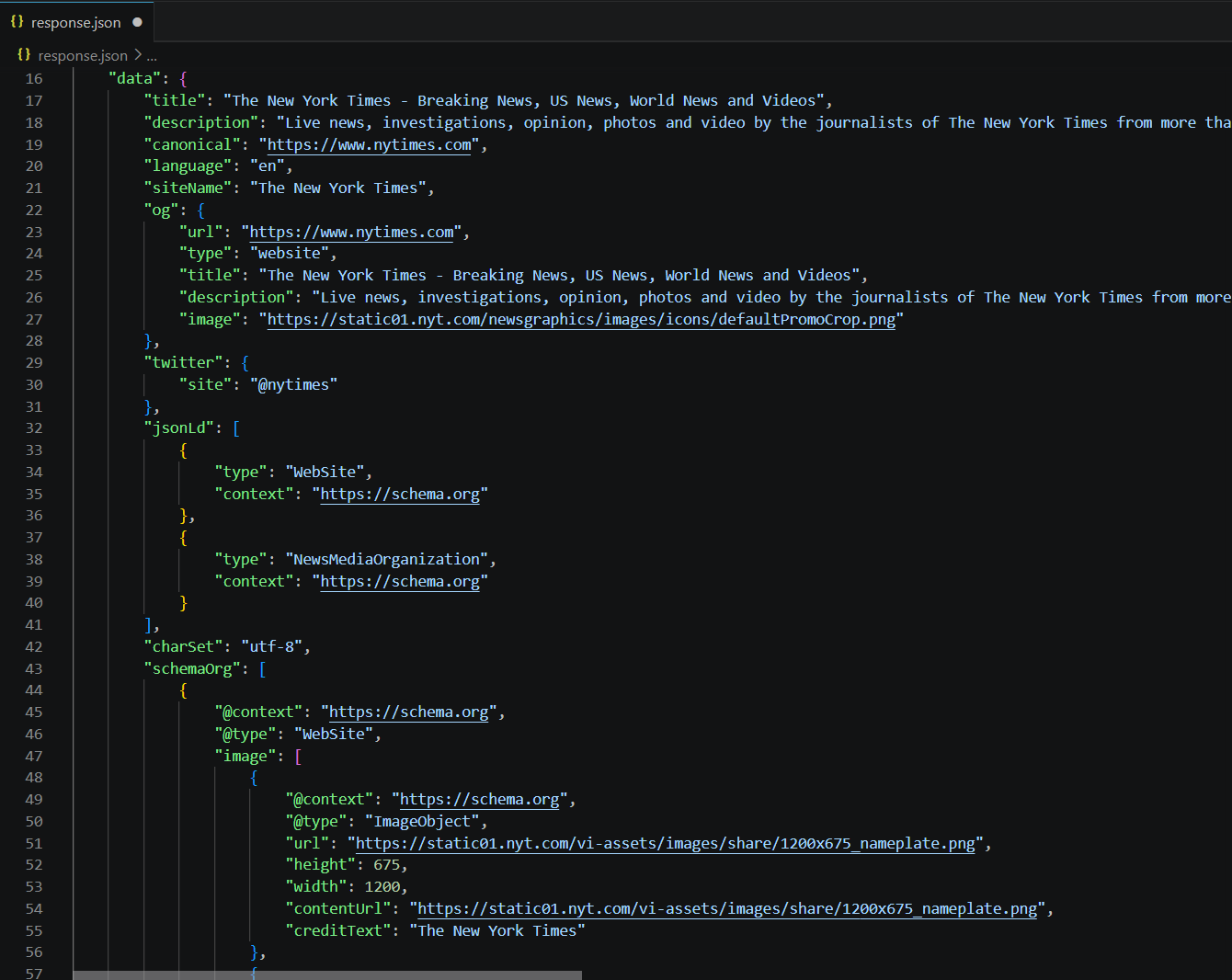
Here is the outcome from the API request. It returns the extracted metadata in a structured format, including:
- Page title and meta description
- Canonical URL and language
- Open Graph and Twitter metadata
- JSON-LD and Schema.org data
- Meta tags and keywords
- Page images and favicon
This information can help you analyze competitor metadata without manually checking the page source. For example, you can review the titles, descriptions, keywords, and social metadata used across competitor pages to identify content patterns and understand how they present their pages.
Method 2: Using the Geekflare Playground
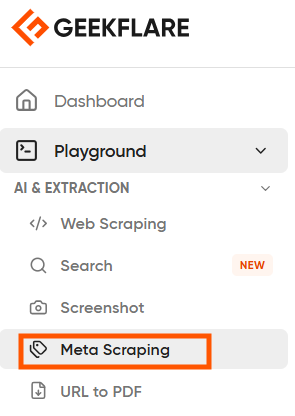
The Geekflare Playground provides a no-code way to test the Meta Scraping API. Log in to your Geekflare account, open the Playground, and select Meta Scraping.
You can enter your API key, add a URL, and choose the available request options. For this example, use:
https://www.theverge.com/You can select the output format, device, and other options such as Render JS and Block Ads. Click Send Request to extract the metadata.
The Playground also provides code snippets for the same request in Python, cURL, Node.js, and PHP.
Here is the respone:
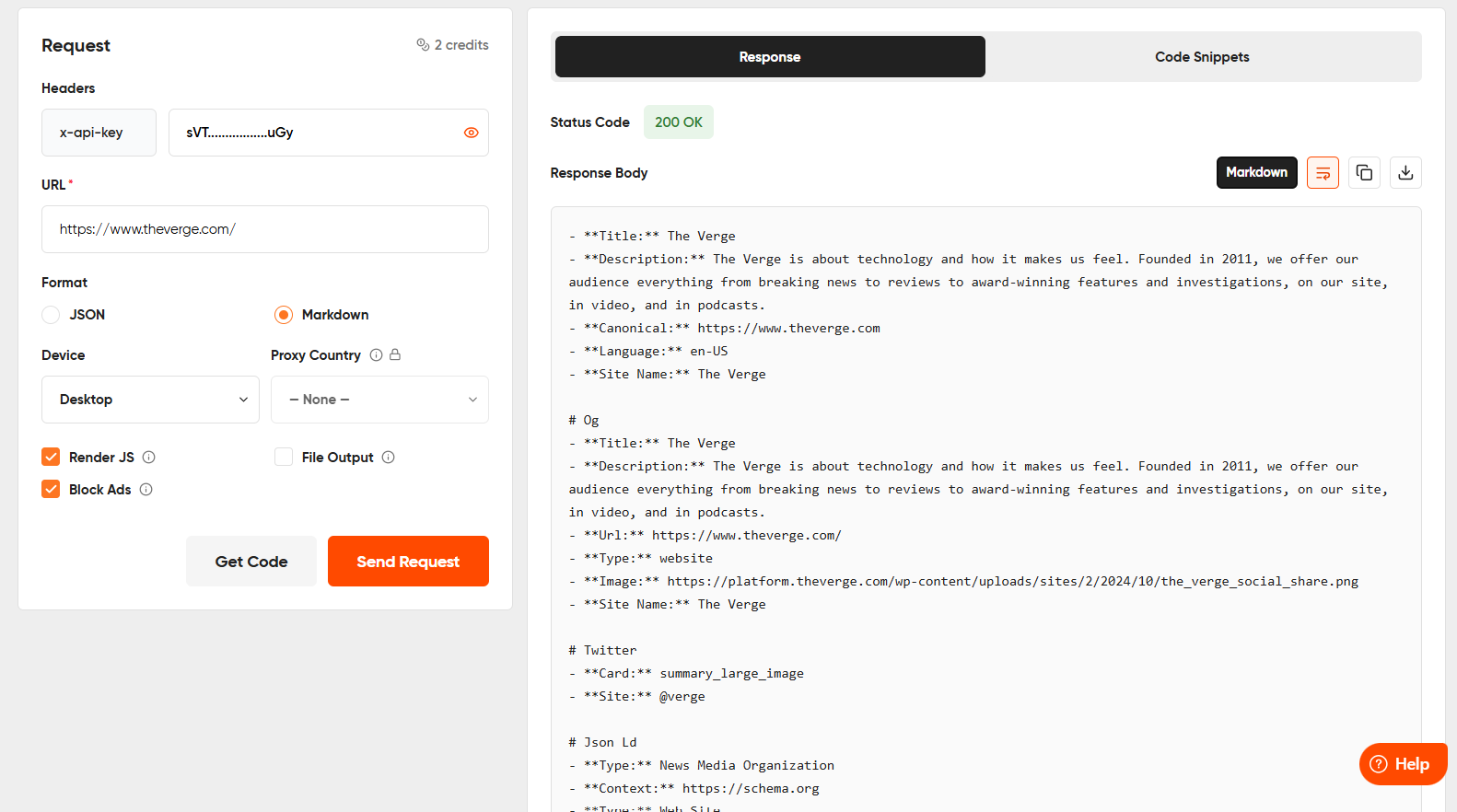
This gives you a quick way to test and analyze metadata from competitor pages without writing code.
Analyzing and Automating Competitor Metadata
The Meta Scraping API can support larger competitor analysis workflows. Connect the Geekflare MCP server to an AI agent such as Claude Code to extract metadata from multiple competitor URLs as part of your research.
You can return the metadata in Markdown format and pass it to an AI model for analysis. You can use this workflow to:
- Compare competitor titles and meta descriptions.
- Identify recurring keywords and messaging patterns.
- Analyze how competitors present pages on search and social platforms.
- Find differences in metadata across multiple competitor websites.
- Identify potential gaps in your own content and metadata strategy.
- Feed competitor metadata into AI applications for further research and analysis.
This can help you monitor competitor pages and track metadata changes over time.
Conclusion
Competitor metadata can provide useful insights into how other websites position their content across search engines and social platforms. With the Geekflare Meta Scraping API, you can extract this information from any web page through code or the no code Playground.
You can also combine the API with SDKs, MCP, and AI applications to analyze metadata from multiple competitor pages, automate research, and identify useful content patterns.
Frequently Asked Questions
What are the best web scraping tools for metadata extraction?
The best option depends on your workflow. Geekflare’s metadata scraping API can extract page titles, descriptions, canonical URLs, Open Graph tags, and structured data from web pages. It also provides SDKs, a no-code playground, and MCP integration.
How does metadata scraping from a given web page URL work?
You provide the URL of a web page to Geekflare’s metadata scraping API. It processes the page and returns the available metadata in a structured format, such as JSON or Markdown.
How do you scrape metadata from a website?
You can use Geekflare’s metadata scraping API by sending the URL of the page you want to analyze. The API extracts available information such as the title, meta description, canonical URL, Open Graph data, and other meta tags.
Can I use Geekflare APIs with AI agents?
Yes. Geekflare provides an MCP server that lets you connect its API capabilities with supported AI agents and MCP clients. You can use these capabilities as part of AI research and automation workflows.
Do I need to write code to use the Geekflare Meta Scraping API?
No. You can use the Geekflare Playground to send Meta Scraping API requests without writing code. It also provides code snippets for the same request in Python, cURL, Node.js, and PHP.





