


Before a sales call, a prospect’s website can tell you a lot about the company, its products, and how it presents itself online. Gathering these details manually across different pages can take time, especially when you are researching several prospects.
A free AI prospect qualification report can bring this research into one place. In this guide, you’ll use Geekflare APIs with an AI assistant to collect company details, website content, and website performance data, then turn them into a structured report for B2B sales research.
What This Free AI Prospect Qualification Report Checks
AI can save you time when you research a prospect. You can ask it to summarize a company, understand its products, and pull out useful sales points. The catch is that AI still needs the right information to work with. If important website data is missing, the report may be too general.
Geekflare offers collection of web APIs that can help you collect the information you need from a prospect’s website. For this report, we’ll use three APIs to gather the data.
| Check | Geekflare API | What it provides |
|---|---|---|
| Company and brand | Brand API | Company details, logos, colors, fonts, and social profiles |
| Website content | Web Scrape API | Content and information from the prospect’s website |
| Website quality | Lighthouse API | Performance, SEO, and accessibility results |
Once we have this information, we can give it to the AI assistant and let it turn the results into a structured prospect qualification report.
Geekflare offers a Free plan with 500 credits, which is enough for this report. You can run the required API requests using the free credits before considering a paid plan for higher usage.
You don’t need to write everything from scratch either. Geekflare offers SDKs for different programming languages if you want to integrate the APIs into an application. If you don’t code, you can use the Geekflare API Playground to try the APIs individually and see their responses directly.
Generate Your Free AI Prospect Qualification Report
Let’s put the workflow into practice with a real company website. We’ll use Geekflare MCP to access the APIs from an AI assistant and generate the prospect report.
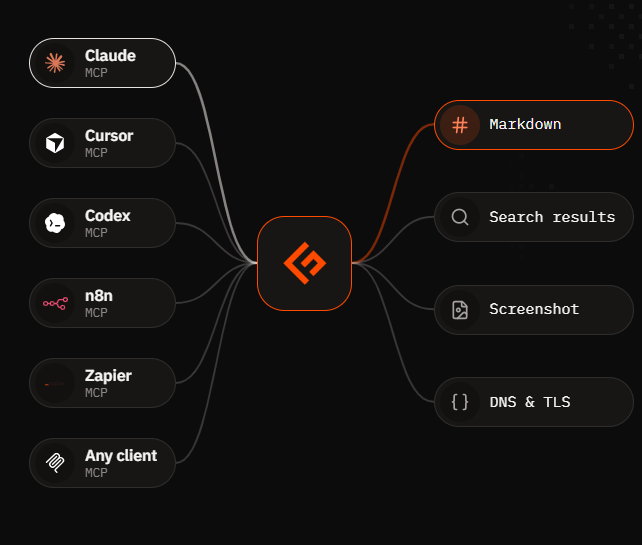
Geekflare MCP lets you access Geekflare APIs from supported AI assistants. To get started, log in to your Geekflare account and copy your API key from the dashboard.
For detailed steps on connecting Geekflare MCP to Claude Code, refer to the Geekflare MCP guide.
For this example, We will use Notion’s website: https://www.notion.so
Run the Prospect Qualification Prompt
Once Geekflare MCP is connected, copy the prompt below and replace [Prospect URL] with the website you want to research.
Analyze [Prospect URL] as a potential B2B prospect.

Use the Geekflare Brand API to collect company and brand information. Use the Web Scrape API to research the website content. Use the Lighthouse API to check its performance, SEO, and accessibility.

Create a prospect qualification report with the following sections:
- Company Overview
- Products and Services
- Target Audience
- Brand Information
- Website Performance
- SEO and Accessibility
- Potential Sales Signals
- Questions to Ask During a Sales Call
- Prospect Qualification Summary

Keep factual information separate from your analysis. Use only information supported by the collected data. Do not invent details that cannot be verified. Present the report in a clear and easy to read PDF format
Once the report is generated, you get a clear picture of the prospect before reaching out. It covers the company, products, target audience, brand, website performance, SEO, and accessibility, then adds potential sales signals and questions for the sales conversation.
The report can help you understand a prospect faster, identify areas worth discussing, and prepare more relevant questions for a sales call. You can use the findings as a starting point for your research and verify important details before contacting the prospect.
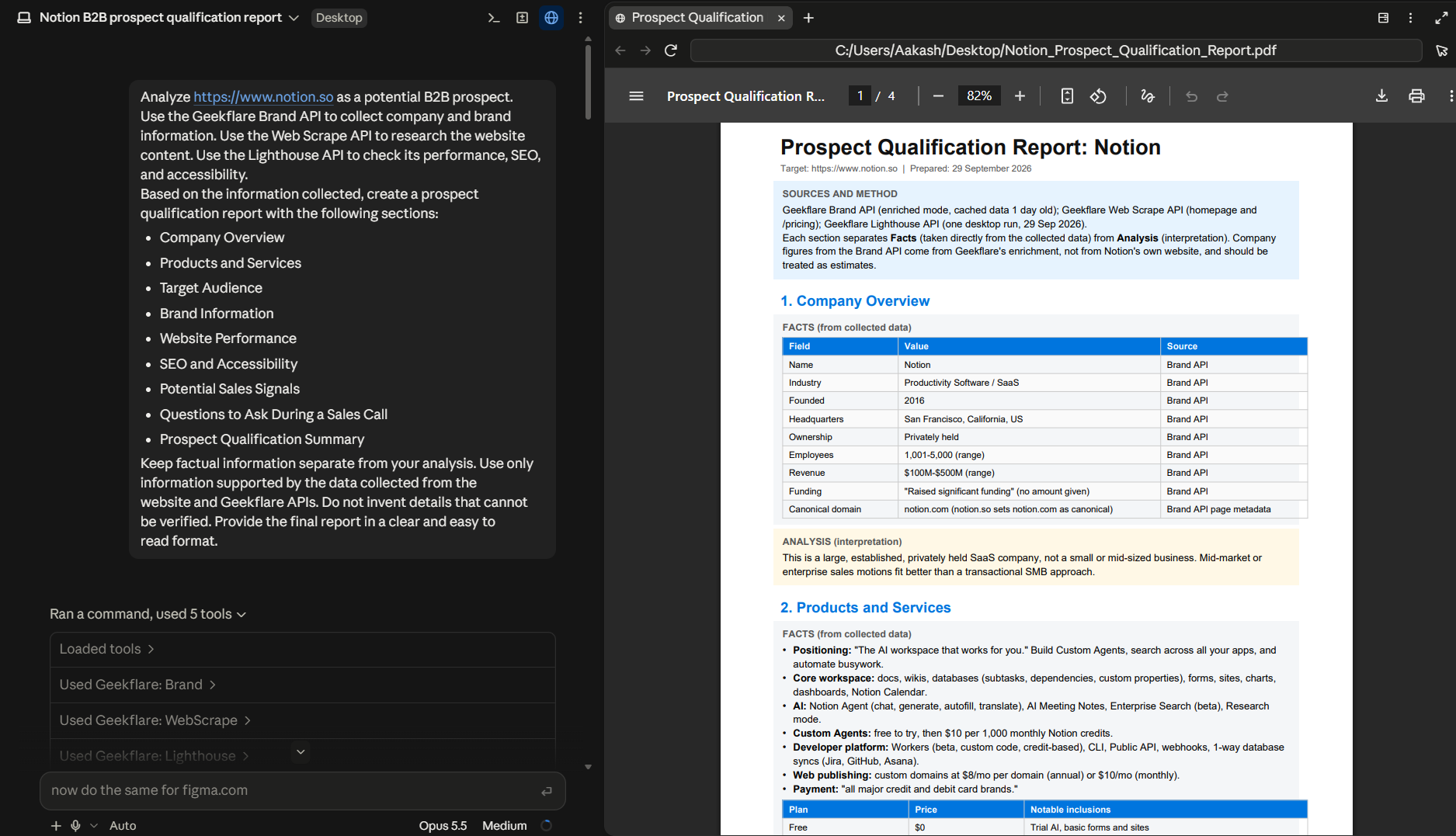
can be lutte more detailed
Why This Free Workflow Is Useful for B2B Sales
Before reaching out to a prospect, you need more than a company name and website URL. This workflow brings company details, website content, and technical findings into one report, so you can get useful context before the conversation.
You can use the report to:
- Understand the prospect faster: Review its products, services, audience, and brand information in one place.
- Find potential sales signals: Spot areas such as new products, technical issues, or business changes that may be relevant to your offering.
- Prepare better questions: Use the report to build questions around the prospect’s products, website, and potential needs.
- Personalize outreach: Use specific information from the report to make your initial conversation more relevant.
- Reduce manual research: Run the same workflow for different prospects instead of collecting the information from multiple sources each time.
The report does not replace sales research or conversations with the prospect. It gives you a useful starting point before you reach out.
Conclusion
A prospect’s website can provide useful information before a sales conversation. This workflow brings that information together with Geekflare APIs and AI, helping you research prospects faster, spot useful sales signals, and prepare for more relevant conversations.
You can reuse the same prompt for different prospect URLs, so the workflow can become part of your regular B2B sales research process.
Frequently Asked Questions
What is a prospect qualification report?
A prospect qualification report summarizes key information about a potential B2B customer, such as its company details, products, website, and potential sales signals.
Which Geekflare APIs are used for the report?
The workflow uses the Brand API, Web Scrape API, and Lighthouse API to collect company, website, and technical information.
Can I create the report for free?
Yes. Geekflare’s Free plan provides 500 credits, which is enough for this workflow.
Do I need coding skills to create the report?
No. You can use Geekflare MCP with an AI assistant and provide the prospect URL and prompt directly.





