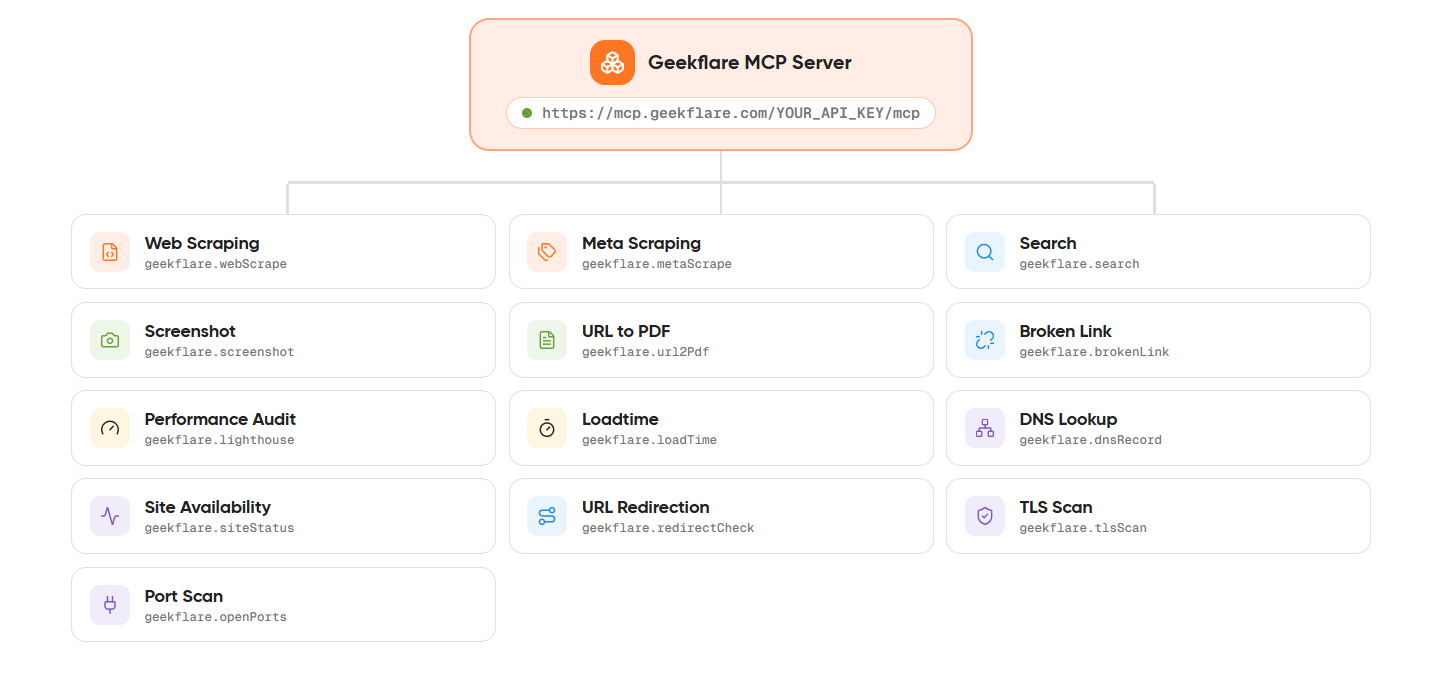
Researching a topic often means looking at information from multiple web sources. A web research AI agent can organize this process by breaking a topic into smaller searches and bringing the results together.
A simple web search returns results for one query. An AI research agent takes the next steps after the search. It can review the results, identify missing information, and run more searches to build a complete answer.
In this article, we will build an AI research agent using the Geekflare Search API for multi-step web research. The agent will generate search queries, collect relevant results, and use the information to produce a structured answer.
What Is a Web Research AI Agent?
A web research AI agent is an AI system that researches a topic through a series of steps. It starts with a research question, creates search queries, collects information from web sources, reviews the results, and prepares a final answer.
The process can follow this flow:
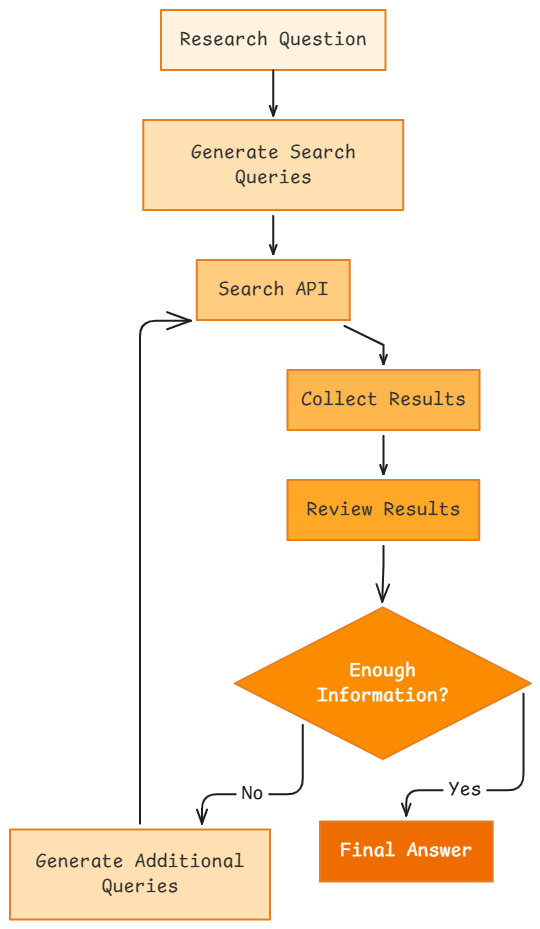
Each step serves a specific purpose. The research question defines the topic. The agent then creates multiple search queries to cover different parts of that topic. A Search API retrieves relevant web results, and the agent reviews the returned information.
The first set of results may not answer every part of the research question. The agent can identify missing details and generate additional queries before preparing the final answer. This multi-step web research process gives the agent a more complete view of the topic than a single search request.
A web research AI agent can support tasks such as market research, competitive research, content research, technology research, and business research.
Prerequisites
Before building the web research AI agent, you need the following:
- Claude API key: This project uses the Claude API. You can use another AI model if you prefer.
- Geekflare API key: The agent uses the Geekflare Search API. Create a Geekflare account if you do not have one, then copy your API key from the dashboard.
- Required libraries: Install the Claude and Geekflare Python libraries:
pip install anthropic geekflare-api requests python-dotenv
After completing these steps, you can start building the web research AI agent.
Building the Web Research AI Agent
In this section, you will build a web research AI agent that uses Claude to plan and review the research process. The Geekflare Search API retrieves web results for the queries generated by the agent.
You can get the entire source code of the web research AI agent from here.
Step 1: Create a .env File
Create a .env file in your project folder and add your API keys:
CLAUDE_API_KEY=your_claude_api_key
GEEKFLARE_API_KEY=your_geekflare_api_key
This keeps your API keys separate from the Python code.
Step 2: Import Libraries and Load the API Keys
Create a Python file named research_agent.py and add the following code:
import os
import sys
import json
import requests
import anthropic
from datetime import datetime
from dotenv import load_dotenv

sys.stdout.reconfigure(encoding="utf-8")

load_dotenv()

CLAUDE_API_KEY = os.getenv("CLAUDE_API_KEY")
GEEKFLARE_API_KEY = os.getenv("GEEKFLARE_API_KEY")

if not CLAUDE_API_KEY or not GEEKFLARE_API_KEY:
    raise RuntimeError(
        "Missing CLAUDE_API_KEY or GEEKFLARE_API_KEY. Add them to your .env file."
    )

claude_client = anthropic.Anthropic(
    api_key=CLAUDE_API_KEY
)

MODEL = "claude-opus-5"
The code loads the API keys from the .env file and checks that both values are available before the agent starts.
The claude_client connects the application to Claude. The MODEL variable stores the Claude model used throughout the project.
Step 3: Define the Research Question
Next, add the question that the agent needs to research.
The topic for research is “What are the latest developments in AI agents for business?
And how are companies using them?”.
research_question = """
What are the latest developments in AI agents for business,
and how are companies using them?
"""
You can replace this question with another topic based on your research needs.
Step 4: Generate Search Queries
The agent first breaks the main research question into several focused web searches.
Add the following function:
def generate_search_queries(question):
    prompt = f"""
You are a web research agent.

Break the following research question into 3 to 5 focused
web search queries.

Research question:
{question}
"""

    response = claude_client.messages.create(
        model=MODEL,
        max_tokens=1024,
        output_config={
            "format": {
                "type": "json_schema",
                "schema": {
                    "type": "object",
                    "properties": {
                        "queries": {
                            "type": "array",
                            "items": {"type": "string"}
                        }
                    },
                    "required": ["queries"],
                    "additionalProperties": False
                }
            }
        },
        messages=[
            {
                "role": "user",
                "content": prompt
            }
        ]
    )

    text = next(
        b.text for b in response.content if b.type == "text"
    )

    return json.loads(text)["queries"]
This function sends the research question to Claude and asks it to create three to five search queries.
The response uses a JSON schema. This ensures that Claude returns the queries in a structured format that the Python code can read.
Step 5: Search the Web
Next, create a function that sends each query to the Geekflare Search API.
def search_web(query):
    url = "https://api.geekflare.com/search"

    headers = {
        "Content-Type": "application/json",
        "x-api-key": GEEKFLARE_API_KEY
    }

    payload = {
        "query": query
    }

    response = requests.post(
        url,
        headers=headers,
        json=payload
    )

    response.raise_for_status()

    return response.json()
The function accepts a search query, sends it to the Geekflare Search API, and returns the search response.
Step 6: Review the Research Results
After collecting the search results, Claude reviews the available information and checks if it is enough to answer the original question.
Add this function:
def review_results(question, results):
    research_data = json.dumps(
        results,
        indent=2
    )

    prompt = f"""
You are reviewing web research results.

Original research question:
{question}

Research results:
{research_data}

Check if the available information is enough to answer
the research question. If information is missing, set
"enough_information" to false and add 1 to 3 additional
search queries. Otherwise return an empty list for
"additional_queries".
"""

    response = claude_client.messages.create(
        model=MODEL,
        max_tokens=1024,
        output_config={
            "format": {
                "type": "json_schema",
                "schema": {
                    "type": "object",
                    "properties": {
                        "enough_information": {"type": "boolean"},
                        "additional_queries": {
                            "type": "array",
                            "items": {"type": "string"}
                        }
                    },
                    "required": [
                        "enough_information",
                        "additional_queries"
                    ],
                    "additionalProperties": False
                }
            }
        },
        messages=[
            {
                "role": "user",
                "content": prompt
            }
        ]
    )

    text = next(
        b.text for b in response.content if b.type == "text"
    )

    return json.loads(text)
The function returns two values:
enough_informationshows if the collected results are sufficient.additional_queriescontains new search queries when more information is needed.
Step 7: Generate the Final Research Answer
After the research is complete, the agent sends the collected results to Claude and asks it to prepare the final answer.
def generate_final_answer(question, results):
    research_data = json.dumps(
        results,
        indent=2
    )

    prompt = f"""
You are a web research agent.

Answer the following research question using the
research results provided below.

Research question:
{question}

Research results:
{research_data}

Write a clear and structured answer based on the
available information.

Add the source URLs used for the research.
"""

    response = claude_client.messages.create(
        model=MODEL,
        max_tokens=4096,
        messages=[
            {
                "role": "user",
                "content": prompt
            }
        ]
    )

    return next(
        b.text for b in response.content if b.type == "text"
    )
The function uses the research results to generate a structured answer and asks Claude to include the source URLs.
Step 8: Run the Research Agent
The main() function connects all the steps.
def main():
    search_queries = generate_search_queries(research_question)

    print("Search Queries:")
    for query in search_queries:
        print("-", query)

    all_results = []

    for query in search_queries:
        print(f"\nSearching: {query}")

        search_response = search_web(query)

        all_results.append({
            "query": query,
            "results": search_response
        })

    print("\nSearch completed.")

    review = review_results(
        research_question,
        all_results
    )

    print("\nResearch Review:")
    print(review)

    if not review["enough_information"]:
        additional_queries = review["additional_queries"]

        print("\nAdditional Searches:")

        for query in additional_queries:
            print("-", query)

            search_response = search_web(query)

            all_results.append({
                "query": query,
                "results": search_response
            })

    final_answer = generate_final_answer(
        research_question,
        all_results
    )

    print("\nFinal Research Answer:\n")
    print(final_answer)

    output_dir = "outputs"
    os.makedirs(output_dir, exist_ok=True)

    timestamp = datetime.now().strftime("%Y%m%d_%H%M%S")

    output_path = os.path.join(
        output_dir,
        f"research_{timestamp}.md"
    )

    with open(
        output_path,
        "w",
        encoding="utf-8"
    ) as f:
        f.write(
            f"# Research Question\n\n"
            f"{research_question.strip()}\n\n"
        )
        f.write(final_answer)

    print(f"\nSaved to: {output_path}")


if __name__ == "__main__":
    main()
The agent starts by generating search queries from the research question. It then sends each query to the Geekflare Search API and stores the returned results.
Claude reviews the collected information. If the results do not provide enough information, the agent runs the additional queries returned during the review. The final set of results is then used to generate the research answer.
The code also creates an outputs folder and saves each research result as a Markdown file. The filename contains a timestamp, so each execution creates a separate output file.
Output
Run the script:
python research_agent.py
The agent generates search queries, searches the web, reviews the results, and produces a final answer.
The image below shows the final research answer generated by the agent.
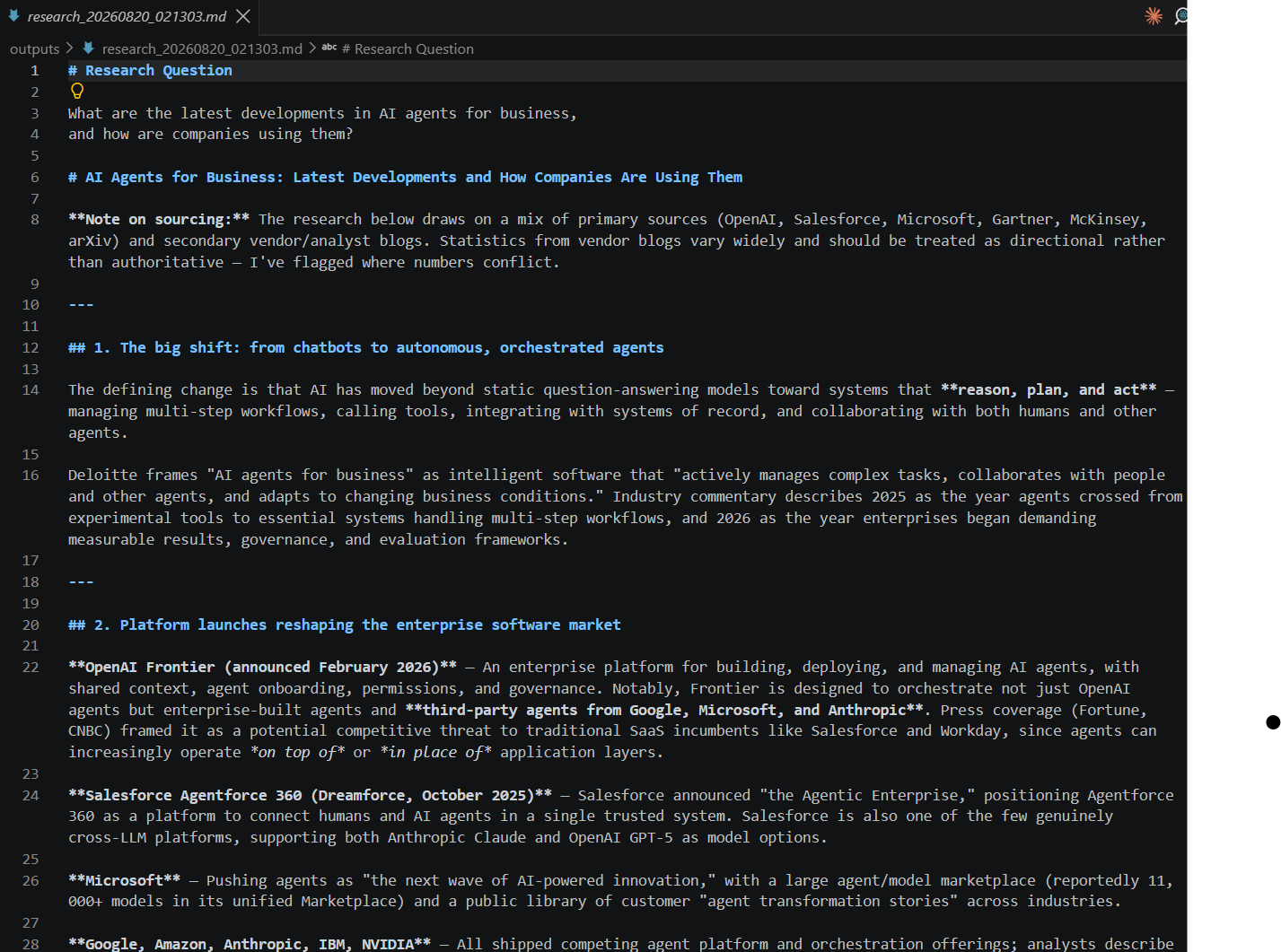
You can view the entire detailed response of our agent here.
Use Cases for a Web Research AI Agent
A web research AI agent can support several research tasks:
- Market research: Gather information about industries, trends, and market developments.
- Competitive research: Track competitors, products, announcements, and business updates.
- Content research: Collect information from multiple web sources before creating articles or reports.
- Technology research: Research software, APIs, frameworks, and recent technical developments.
- Business research: Gather information to support planning and decision making.
Conclusion
A web research AI agent can break a research question into multiple searches, collect information from web sources, and review the results before generating an answer.
In this project, Claude handles the research process, and the Geekflare Search API retrieves the web results. You can adapt the agent to different research tasks by changing the research question or AI model.
Try the Geekflare Search API to add web search capabilities to your own AI agents and applications.
Frequently Asked Questions
What is a web research AI agent?
A web research AI agent uses AI to search for information, review results from multiple sources, and generate an answer to a research question.
How does a web research AI agent work?
It breaks a research question into smaller search queries, collects information from web sources, reviews the results, and performs additional searches if more information is needed.
Can a web research AI agent search multiple sources?
Yes. The agent can use multiple search queries to collect information from different web sources before preparing its final answer.
Can I use the Geekflare Search API with other AI models?
Yes. You can use Geekflare Search API with different AI models and frameworks. The Search API handles web search, while the AI model can generate queries, review results, and prepare the final response.
What other APIs does Geekflare offer?
Geekflare offers APIs for web scraping, website analysis, network checks, screenshots, search, and other web-related tasks that developers can use in applications and workflows.