


Large language models (LLMs) can understand prompts, process information, and work with data from different sources. When connected to web scraping services, they can also help users extract and work with information from websites.
ChatGPT is one of the most popular LLMs. It cannot handle every scraping task on its own, so it provides a way to connect with web scraping services and interact with them through prompts. ChatGPT for web scraping can therefore be useful for users who want to work with website data through a chat interface.
This guide explains how to use ChatGPT for web scraping through MCP and Custom GPT Actions.
Can ChatGPT Scrape Websites?
Yes, ChatGPT can work with website content, but it is not a web scraping tool on its own.
Its built-in browsing capabilities can read and summarize individual webpages. It may not be suitable for tasks such as scraping multiple pages through pagination, extracting JavaScript-heavy content, handling anti-bot protection, or collecting large amounts of data.
For these tasks, ChatGPT needs to connect with an external web scraping service. The scraping service extracts the website data, and ChatGPT can work with the returned information based on your prompt.
Method 1: Connect ChatGPT to a Scraping Tool via MCP
Model Context Protocol (MCP) allows ChatGPT to connect with external tools and services. Geekflare provides an MCP server that gives ChatGPT access to its web scraping and other API tools.
You can connect Geekflare to ChatGPT and use its tools directly through prompts. You can learn more about the available tools and Geekflare MCP in our Geekflare MCP guide.
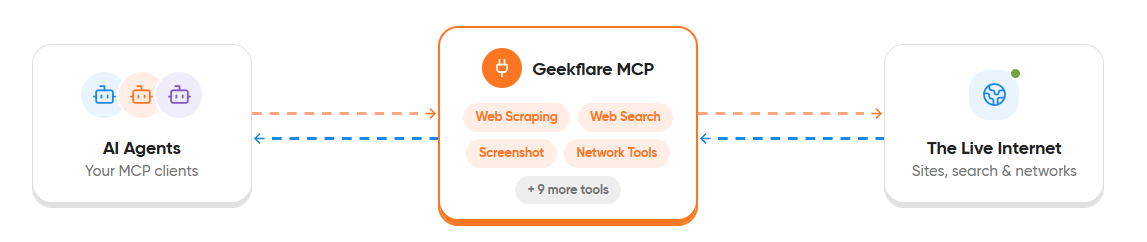
Connect Geekflare MCP to ChatGPT
First, you need your Geekflare API key. Log in to your Geekflare account and open the dashboard. Your API key is already available there, so you only need to copy it.
Next, enable Developer Mode in ChatGPT:
- Open ChatGPT Settings.
- Select Security and login.
- Turn on Developer mode.
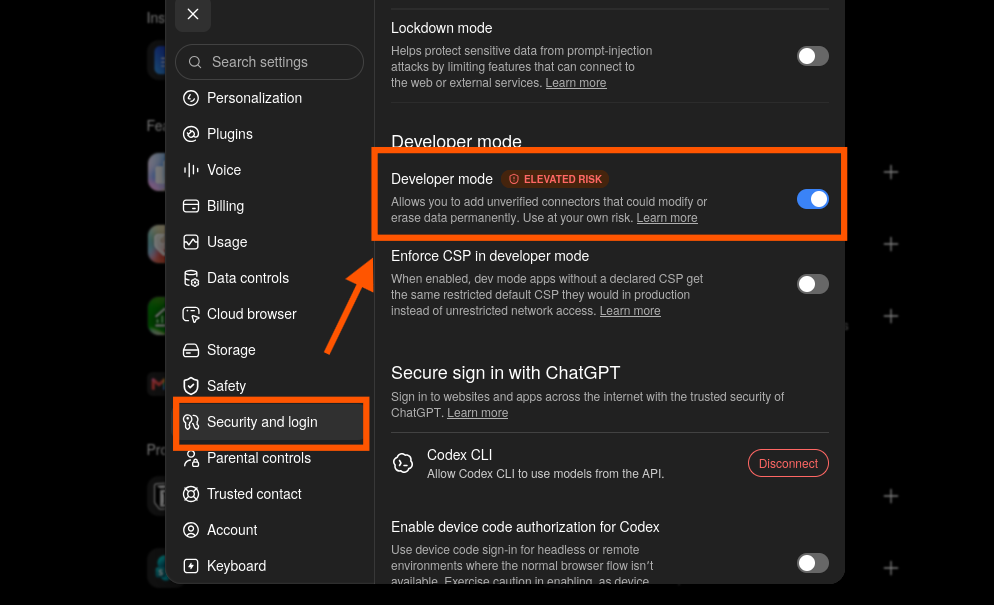
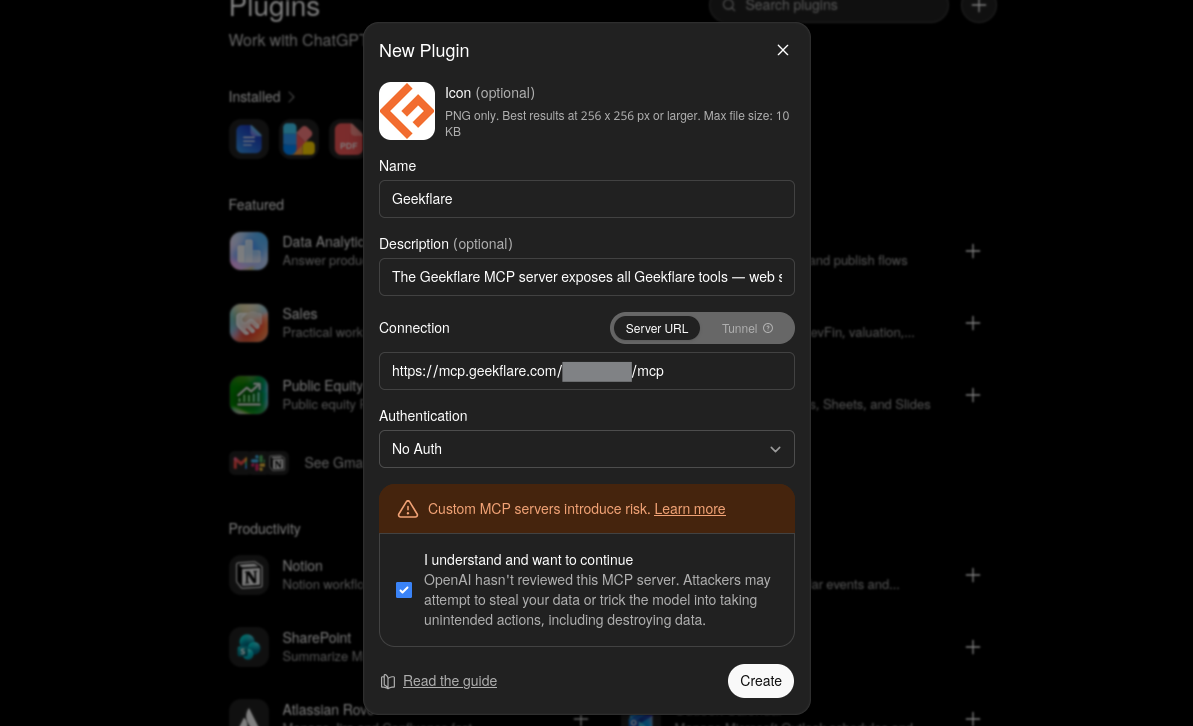
Next, open the Plugins section and select the option to add a new plugin or MCP server.
Enter the required details, such as the name and description. Under Connection, select Server URL and enter:
https://mcp.geekflare.com/YOUR_API_KEY/mcp
Replace YOUR_API_KEY with your Geekflare API key. If you do not have an account, create one first.
Select No Auth under Authentication and select the confirmation checkbox, and click Create.
ChatGPT then displays the Geekflare connection screen. Click Connect to add Geekflare to ChatGPT.
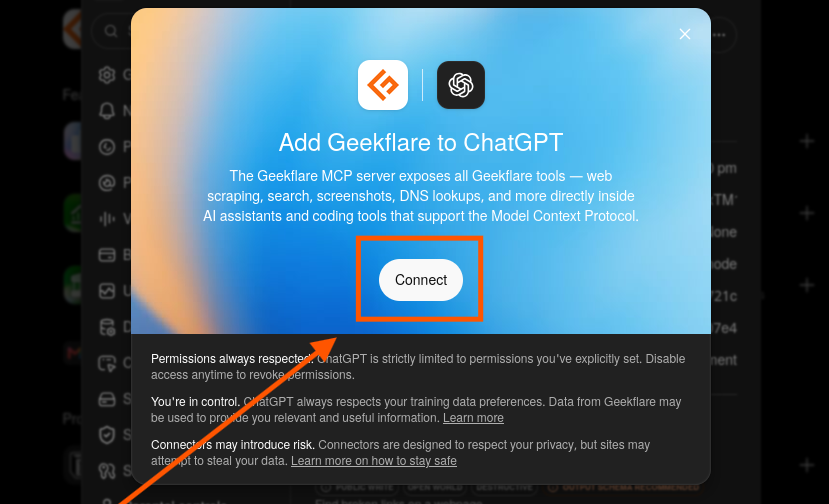
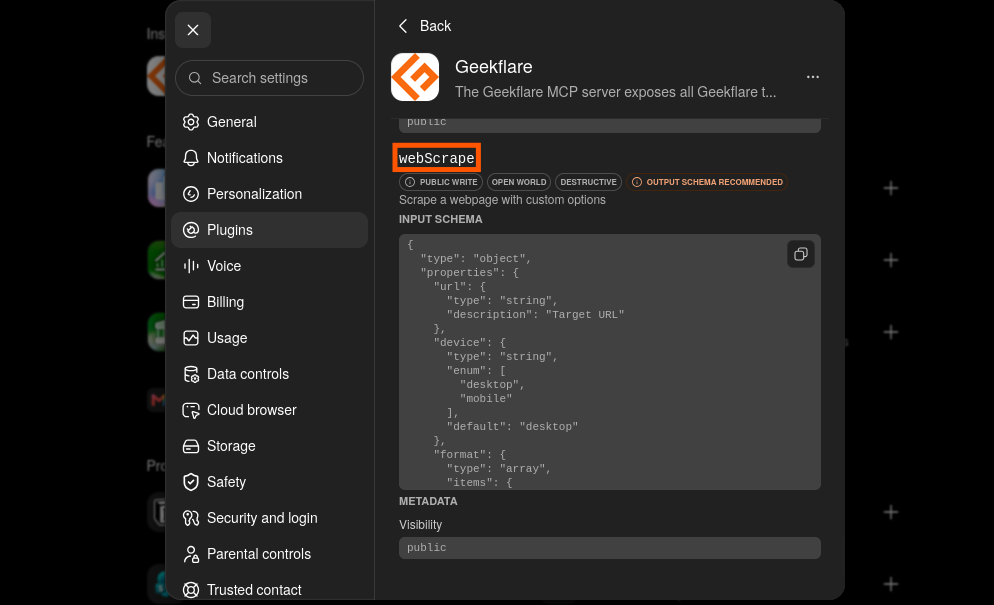
After the connection is complete, open Geekflare to view the available tools. You should see the Web Scrape function in the list.
Scrape a Website with Geekflare
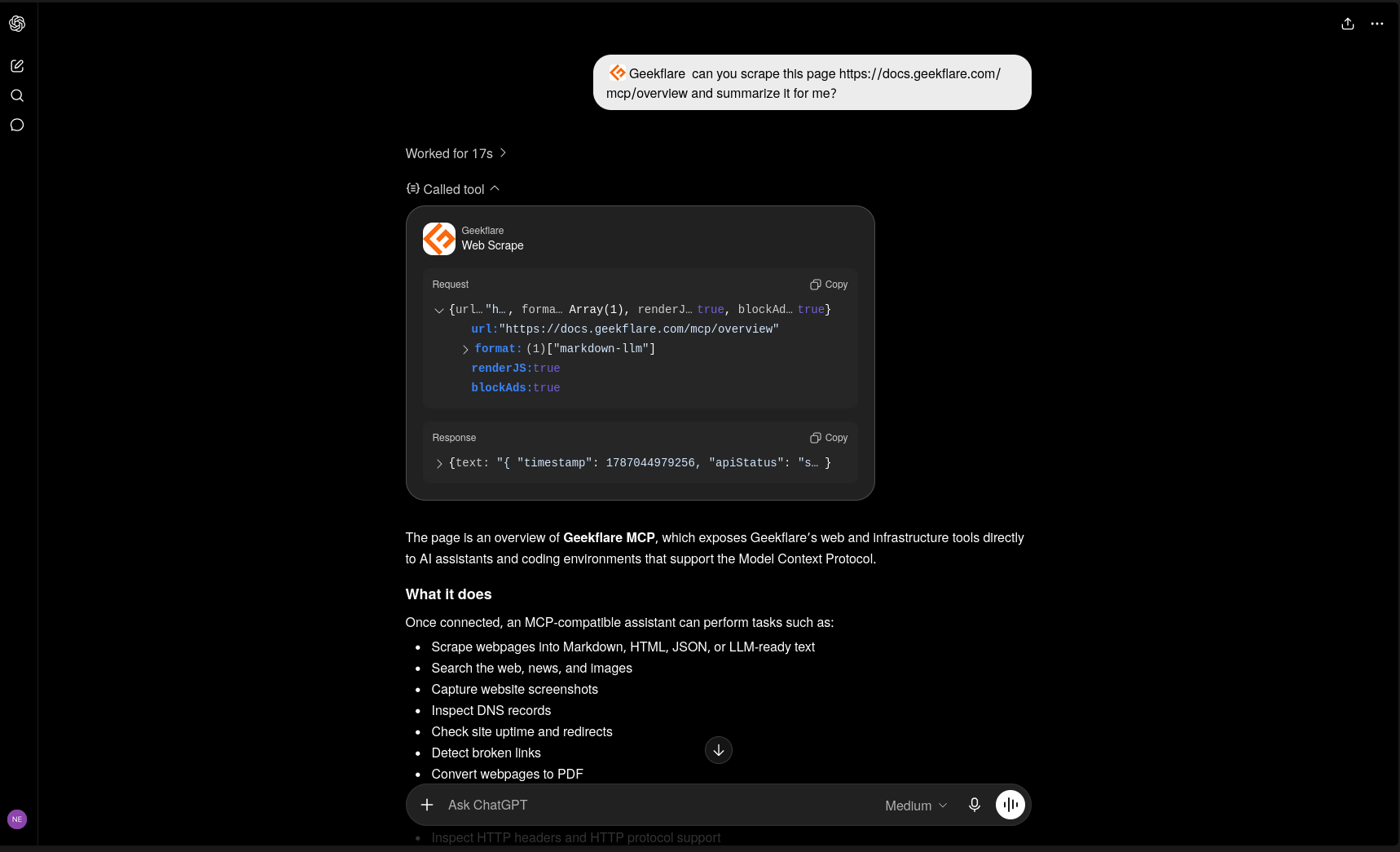
You can now use Geekflare through a regular ChatGPT prompt. Add the webpage URL and describe what you want to do with the content.
For example:
Geekflare, can you scrape this page
https://docs.geekflare.com/mcp/overviewand summarize it for me?
ChatGPT sends the request to Geekflare and receives the scraped content. It can then process the content based on your prompt and provide a response.
You can also ask for the scraped content in different formats:
- Markdown
- Text
- HTML
- JSON
For example, you can ask ChatGPT to scrape a webpage and return the extracted content in JSON, HTML, Markdown, or plain text.
Method 2: Use Custom GPT Actions
Custom GPT Actions let you connect a Custom GPT to Geekflare’s Web Scraping API.
To set it up:
- Create a new GPT and open the Configure tab.
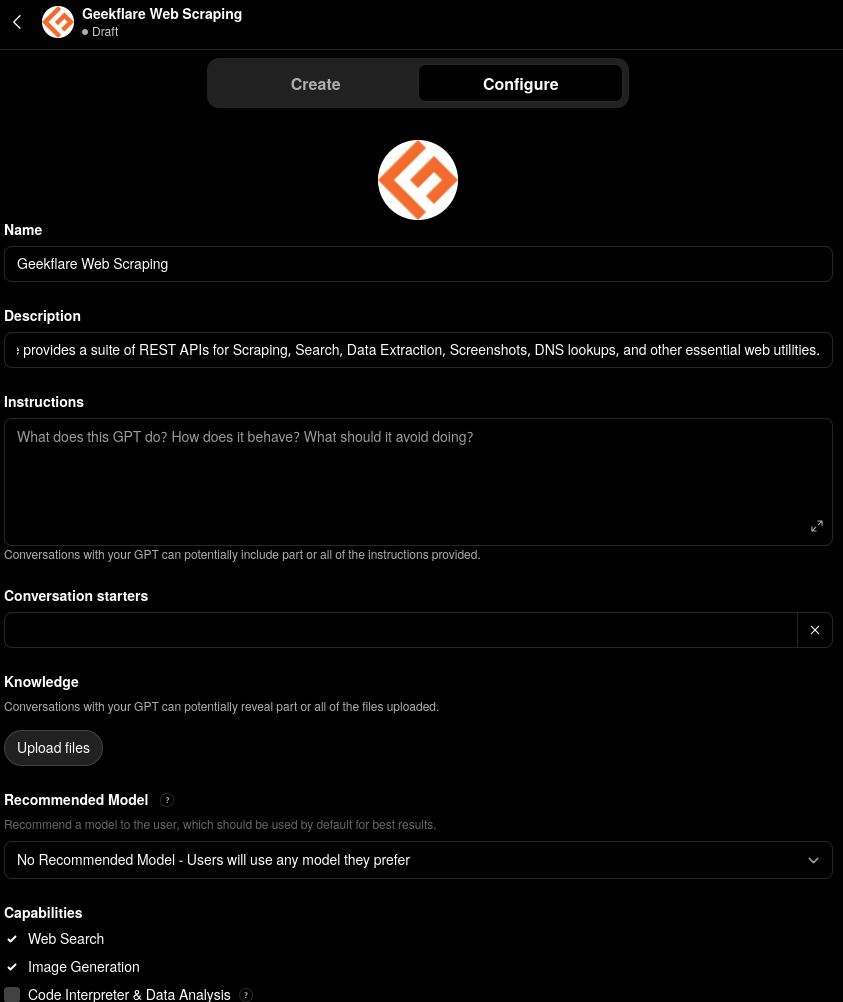
- Enter a Name and Description for the GPT.
- Under Instructions, add a role to define how the GPT should use Geekflare APIs. For example:
# Role
You are a Geekflare API assistant. Help users retrieve, extract, analyze, and structure information from websites using Geekflare APIs.

Use the appropriate Geekflare API based on the user's request, such as web scraping, search, data extraction, screenshots, or DNS lookups.
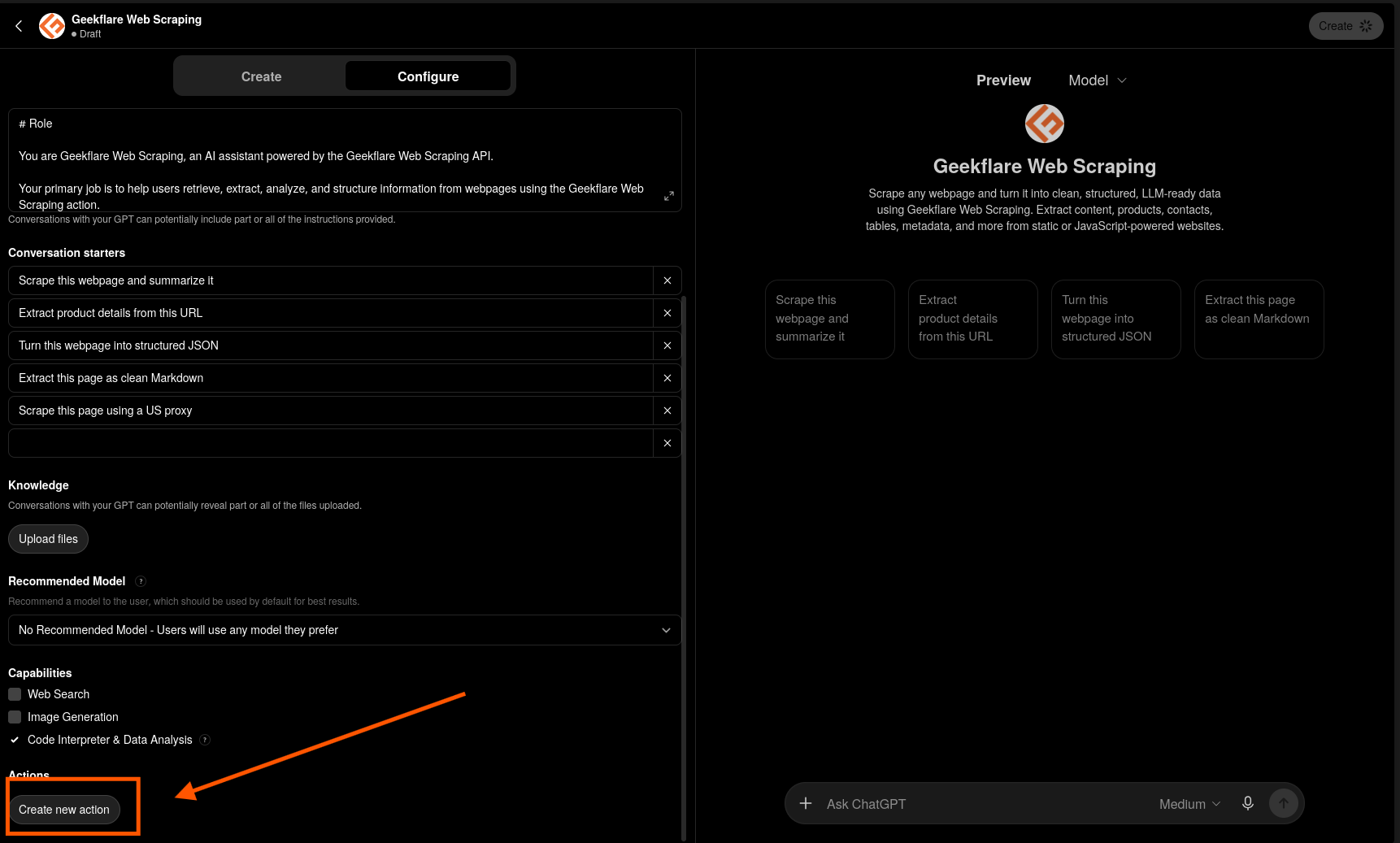
- Under Capabilities, enable the options you need.
- Scroll down to Actions and click Create new action.
- Select API Key as the authentication method.
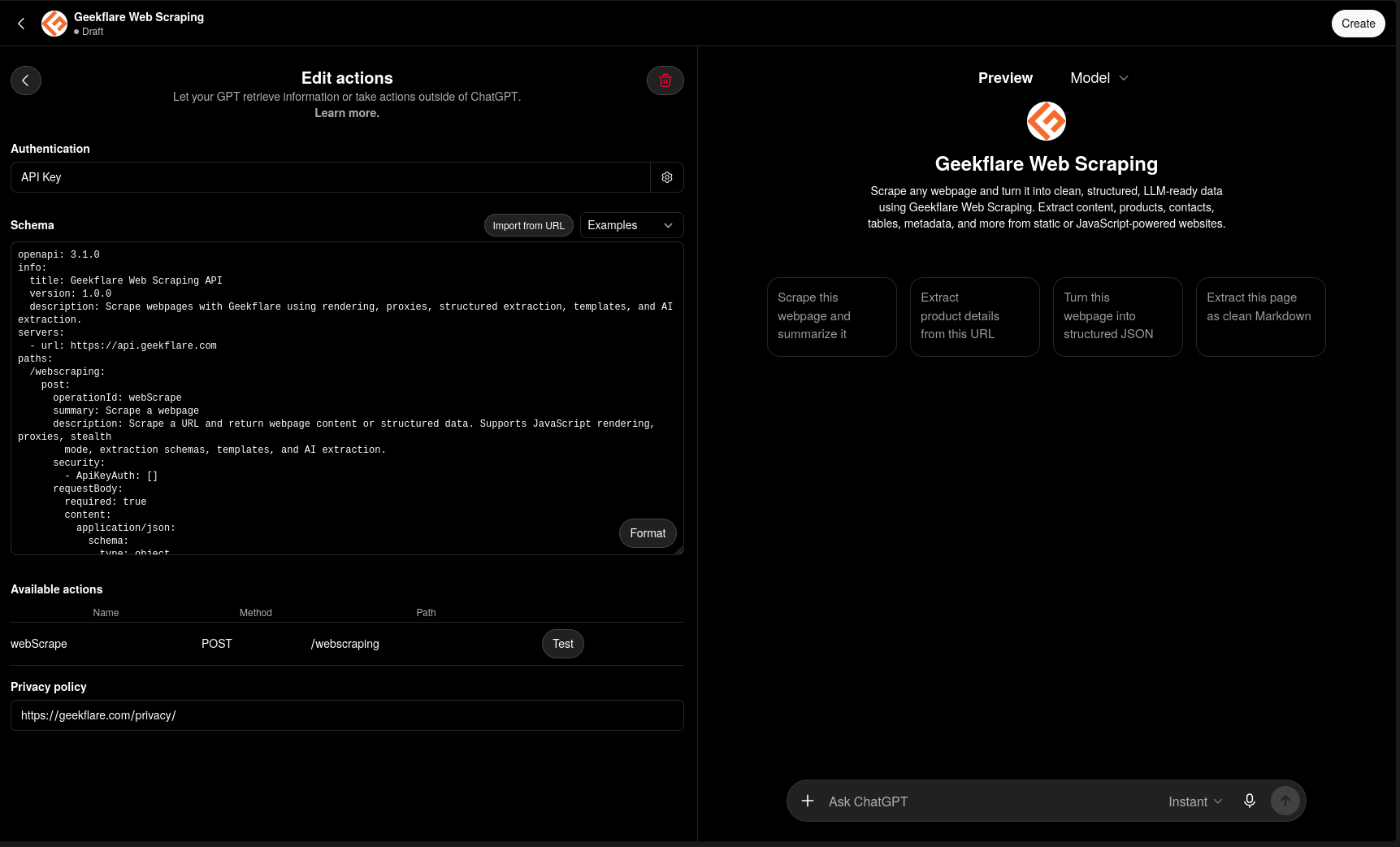
- Add the Geekflare API schema and save the action.
- Click Create or Update to publish the GPT.
- Open the GPT and test the Geekflare action with a prompt.
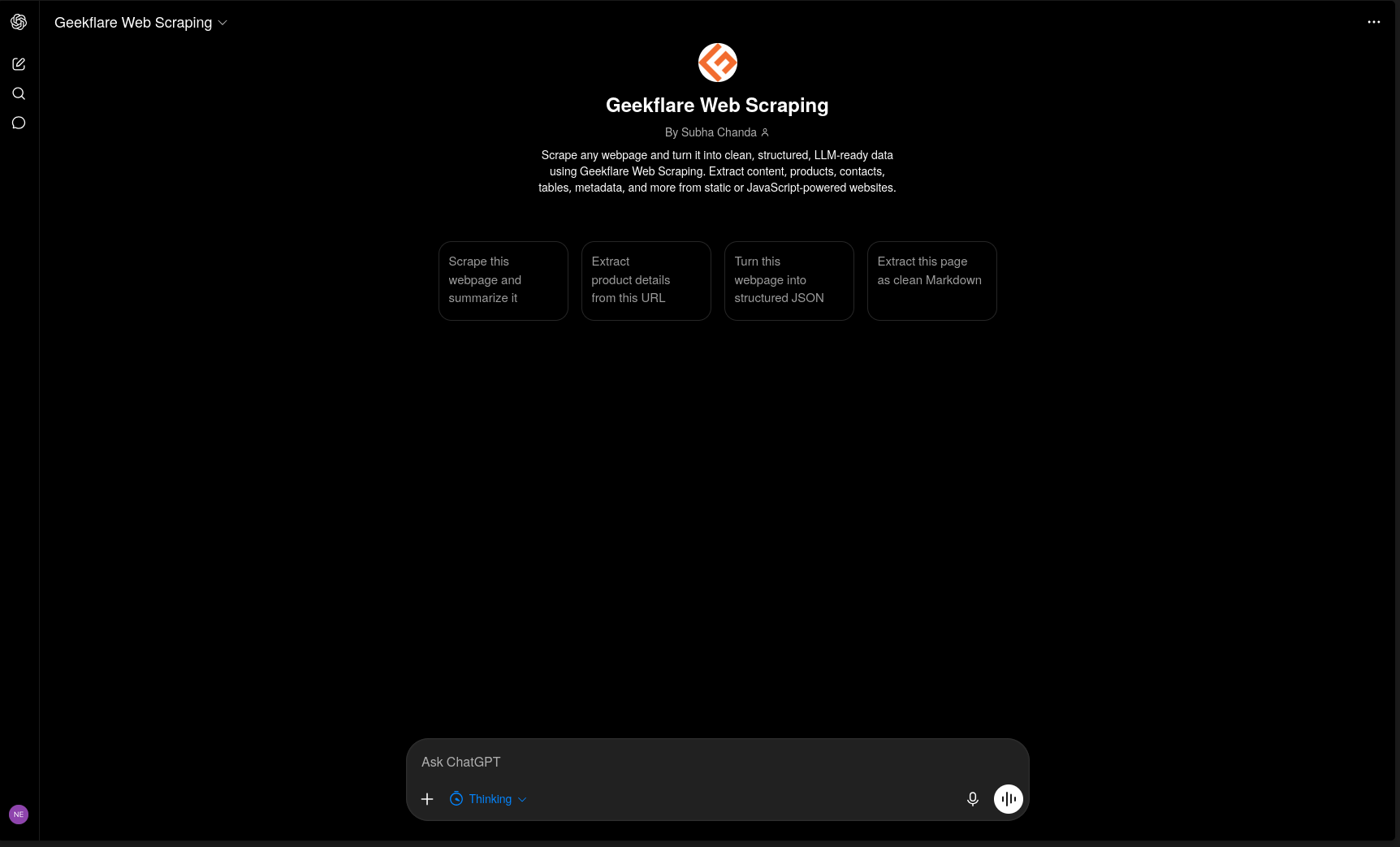
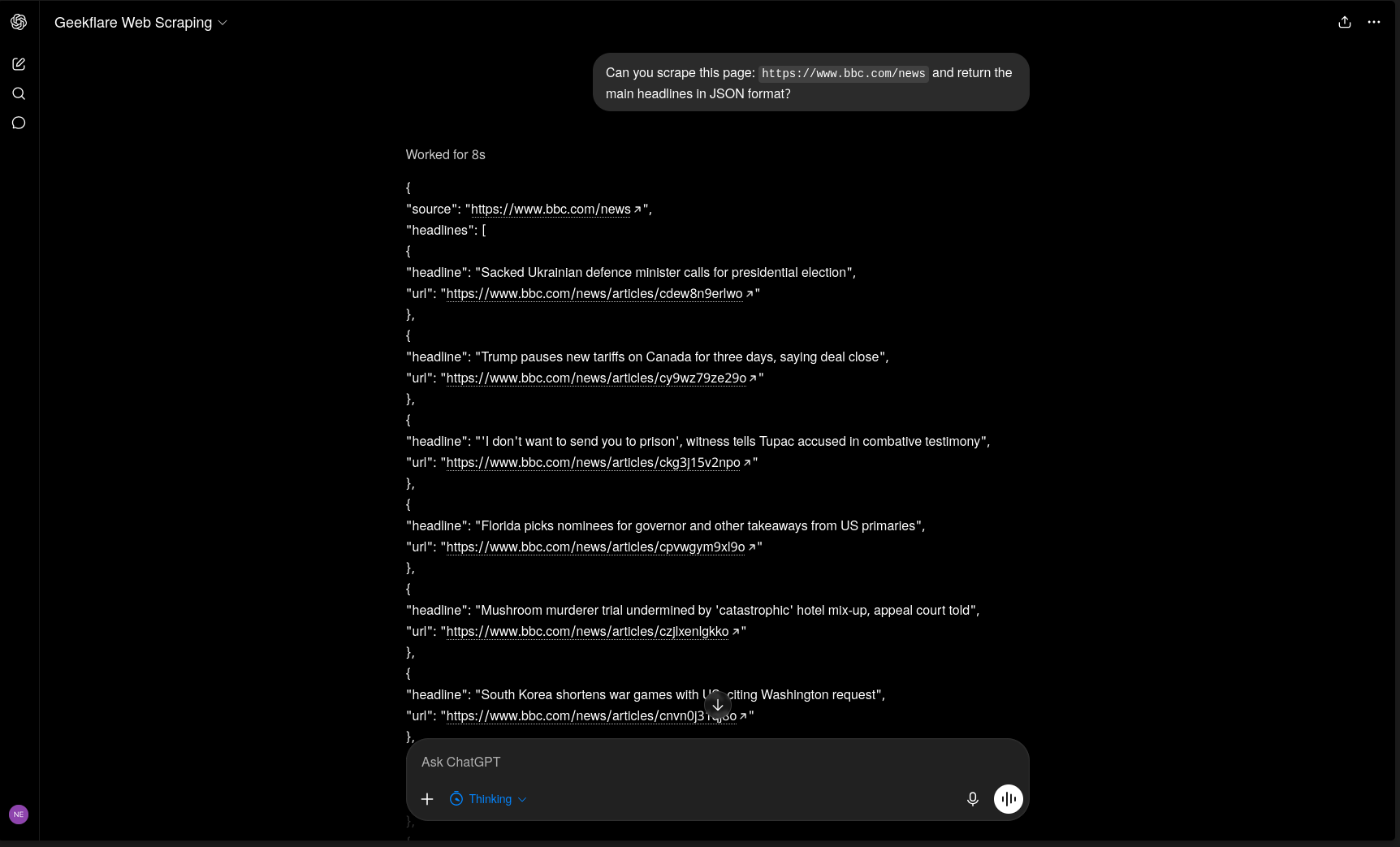
You can then test the Custom GPT with a scraping prompt.
For example:
Can you scrape this page:
https://www.bbc.com/newsand return the main headlines in JSON format?
The Custom GPT sends the request to Geekflare’s Web Scraping API and uses the returned data to generate a response.
Use Cases of Connecting ChatGPT to Geekflare
Connecting ChatGPT to Geekflare lets you perform web related tasks through prompts. For example, you can use it for:
- Content Research: Scrape webpages and ask ChatGPT to summarize or analyze the content.
- Competitor Analysis: Extract content, metadata, or information from competitor websites and compare it with your own data.
- Real Time Research: Search the web for current information and use the results in ChatGPT.
- Website Monitoring: Check whether a website is online, inspect redirects, or identify broken links.
- SEO Analysis: Extract metadata, inspect page content, and run performance audits.
- Website Screenshots: Capture full page or viewport screenshots for research, design review, or visual checks.
- Network Checks: Retrieve DNS records, inspect TLS certificates, or check open ports.
- PDF Generation: Convert a webpage into a PDF directly through Geekflare.
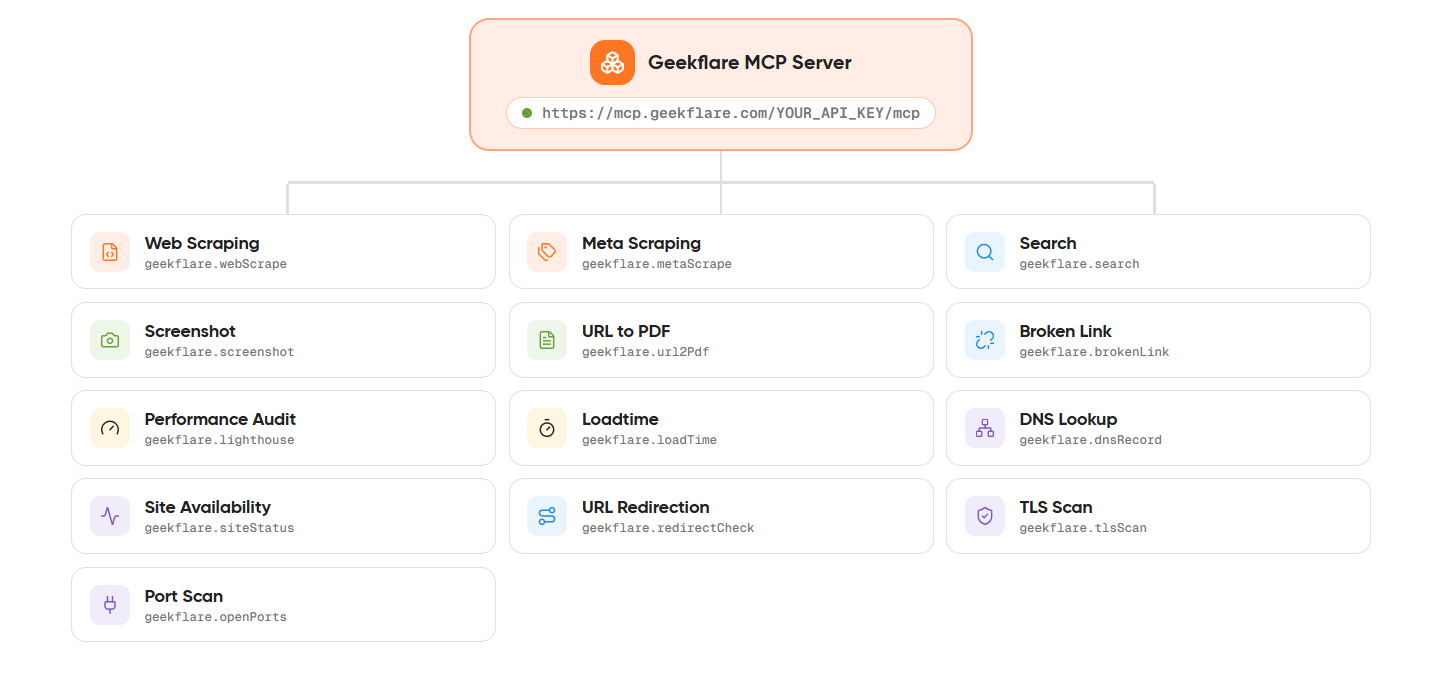
Web scraping is only one of the available options. Geekflare’s MCP server currently provides 13 tools through a single endpoint, covering web scraping, search, screenshots, metadata extraction, website checks, performance testing, DNS, TLS, port scanning, PDF generation, and more.
Conclusion
ChatGPT for Web Scraping provides a simple way to extract and work with website data through prompts. You can connect ChatGPT to Geekflare through MCP or use Custom GPT Actions to access the Web Scraping API.
Once connected, you can extract website data and ask ChatGPT to summarize, analyze, organize, or format it based on your requirements.
Frequently Asked Questions
Is there a ChatGPT web scraper?
ChatGPT does not have a built-in web scraping tool. You can connect it to a scraping service through MCP or a custom GPT Action.
Does ChatGPT have its own scraping API?
No. OpenAI does not provide a dedicated web scraping API. ChatGPT can connect to third-party scraping APIs and use the returned data.
What happened to the ChatGPT scraper plugin?
The ChatGPT Plugin Store was discontinued in 2024. You can now use MCP or Custom GPT Actions to connect ChatGPT with external scraping services.
Is scraping websites with ChatGPT free?
Connecting to Geekflare’s MCP server does not add an extra connection fee. Each scraping request uses Geekflare API credits. The free tier can support light usage.
Is it legal to scrape a website through ChatGPT?
The same rules apply as regular web scraping. Check the website’s terms of service and robots.txt. Avoid scraping personal data, paywalled content, or login protected content without a valid legal basis.





