Managing more than one account on the same platform used to mean juggling browser profiles and hoping nothing overlapped. That approach stopped working years ago.
Anti-fraud systems now correlate canvas rendering, WebGL vendor/renderer strings, AudioContext output, installed fonts, screen resolution, timezone, and other signals into a single device fingerprint. Platforms use that fingerprint to link accounts back to one operator, no matter how many logins are involved.
Aurorium Browser enters this market as an AI-powered antidetect browser, a newer approach that generates fingerprints algorithmically instead of pulling them from a fixed database of previously observed devices.
This review is written for affiliates managing multiple ad accounts and media buyers scaling Meta Ads campaigns. It also covers agencies handling client profiles and e-commerce sellers running storefronts across Amazon, eBay, and Shopify. If you fall into one of these groups, the details below matter directly to you. They will help you decide whether Aurorium is worth adopting.
What is an Aurorium Browser?
Aurorium Browser is built and operated by Aurorium Group Pte. Ltd., a company registered in Singapore, based at 10 Anson Road, International Plaza. The product launched in 2026 and markets itself as the world’s first antidetect browser with artificial intelligence, a bold claim worth unpacking.
Most established antidetect browsers source their fingerprints from a database of real, previously observed device configurations. GoLogin, Octo Browser, and Dolphin Anty all lean on this approach. They pull a fingerprint that a real device has actually produced, assign it to a profile, and reuse the pattern with variations across the user base.
Aurorium takes a hybrid route. It starts from a real-device fingerprint baseline, then applies AI-driven adjustments on top of it, tuned to a demographic profile you set for the account. That profile includes age, gender, location, profession, and income bracket.
The pitch is that a fingerprint should not just match a plausible device. It should match a plausible person associated with that device, since anti-fraud systems increasingly cross-reference hardware signals with behavioral and account-level context.
That is meaningfully different from what GoLogin or Octo Browser make, and it comes with a trade-off worth naming upfront. A newer AI-driven approach has not accumulated the years of independent, community-tested fingerprint validation that older, database-driven tools have. More on that in the testing section below.
On the trust side, Aurorium has one signal worth taking seriously. Cure53 is a Berlin-based security firm that has previously audited NordVPN, Surfshark, and components of the Tor Browser. In March 2026, it published a summary report on Aurorium’s apps, admin panel, and API infrastructure, which is listed in Cure53’s public record of engagements.
Key Features
AI-Powered Fingerprint Generation
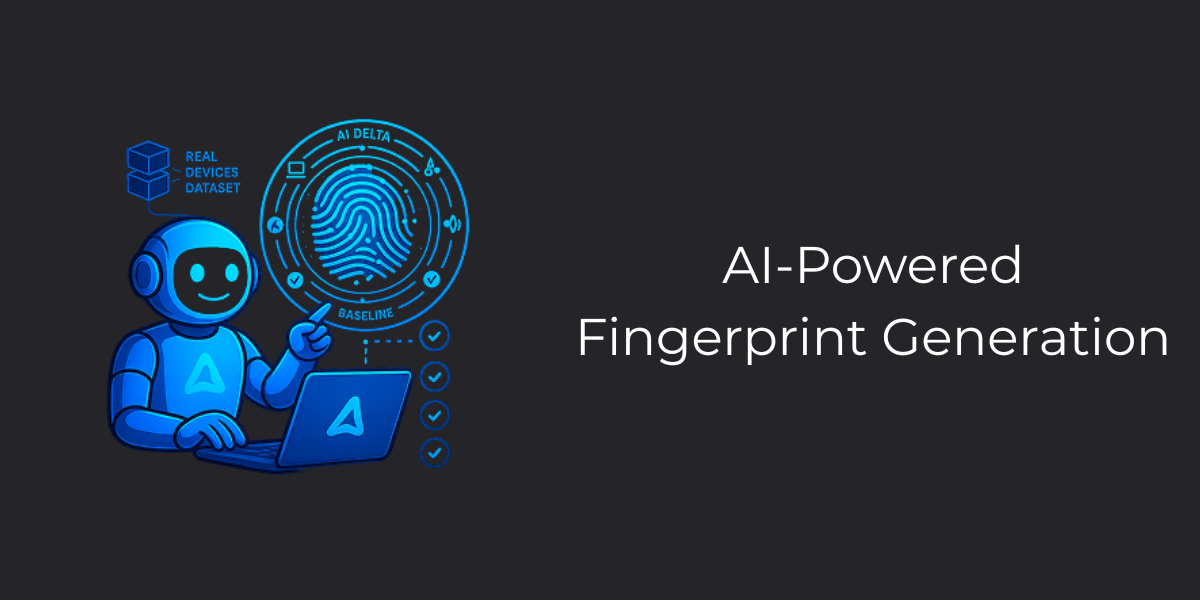
Aurorium generates a fingerprint covering canvas rendering, WebGL vendor and renderer output, AudioContext signatures, installed font lists, and navigator properties like hardware concurrency and device memory. The generation happens in one click at profile creation. The underlying engine claims to prevent duplicate fingerprints from appearing across profiles tied to the same account. It uses data from the local device running the client and makes the browser fingerprint closely resemble the user’s device. This is a detail that matters more than it sounds.
Here is why that duplicate-prevention detail is significant. When an anti-fraud system bans one profile, it often flags the device fingerprint associated with that ban as untrustworthy going forward. If your antidetect tool later regenerates the same fingerprint for a new profile, purely by chance, that profile inherits the ban risk before it has done anything wrong.
Aurorium’s approach tracks fingerprint history per account to avoid this collision, which GoLogin and Octo Browser do not explicitly market as a feature, though both have some deduplication logic internally.
The persona-based generation is the more novel piece. Instead of just picking a device profile, you set a rough social profile covering country, age bracket, profession, and income level. The AI engine then selects hardware characteristics that plausibly match.
For example, a banking professional in Hamburg logging in from a five-year-old budget laptop is the kind of mismatch that sophisticated anti-fraud systems increasingly catch, and Aurorium is trying to close that gap. GoLogin and Octo Browser, by contrast, pull from a real-device database without adjusting for the demographic context of the account being used.
Built-in CRM
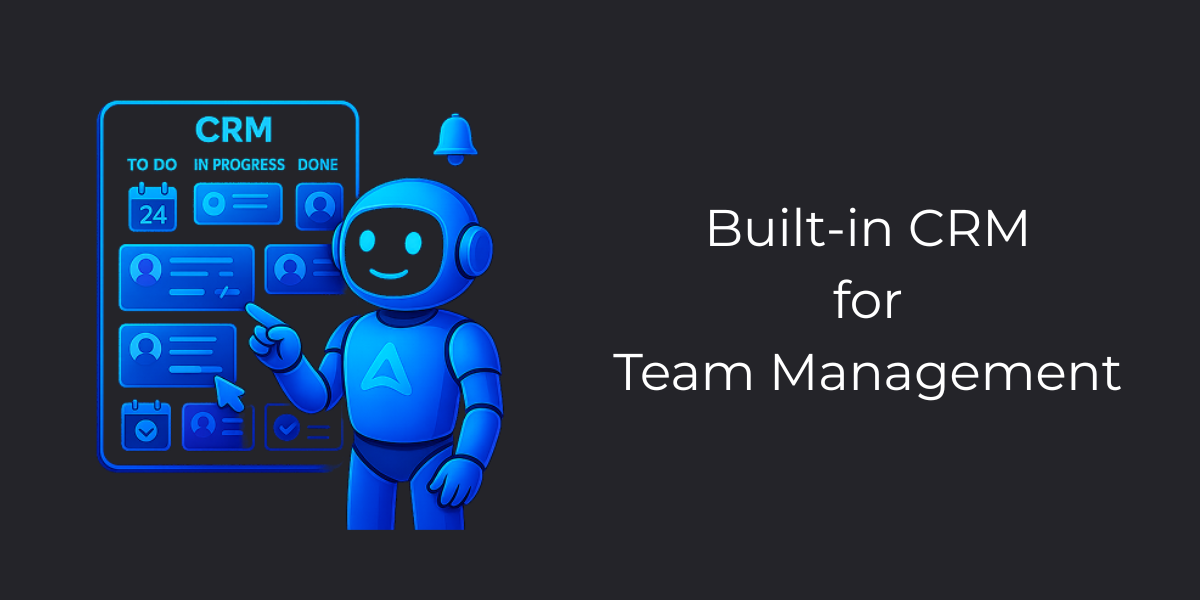
This is where Aurorium diverges from nearly the entire anti-detect browser category. Most tools hand you profiles and proxies, then leave task tracking, deadlines, and team coordination to whatever spreadsheet or project tool you already use.
Aurorium bundles a CRM directly into the client. You can create tasks, assign them to specific team members, set start dates and deadlines, break tasks into subtasks, and track completion status without leaving the app.
For a solo operator, this is a nice-to-have. For an agency running dozens of profiles across a team, it removes an entire category of tooling. Trello, Asana, and Google Sheets are the default workarounds most competitors’ users rely on today.
Team Collaboration Tools
Aurorium ships a full messenger inside the client, not just a support chat widget. It supports private messages, team chat rooms, file transfers, voice messages, and read receipts, alongside global and regional chat rooms with automatic translation. Teams can be split into departments with restricted visibility between them.
The account structure lets you switch between a personal account and multiple team memberships without logging out and back in. This sounds minor until you’ve lost ten minutes of a workday to a forced re-login mid-task.
Mobile App
Aurorium ships apps on both the App Store and Google Play, which is uncommon in this category. From mobile, you can manage tasks, approve budgets, respond to team chat, and get reminders on specific profiles. You can’t build or fully configure a browser fingerprint profile from the mobile app. That workflow still requires the desktop client.
Automation
Aurorium offers support for Selenium, Playwright, and Puppeteer through an internal API, along with a cookie bot and a synchronizer for bulk profile creation and parallel actions across profiles. Teams running warming sequences or repetitive setup tasks across hundreds of accounts can automate the setup; you don’t have to click through it manually for each profile.
Fingerprint and Anti-Detection Testing
Tools like Pixelscan, CreepJS, BrowserScan, and BrowserLeaks each check a different slice of the fingerprint surface.
I tested Aurorium through CreepJS, which is the most comprehensive open-source tool for checking what your browser actually reveals online. When you run it, the tool scans your browser across 58 different data points and gives you a detailed report of what leaked and what stayed hidden.
The Coverage Numbers Look Good
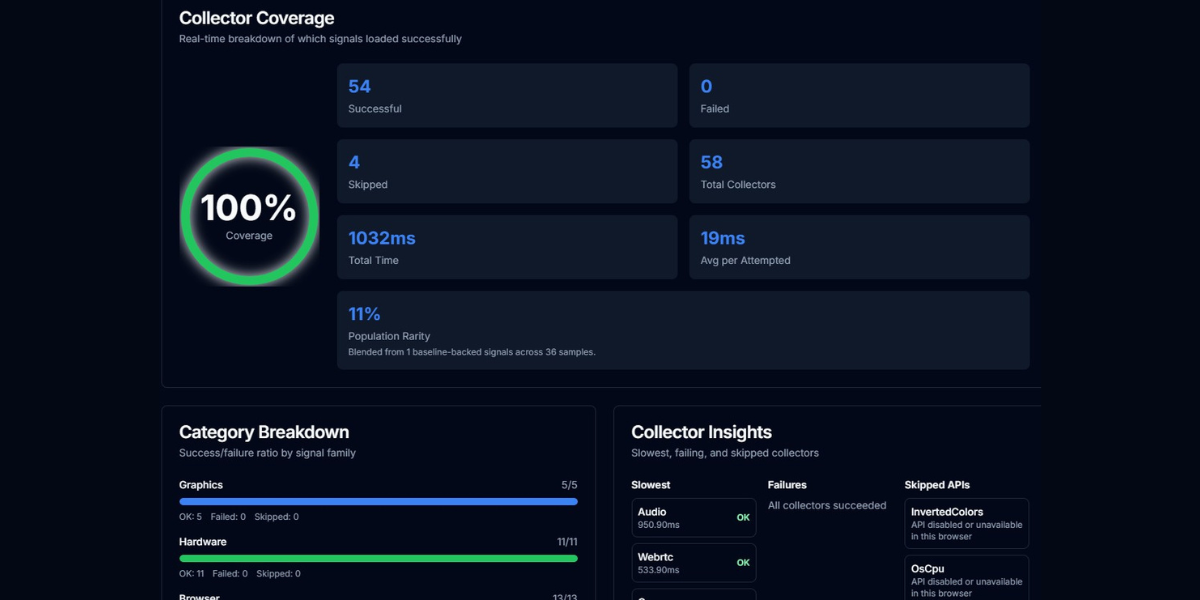
As you can see above, in my test, Aurorium returned 54 successful collectors out of 58 with zero failures. Only 4 APIs were skipped, and those were intentionally disabled in the privacy settings. The WebDriver check came back clean, which matters because that is the first thing detection systems look for to identify bot activity. Languages showed as en-IN with the locale set to en-GB. Cookies are enabled.
The Timezone Problem
Here’s where this test revealed a real configuration issue. The timezone showed Asia/Calcutta with an offset of minus 330 minutes, but the proxy IP earlier reported it as Secaucus, New Jersey.
The population rarity score landed at 11%, meaning this configuration matches about 1 in 9 setups in the wild. That’s fine. But rarity doesn’t matter if your timezone contradicts your proxy location. That contradiction does get noticed.
With saying that, I must say such anomalies usually occur due to poor proxy connectivity as well. So, not entirely it is Aurorium but could be proxy I used.
What Worked Correctly
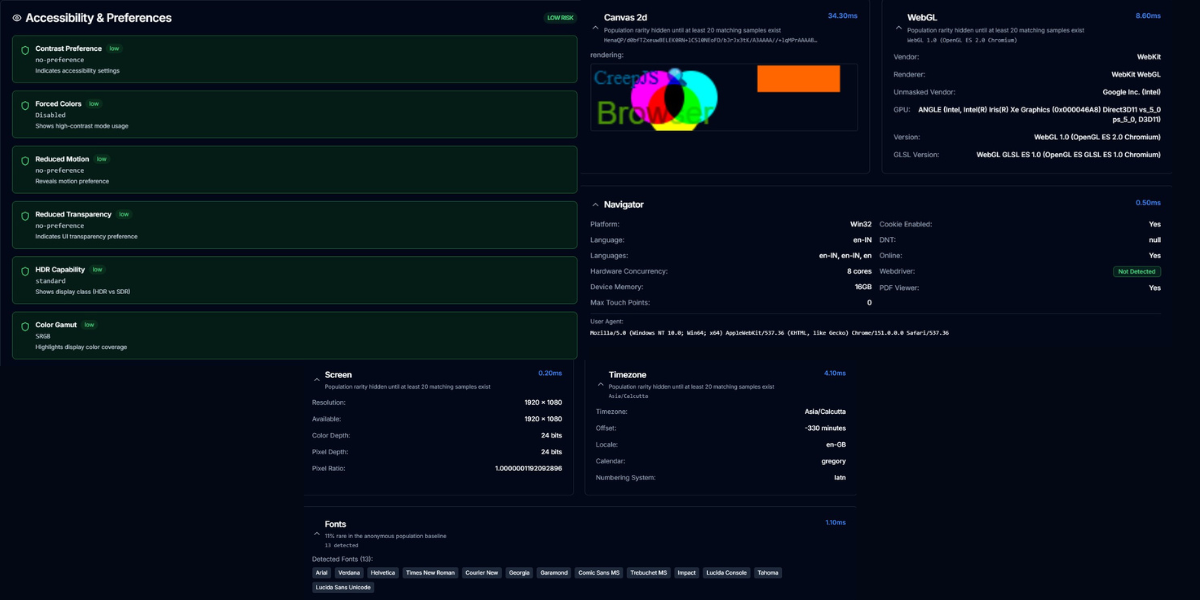
One browser consistency flag was noted, but no automation indicators appeared. The accessible signals all showed low risk and aligned naturally. The configuration didn’t pretend to use accessibility features it shouldn’t have or claim incompatible hardware. Canvas and WebGL rendered without issues. Audio latency and media device detection worked normally. The overall collector coverage hit 100%.
You can use other testing tools to check the results and come to a final thought about Aurorium. In my opinion, what matters is whether the fingerprint is stable and consistent and matches a real browser configuration. Aurorium passes that test.
Whether it matches yours depends on how you configure the proxy bindings and geolocation settings.
Pricing
| Plan | Price | Profiles | Notable Inclusions |
|---|---|---|---|
| Blink | (Free from 1st of September to 30th of November, 2026) | 5 included, extra profiles up to 50 at $1 each | Messenger, support, AI-fingerprint |
| Pulse | $99/month | 100 included, no extra-profile purchase option | AI Aurorium unlocked, no automation, no CRM |
| Flare | $149/month | 300 included, no extra-profile purchase option | AI Aurorium and automation unlocked |
| Aurorium | $299/month | 1,000 included, allow to add up to 10,000 additional profiles | Full CRM, personal manager, 5 team seats, 2 subdivisions |
| Custom | Contact sales | Unlimited | Unlimited users, personalized pricing, priority support |
Value Per Profile Compared to the Field
At the 100-profile mark, Aurorium Pulse works out to roughly $0.99/profile/month. Dolphin Anty’s comparable Base plan costs $89/month for 100 profiles, close to $0.89/profile, dropping to roughly $0.53 on annual billing.
AdsPower and ixBrowser undercut everyone at this profile count. ixBrowser is permanently free with unlimited profile creation, plus a paid Professional tier at $3.99/month for automation and API access. AdsPower’s paid tiers start at around $7.20/month, with annual discounts. On pure price per profile, Aurorium is on the expensive end of this field.
However, profile count is only half the comparison. None of the cheaper options include a CRM, built-in team chat. Aurorium’s top tier competes against that entire stack, not just against another browser’s per-profile rate, for teams currently paying separately for each tool. Whether the math works out depends on how much of that adjacent tooling the team would actually require.
Pros & Cons
PROS
CONS
Who Should Use Aurorium
Aurorium fits teams that want a browser and a lightweight project management layer in the same subscription.
Aurorium works well for agencies running Meta Ads at scale, where several people touch the same set of client accounts. The built-in CRM and department structure solve a coordination problem that most anti-detect tools ignore. The mobile apps add to this, letting a team lead approve budgets or reassign tasks without opening a laptop.
The platform is a weaker fit for solo users on a tight budget. There is no free trial to test fingerprint quality before committing to $10/month. Cheaper competitors like ixBrowser and AdsPower cover the core multi-accounting need without the CRM overhead.
It is also not the right tool for anyone whose work depends on mobile-native platforms like Instagram or TikTok, where real Android device fingerprints matter more than desktop browser spoofing. GeeLark’s cloud phone approach, which runs an actual Android OS and not the emulator, remains the stronger option there.
Aurorium vs. Alternatives
| Tool | Best For | Free Plan | Starting Price (Annually Billed) | Profiles Included | Standout Feature |
|---|---|---|---|---|---|
| Aurorium | Agencies wanting CRM plus browser in one tool | Yes (the whole autumn) | $6/month | 5 | AI persona-based fingerprints and built-in CRM |
| GoLogin | Budget-conscious solo marketers | Yes | $4.5/month | 10 | Cloud launch, run, and access profiles from remote servers without local hardware |
| Multilogin | Teams needing cloud phones and browsers together | Yes | $7.08/month | 10 | Real Android cloud phones with genuine IMEI, MAC, and Android ID alongside browser profiles |
| Dolphin Anty | Media buyers running paid ad workflows | Yes | $6/month | 20 | Synchronizer, mirrors clicks and keystrokes from one master profile across dozens of others in real-time |
For the full ranked list of 15 tools across this category, see our Best Antidetect Browsers guide.
Do You Still Need a Proxy with Aurorium?
Yes, and this trips up a lot of people new to the category. A fingerprint and an IP address are two separate signals that anti-fraud systems evaluate independently. Aurorium’s AI-generated fingerprint controls what your device looks like, including canvas output, WebGL renderer, fonts, and hardware specs.
Aurorium does not control where your traffic appears to originate from. Without a proxy, every profile still connects from your real IP address. This immediately links every account back to the same network location, regardless of how convincing the fingerprint is.
Aurorium supports binding SOCKS5, HTTP, and SSH proxies at the profile level. Pairing each profile with a dedicated residential or data center proxy is still a required step, not an optional one. For guidance on choosing a provider, see our Best Rotating Proxies guide.
Conclusion
Aurorium‘s persona-based AI fingerprinting is a thoughtful idea. The built-in CRM solves a coordination problem for teams, and the Cure53 audit is a credible trust signal for a first-year product.
The catches are equally real. There is no free plan to test before buying, and the pricing structure locks the best feature behind the upper tiers. The fingerprint approach also has not yet been validated by the years of independent, large-scale testing that competitors like GoLogin and Octo Browser have accumulated.
Final Verdict
Perfect for:
For an agency already juggling a browser subscription plus separate project management and chat tools, Aurorium’s top tier can plausibly replace all three at once.
Not ideal for:
For a solo operator managing a handful of accounts on a budget, cheaper and more battle-tested options make more sense until Aurorium’s track record catches up to its ambition.
Frequently Asked Questions (FAQs)
Is Aurorium safe to use?
Yes, Aurorium is safe to use. This is because its client architecture, admin panel, and API infrastructure passed an independent security audit by Cure53 in March 2026. That is a genuine trust signal, but it covers the software’s security posture. The legality of a specific use case depends on the terms of service of the platforms where you manage accounts.
Does Aurorium have a free trial?
Yes, Aurorium offers a free trial during autumn of 2026.
How does Aurorium’s AI fingerprinting differ from GoLogin or Octo Browser?
GoLogin and Octo Browser pull fingerprints from a database of real, previously observed device configurations and assign them to profiles largely as-is. Aurorium starts with a similar real-device baseline but adds AI-driven adjustments based on the demographic profile you set. It can also use the profile of the device running the client to make the fingerprint resemble the users’s device. The goal is to create a fingerprint that matches a plausible person, not just a plausible device.
Does Aurorium support proxies?
Yes, Aurorium supports SOCKS5, HTTP, and SSH proxies bound at the individual profile level. It also supports UDP proxy and can wrap standard proxies in UDP. This is required to prevent WebRTC IP leaks and keep each profile’s network origin separate from its fingerprint.
Is Aurorium available on Mac and Linux?
Yes, Aurorium ships desktop clients for Windows, macOS, and Linux. It also supports mobile apps for iOS and Android to manage tasks and teams.