



Every time you log into a platform, your browser sends far more than just your IP address. It broadcasts your screen resolution, installed fonts, graphics card details, audio hardware fingerprint, canvas rendering output, and dozens of other signals. Platforms like Facebook, Amazon, TikTok, and Google hash these together into a unique device fingerprint and use it to link accounts even when they share nothing else.
One flagged account can cascade into bans across everything connected to it. Ad accounts get permanently disabled. Amazon seller accounts get suspended with inventory frozen. Affiliate campaigns built over months disappear overnight.
This guide covers the best antidetect browsers, with pricing and features checked against each tool’s current plans. It’s written for affiliates, e-commerce sellers, digital agencies, web scrapers, and crypto users who need to manage multiple accounts at scale without one mistake taking down everything else they’ve built.
What is an Antidetect Browser?
An antidetect browser is a specialized browser that creates multiple isolated profiles, each with a unique digital fingerprint, so every profile appears to any website as a completely separate device and user.
Your browser sends a snapshot of your device and environment, like OS, screen resolution, language, timezone, and graphics data. Platforms hash these signals into a fingerprint and use it to track you across sessions, IPs, and even browsers.
A real antidetect browser doesn’t block these APIs. Blocking them is itself a red flag. Instead, it injects spoofed values from real hardware setups, so each profile stays consistent, like a Windows 11 device showing matching WebGL, font, and screen settings. An inconsistent fingerprint gets flagged just as fast as a missing one.
Parameters that antidetect browsers control:
- Canvas fingerprint (unique pixel rendering per profile)
- WebGL vendor and renderer (spoofed GPU identity)
- Audio fingerprint via AudioContext
- Installed fonts (per-profile font subset)
- Screen resolution and color depth
- Timezone, locale, and geolocation
- User agent, platform, hardware concurrency, and device memory
- Media devices, battery status, and touch support
- Browser plugins and MIME types
A VPN or proxy only changes your IP. Your fingerprint, canvas hash, WebGL data, and other signals stay the same. Proxies complement antidetect browsers, not replace them: the browser controls your device identity, the proxy controls your network origin. You need both.
Private browsing clears cookies at the end of the session, but does nothing to your fingerprint. Two incognito tabs on the same machine share the same fingerprint, so platforms that use fingerprint-based linking can still link them to your main account.
Why You Need an Antidetect Browser
Antidetect browsers help in the following:
Avoiding Account Bans and Linkage
Sharing even one fingerprint component, IP, or behavior pattern links accounts in a platform’s graph, and banning one often takes the rest down with it. Antidetect browsers stop this by giving each account a fully isolated identity.
Team Collaboration and Profile Sharing
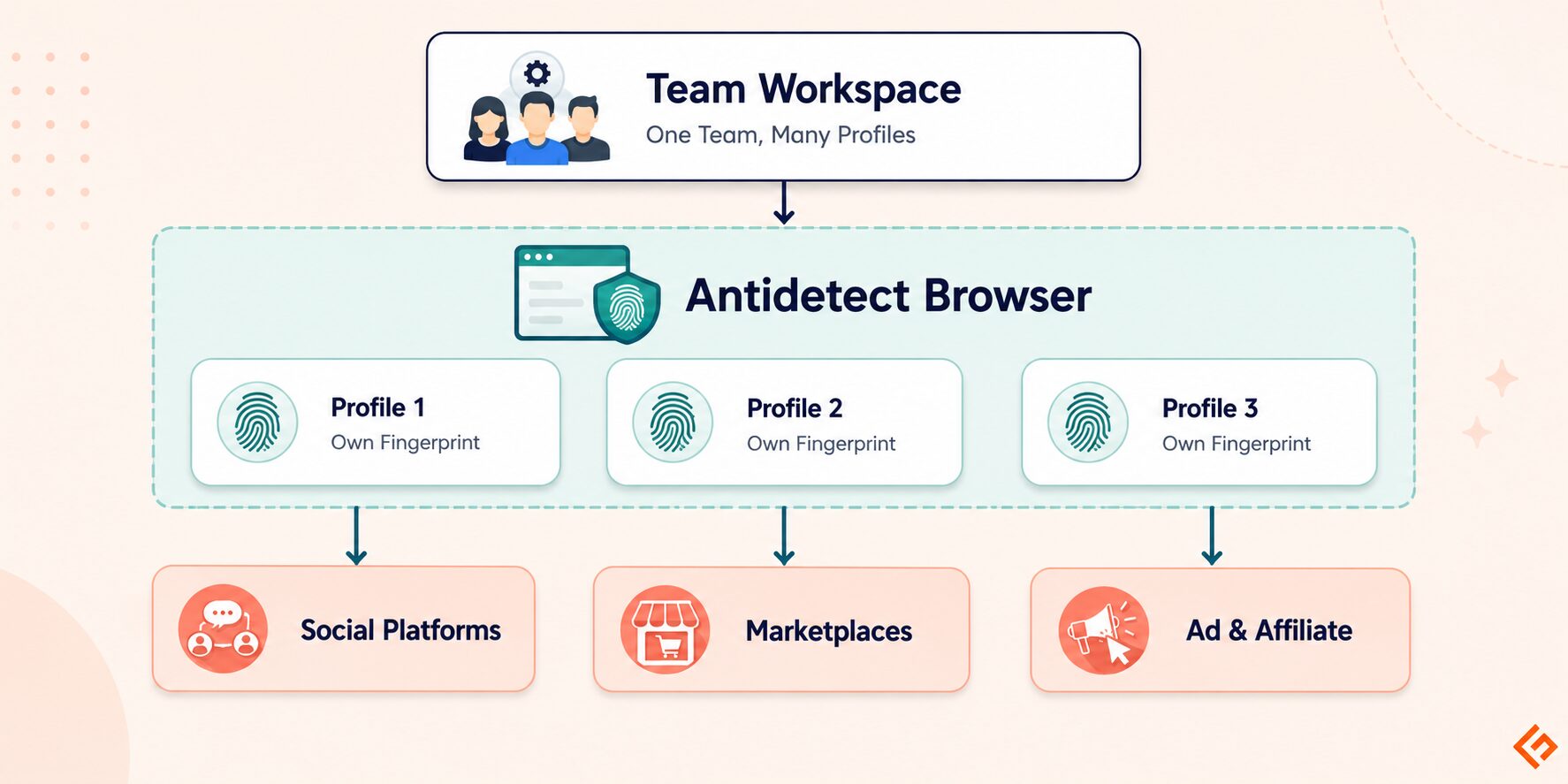
Most antidetect browsers store profiles in the cloud, so one team member can hand a profile to another without changing the fingerprint. The platform still sees the same device, browser, and history, which is how agencies manage dozens of client ad accounts without triggering account-linking algorithms.
Common Use Cases
- Ad account management: running multiple Facebook Business Managers, Google Ads accounts, or TikTok Ads accounts from one team without cross-contamination
- E-commerce: operating multiple storefronts on Amazon, eBay, Etsy, or Shopify with independent identities
- Social media growth: managing multiple brand or creator accounts across Instagram, TikTok, YouTube, and Twitter
- Affiliate marketing: separating traffic sources, testing funnels, and protecting offer accounts from linkage
- Web scraping: cycling through distinct browser identities to avoid rate-limiting and fingerprint blocks
Worth knowing
If web scraping is your actual use case here, not ad accounts or multi-platform profiles, an antidetect browser and a scraping API solve the same underlying problem in different ways.
An antidetect browser gives you many isolated, human-operated browser identities, which is the right tool when you need logged-in sessions across accounts.
If you’re extracting public data and don’t need logins, a scraping API like Geekflare’s Web Scraping API handles proxy rotation, headless rendering, and anti-bot bypass server-side, without the overhead of running and maintaining browser profiles yourself.
- Crypto airdrops: farming token distributions across wallet-linked accounts without cross-account fingerprint detection
- Bonus hunting: managing multiple accounts on betting or gaming platforms without triggering multi-account detection
How We Tested and Ranked These Browsers
Each tool was evaluated across four dimensions:
- Fingerprint protection quality: how comprehensively the tool controls canvas, WebGL, audio, fonts, and navigator properties, and whether profiles pass Pixelscan, BrowserScan, and CreepJS without leakage
- Profile management and automation features: quality of the dashboard, bulk actions, cloud sync, and team collaboration
- Proxy integration: support for HTTP, HTTPS, SOCKS5, and per-profile proxy assignment
- Pricing and value: what you get per dollar at each tier, including profile limits, team seats, and API access
Best Antidetect Browsers
GoLogin
GoLogin runs on its own Chromium-based engine called Orbita and covers the full range of fingerprint parameters. It offers a cloud browser mode that runs profiles entirely on remote servers, so teams can operate accounts 24/7.
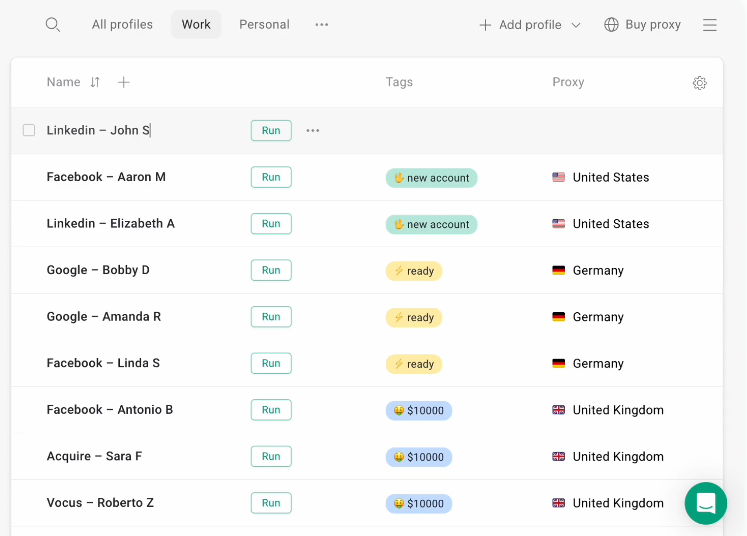
The platform provides a Cloud Android for mobile account management, a Web Unlocker for scraping, and a built-in free proxy network. The API integrates with Selenium, Puppeteer, and Playwright for headless automation.
Top Features
- Orbita browser engine with fingerprint spoofing across canvas, WebGL, audio, fonts, and navigator APIs
- Cloud browser mode running profiles on remote infrastructure without a local app
- Profile sharing with role-based team permissions
- AI assistant for profile creation and fingerprint configuration
Pros & Cons
PROS
CONS
Fingerprint and Anti-Detection Capabilities
GoLogin controls canvas rendering, WebGL vendor and renderer, audio fingerprint, fonts, screen resolution, timezone, language, geolocation, hardware concurrency, device memory, and navigator user agent. Each profile draws from a database of real device configurations.
Pricing
The price starts at $4/month, when billed annually, with a 7-day free trial.
My Take
GoLogin is the most balanced starting point in this category. The cloud browser mode is genuinely useful for teams running operations around the clock, and the free trial is honest rather than artificially restricted. For affiliate teams and e-commerce operations new to multi-accounting, it is the easiest tool to get right without deep technical setup.
Octo Browser
Octo Browser builds its fingerprint database from real devices rather than synthetically generating values. It has an iOS app for remote profile management, which is still uncommon in this category. The platform covers affiliate marketing, e-commerce, web scraping, bonus hunting, ticketing, content monetization, and digital agency workflows.
Top Features
- API automation compatible with Puppeteer, Playwright, and Selenium
- Granular team permissions with profile-level access control
- Cookie import and export with full management tools
- Proxy manager supporting HTTP, HTTPS, SOCKS4, and SOCKS5
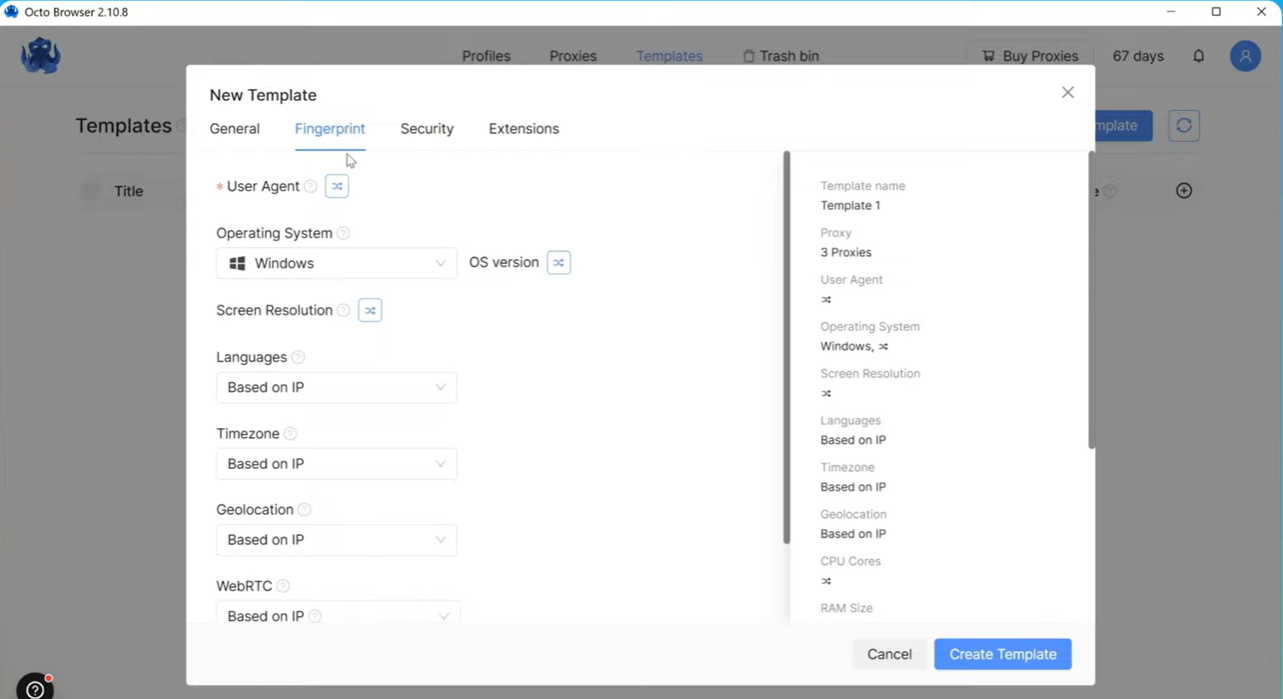
- Profile templates for rapid batch creation
- Octo Boost marketplace for proxy and service integrations
Pros & Cons
PROS
CONS
Fingerprint and Anti-Detection Capabilities
Octo Browser covers canvas, WebGL, audio, fonts, screen, timezone, locale, navigator properties, media devices, touch support, and battery status. Because fingerprint values come from real devices, combinations across parameters are coherent by definition, which is the key factor in passing consistency-based detection.
Pricing
Octo Browser’s paid plans start at €7 per month on the annual plan.
My Take
Octo Browser’s biggest edge is real device fingerprints, not generated ones, so they hold up under parameter-consistency checks. If fingerprint quality matters more than price, it’s the right pick.
Dolphin Anty
Dolphin Anty is purpose-built for affiliate marketers and media buyers. For warming batches of ad accounts or running parallel posting campaigns, this eliminates hours of repetitive manual work. The platform claims over 860,000 users and 2,200 active teams, reflecting strong adoption in the performance marketing community.
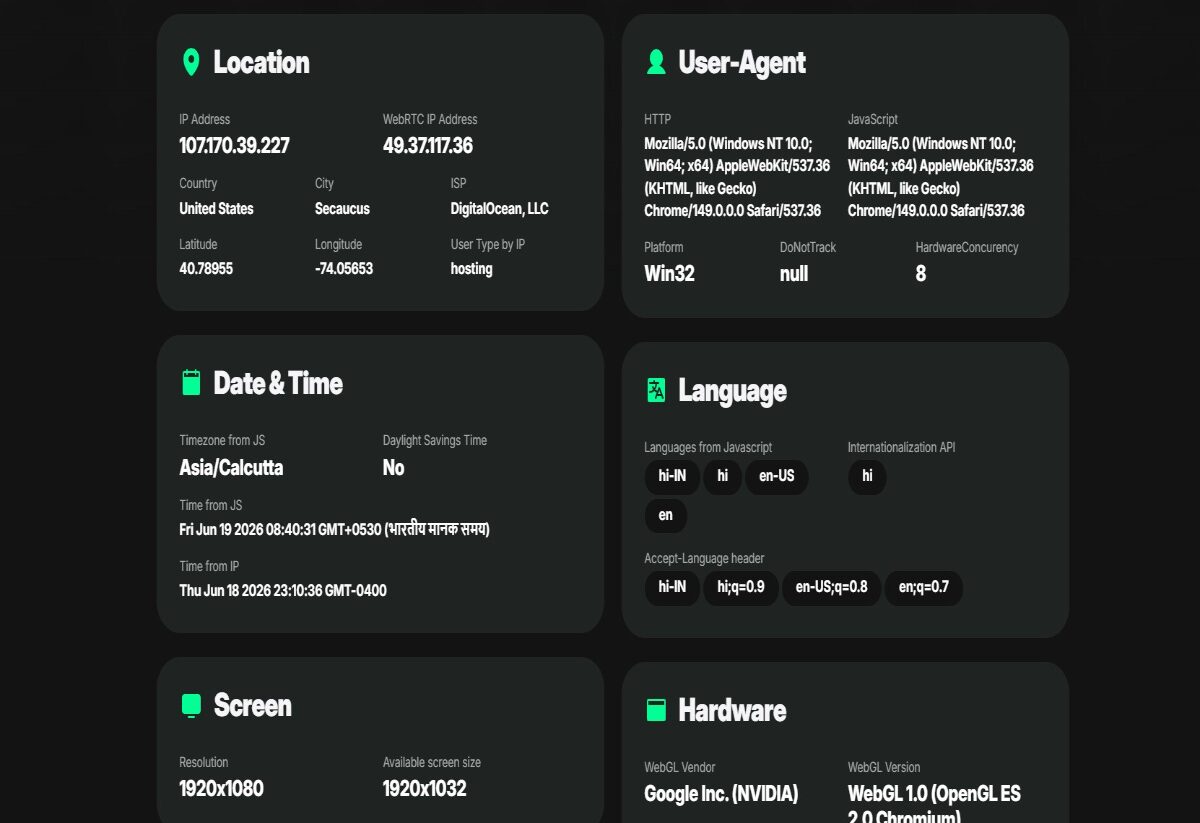
I tested pixelscan.net myself on the free plan to check my antidetect browser’s fingerprint. In seconds, it pulled my IP and WebRTC IP, city, ISP, exact coordinates, full user-agent details, language settings, timezone, screen resolution, and even GPU info via WebGL. All this came through without paying a cent, making it a solid free way to spot any leaks in my setup.
Top Features
- Synchronizer mirroring actions from a master profile to multiple sessions simultaneously
- Mass fingerprint update across multiple profiles in one operation
- 20 configurable fingerprint parameters per profile
- One-click quick creation using real fingerprints, or full manual configuration
- Tags, statuses, and color labels for organizing large profile libraries
- API for Selenium, Puppeteer, and Playwright
- Profile sharing with role-based access control
- Account switching between multiple accounts within a single profile session
Pros & Cons
PROS
CONS
Fingerprint and Anti-Detection Capabilities
Dolphin Anty controls 20 fingerprint parameters, including canvas, WebGL, audio, fonts, screen metrics, timezone, geolocation, user agent, hardware concurrency, device memory, and navigator platform. Real fingerprints serve as the base for quick profile creation, with the option to override individual parameters.
Pricing
The price starts at $10/month for beginners. Dolphin Anty also offers five free browser profiles every month.
My Take
Dolphin Anty’s synchronizer sets it apart for affiliate and media buying work, mirroring actions from one master session across dozens of accounts at once for warming or posting. Its free plan, with 10 profiles, is one of the most functional no-cost tiers around.
GeeLark
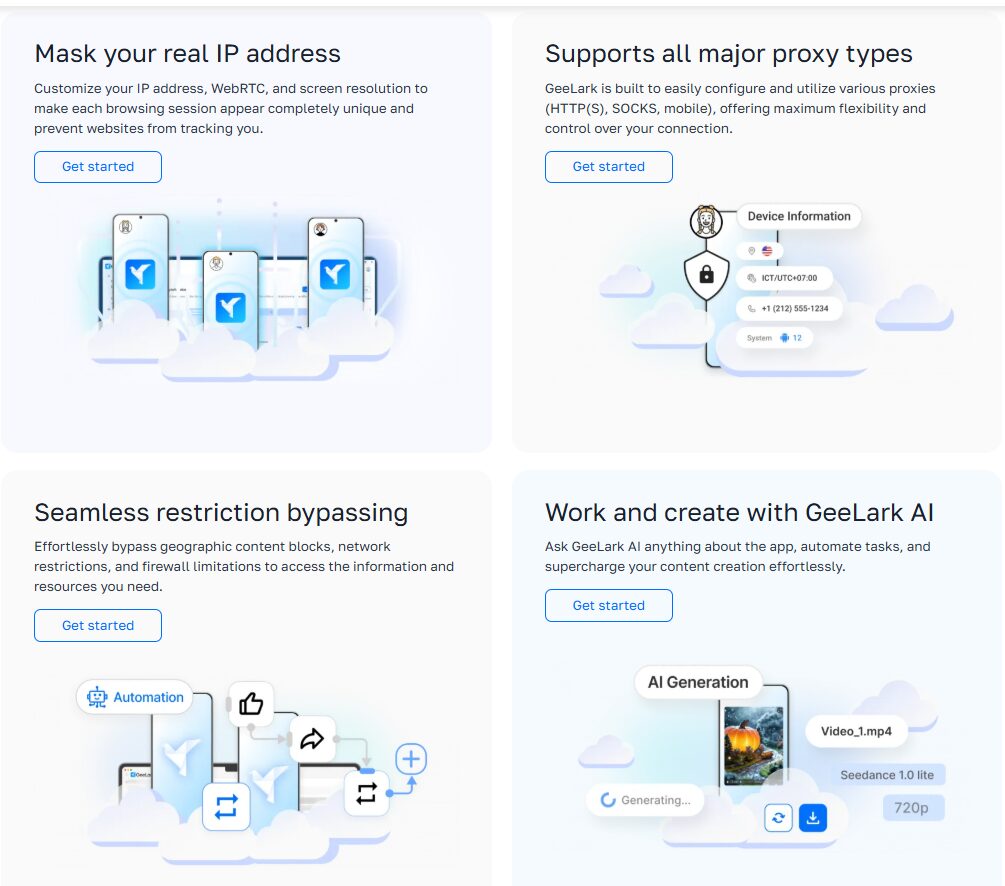
GeeLark runs real Android cloud devices instead of spoofed browser fingerprints, which matters for TikTok, Instagram, and other mobile-first platforms that check integrity at the app layer. It pairs cloud phones, phone farms, proxy browsers, and Android emulators with a multi-account browser, plus built-in AI automation for repetitive social media tasks.
Top Features
- Cloud phone infrastructure running real Android devices remotely
- Phone farm for controlling multiple Android cloud devices from one dashboard
- Proxy browser with unique fingerprints per profile
- Android emulator mode as an alternative to full cloud phones
- AI-powered automation for social media workflows
- Support for TikTok, Instagram, YouTube, Facebook, Twitter/X, Reddit, Pinterest, Gmail, Telegram, and Tinder
- Airdrop farming workflows for crypto token distributions
Pros & Cons
PROS
CONS
Fingerprint and Anti-Detection Capabilities
GeeLark operates at the Android device level rather than the browser fingerprint level. Each cloud phone has a unique IMEI, device model, Android version, Wi-Fi MAC address, GPS location, and hardware configuration. This covers signals that no browser-based antidetect tool can address.
Pricing
The price of GeeLark starts at $8.45/month. It also offers a free plan for individuals with limited features.
My Take
GeeLark solves the mobile-native detection problem that traditional browser emulation cannot. By running real Android cloud devices, it successfully bypasses the strict app-layer integrity checks of TikTok and Instagram, making it the most technically complete solution for mobile-first operations.
Kameleo
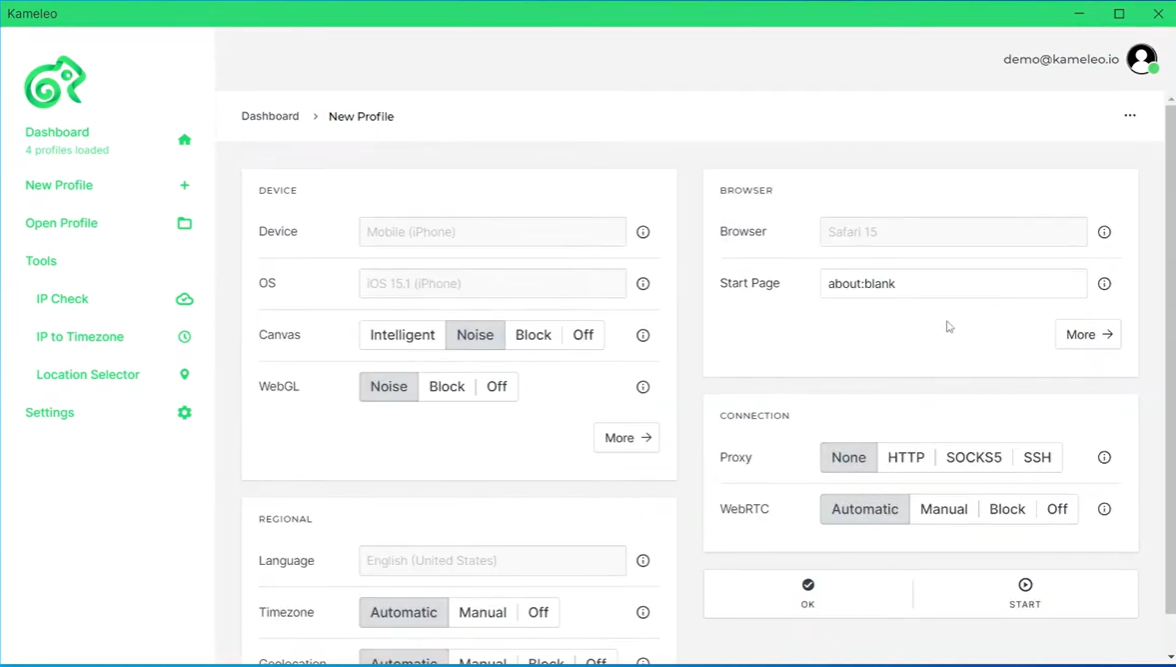
Kameleo leads with Playwright, Puppeteer, and Selenium integration, and its GitHub repo has over 1,500 stars. Docker support enables CI/CD deployment, and it publishes a public Masking Status Report showing which detection systems its stealth mode bypasses, a rare bit of transparency in this market.
Top Features
- Mobile browser emulation for iOS and Android fingerprints
- Headless mode support
- Continuously auto-tested stealth mode updated in response to anti-bot changes
- Unlimited fresh fingerprints and unlimited local profile storage on all plans
- Public Masking Status Report for transparency on current detection bypass status
- Fast browser kernel release cycles
Pros & Cons
PROS
CONS
Fingerprint and Anti-Detection Capabilities
Kameleo controls canvas, WebGL, audio, fonts, screen, timezone, navigator properties, and mobile parameters, with stealth mode automatically tested and updated against current detection systems. Mobile emulation on Business and Enterprise plans delivers realistic iOS and Android fingerprint profiles, not just user agent switching.
Pricing
Kameleo has a free plan with 2 concurrent browsers. Paid plans start at €45/month offering 10 concurrent browsers.
My Take
Kameleo fits engineering teams running scraping or automation in code rather than dashboards. Its Docker support and public stealth status report show a technical commitment few antidetect vendors match.
AdsPower
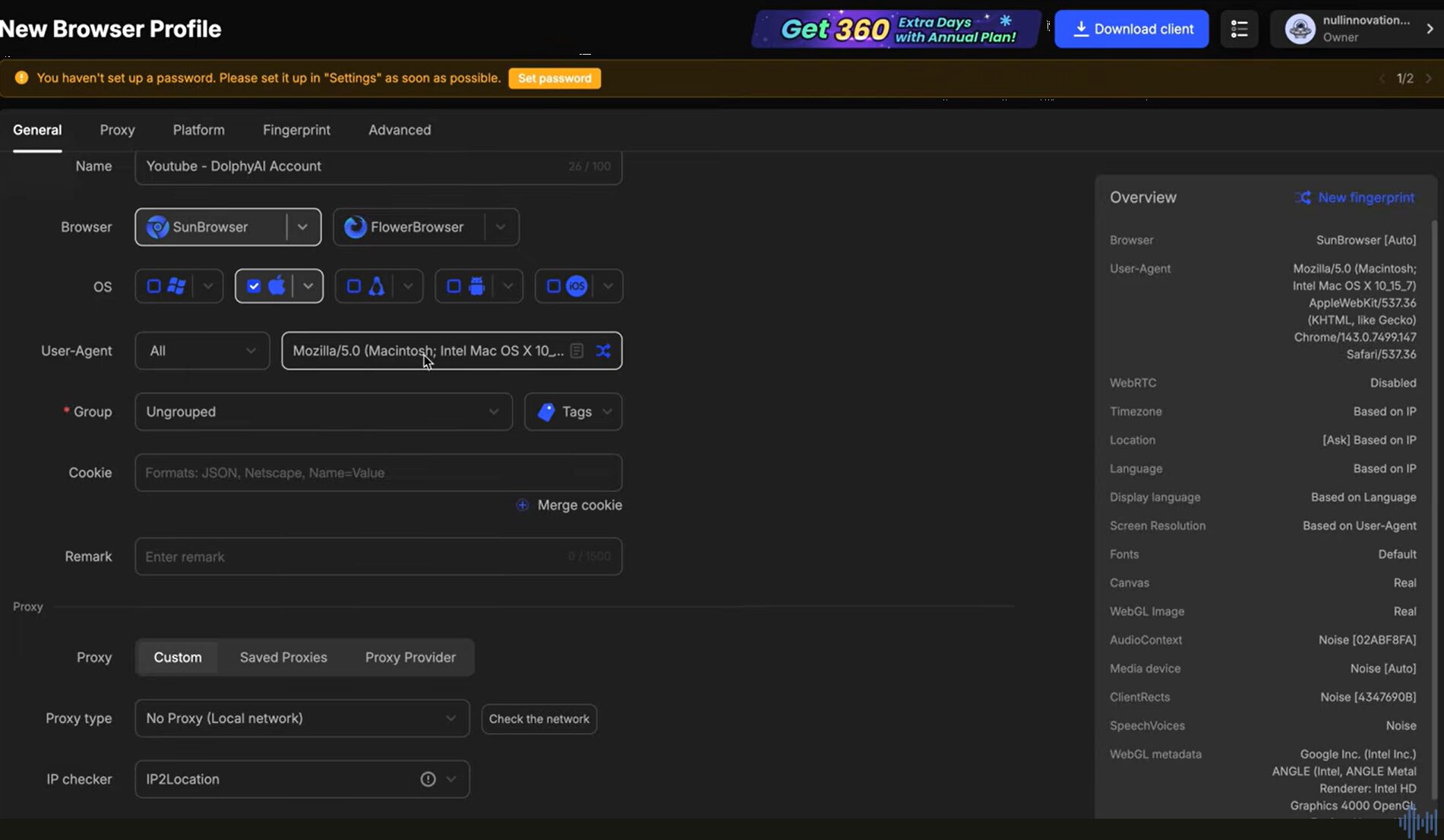
AdsPower offers both SunBrowser (Chromium-based) and FlowerBrowser (Firefox-based) engines for genuine fingerprint diversity. Its standout feature is the RPA module, a visual task builder that lets non-developers automate posting, form filling, and account warming without code.
Top Features
- RPA visual task builder for no-code browser automation
- Multi-window synchronizer for mirroring input across multiple open profiles
- Batch profile management for large-scale creation, editing, and organization
- Local API for custom automation integration
- Team collaboration with member permissions and profile transfer
- Account security features for profile data protection
- Solutions for affiliate marketing, e-commerce, social marketing, web scraping, traffic arbitrage, ticketing, crypto, betting, and SEO/SERP
Pros & Cons
PROS
CONS
Fingerprint and Anti-Detection Capabilities
AdsPower spoofs canvas, WebGL, audio, fonts, screen, timezone, language, geolocation, user agent, and hardware specs across both engines. Mixing SunBrowser and FlowerBrowser profiles gives a more natural browser distribution.
Pricing
The price of AdsPower starts at $7.2/month, when billed annually. You can also choose its free plan with 2 profiles limit.
My Take
AdsPower’s RPA module sets it apart, opening multi-account automation to non-coders. Its 9-million-user base also gives it the category’s most developed ecosystem of proxy providers, extensions, and workflow tools.
Incogniton
Incogniton includes a built-in free proxy service, a cookie collector for automated profile warming, a synchronizer for parallel profile control, and a CAS AI assistant for profile management guidance. Its paste-as-human-typing feature types pasted content character by character at human-like speed. This reduces the clipboard-paste signal some platforms flag as automated behavior.
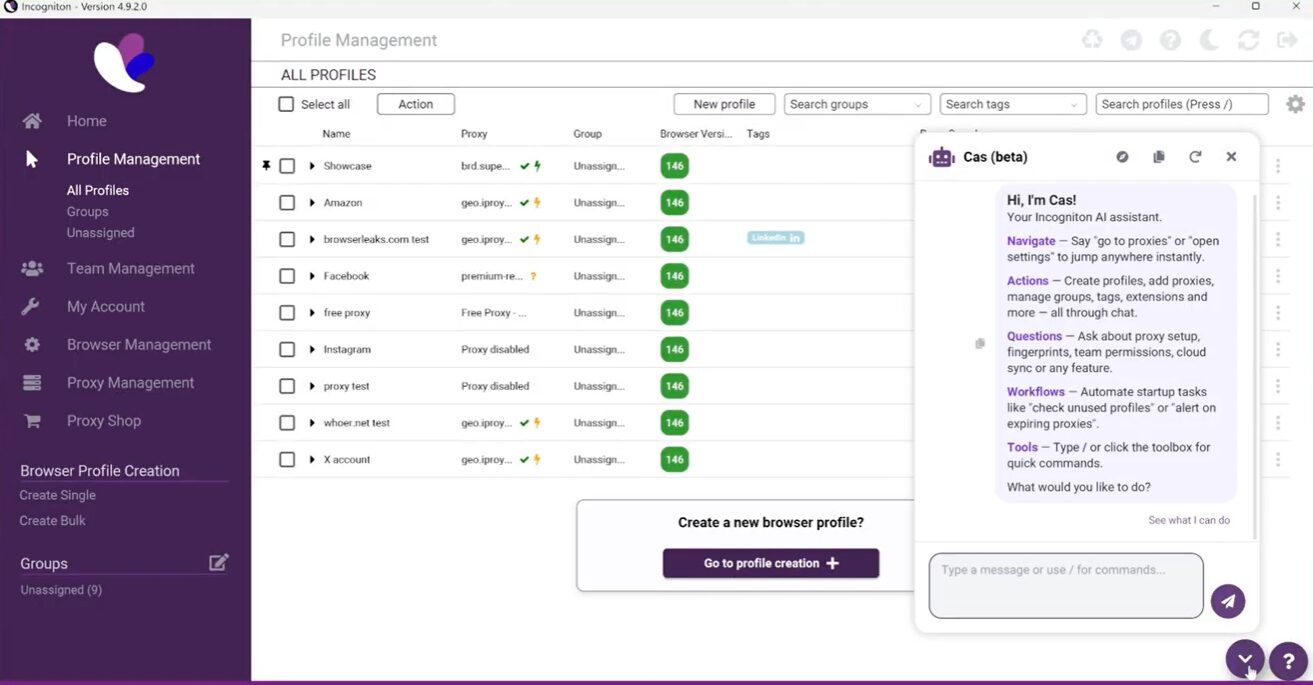
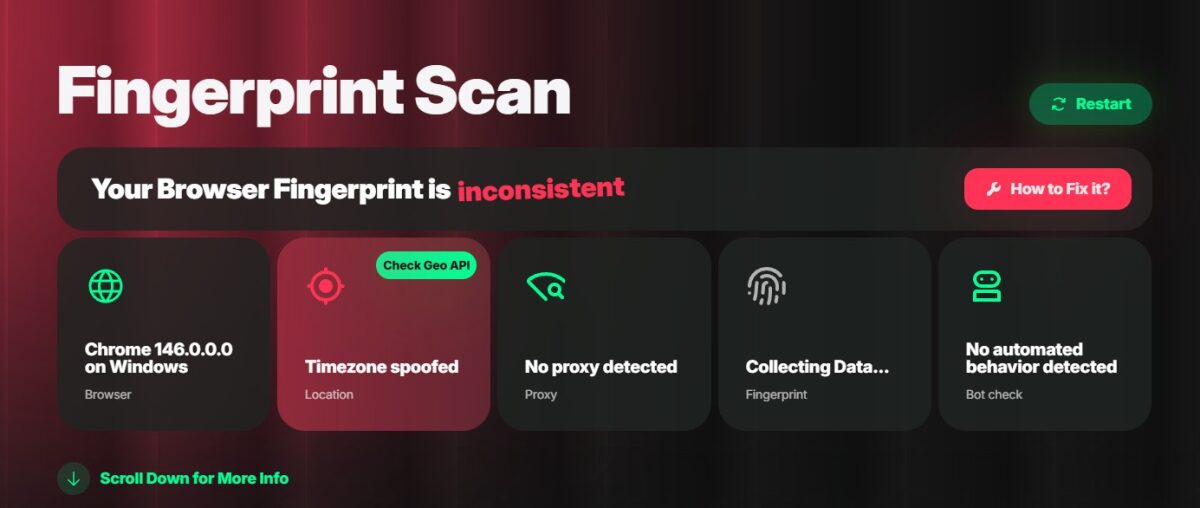
I ran a fingerprint scan on Incogniton and it flagged my browser fingerprint as inconsistent. It correctly detected Chrome 146 on Windows and found no proxy. But it caught my timezone as spoofed, which didn’t match my location. No bot behavior showed up, so the only real issue was the timezone mismatch.
Top Features
- The team management feature allows you to improve team collaboration and helps you share profiles securely
- BrowserLeaks checks what your browser exposes and verifies whether Incogniton’s isolated profiles hold up under real-world scrutiny.
- BrowserScan audits your browser fingerprint, spots leaks, and verifies your Incogniton setup
- Proxy shop for direct proxy purchase within the platform
- Native WidevineCDM support for smooth video and audio streaming
Pros & Cons
PROS
CONS
Fingerprint and Anti-Detection Capabilities
Incogniton spoofs canvas, WebGL, audio, fonts, screen, timezone, language, geolocation, and navigator properties, with built-in Pixelscan, BrowserLeaks, and BrowserScan integration for fingerprint verification before deployment.
Pricing
The price starts at $13.99/month when billed every 6 months. You can avail yourself of its free trial.
My Take
Incogniton’s free plan covers real use cases and features like the cookie collector and paste-as-human-typing address behavioral signals beyond basic fingerprint spoofing, a solid choice for solo operators with a clear upgrade path.
Undetectable
Undetectable splits profile storage into local and cloud. Local profiles are unlimited and stored on your machine, which helps operators running large libraries on a single machine. Its cookies robot automates profile warming by simulating natural browsing, building cookies and session history so profiles look like returning users rather than fresh ones.
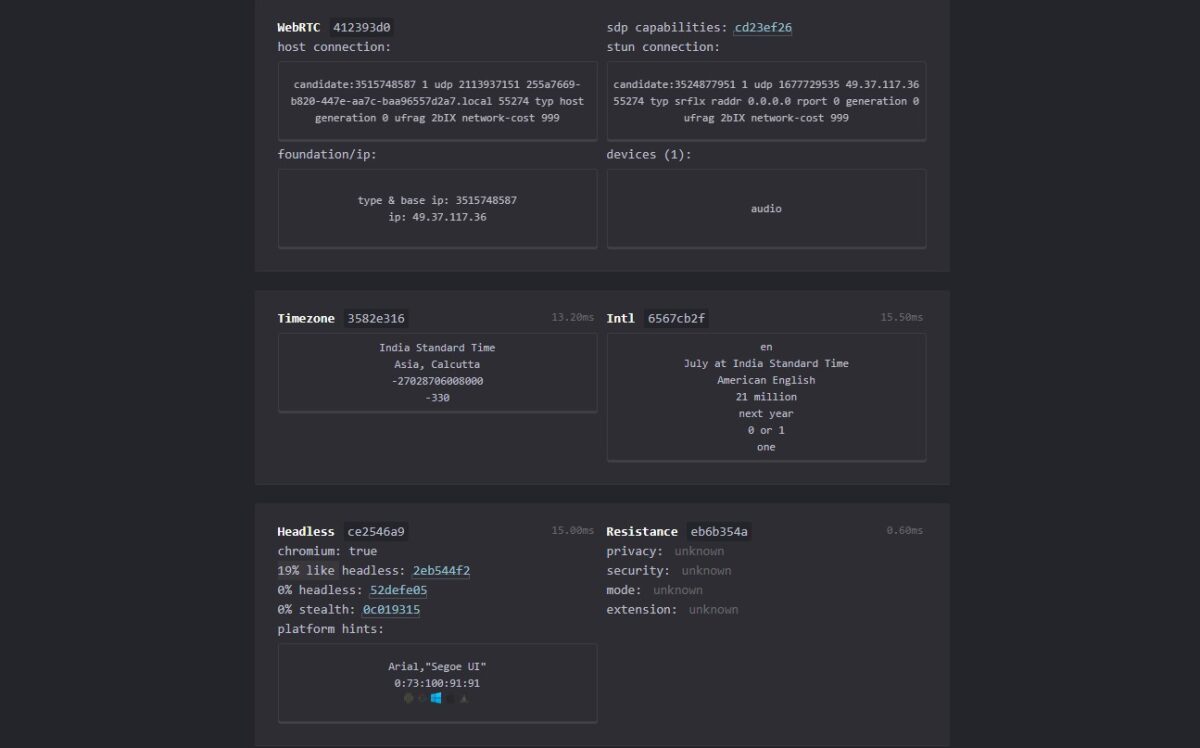
I tested my Undetectable browser setup with CreepJS. It exposed my WebRTC host, STUN connection, and real IP, and detected an audio device. It showed a 19% likelihood of headless Chromium but 0% stealth detection, so the setup passed stealth checks but still leaked some fingerprint traces.
Top Features
- Mass profile creation for generating large numbers of profiles rapidly
- Synchronizer for parallel profile control across multiple open sessions
- Proxy manager with per-profile proxy assignment and bulk import
- Local API for automation integration
- Browser configuration marketplace for pre-validated fingerprint setups
- Chrome Web Store extension support
- Popular website generator for warming cookie profiles
Pros & Cons
PROS
CONS
Fingerprint and Anti-Detection Capabilities
Undetectable controls canvas, WebGL, audio, fonts, screen resolution, timezone, language, navigator properties, and browser plugins. Browser configurations can also be purchased from the community marketplace, which includes pre-validated setups.
Pricing
Undetectable starts at $34/month, with a free plan offering 5 cloud profiles and limited features.
My Take
Undetectable’s unlimited local profiles make it ideal for solo operators running large libraries from a single machine without per-profile fees. The cookie robot is practical and well-implemented, though collaborative workflows require cloud profiles, which bring back plan-based limits.
ixBrowser
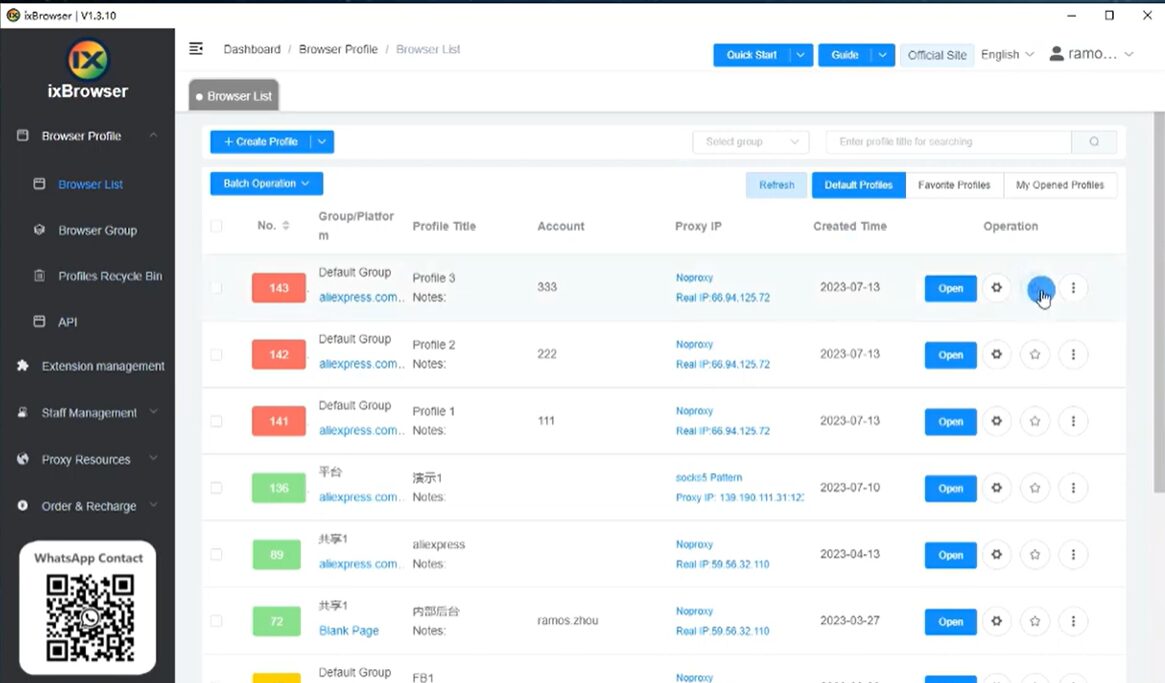
ixBrowser‘s fingerprinting technology covers the antidetect needs of over 95% of users, with full core fingerprint capability and no credit card required to get started. It spoofs canvas, WebGL, fonts, timezone, and other key parameters to keep each profile looking like a distinct, genuine user.
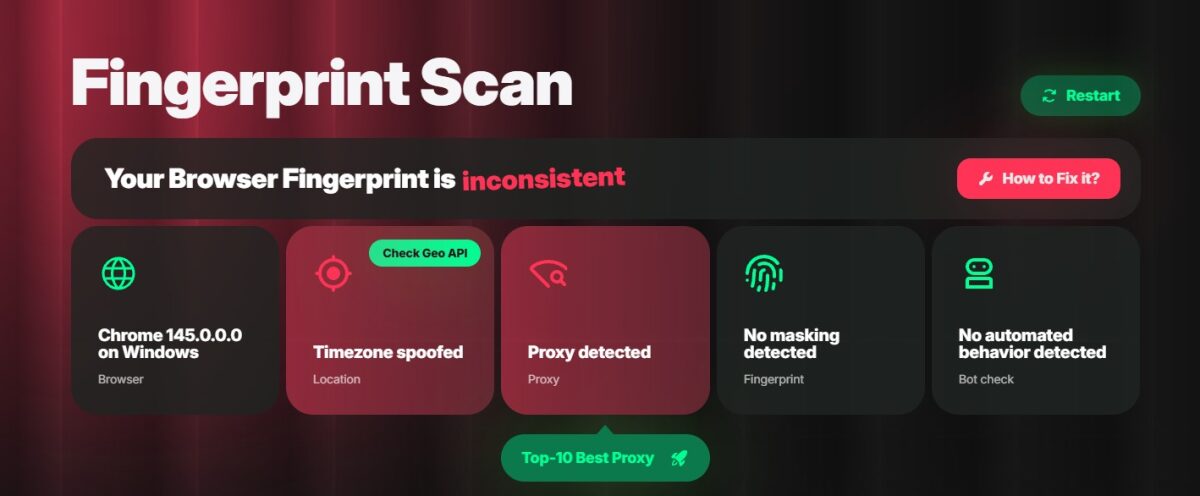
I ran a fingerprint scan on ixBrowser using pixelscan.net and it flagged my fingerprint as inconsistent. It correctly detected Chrome 145 on Windows but caught both a spoofed timezone and a detected proxy, which broke the location consistency. No masking or bot behavior was found, so the mismatch came down to timezone and proxy signals not lining up.
Top Features
- Permanently free core functionality with no restriction on fingerprint quality
- Encrypted cloud storage for browser profile data with cross-device sync
- Team management with role-based permissions and audit logging
- Chrome Web Store, Firefox, and custom extension support
- Batch operations for mass profile creation, export, copy, and editing
- Cookie import, export, and edit support
- Local API for automation scripting
- Affiliate rewards program with referral commissions
Pros & Cons
PROS
CONS
Fingerprint and Anti-Detection Capabilities
ixBrowser customizes canvas, WebGL, and audio fingerprints alongside screen resolution, fonts, timezone, and navigator properties per profile. The platform claims high pass rates on third-party fingerprint detection sites under correct profile configuration.
Pricing
ixBrowser starts at $3.99/month with unlimited browser profiles. You can use the platform for free with limited profile creation times per day.
My Take
ixBrowser is a solid starting point for first-time users who want to test fingerprint isolation before spending money. Its free-forever model doesn’t compromise on quality, and for solo operators with moderate profile counts, that free tier is hard to argue against.
Lalicat
Lalicat is a Windows-based antidetect browser focused on multi-login profile management, with a REST API and CLI access built in. It supports profile transfer between accounts, bulk fingerprint profile creation, subaccount management for team delegation, and cookie synchronization across devices. Common use cases include multi-login management, e-commerce on Amazon and eBay, social media account management, and traffic arbitrage.
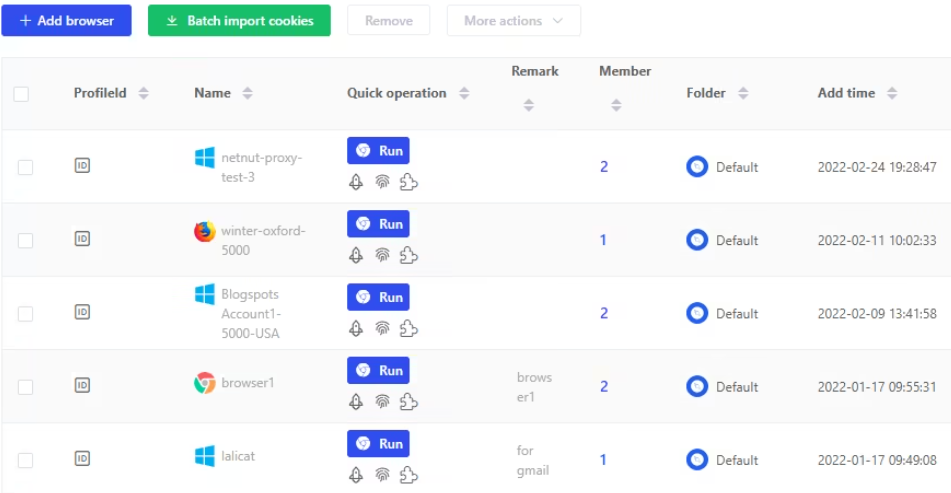
Top Features
- Bulk import and export of cookies and proxies
- Scheduled automatic fingerprint database updates
- Support for Facebook, Amazon, eBay, and TikTok workflows
- Configures all collectable fingerprint data, including browser version, system fonts, resolution, operating system, CPU class, and more
- Simulates hardware setups like PC and mobile, isolating cookies and local storage per profile to prevent account linking
Pros & Cons
PROS
CONS
Fingerprint and Anti-Detection Capabilities
Lalicat controls canvas, WebGL, audio fingerprint, fonts, screen resolution, timezone, language, geolocation, navigator properties, and hardware configuration per profile, with scheduled fingerprint database updates.
Pricing
The price of Lalicat starts at $59/month. You can send a request for a free trial.
My Take
Lalicat’s main appeal is API and CLI access across all paid tiers without an enterprise price tag, though its Windows-only limitation cuts out Mac users entirely. It fills a gap for Windows-based operations needing programmatic profile control without Kameleo’s per-concurrent-browser pricing model.
More Options

Indigo Browser

MoreLogin

NST Browser

VMLogin
Antidetect Browsers at a Glance
| Tool | Best For | Free Plan | Starting Price | Profiles Included | Automation |
|---|---|---|---|---|---|
| GoLogin | Affiliates, agencies | No | $4/month | 10 | REST API at 300 RPM |
| Octo Browser | Fingerprint quality, scraping | No | €7/month | 3 | No API access in the base plan |
| Dolphin Anty | Affiliate marketing, media buying | Yes | $10/month | 20 | No API access in the starter plan |
| GeeLark | Social media, mobile-first | Yes | $8.45/month | 20 | RPA templates and no API access |
| Kameleo | Developers, scraping | Yes | €45/month | 10 | Local API and SDKs |
| AdsPower | RPA automation, all-in-one | Yes | $7.2/month | 10 | Local API at 120 RPM and RPA robot |
| Incogniton | Solo operators, beginners | Yes | $13.99/month | 10 | No API access in the base plan |
| Undetectable | Large local libraries | Yes | $34/month | Unlimited | Local API |
| ixBrowser | First-time users, beginners | Yes | $3.99/month | Unlimited | No API access |
| Lalicat | Affiliate marketing, e-commerce and dropshipping, and ad account management | No | $59/month | 100 | No REST API and CLI |
How to Choose the Right Antidetect Browser
- Match the tool to your use case: Different antidetect browsers serve different workflows. Mobile-first platforms need real device environments, desktop-heavy workflows like ad management need solid fingerprint isolation, and scraping or automation pipelines call for clean developer access.
- Budget vs. features: Some antidetect browsers offer genuine free tiers with real functionality, not just limited trials. Once spending crosses a certain threshold, fingerprint quality and proxy integration matter more than price.
- Proxy support and compatibility: Most antidetect browsers support HTTP, HTTPS, and SOCKS5, but they differ in how cleanly they assign proxies per profile, validate connectivity before launch, and handle bulk import and export.
- Team size and collaboration needs: Solo use is straightforward with most antidetect browsers. Growing teams need cloud profile storage, profile transfer, and role-based permissions, while larger agencies need finer-grained permission controls for managing per-client accounts.
- Automation requirements: Code-based automation needs a clean developer experience and API access. No-code automation depends on visual workflow builders, and parallel profile control benefits from synchronizer-style tools.
Antidetect Browser and Proxies
An antidetect browser gives each profile a unique fingerprint, while a proxy gives it a unique IP and geolocation. Without both, accounts still share the same IP, which most platforms use to correlate and flag them despite fingerprint isolation.
The best pairing is a rotating residential proxy with per-profile IP assignment. Residential proxies use IPs from real ISPs rather than data centers, making them harder to flag, while sticky sessions keep each profile’s IP consistent without overlapping across accounts.
Common Mistakes to Avoid in Multi-Accounting
- Reusing the same proxy across profiles: Sharing a proxy across profiles links those accounts in the platform’s IP correlation graph, no matter how clean the fingerprints are. Use a proxy manager or a sticky rotating residential service to enforce strict per-profile separation.
- Inconsistent fingerprints: Mismatches, like claiming Windows 11 but showing Mac fonts, fail consistency checks. Verify profiles with tools like Pixelscan, BrowserScan, or BrowserLeaks before deploying them to active accounts.
- Ignoring browser updates and behavioral patterns: Outdated fingerprints expose inconsistencies as detection systems evolve. Keep browser kernels updated, regenerate fingerprints periodically, and avoid identical login times or warming patterns across profiles.
FAQs
What is the best free antidetect browser?
ixBrowser offers the most generous free tier, with unlimited browser profiles and 10 profile creation times per day and no compromise on core fingerprinting.
Do I still need a proxy with an antidetect browser?
Yes. Antidetect browsers change your device identity, whereas proxies change your network origin. Platforms cross-reference IP addresses across accounts. Multiple accounts sharing one IP get linked regardless of fingerprint isolation. Pair each profile with a dedicated residential proxy or a sticky rotating residential session.
Are antidetect browsers safe?
The tools themselves are commercial software used by legitimate businesses. Using them to manage multiple client accounts or run parallel e-commerce storefronts is standard practice. Using them to violate platform terms of service at scale, commit fraud, or engage in illegal activity carries legal and financial risk. The legality depends entirely on the application, not the tool.
Which antidetect browser is best for beginners?
ixBrowser is the best choice for beginners. Its free tier offers unlimited profiles and unlimited sub-accounts, with no trial period or credit card required to get started, so new users can learn the basics without hitting artificial limits or facing a countdown to a paid plan.






