


Cloudflare can block web scraping requests before they reach the target website. When this happens, you may see a 403 error, a challenge page, or a verification prompt. Example of a Cloudflare access denied page displayed when a request is blocked.
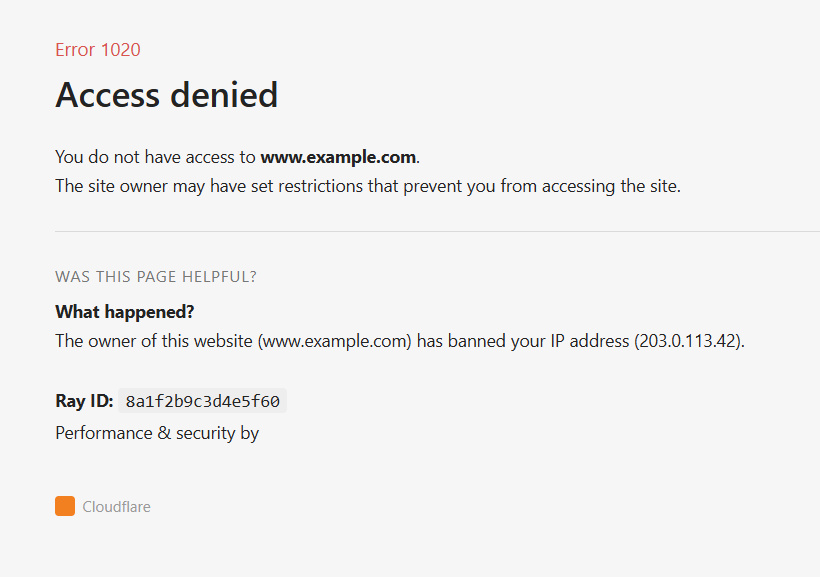
Getting past these blocks often requires more than changing your IP address or User-Agent. Cloudflare can evaluate signals such as IP reputation, TLS and browser fingerprints, and request behavior.
This guide explains why Cloudflare blocks scrapers, how Cloudflare Turnstile differs from a traditional CAPTCHA, and the techniques that can help when scraping publicly available data. It also covers common mistakes that can lead to blocks and tools that handle much of the underlying infrastructure.
Note
There is no permanent Cloudflare bypass. Detection methods can change, so a technique that works for one website or today may not work in every situation.
Why Cloudflare Blocks Scrapers
Cloudflare sits between a website and its visitors. It acts as a reverse proxy and security layer, so requests pass through Cloudflare before reaching the target website.
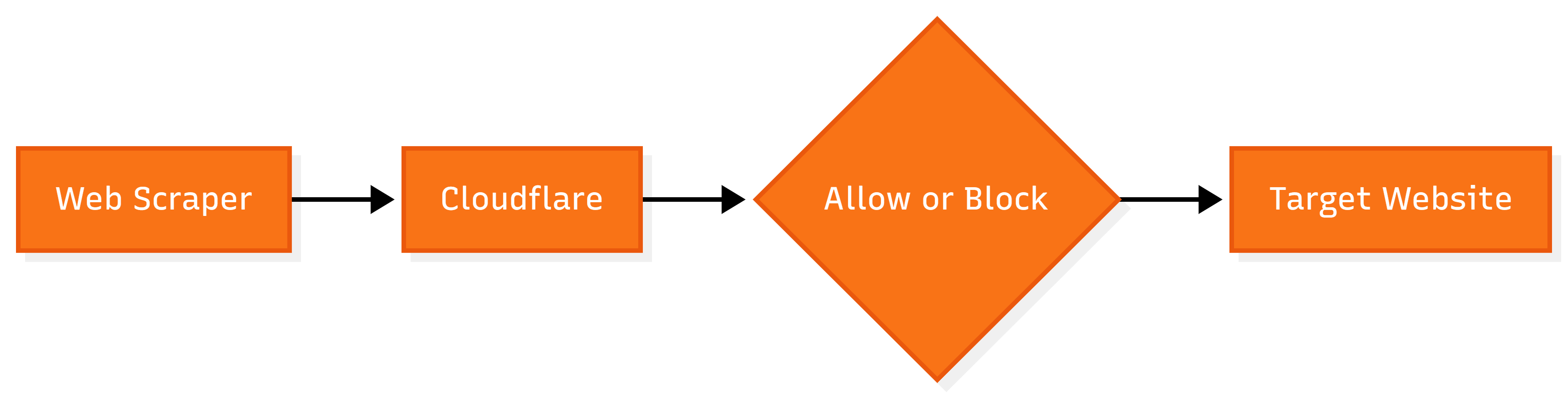
Cloudflare checks several signals to identify automated traffic. The main ones include:
- IP reputation: Cloudflare can assess the reputation and history of the IP address sending the request.
- TLS and browser fingerprints: It can examine the TLS handshake and other browser characteristics to identify clients that do not resemble normal browsers.
- Behavioral analysis: Request speed, navigation patterns, and session activity can reveal automated behavior.
This means changing your IP address or User-Agent may not solve the problem. A request might pass an IP check but still trigger detection because of its TLS fingerprint or request behavior.
Cloudflare Turnstile vs. Traditional CAPTCHA
Cloudflare Turnstile and traditional CAPTCHAs both help websites identify automated traffic. The main difference lies in how they perform that check.
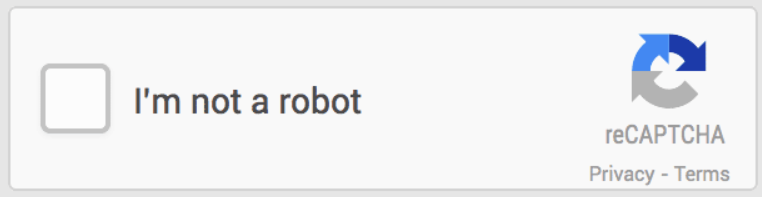
Traditional CAPTCHA systems usually present a visible task for the user. You may need to select specific images, enter text from an image, or complete another challenge. Popular examples include reCAPTCHA and hCaptcha.
Cloudflare Turnstile uses a different approach. It can check information from the visitor’s browser and perform verification in the background. In many cases, the user does not need to do anything. Turnstile may also show an interactive prompt, such as a checkbox, if the website requires additional verification.
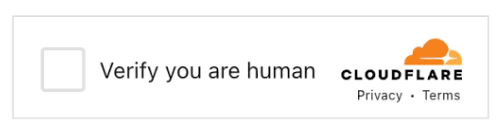
This distinction is useful for web scraping because the type of challenge affects the approach you take. A traditional CAPTCHA may require a CAPTCHA-solving service or another method to complete the visible challenge. Turnstile can involve checks related to the browser, session, and request, so handling the visible prompt alone may not be enough.
If your scraper encounters a traditional CAPTCHA, check our guide on CAPTCHA-solving techniques.
Techniques to Bypass Cloudflare
Cloudflare can check several parts of a request, so one technique may not work in every situation. For example, changing your IP address may help if IP reputation causes the block, but it will not fix a browser fingerprint that looks automated.
The techniques below focus on common signals that can trigger Cloudflare checks. Your approach should depend on the type of block and the website you are accessing.
1. Use Residential Proxies
A residential proxy routes your requests through an IP address assigned by an internet service provider. These IPs can be useful when a website treats traffic from datacenter IPs as suspicious.
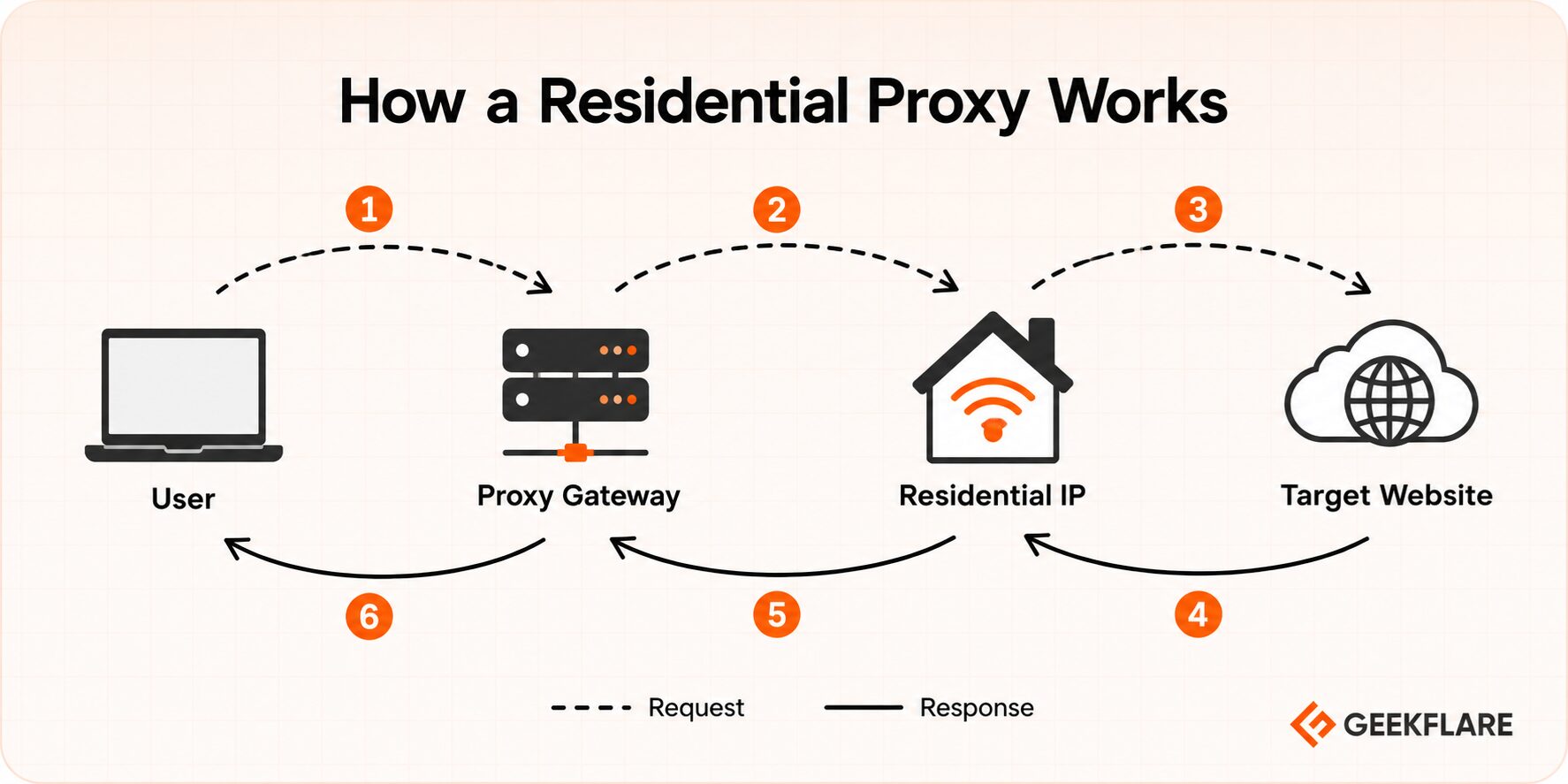
To use one, you first need access to a residential proxy provider. The provider typically gives you a proxy endpoint, port, username, and password. You can then configure your scraping tool or HTTP client to send requests through that proxy.
For example, you can use a residential proxy with Python’s requests library:
import requests

proxies = {
    "http": "http://USERNAME:PASSWORD@PROXY_HOST:PORT",
    "https": "http://USERNAME:PASSWORD@PROXY_HOST:PORT",
}

response = requests.get(
    "https://example.com",
    proxies=proxies
)

print(response.status_code)
Replace USERNAME, PASSWORD, PROXY_HOST, and PORT with the details provided by your proxy service.
The proxy provider may also offer two ways to manage IP addresses.
- Rotating proxies can assign a different IP after a set period or for each new connection.
- Sticky sessions keep the same IP for a longer period.
Rotating IPs can suit tasks that access many independent pages. Sticky sessions can work better when your scraper needs to keep the same cookies and session data across several requests.
The right setup depends on your scraping task. If the target website uses session-based checks, changing the IP too often can cause the session to fail. If you send a large number of requests through one IP, that IP may eventually face additional checks.
Further Reading
Read our guide on what is a residential proxy.
2. Spoof TLS and JA3 Fingerprints
A User-Agent only changes the browser name your request claims to use. It does not change the TLS handshake created by your HTTP client.
For example, a Python script can send a Chrome User-Agent but still use Python’s default TLS signature. Cloudflare can compare these signals and identify that the request does not behave like a real Chrome browser.
TLS fingerprinting looks at characteristics of the connection between your client and the website. JA3 is one method used to create a fingerprint from parts of the TLS handshake. A default Python or Node.js client can produce a different fingerprint from Chrome, Firefox, or Safari.
Tools such as curl-cffi can imitate the TLS handshake and HTTP behavior of real browsers. This gives your scraper a browser-like request signature instead of the default signature from a standard HTTP library.
Install curl-cffi:
pip install curl-cffiThen send a request that imitates Chrome:
from curl_cffi import requests

response = requests.get(
    "https://example.com",
    impersonate="chrome"
)

print(response.status_code)
The impersonate option tells curl-cffi to use a browser-like fingerprint for the request. You can choose other supported browser profiles when needed.
Keep the rest of the request consistent with the browser profile you choose. A request that imitates Chrome at the TLS level but sends signals from a different browser can still appear unusual.
3. Use Stealth Browser Automation
Some websites rely heavily on JavaScript, cookies, and browser-based checks. A regular HTTP client may struggle to load these pages correctly. Playwright and Puppeteer can automate a full browser, which makes them useful for such websites.
An automated browser can still reveal signs that a real user would not normally produce. These signals may include the navigator.webdriver flag, missing browser plugins, and unusual canvas fingerprint data.
Stealth plugins try to hide or modify some of these signals. They adjust browser properties to make the automated session look closer to a regular browser session.
Use this approach when a page needs JavaScript to load properly or when a basic HTTP client gets challenged even after you configure its headers. It is particularly useful for scraping pages that depend on browser interactions, cookies, or dynamic content.
4. Use Antidetect Browsers for Profile-Based Scraping
Antidetect browsers let you create separate browser profiles with their own cookies, storage, and browser fingerprints. Each profile can maintain a consistent identity across multiple sessions.
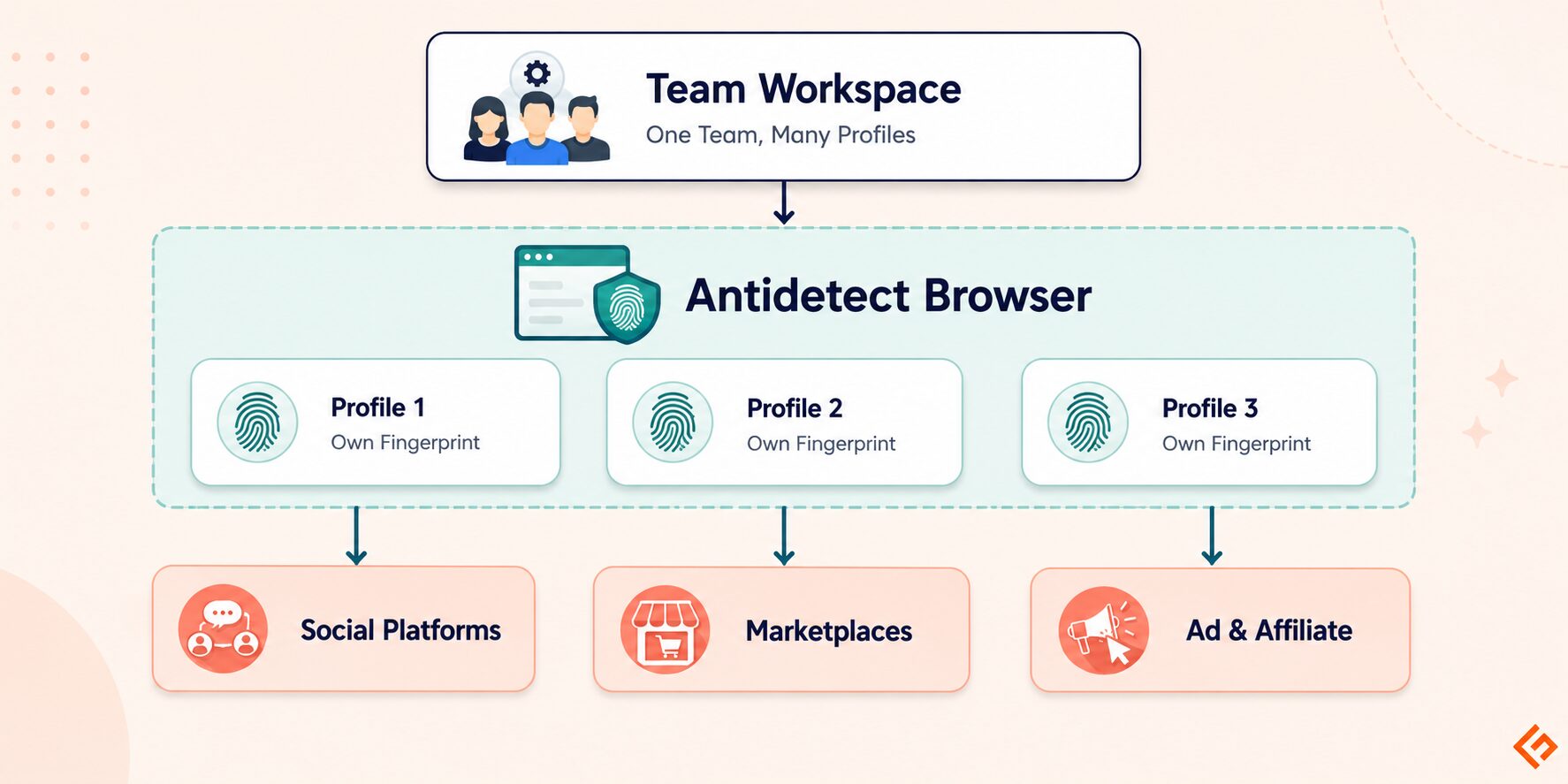
Popular antidetect browsers include Multilogin, GoLogin, AdsPower, and Dolphin Anty. These tools let you create and manage separate browser profiles for different sessions.
Start by creating a browser profile and setting details such as the browser type, operating system, language, time zone, and screen size. The browser saves the cookies and session data linked to that profile. You can reopen the same profile later and continue the session.
This can help when your scraping task needs persistent sessions or several profiles. You need not start each session from scratch.
Antidetect browsers are more useful for long-running tasks that need persistent or separate profiles. For a small number of public pages, a regular browser automation tool or HTTP client may be enough.
Further Reading
You can learn more about available antidetect browsers.
5. Use Realistic Request Pacing and Headers
Sending many requests in a short time can trigger rate limits or bot checks. Start at a reasonable request rate and monitor how the website responds before increasing it.
Your request headers should also match the client you claim to use. Pay attention to details such as the User-Agent, Accept, Accept-Language, and Referer headers. Keep the request consistent across a session.
A normal browsing session also follows a sequence of pages. If relevant, visit the main page before requesting deeper pages and maintain cookies during the session. Random requests to hundreds of pages in a few seconds can look very different from normal browsing activity.
6. Use Cached Access for Static Content
If you only need older or static content, a cached copy can be a useful fallback when the live website blocks your scraper.
The Internet Archive’s Wayback Machine stores snapshots of many public web pages. Search for the page URL and check if an archived version is available.
Cached pages have limits. The latest version of a page may not be available, and some pages may have missing images, scripts, or other content. Use this method for historical data or content that does not need to be current.
Tools That Handle This for You
Building and maintaining a scraping setup can take time. You may need to manage proxies, browser settings, JavaScript rendering, sessions, and bot-detection checks. These settings may also need updates as websites change their protection rules.
Geekflare’s Web Scraping API handles these tasks through a single API. It also supports AI Extraction, which can extract specific information from a web page based on your instructions. If you want to learn more about this feature, read our guide on AI Extraction with Geekflare Web Scraping API.
Here is an example using the Geekflare Python SDK:
# pip install geekflare-api

from geekflare_api.client import GeekflareClient
from geekflare_api.models import WebScrapeDto

with GeekflareClient(api_key="YOUR_API_KEY") as client:
    result = client.web_scrape(
        WebScrapeDto(
            url="https://example.com",
            format=["markdown"],
            proxy_mode="auto",
            proxy_country="ru",
            render_j_s=True,
            block_ads=True,
            stealth=True
        )
    )

    print(result)
In this request:
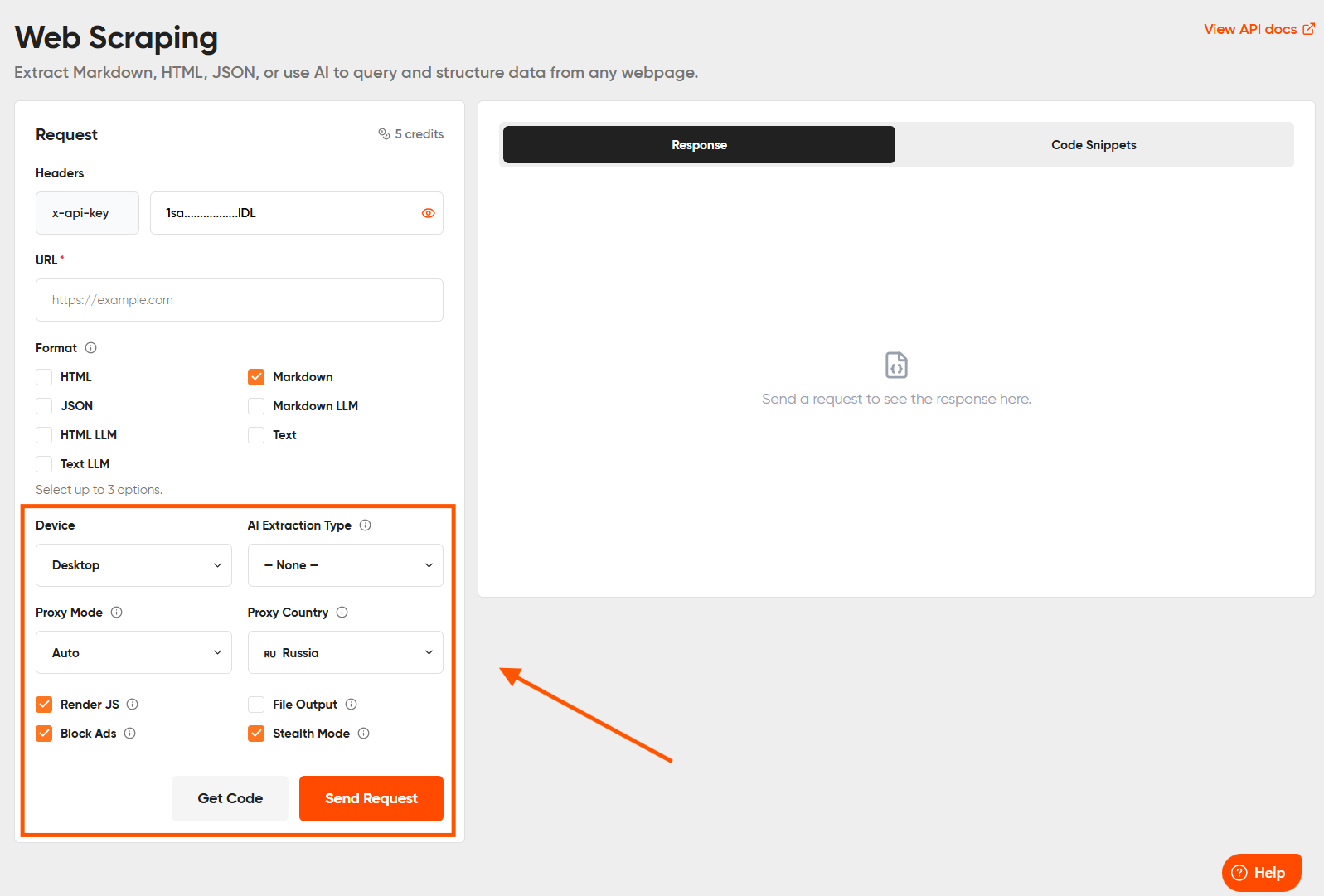
format=["markdown"]returns the scraped content in Markdown.proxy_mode="auto"controls how the API uses a proxy.proxy_country="ru"selects Russia as the proxy location.render_j_s=Truerenders JavaScript before returning the content.block_ads=Trueremoves ads from the page.stealth=Trueenables Stealth Mode.
Geekflare also provides a no-code Playground for users who do not want to write code. Enter the URL you want to scrape, select options such as Proxy Mode, Proxy Country, Render JS, Block Ads, and Stealth Mode, then send the request directly from the platform.
Common Mistakes That Get You Blocked Faster
Even a well-configured scraper can trigger Cloudflare if it sends inconsistent or aggressive traffic. Common mistakes include:
- Reusing the same IP for large request bursts: Sending many requests from one IP in a short period can trigger rate limits or bot checks.
- Using default library headers: Default headers from Python
requestsor Node.js clients can reveal automated traffic. Changing only theUser-Agentmay also create inconsistent signals. - Ignoring
robots.txt: Check a website’srobots.txtfile before scraping to understand its published rules for automated crawlers. - Scraping too fast from the start: A new session that immediately sends hundreds of requests can appear suspicious. Start at a reasonable rate and monitor how the site responds.
- Treating every block as a CAPTCHA: A
403error or challenge page can result from an IP, browser fingerprint, request rate, or another security check. Identify the likely cause before changing your setup.
Legal and Ethical Considerations
Use these techniques only to access publicly available data. Review the website’s terms of service and follow applicable laws before scraping.
Avoid collecting personal or sensitive information unless you have a valid reason and permission to do so. Do not use scraping methods to bypass paywalls, login walls, or controls that protect private content.
Conclusion
Cloudflare can block scraping requests based on signals such as IP reputation, browser and TLS fingerprints, and request behavior. The right method depends on the type of block and the target website.
If managing proxies, browser settings, and other scraping infrastructure becomes too complex, Geekflare’s Web Scraping API provides a simpler option and a no-code Playground.
Cloudflare’s detection methods can change over time, so test your setup regularly and access only publicly available data in line with applicable rules and laws.
Frequently Asked Questions
What’s the difference between Cloudflare and a CAPTCHA?
Cloudflare is a web security service that can filter traffic before it reaches a website. A CAPTCHA is one type of challenge used to verify that a visitor is human. Cloudflare can use CAPTCHAs or Turnstile as part of its security checks, but it also uses other signals to identify suspicious traffic.
Why do my requests get blocked even with a good proxy?
A proxy only changes the IP address used for the request. Cloudflare can also check your TLS fingerprint, browser properties, cookies, session activity, headers, and request patterns. A good IP may still get blocked if other parts of the request look automated.
Does headless Chrome alone bypass Cloudflare?
No. Headless Chrome provides a real browser environment, but websites can still detect signs of automation. Properties such as navigator.webdriver, browser fingerprint differences, IP reputation, and unusual request behavior can still trigger a challenge or block.
How often do bypass techniques stop working?
There is no fixed timeline. Cloudflare and website owners can update their detection methods at any time. A setup that works today may need testing and updates later. Check your scraper regularly and treat these techniques as methods that may require ongoing maintenance.
Can a Web Scraping API help with Cloudflare-protected websites?
Geekflare’s Web Scraping API can handle several issues that may affect access to protected websites. It offers options such as proxy routing, JavaScript rendering, and Stealth Mode through a single API request.
No tool can guarantee access to every Cloudflare-protected website. The results depend on the target site’s security rules and the type of checks it uses.





