


The Wayback Machine is a digital archiving utility that provides access to historic internet-available information. While preserving internet heritage, the Wayback Machine allows users to access deleted pages, compare designs, bypass censorship, and ensure legal compliance.
Common problems with the Internet Archive Wayback Machine are that it is slow, doesn’t archive regularly, and doesn’t archive all the pages, which leads us to search for alternative options.
Below, I have mentioned Wayback Machine alternatives that provide benefits like faster processing, broader coverage, better interaction, and wider responsiveness to archived websites and content. They are easy to use, and most offer a free plan to get started.
Visualping
Best Overall
Visualping is an excellent Wayback Machine alternative with a strikingly simple user interface where you can enter a website URL, email address, and monitoring frequency to keep permanent records for future reference. Its advanced settings allow selecting the change criteria (visual, text, or element), its magnitude, and using globally located proxy servers.
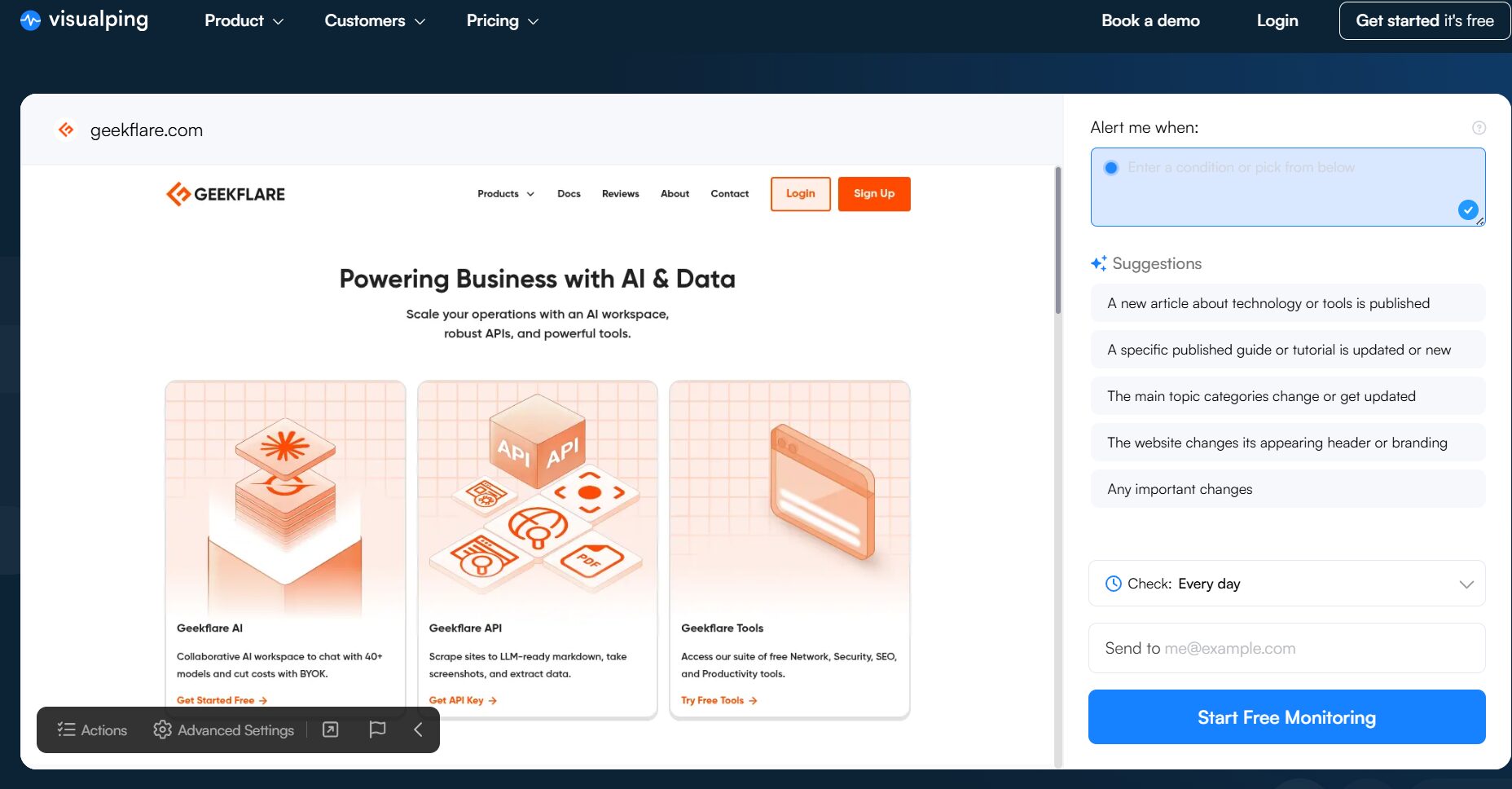
I like the proxy feature, which allows you to monitor your website changes globally. This is extremely useful if your business website serves regional content.
When you enter any webpage URL for monitoring, Visualping notifies you at your email address about the changes with the attached screenshot. Besides, Visualping arms you with AI-powered analysis, giving change summaries and advanced reports. It’s teamwork-friendly, allowing a business to allocate team members to manage archived content and email alerts.
Visualping supports bulk monitoring, code change analysis, single sign-on, and downtime alerting. Additionally, this online tool lets you save and track changes to your target website for the last 1 year.
Visualping offers integration with apps like Slack, Microsoft Teams, and Google Sheets. Moreover, this service provider has APIs and webhooks for connecting it with existing business infrastructure. It also has a browser extension, web widgets, and its users will soon get its mobile apps for monitoring on-the-go.
Pros & Cons
PROS
CONS
Pricing
Visualping pricing starts from $10/month, which includes 1000 page checks. You can start with a free plan that offers 150 checks per month as well.
PageFreezer
Best For Record-Keeping Compliance
PageFreezer is an enterprise archiving service tailored for legal compliance, investigations, and eDiscovery. This archive tool supports online content from websites, major social channels (Facebook, Instagram, X, LinkedIn, YouTube, etc.), and team collaboration platforms (Slack, Teams, etc.) to capture every instance.
PageFreezer keeps the data in its SOC 1, SOC 2, and ISO-certified data centers for top-notch privacy and security. Its record management lets users easily search through the archives with keywords and filters. This archive service also allows data to be shared with others in multiple formats, such as CSV, PDF, and WARC.
Every PageFreezer archive post has time stamps and digital signatures using SHA-256 for proving document authenticity. Furthermore, it supports keeping track of real-time activities, including private conversations, of social media accounts and enterprise social networks. In case of policy violation, the admin gets notified when someone uses specific phrases or words. Furthermore, its AI-based sentiment analysis can alert in case of negative comments to take timely remedial action.
Another key feature is retention scheduling, which automatically removes the data as per company policies. It also helps you easily comply with privacy-related data erasure requests. Besides, organizations can recover deleted data within PageFreezer’s 30-day grace period and can override the scheduled deletion by putting specific data on legal hold. It conforms to high standards of enterprise data security with features like two-factor authentication, IP whitelisting, and password policy management to prevent unauthorized data access.
Pros & Cons
PROS
CONS
Pricing
PageFreezer offers custom plans. Contact the sales team for a demo.
Perma.cc
Best for Libraries to Preserve Print Sources
Perma.cc is an ideal archiving utility for preserving citations from link rot. Developed by the Harvard Library Innovation Lab, this tool’s user base mainly consists of journals, libraries, courts, and universities.
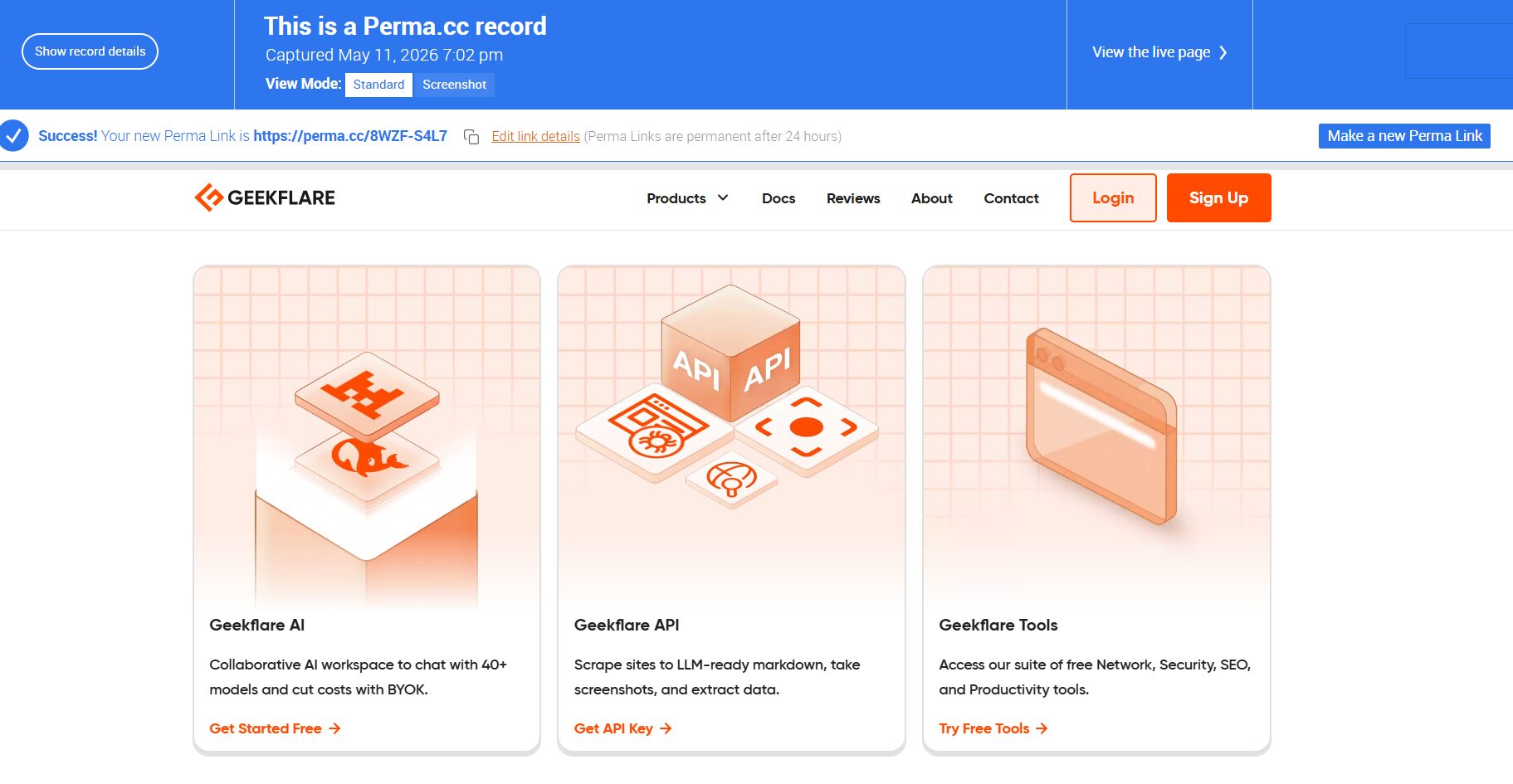
Using Perma.cc is straightforward. One can copy-paste the target URL into its interface to instantly get an immutable, permanent citation source. Once created, you can delete the links within 24 hours.
Perma.cc interface lets users view, search, sort, and annotate links created by them and their organization. All Perma records are public unless specified otherwise in the organization’s settings or configured at the target website.
Perma.cc is run by a group of libraries and other entities, also called registrars, who sponsor this service for their local community. Academic libraries and courts can become registrars for free, whereas others have to pay a monthly fee. Members affiliated with these Perma registrars can use this archiving facility for free. Still, individuals can also use this tool on a subscription basis.
Pros & Cons
PROS
CONS
Pricing
Perma.cc plans start at $10 for 10 links per month. The other plans are 100 links for $25 and 500 links for $100.
Stillio
Best for Automatic Screenshot Capture
Stillio helps businesses and individuals with automatic screenshot capturing at the exact time of their choice. The user interface is very intuitive and asks for the target URL, capture frequency, and the point at which to start getting going. Its expert mode offers advanced configurations, such as screenshot dimensions, server location, capture delay, setting cookie requests, and more.
Here’s a screenshot of the Geekflare AI page that I had scheduled on Stillio.
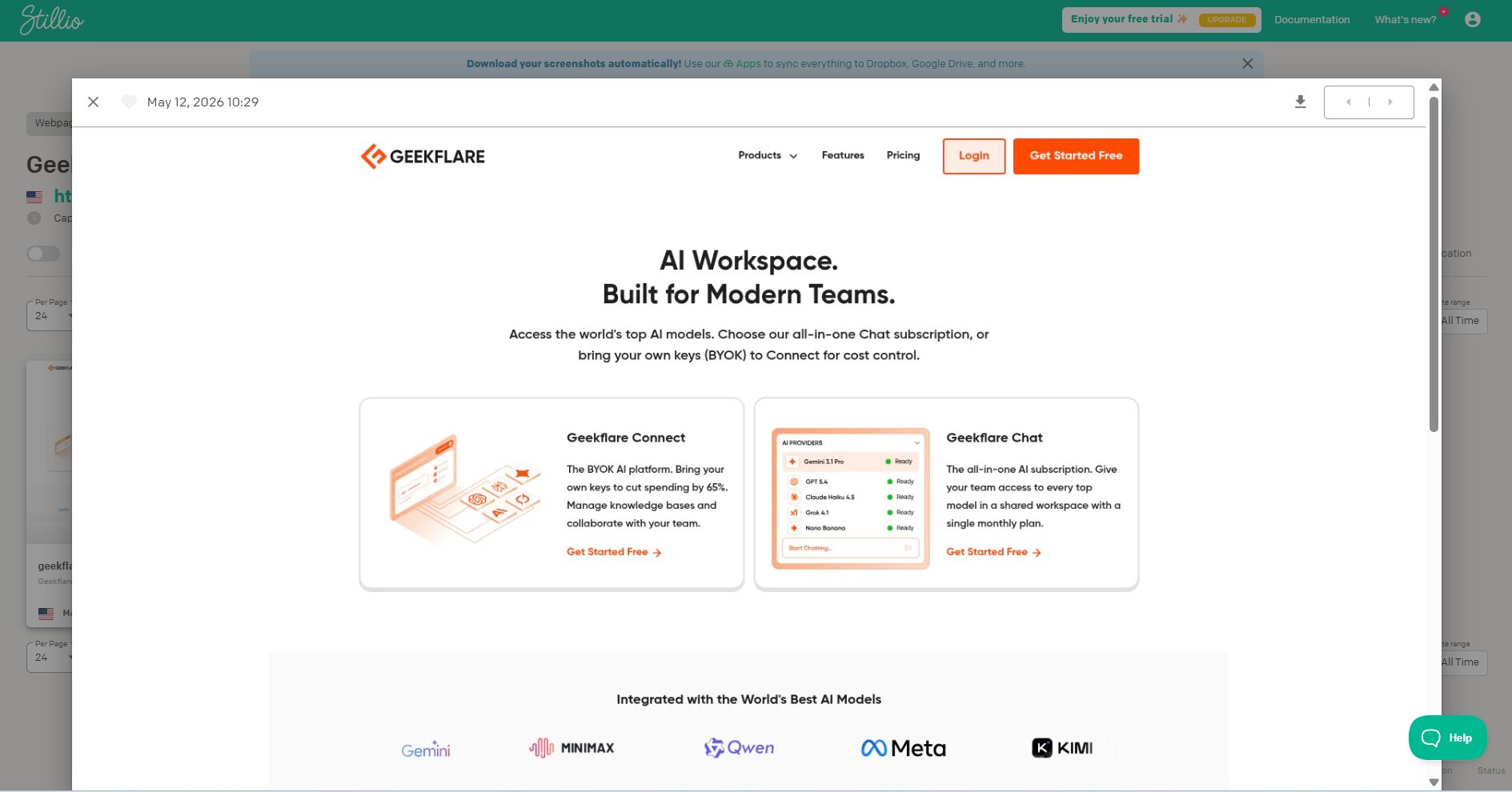
Stillio supports inputting URLs manually, importing in plain text, or submitting the XML sitemap for multiple captures. Screenshot sharing can be done directly from its user interface, with the receiver need not be a Stillio user. One can configure the screenshot for multiple devices and resolutions, such as tablet, mobile, and desktop. Every capture event is coupled with notification and the specific screenshot sent to the user. This feature is optional, and one can turn off notifications as needed.
Stillio allows tags to be put for easy searching through the screenshot library. Moreover, it has “click” or “hide” features before capturing to avoid pop-ups or click buttons upfront when taking screengrabs. One can also configure it to imitate certain browser agent or device for the desired outcome. Furthermore, its screenshots are timestamped. Users can also connect to popular file storage platforms (Google Drive, Dropbox, etc.) or integrate it with Zapier to store the data at their preferred location.
Pros & Cons
PROS
CONS
Pricing
Stillio offers 4 plans.
- Snap Shot: $29/month
- Hot Shot: $79/month
- Big Shot: $199/month
- Top Shot: $299/month
MirrorWeb
MirrorWeb is one of the top tools to archive targets with dynamic web content in ISO-standard WARC format. This is an all-in-one digital record-keeping solution to capture, store, index, and view the content in its simple-to-use web interface. You can even compare a website’s appearance on 2 different dates.
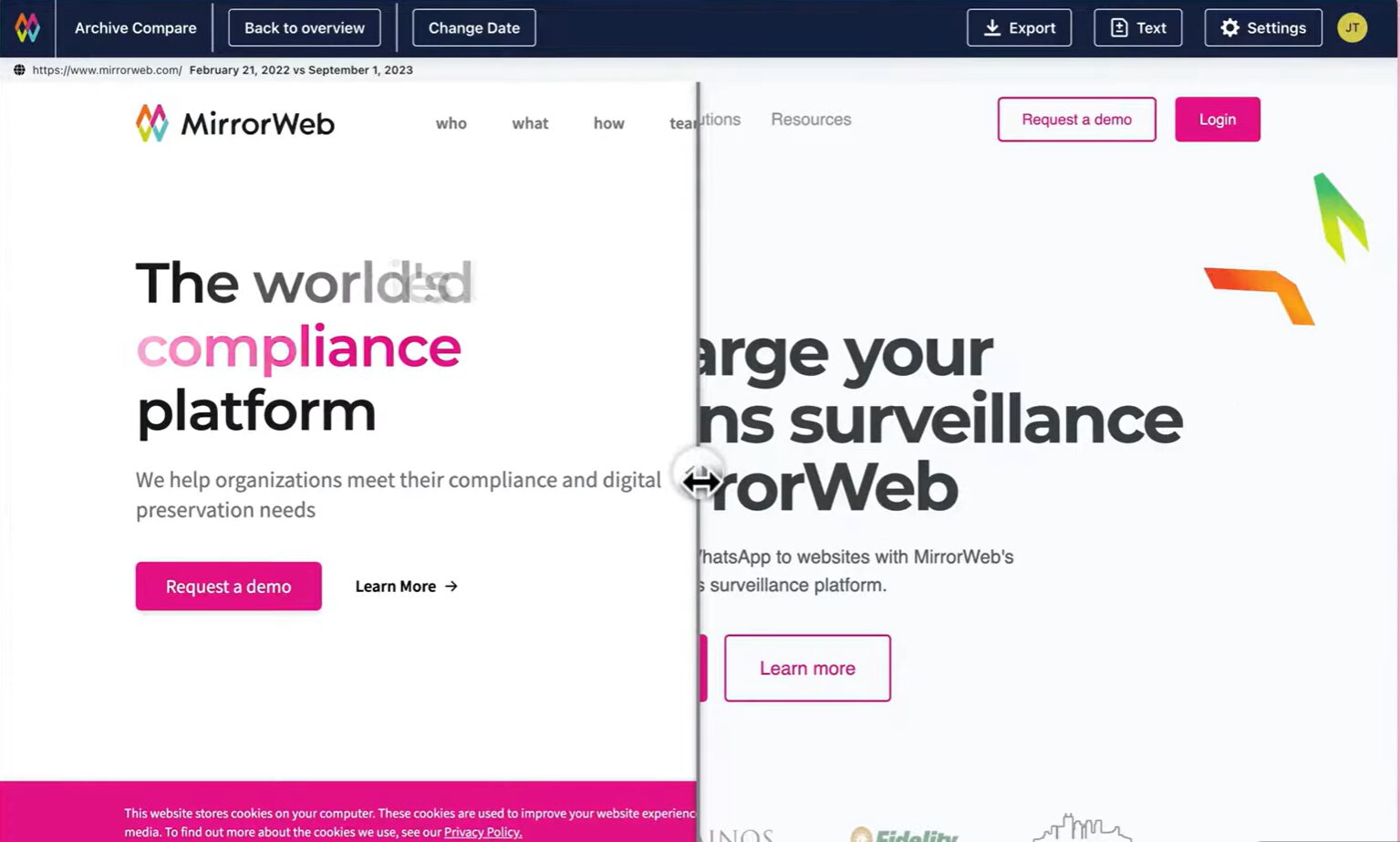
MirrowWeb screenshots entire websites, including JavaScript-heavy single-page applications (SPAs). A user can easily search across the database with filters like data ranges, content type, keywords, etc., or export as PDF or image.
Additionally, this archiving platform can function to capture communication from major channels, such as Slack, Microsoft Teams, Skype, and more. Likewise, MirrorWeb can work in real time across social media platforms, including Facebook, X, Instagram, LinkedIn, and YouTube. MirrorWeb also does mobile archiving by capturing data from SMS, WhatsApp, Telegram and WeChat.
It supports multi-factor authentication for data security and privileged access management for sharing records with external entities.
Pros & Cons
PROS
CONS
Pricing
MirrorWeb offers custom pricing. Contact the sales team for a demo.
ChangeTower
Best for Custom Alerts
ChangeTower makes its case as an archiving and website monitoring tool with its custom alerts, flexible capture, and real-time notifications. It archives full-page screenshots, text-based captures, and source code.
ChangeTower monitors your target web pages and notifies you in case anything matches your detection criteria. Users can monitor changes in the code, sentences, images, or specific sections of a web page. Subsequently, a user can decide when to get notified or for which element. Its detailed change reports allow finding records and comparing them with time-stamped screenshots.
As you can see in the screenshot, you can give the URL and give instructions in a simple English prompt about what changes you want it to monitor.
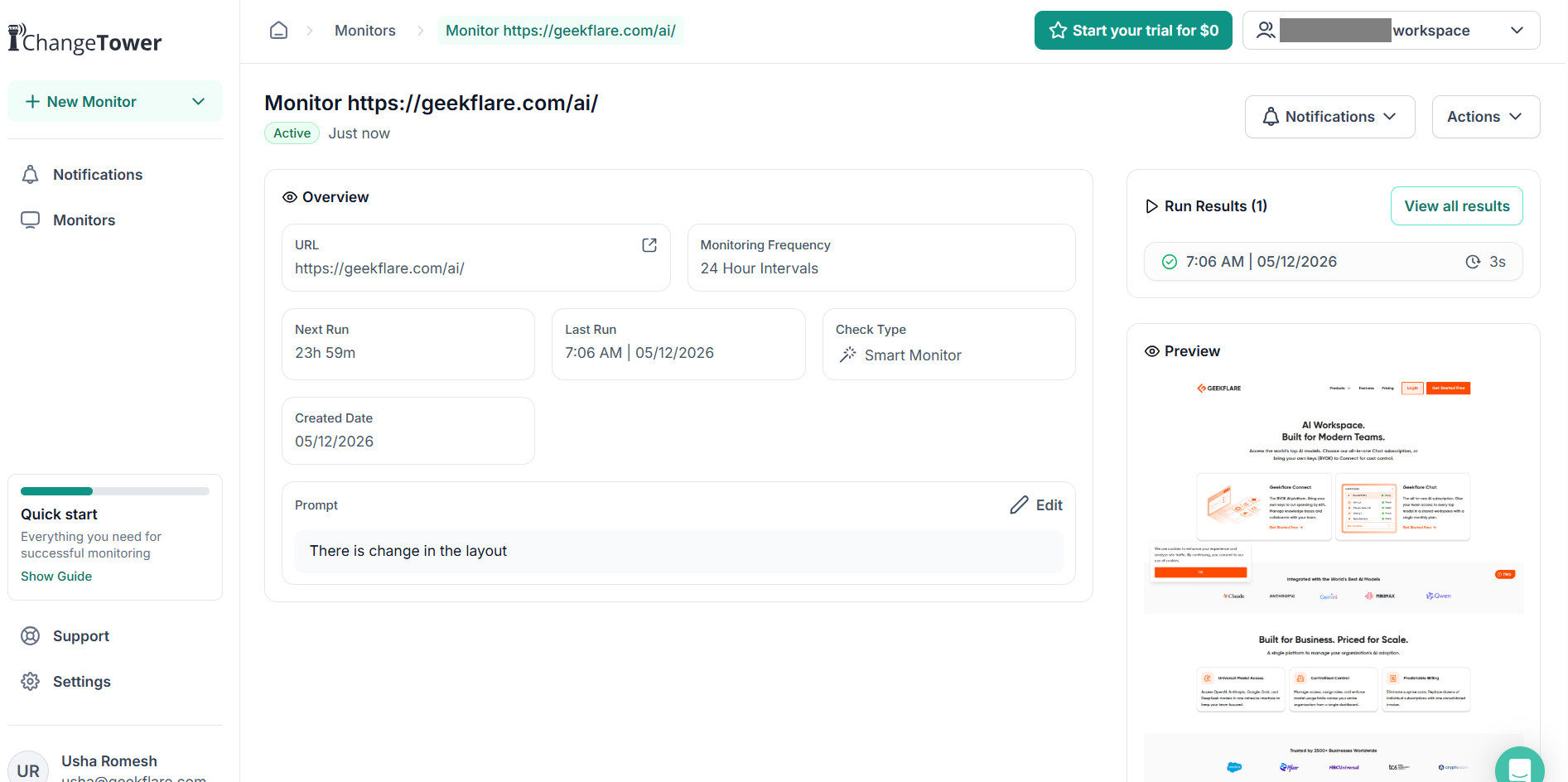
ChangeTower subscriptions are primarily based on the number of checks per month, archive window, and number of users for specific monitors.
Pros & Cons
PROS
CONS
Pricing
ChangeTower offers a free tier where you can monitor 3 pages. It offers 5-day free trial on all its paid plans.
- Lite: $10/month for 25 monitors (2 users)
- Essential: $29/month for 100 monitors (4 users)
- $62/month for 200 monitors (6 users)
- Enterprise plan: Custom Pricing
Smarsh
Best for Email and Social Media
Smarsh is a digital recordkeeping service aimed at enterprise customers interested in web archiving, legal compliance, eDiscovery, and monitoring. It can archive a single web page or an entire website, including external links, with a user-defined number of captures and web pages.
Smarsh archives records with timestamps and every action is recorded in a detailed audit trail for maximum transparency. Users can save the data on their PC, with or without encryption, and also import to a legal review platform. A user can easily compare two different archived versions side-by-side. Besides, Smarsh archived websites preserve maximum functionality to allow viewing and interacting as in live browsing. You can export archives in multiple formats, such as PDF, JPG, and text.
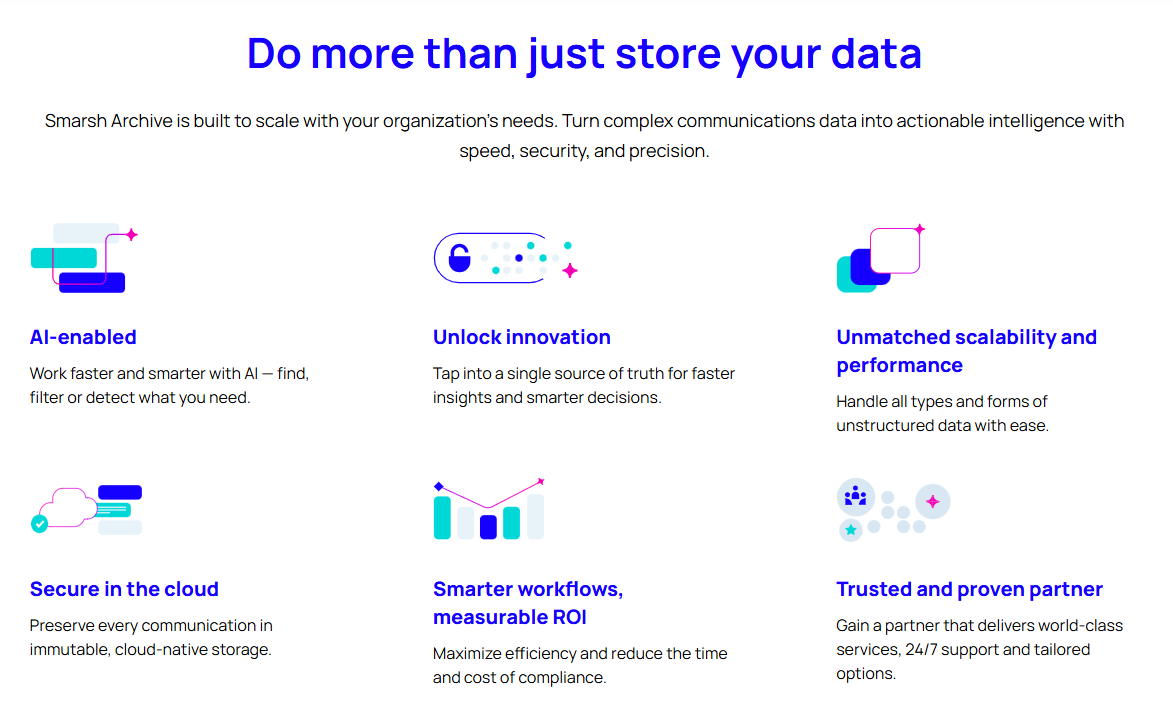
Besides web archiving, Smarsh supports data capture in the native format from 100+ communication mediums such as Facebook, Slack, Teams, Zoom, Gmail, and more. Smarsh saves such data in a WORM-compliant format to satisfy legal protocols. It lets you easily search within the data repository with filters such as users, communication channel, and more. It supports archiving in multiple situations, such as on-premise, cloud capture, single and multi-tenant environments.
Pros & Cons
PROS
CONS
Pricing
Smarsh offers custom plans.
ArchiveBox
Best Open-Source Solution
ArchiveBox is an open-source solution to locally save public and private web content, such as legal evidence, social media files, research papers, and more. This archiving utility is available to use on Linux, macOS, Windows (Docker). Users have multiple options to deploy ArchiveBox, including as a CLI tool, self-hosted web app, integration as a Python library, and for one-off command execution.
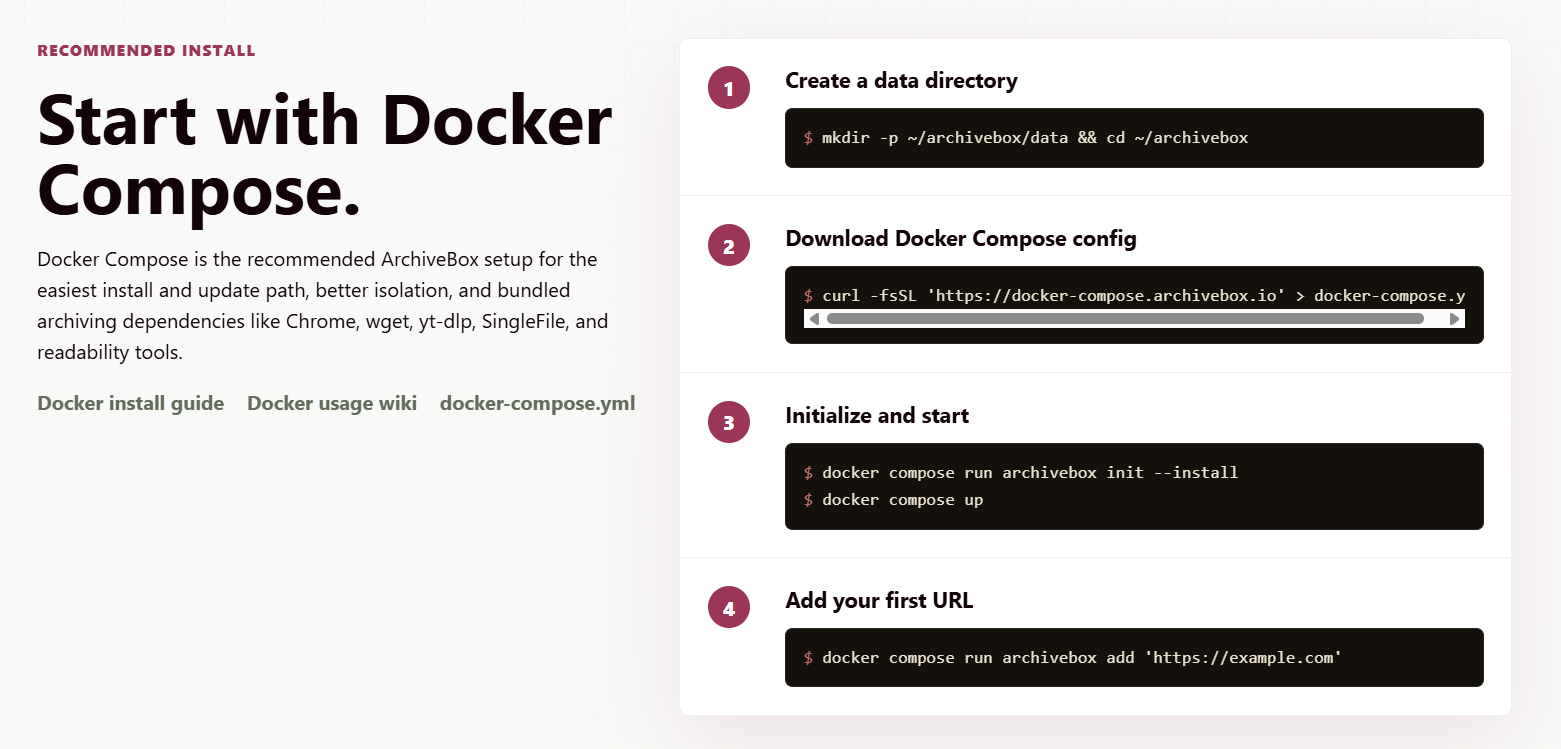
ArchiveBox also allows saving content on Archive.org. This utility supports archiving URLs one at a time or scheduling imports from their browser extension, user’s browsing history or bookmarks, social media feeds, link saving tools (such as Pocket), or manual imports in any text-based format (JSON, CSV, etc.). Besides, it archives all URLs visited via a MITM proxy in real time from any device.
Though ArchiveBox is a DIY archiving utility, users can opt for commercial support and integration of this service into their existing infrastructure. Moreover, there are a few third-party services, such as StellarHosted, that offer a fully managed ArchiveBox in the cloud for a subscription fee.
Pros & Cons
PROS
CONS
Pricing
Free for self-hosting.
Page Vault
Best For Legal Evidence Gathering
Page Vault is a web-capturing service tailored for legal use to record text, images, audio, and video. This archiving tool works across websites, social media platforms, and document formats. It levies no extra fee for document storage space. Moreover, a user is not limited to a number of exports or downloads.
The best part of Page Vault is its automation, which allows users to capture targets with a single click. Besides, one can use the utility themselves or outsource the job to Page Vault team for a completely hands-off archiving experience.
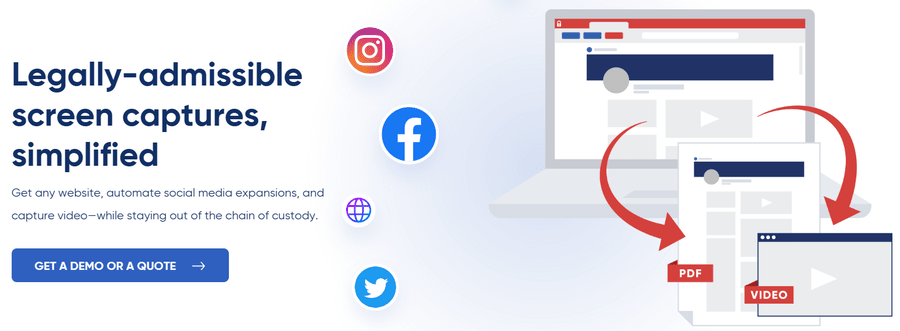
Created specially for legal proceedings, Page Vault uses affidavits, metadata, and hashing to maintain document authenticity and integrity for preserving digital evidence. It makes affidavits available for all captures done with their browser utility or on-demand service. Besides, every archived record is timestamped, SHA256 hashed, and includes the details of the user account capturing it.
Pros & Cons
PROS
CONS
Pricing
Browser Packages: Contact Page Vault Sales
On Demand: $149-$299, based on type of content
More alternative options for you…

Ahrefs Page Inspect

Web Archive Singapore

Library of Congress

Ghostarchive

archive.today
Wayback Machine Alternatives Comparison
| Wayback Machine Alternatives | Minimum Archiving Frequency | Archiving Target | Features | Base Pricing |
|---|---|---|---|---|
| Visualping | 5 minutes | Websites | AI-based changed summaries, webhooks, and APIs, flexible monitoring, free plan | $10/month |
| PageFreezer | Not mentioned | Websites, Social Media, Communication platforms, SMS | Highly secure data centers, real-time monitoring, AI-powered sentiment analysis, | Custom enterprise plans |
| Perma.cc | Not applicable | Web pages | Citation friendly, ease to use | Free for registrar affiliates, otherwise $10/month |
| Stillio | 5 minutes | Web pages | Automatic capture, 14-day free trial, advanced capture, easy sharing, flexible data storage | $29/month |
| MirrorWeb | Not mentioned | Websites, Social Media, communication platforms, smartphone communication apps. | Captures dynamic content, secure external sharing, advanced search filters | Custom enterprise plans |
| ChangeTower | 3 minutes | Web pages | Granular monitoring, flexible subscription plans, free plan | $10/month |
| Smarsh | Not mentioned | Web pages, communication platforms | Powerful archiving including external links, 100+ communication mediums, encrypted exports | Custom enterprise plans |
| ArchiveBox | Scheduling possible | Web pages, social media content, research papers. | Open source, maximum data control | Free for self-hosting |
| Page Vault | Not mentioned | Websites, social media platforms, documents. | Automated capture, secure records for legal proceedings, no extra document storage charge, optional on-premise archiving | Custom plans for in-house archiving, $149 otherwise |
What is the Purpose of A Wayback Machine?
There are multiple number of Wayback Machine use cases spanning legal compliance, research, competitor analysis, and more as explained below.
- Legal Compliance: Some jurisdictions require organizations to keep time-stamped records of their activities (including websites, marketing campaigns) for a certain period of time.
- Research: Professionals can use web archiving to study and track design changes in the websites over time.
- Competitor Analysis: Web archiving utilities can also serve as competitor research tools for staying in the know about the best website design strategies.
- Litigation support: A business can use digital copies of their web projects during legal proceedings or for defending their intellectual property rights.
- Preservation: Web archiving can help preserve the cultural legacy of the internet at large or of a few crucial websites at least.
Frequently Asked Questions
How many types of alternatives to the Wayback Machine are there?
Based on the use case, there are multiple types of Wayback Machine alternatives, such as for website archiving (MirrorWeb), social media monitoring (Page Vault), competitor analysis (Visualping), and more.
How do I access archived websites?
Accessing archived websites depends on the specific user interface. For instance, one can enter the website URL in the Wayback Machine interface. This opens a calendar view that indicates the available snapshots to choose from.





