



Every time two software systems talk to each other, there needs to be a secure handshake.
One system is asking for data or access. The other system needs to check whether that request should be allowed. It cannot simply trust every request that arrives.
Suppose you are ordering food on Uber Eats or Grubhub.
When you place an order for food, the app has to connect with different services.
- One service to process the payment.
- Another to calculate the delivery route.
- Send a text update when the driver is nearby.
Each of these services is accessed through an API (Application Programming Interface), which carries your request to the service provider.
Each service needs to know:
- Who is making the request?
- Is this a valid app?
- Is it allowed to use this service?
- Has the user paid for this service?
An API key is the credential that proves that the request is authorized.
What is an API Key?
An API key is a unique code used to identify the app, developer, or system making an API request. API keys help with three important things.
- They authenticate requests, so the service (payment, map, etc.) knows who is calling it.
- They track usage, so the provider can measure how many requests each app is making.
- They also help prevent abuse by blocking unknown callers, limiting excessive traffic, or disabling keys that are being misused.
When your app sends a request to an API, it includes this key with the request. The API checks the key, validates it, and uses it to identify who is making the call.
For example, if you want to perform web scraping, and decide to use Geekflare’s web scraping API to perform the task.
You get an API key from Geekflare, as you can see in the below screenshot. This key is unique to you.
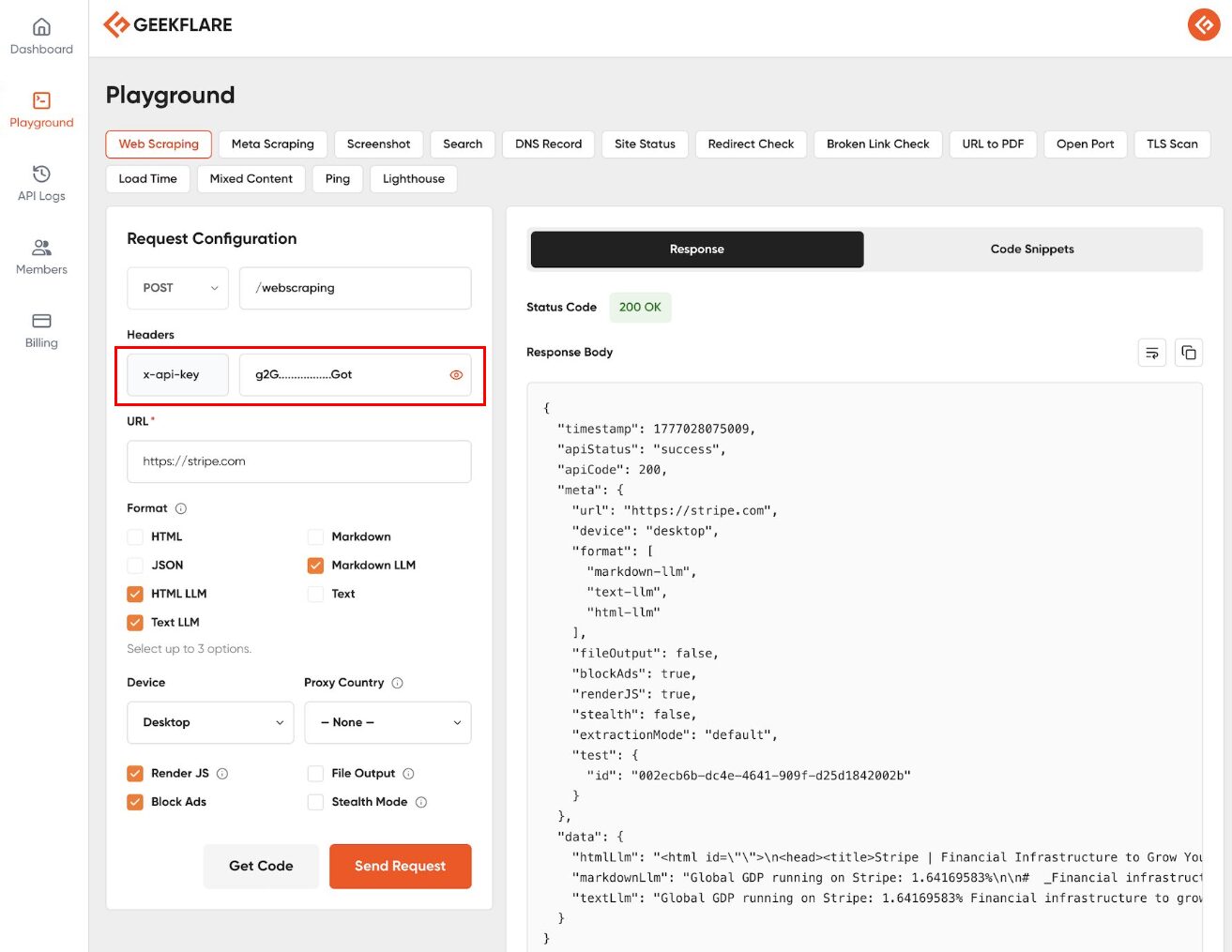
When you send a request to the Web Scraping API, that key tells Geekflare that you are making the request. It checks whether you have enough credits to perform this operation and then sends you the response.
How Do API Keys Work?
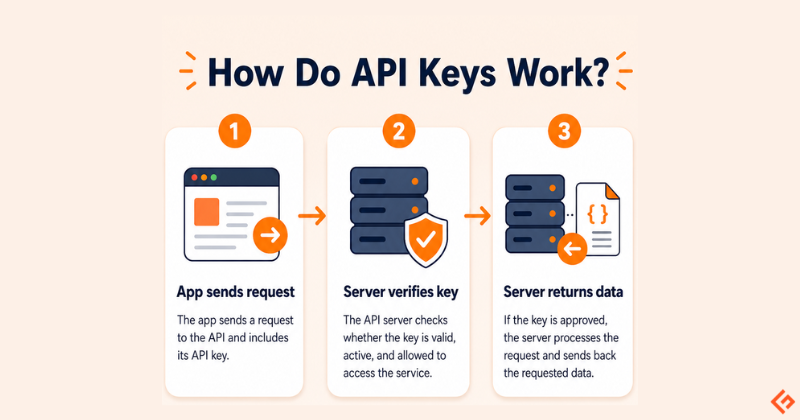
API keys usually work in a simple three-step flow.
First, your app sends a request to an API. For example, a developer may call the Geekflare API to capture a webpage screenshot. The request includes the API key. Something like this.
GET /screenshot?url=https://example.com
Authorization: Bearer YOUR_API_KEY
Next, the API server checks the key.
- Is the key valid?
- Is it active?
- Does it belong to a real account?
- Is this account allowed to use this API?
- Has the account crossed its usage limit?
If something is wrong, the request is rejected.
If the key is valid, the server processes the request. Then it sends back the requested data.
The infographic below shows this flow visually: app request → key verification → data response
API Key vs. Password
It’s a common mistake to treat an API key like just another password, but they serve different purposes.
A password identifies a person. It is the digital proof of your identity. You use it to log into your email, check your bank balance, or change your account settings.
An API key identifies a system. It is a credential for a piece of code. When your script needs to fetch weather data or your backend needs to send a notification, it uses an API key to say, “I am the authorized application allowed to perform this task.”
If your password is stolen, your identity is compromised. If an API key is leaked, you can delete and replace that specific key without locking yourself out of your account.
Types of API Keys
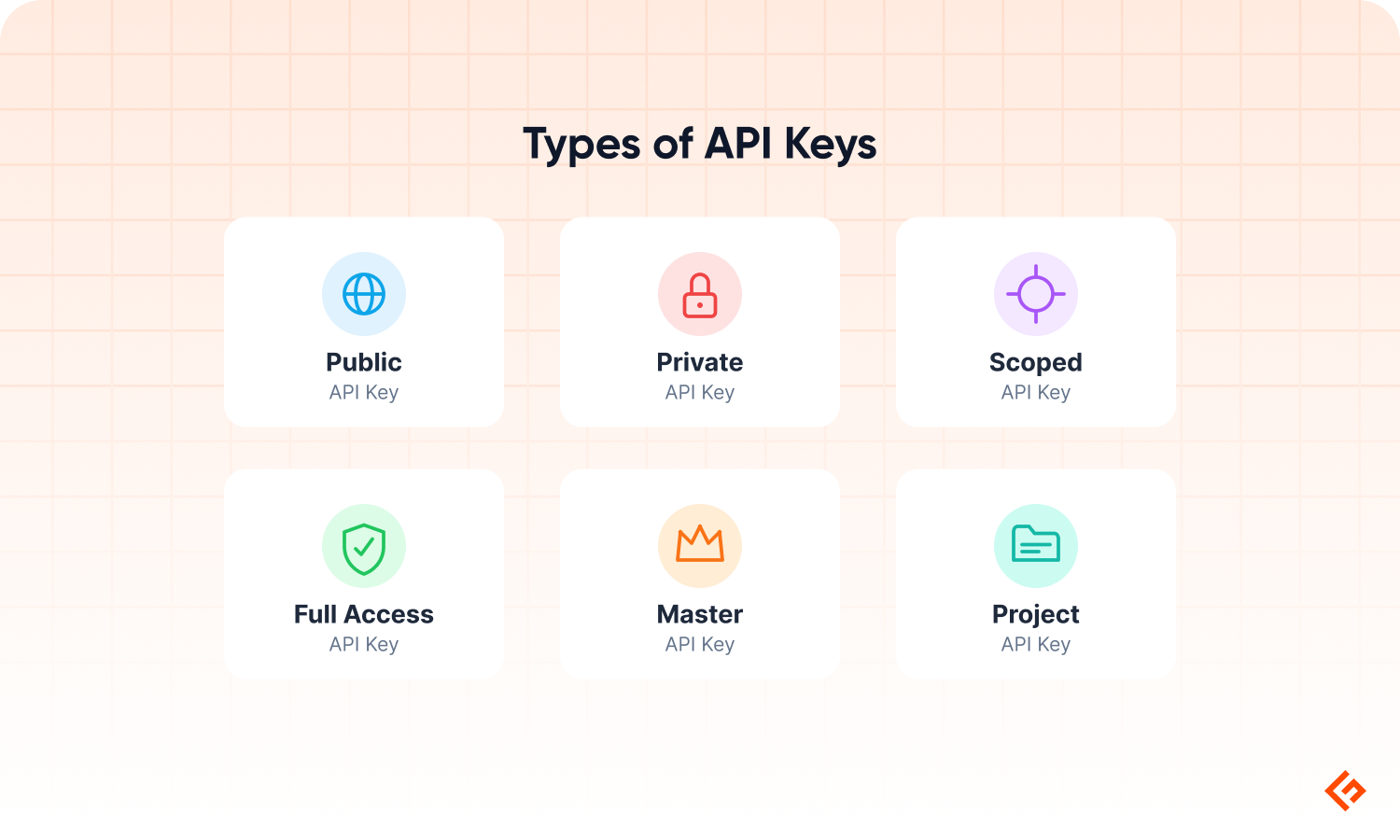
API keys are not all the same. Some are meant to be visible in limited places but some must stay hidden. Some can only read data, whereas others can create, change, or delete data. Below are some of the API types you will regularly use.
Public vs. Private Keys
Public API Key
A public API key is a key that may be visible in front-end code. A common example is a map widget on a website.
When a website shows a map on its contact page, the browser may call the map service directly. Since that code runs in the browser, anyone can open developer tools and see the API key.
So people can view or even copy it. But copying it doesn’t make it useful because a properly configured public key is restricted to a specific website, app, or use case.
For example, a map API key may be allowed to work only on https://www.example.com/* and if someone tries to copy and use it on https://www.fake-site.com , the map provider will reject the request.
The key is visible, but it is not useful outside the approved website/app. A public key should usually be restricted by:
- domain
- app
- API type
- usage quota
- allowed actions
It should only be used for low-risk front-end features, such as loading a map or showing public information. It should not reveal private data, billing settings, backend code, etc.
Private API Key
A private API key must stay hidden on the server. Private keys are used for sensitive work.
It should not be placed in frontend JavaScript or added to public GitHub repositories. It should also not be shared on public docs or screenshots.
For example, if your app uses the OpenAI API, the API key should stay on your backend server. The browser should not call OpenAI directly with the key.
The flow should be:
- The browser sends the user’s request to your server.
- Your server calls OpenAI using the private API key.
- The key never reaches the browser.
An exposed API key could be used by someone else. They may consume your credits, increase your bill, or misuse your account.
Scoped vs. Full Access Keys
Scoped API Key
Scoped API keys come with permissions. It does not get full access to perform all operations. It only gets access to the actions you allow.
For example, a read-only key can fetch data but cannot change anything.
It may be able to:
- view usage reports
- fetch analytics
- read records
- retrieve existing results
But it cannot create, edit, or delete data.
Full Access Key
A full-access key has complete access to perform all actions.
- create records
- update settings
- delete data
- start paid API tasks
- manage account-level resources
If a read-only key leaks, the damage may be limited. Someone may be able to view data, but they cannot change it.
If a full-access key leaks, the risk is much higher. Someone may change records, delete data, consume credits, or trigger actions you did not approve.
This is why scoped keys should be used wherever possible. Each app can have its own scoped API key with only the access it needs. For example,
- A reporting dashboard may only need read access.
- A backend automation script may need write access.
- A test project may need a key with lower limits.
Master vs. Project API Keys
Master API key is tied to the entire account. These are often called account-level keys.
A master key works across multiple projects, apps, services, or workspaces. That makes it convenient but also very risky.
A project API key is narrower. It is tied to one project, app, workspace, or environment.
For example, you may have:
- one key for your production app
- one key for your test environment
- one key for a client project
- one key for an internal tool
If the test environment key leaks, you can disable only that key. Your production app keeps working.
If a client project ends, you can revoke that project’s key without touching the rest of the account.
Use separate keys for separate use cases. Keep master keys rare. When a project-level key is enough, do not use an account-level key.
Common Use Cases
API keys are used wherever one software tool needs to use another service. You may not notice them as an end user. But developers use them all the time.
Here are some common places where API keys are used.
Connecting AI Models
Many AI apps do not build their own large language models from scratch. Instead, they connect to model providers such as OpenAI, Anthropic, Google, or others through APIs.
For example, a platform like Geekflare AI lets users plug in their own API keys from AI providers. Once the key is added, the platform can send prompts to the selected model and return the response in the chat interface.
The API key does two things here.
- It tells the AI provider which account is making the request.
- It also decides whose usage, limits, and billing apply.
If you add your OpenAI API key to an AI platform, the requests are made using your OpenAI account. This is why AI API keys should be saved carefully. If someone gets access to the key, they may be able to use your credits or make requests from your account.
Extracting Web Content and Search Data
Many apps need fresh data from the web. For example,
- An AI research tool may need to read a webpage before summarizing it.
- An SEO tool may need to check search results for a keyword.
- A market research tool may need to track competitor pages, product prices, or company information.
Doing this manually is slow. A developer can use an API instead.
For example, with the Geekflare API, a developer can send a request such as:
Extract content from this webpage:
https://example.com/product-page
Or
Search the web for this keyword:
"best payroll software for small business"
These requests will include the developer’s API key. If the key is valid, the API processes the request and returns the requested data.
The main point is that the developer does not have to build the full web data collection system from scratch. The API key gives their app controlled access to the service that already handles the request.
Processing Secure Payments
Payment platforms use API keys to let e-commerce stores, apps, and SaaS products connect with their payment system.
Take Stripe as an example. When a customer clicks Pay, your website needs to ask Stripe to create a payment.
Your backend sends a request to Stripe’s API with details such as:
Amount: $49
Currency: USD
Customer: [email protected]
Payment purpose: Pro plan subscription
This request also includes your Stripe API key. Stripe checks the key to identify your account. Then it knows which business is creating the payment, which account should receive the money, and which settings should apply.
The API key acts as the e-commerce store’s identity when it talks to Stripe. The customer never sees this part. They only see the checkout page. Behind the scenes, the store, and Stripe are using API calls to complete the payment.
Fetching Live Data
API keys are also common in apps that need live or frequently updated data.
For example:
- a finance app fetching stock market prices
- a travel app checking flight fares
- a dashboard showing the latest currency exchange rates
- a news app fetching the latest headlines
- a weather app showing live forecasts
In these cases, the API key helps the provider identify the app making the request.
A free plan may allow a limited number of requests per day. A paid plan may allow more. If the app sends too many requests, the API provider can slow it down, block it, or ask the developer to upgrade their plan.
So the API key is not just about access. It also helps track usage, apply limits, and protect the service from misuse.
Best Practices for API Key Security
API keys are powerful because they let one system interact with another system. If someone gets your API key, they may be able to use the service as if they were you. They may consume your credits, access data, trigger paid requests, or abuse your account.
API key security is not only a developer issue. Users also need to be careful when copying, sharing, and storing them.
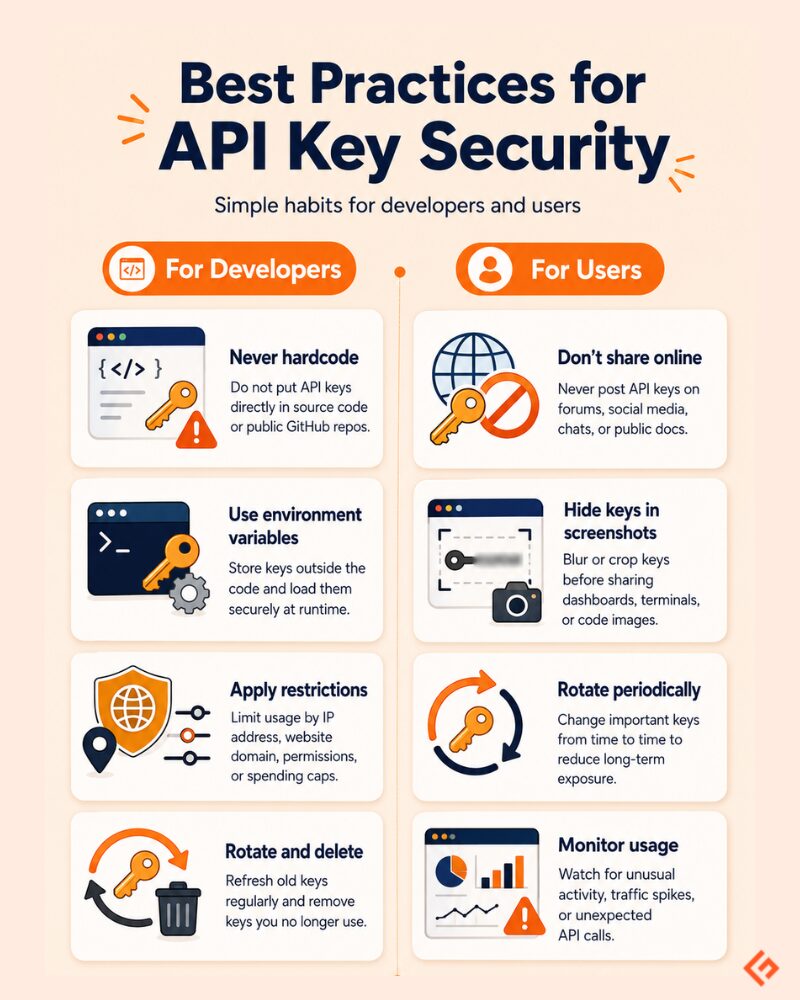
Below are some of the best practices to be followed when using API keys. I have listed them separately for developers and for users.
For Developers
Never hardcode API keys.
Do not write API keys directly inside your source code. It may look harmless during development. But code gets copied, shared, pushed, reviewed, backed up, and sometimes published accidentally into GitHub, from where it can be used/misused by anyone.
Hardcoding also creates another problem. If the key changes, you have to edit the code and redeploy the app. That is messy. It is better to keep keys outside the code from the start.
Use Environment Variables
The standard approach is to store API keys in environment variables. An environment variable is a value stored outside your application code. Your app reads it when it runs.
Instead of writing the key directly in code, you write something like this:
const apiKey = process.env.OPENAI_API_KEY;The actual key is stored separately on your server, hosting platform, or local .env file.
For example:
OPENAI_API_KEY=sk_live_abc123…This keeps the key out of the source code. It also makes deployment cleaner. Your local machine, staging server, and production server can each have different keys without changing the code.
Also, do not push your .env file to GitHub. Add it to .gitignore.
Apply Restrictions
A good API key should not have unlimited freedom. Apply restrictions wherever the API provider allows it.
For example, you may restrict a key by:
- IP address: allow requests only from your server’s IP
- website domain: allow a public browser key to work only on your website
- app or package name: allow usage only from a specific mobile app
- API permissions: allow only the APIs this key actually needs
- spending limits: stop the key from creating unexpected costs
- rate limits: block excessive request volume
A restricted key reduces damage. If someone copies your key but the key only works from your server IP or has spending limits, it becomes much harder to abuse.
Rotate and Delete Keys
Rotation means replacing an old key with a new one. This is useful when:
- a key is exposed
- a team member leaves
- a vendor or contractor no longer needs access
- a key has been used for a long time
- you are cleaning up old projects
Also delete unused API keys because they are easy to forget, and if they work, they are always a risk.
For Users
Don’t Share API Keys Online
Do not paste an API key in:
- public forums
- Reddit posts
- Discord or Slack communities
- blog comments
- YouTube comments
- public support threads
Even if you are asking for help, remove the key and use a placeholder like sk-xxxxxxxx.
Don’t Expose Keys in Screenshots
This is a very common mistake. You take a screenshot of your dashboard, code editor, terminal, API settings page, or error message. Then you post it on LinkedIn, X, Reddit, or a support forum with the key visible in the image. That is enough for someone to copy it.
Before sharing a screenshot, blur the API key properly. Do not just draw a thin line over them.
Rotate Keys Periodically
This is applicable to users as well as developers. Even if nothing goes wrong, rotate important API keys from time to time. Especially keys used for production apps, AI model access, payment systems, or customer data should be reviewed regularly. Rotation is useful because it reduces long-term exposure.
Monitor Usage
Most API platforms show usage logs or dashboards.
Look for the below signs:
- sudden traffic spikes
- requests from unknown locations
- usage at odd hours
- fast credit consumption
- failed requests you do not recognize
For example, if your OpenAI, Stripe, or Geekflare API usage suddenly jumps and you did not launch anything new, investigate it.
Create only the keys you need, restrict them, store them carefully, and delete them when they are no longer required.
Conclusion
API keys control important access to systems like payment gateways and AI models. Developers and users must handle them with care.
Key points to remember:
- An API key identifies the app, developer, or system making a request.
- APIs use keys to allow access, track usage, and prevent misuse.
- Public keys can be visible, but they must be restricted.
- Private keys must stay hidden on the server.
- Scoped keys are safer because they limit what the key can do.
- Project-level keys are better than using one master key everywhere.
- Rotate old keys and delete keys you no longer use.
- Monitor usage to catch unusual activity early.
Treat your private API keys like your bank PIN.
Don’t share them. Don’t expose them in screenshots. Don’t push them to public code repositories.
If a key is leaked, rotate it immediately.






