



Knowing how your potential competitors are performing online is one step towards winning the search engines’ race. For most people, competitor research means opening five tabs and reviewing each site’s details. A typical website owner will scroll through competitors’ content, guess at what keywords they were targeting, and try to remember how their pages compare.
For most people, there is no clean way to line five competitors up side by side. Luckily, you can now run the same checks through Claude Desktop, connected to Geekflare MCP. One prompt pulls meta tags, content structure, and page layout across multiple competitor sites at once.
This article walks through the exact prompts you can use to audit competitors in a few minutes.
What This Audit Actually Checks
If you are a website owner, SEO expert, or digital marketer, you will want to know whether a competitor’s content is actually winning attention or ranking well. For that, you will need a set of tools.
Four Geekflare tools cover this:
- Search API retrieves real-time search results.
- Meta Scraping API pulls title tags and descriptions straight off a page.
- Web Scraping API pulls the actual content and structure.
- The screenshot API captures how a page appears visually.
Together, these tell you how a competitor is positioning a page for search, how they structure content, and how polished their site actually is.
How to connect Geekflare MCP to Claude
Prerequisites
Make sure you have the following:
- A Geekflare API key. Generate one for free from the Geekflare dashboard.
- Claude account.
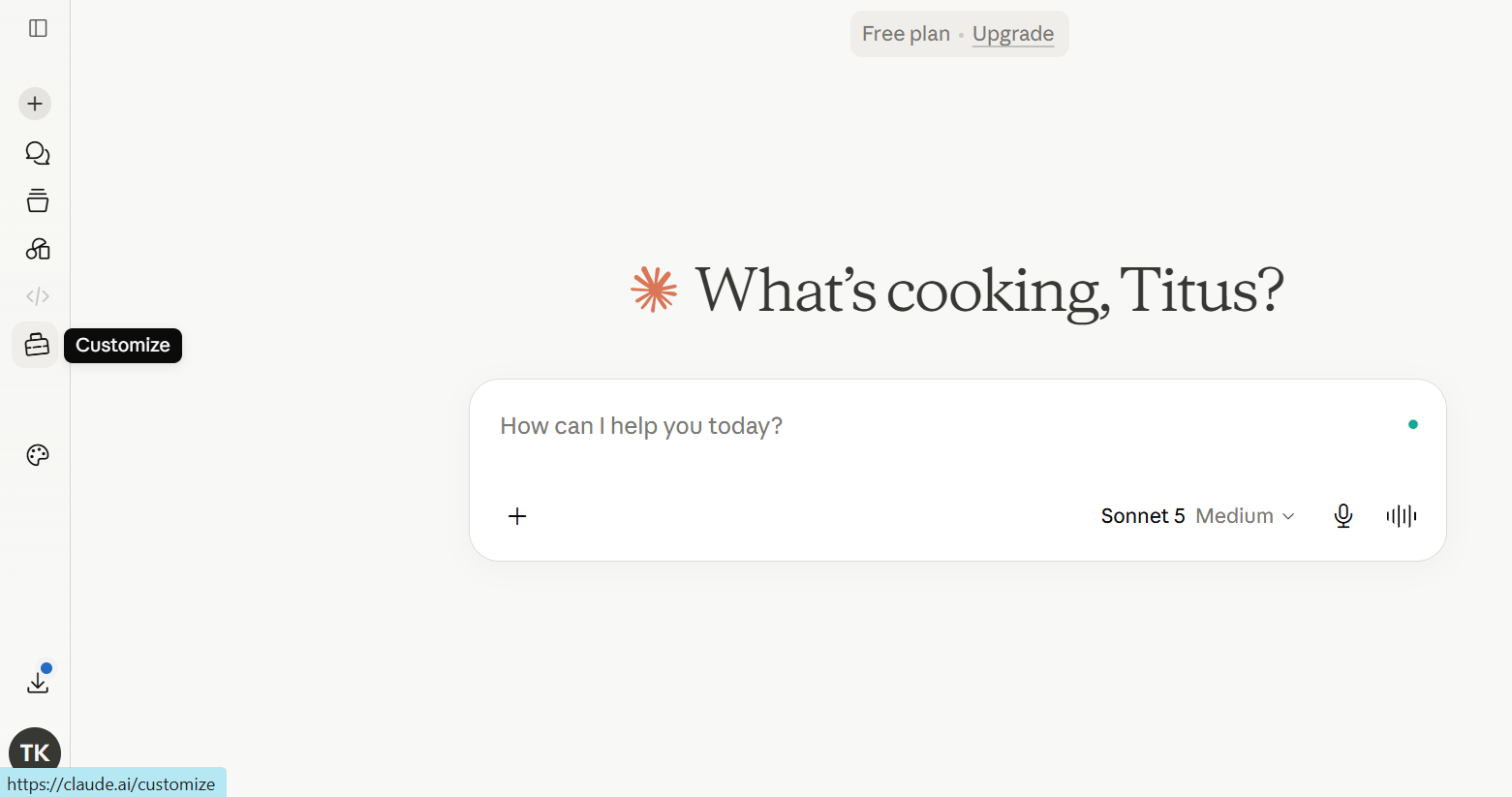
Step 1: Customize Claude
Open your Claude dashboard and click “Customize” from the left panel
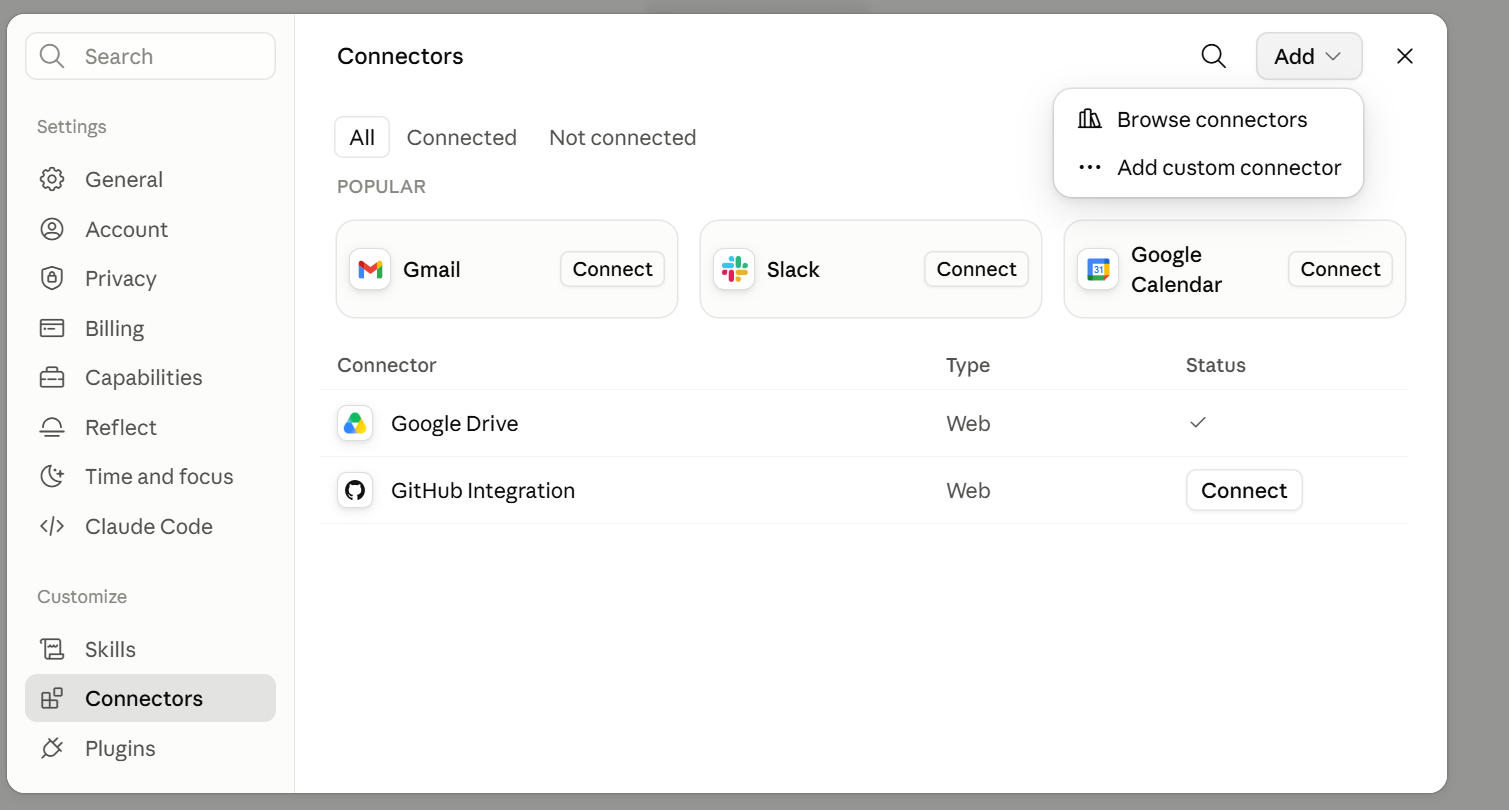
Step 2: Add A Custom Connector
Click “Add” on the top right, and then select “Add custom connector”
Step 3: Add Geekflare Connector
You will be led to a new window. Add these details:
- Name: Geekflare
- Server URL:
https://mcp.geekflare.com/YOUR_API_KEY/mcp
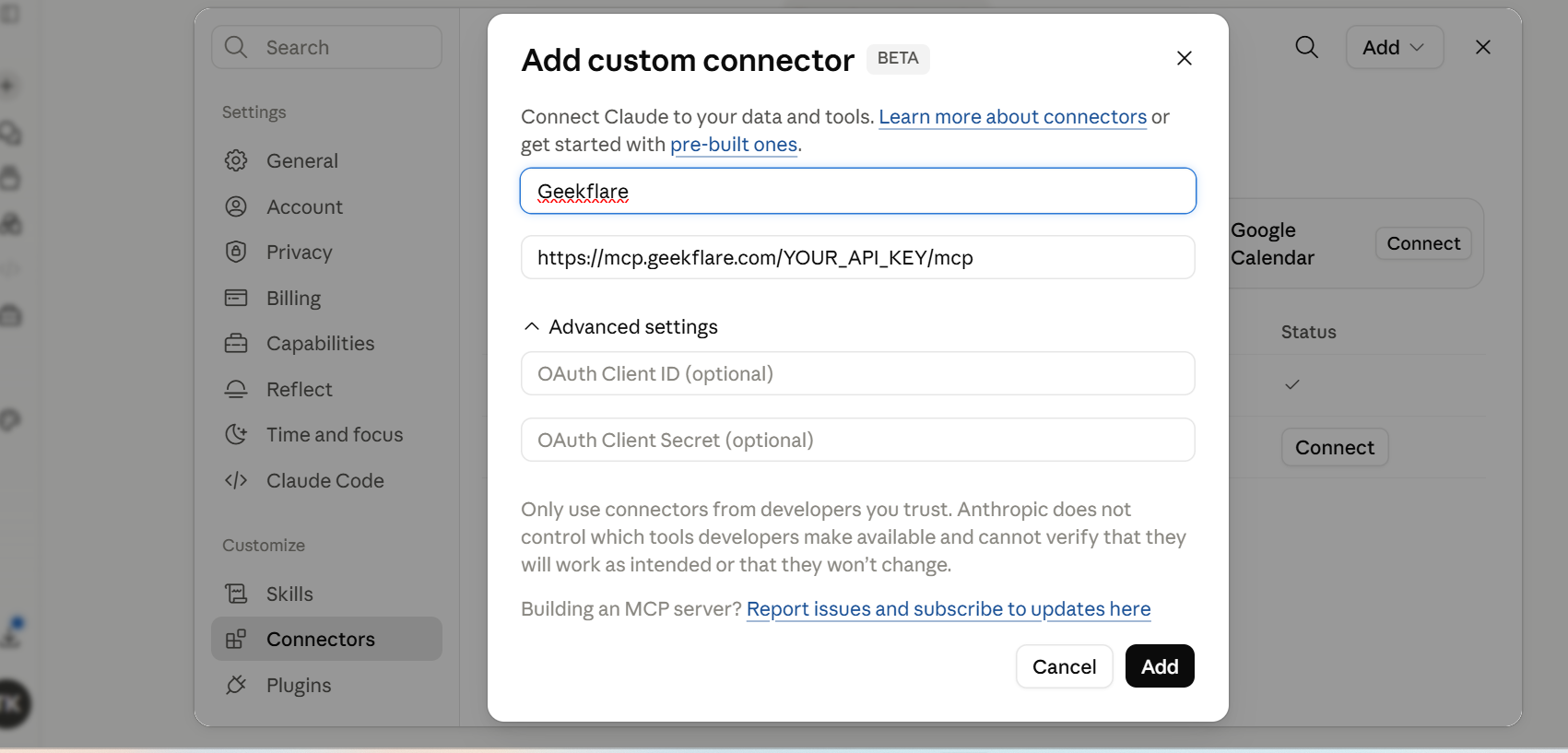
Replace YOUR_API_KEY with your Geekflare API key, then click Add.
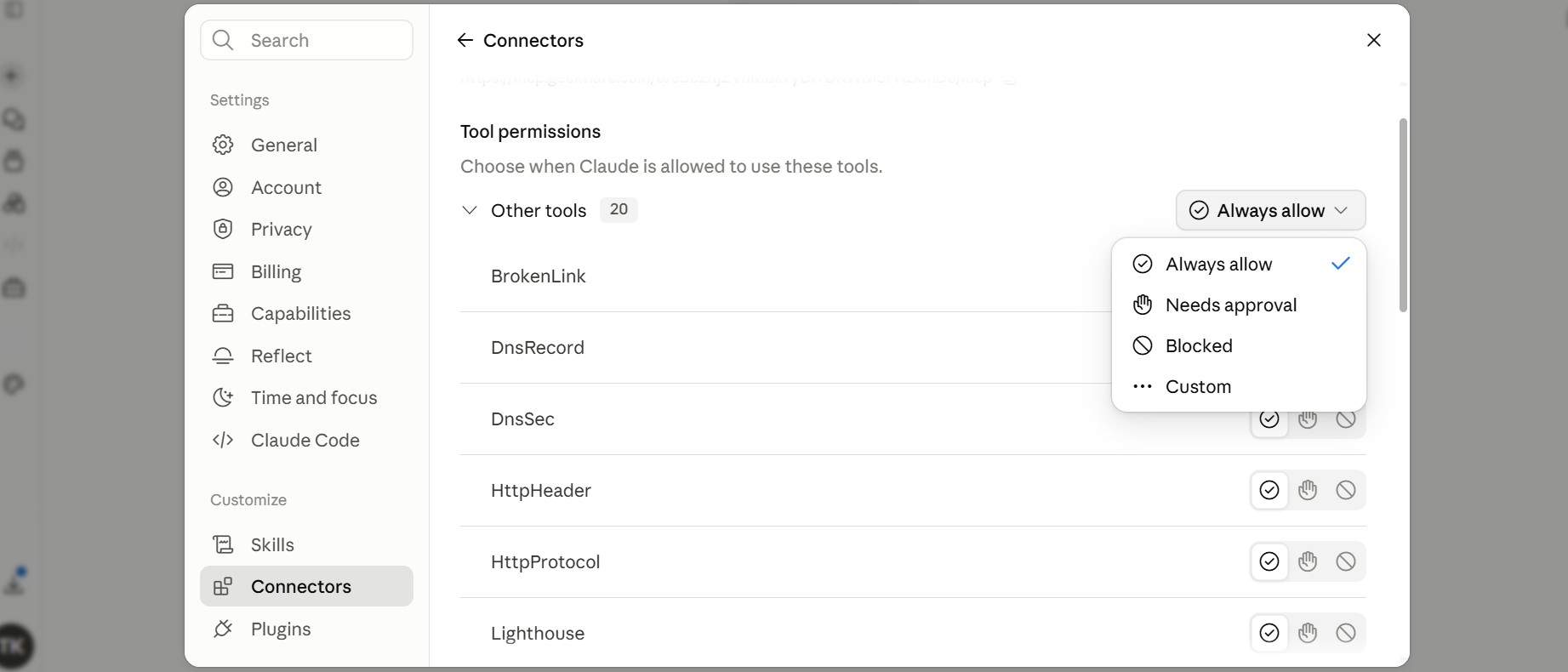
Step 4: Configure Geekflare MCP
Once you set up the connection successfully, Geekflare MCP will grant Claude access to 20 tools. You can now configure how these tools will interact with Claude. By default, you get the “Always allow” feature, which means Claude can access Geekflare tools. You can toggle the configuration button to suit your needs.
You can also use Geekflare MCP with Claude Code or Claude. Learn more about it through the connect Geekflare MCP to Claude guide.
Searching the Internet
You can now search the internet and scrape for data across competitors without leaving Claude. I took a website that I’m currently developing a strategy for, adventurefeet.com, a Nairobi-based safari operator.
I didn’t want to guess who the competition is, but I wanted to know who is actually ranking for the terms that matter. Geekflare’s Search tool answered that directly.
Prompt: Find the competitors
“Search for ‘Kenya safari tour company’ and list the top five ranking independent operators, excluding directories and aggregator sites.”
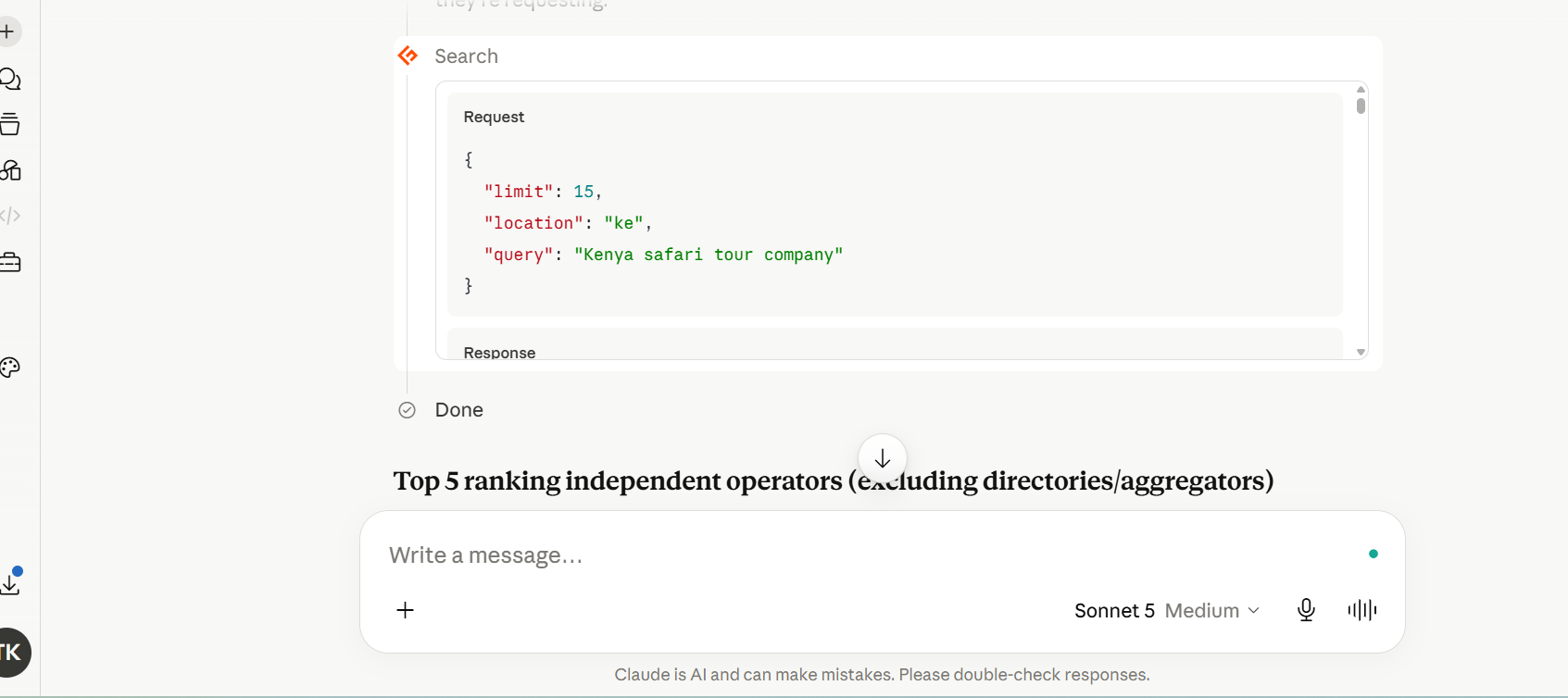
Based on the results, Claude called Geekflare:search with the query “Kenya safari tour company” and location set to Kenya, which returned 20 ranked results. From that, it picked the top 5 independent operators and filtered out directories, Reddit, and aggregator sites.
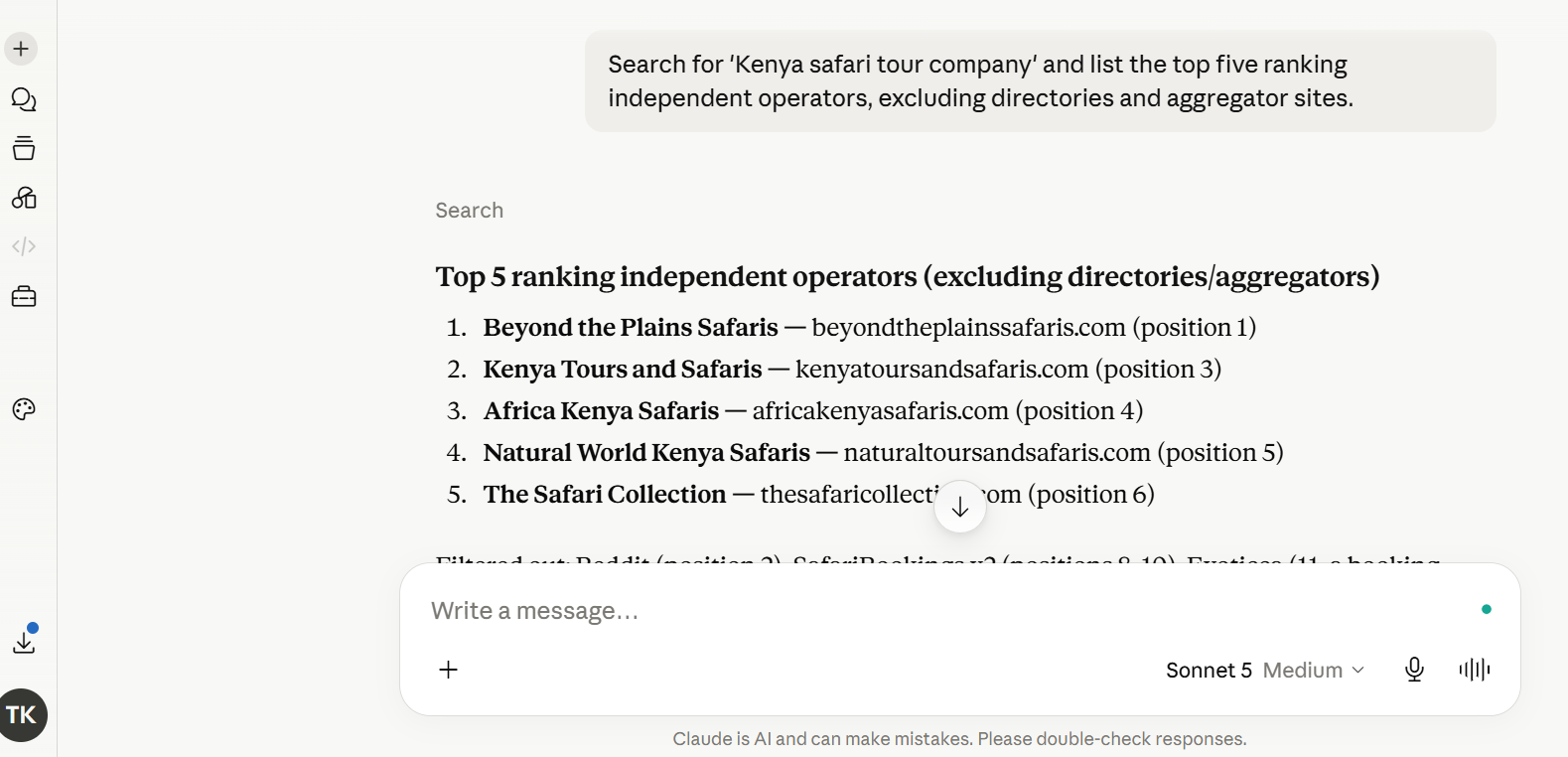
You can use any keyword or search query that suits your niche and replicate the same results inside Claude.
Pulling Meta Tags Across Competitors
With the five competitors identified, the next step is to see how each one positions itself in search. Title tags and meta descriptions are the first things a searcher reads before they even click through, so they reveal a lot about a competitor’s angle without needing to visit the site.
My prompt:
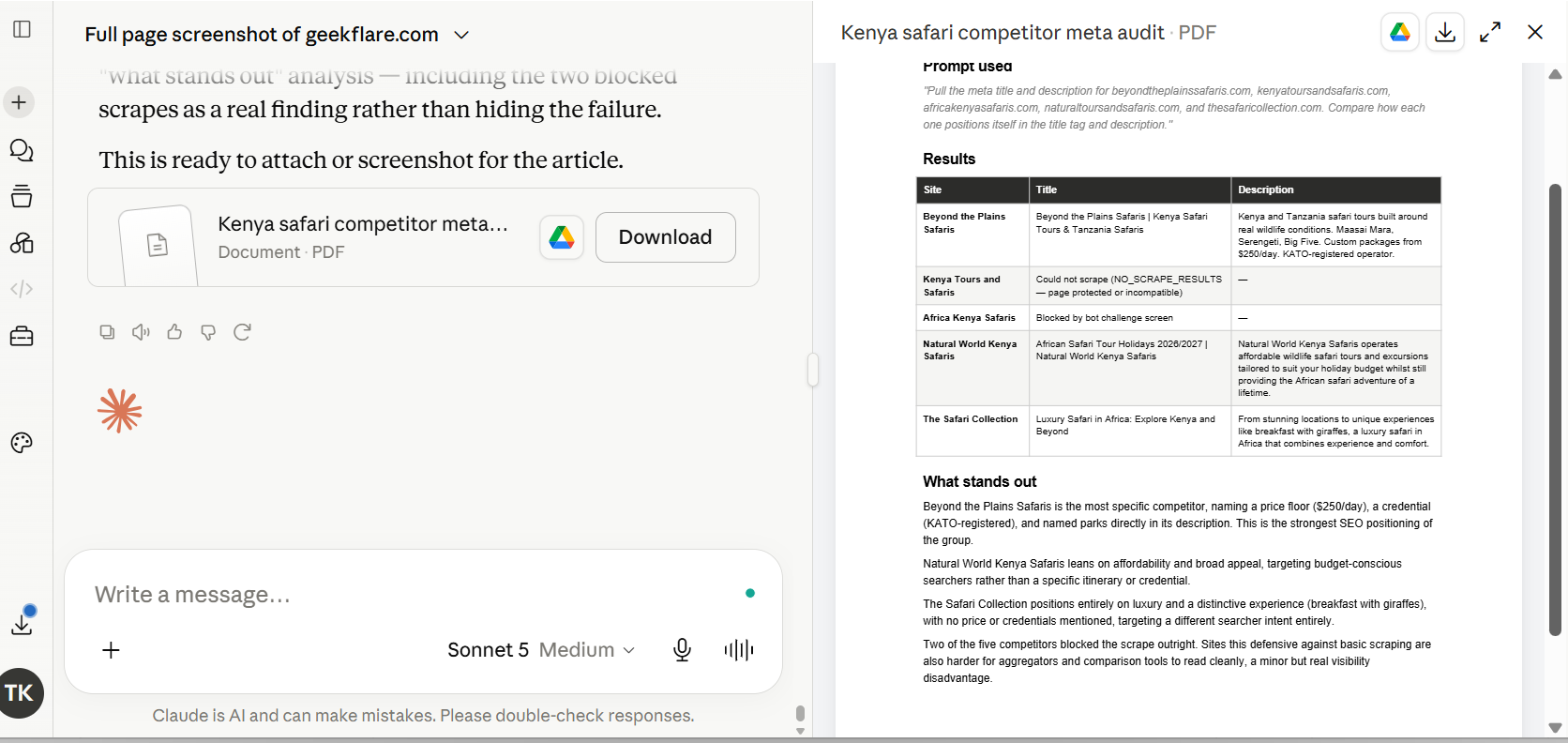
“Pull the meta title and description for beyondtheplainssafaris.com, kenyatoursandsafaris.com, africakenyasafaris.com, naturaltoursandsafaris.com, and thesafaricollection.com. Compare how each one positions itself in the title tag and description. Present the results in PDF format.“
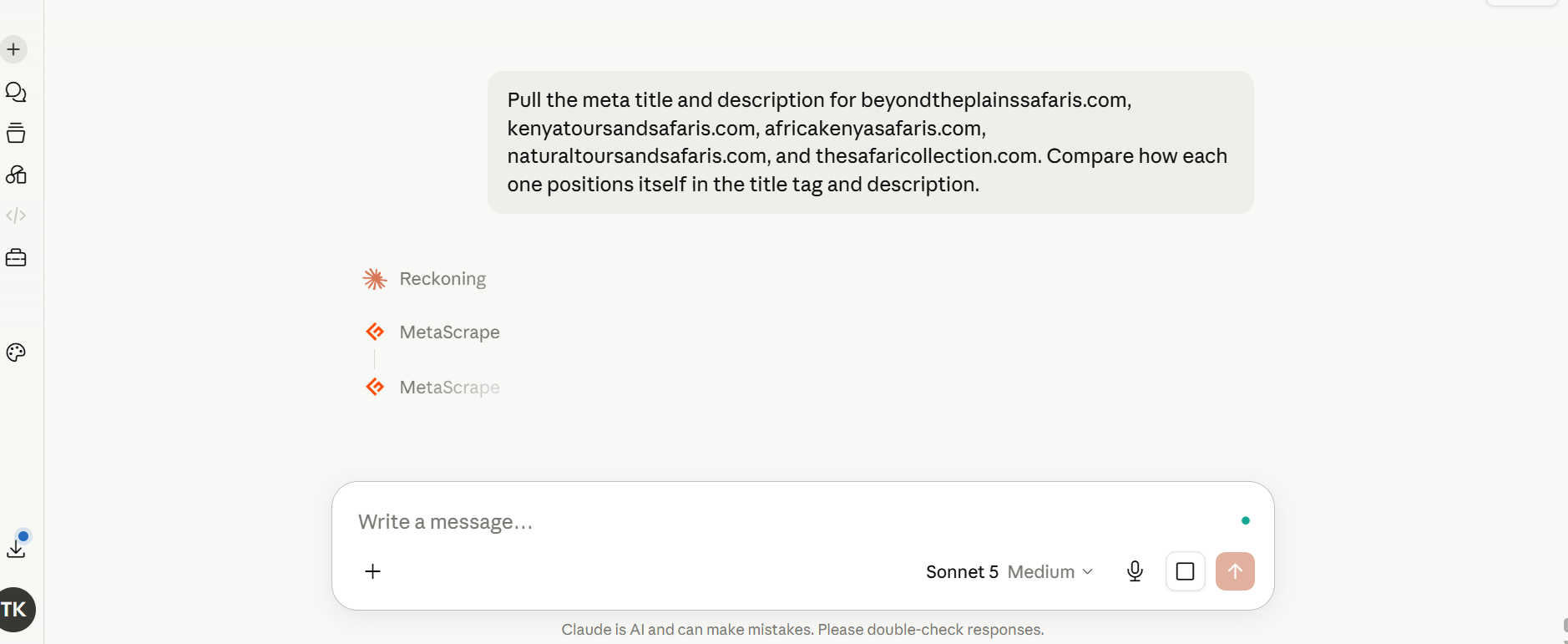
This uses Geekflare’s Meta Scraping tool and runs once per competitor within the same Claude session. The output lines up each site’s title, description, and any Open Graph tags side by side, so the comparison is immediate rather than something I have to piece together across five separate browser tabs.
Comparing Content Structure and Presentation
Meta tags tell me how a competitor pitches a page in search. However, they do not tell me what the actual page looks like or how the content is built once someone clicks through. For that, I switch to Web Scraping and Screenshot APIs. These two tools show structure and layout directly.
Web Scraping pulls the actual page content, like headings, so I can see how a competitor organizes information, not just what they claim in a meta tag. The screenshot API captures the visual layout and is useful for comparing what a visitor sees even before they scroll.
Prompt 1:
“Scrape the homepage content of beyondtheplainssafaris.com, naturaltoursandsafaris.com, and thesafaricollection.com. Compare their heading structure and how each opens their homepage copy.“
This is a snippet of my results:
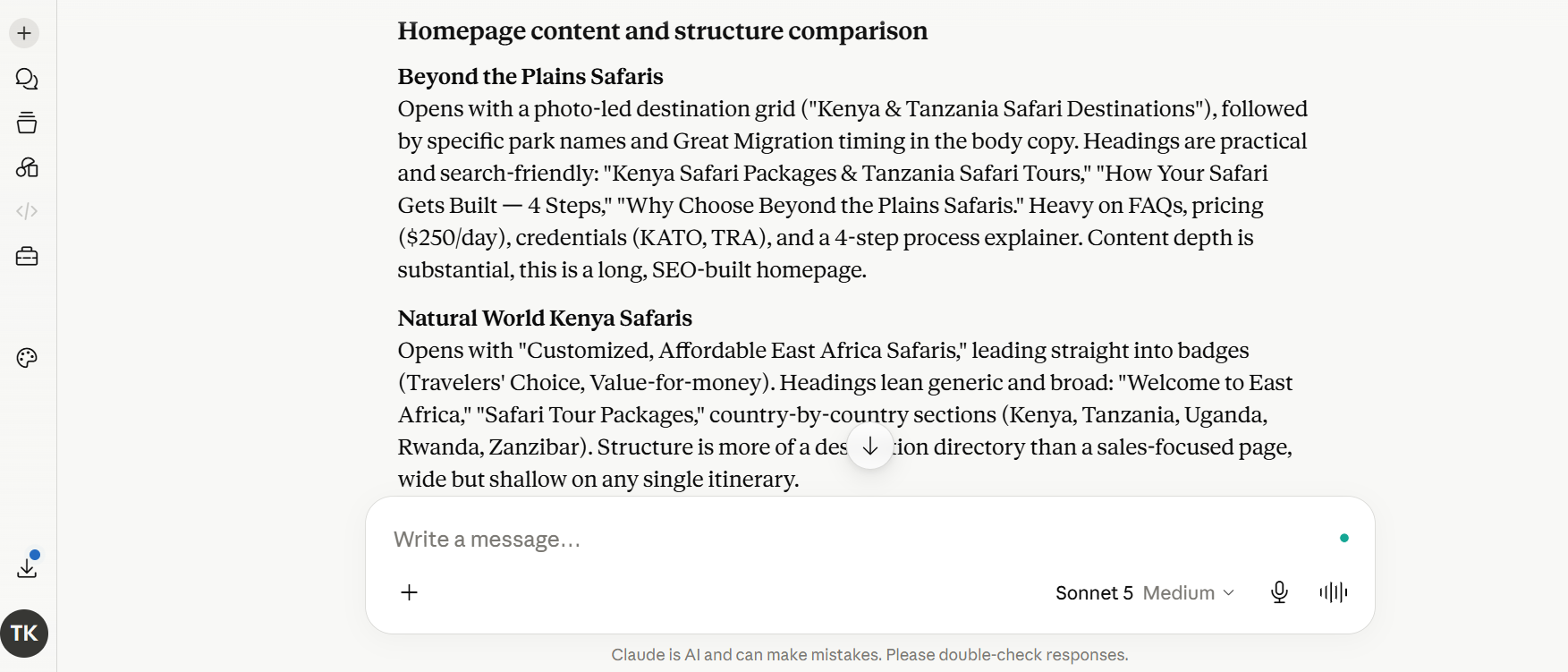
Interpretation from Claude:
What stands out: Beyond the Plains structures its homepage around conversion, pricing, and credentials. Natural World structures around the breadth of destination coverage. Neither approach is “correct,” but they signal very different visitor intents being targeted.
Prompt 2:
“Take a full-page screenshot of beyondtheplainssafaris.com, naturaltoursandsafaris.com, and thesafaricollection.com.“
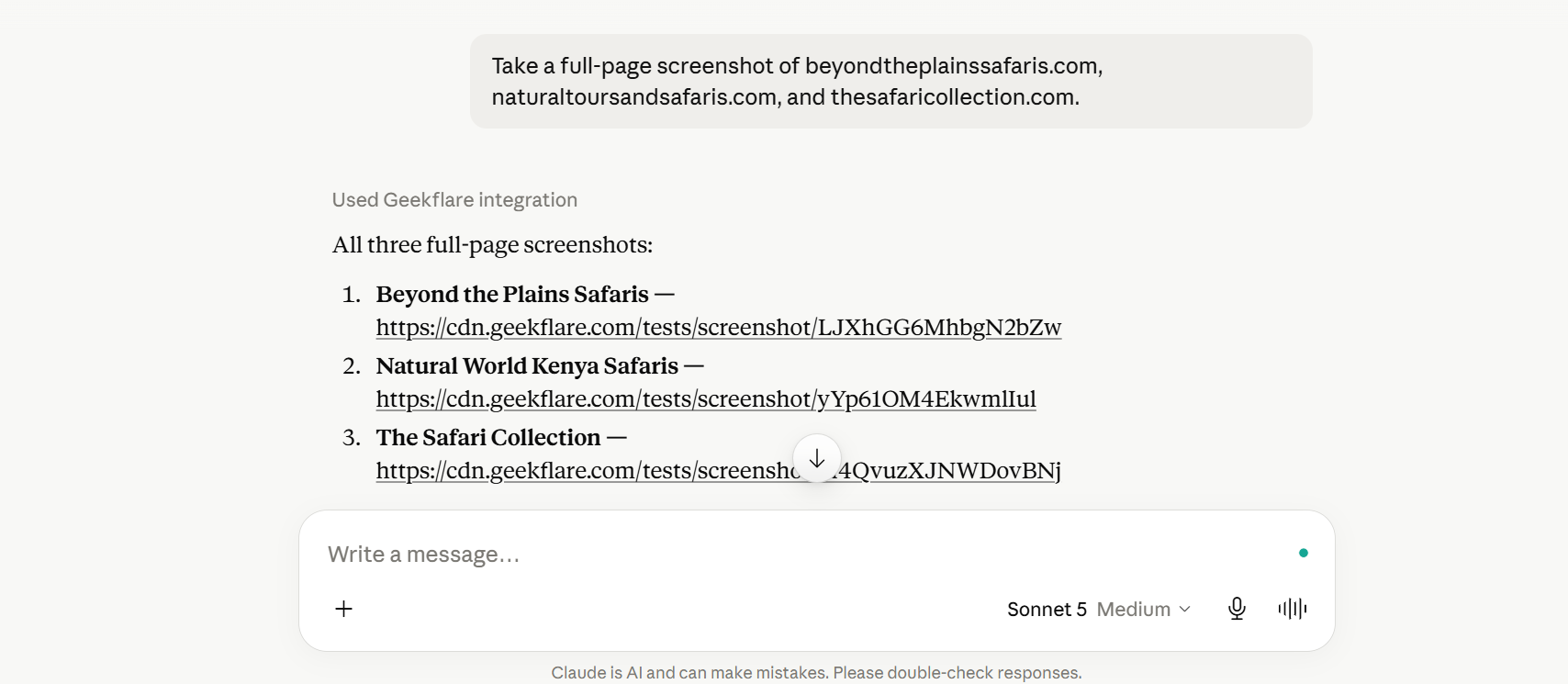
You can check one of the screenshots generated by clicking here.
Final Words
This audit took under 20 minutes. I researched and audited five competitors, pulled their meta tags, checked how their content was structured, and took screenshots of their homepages, all inside one Claude session. That used to mean an afternoon of manual tab-switching with no clean way to compare results side by side.
The bigger win is not the time saved. It is having real, current data to base a positioning decision on, instead of a guess about what competitors are doing.






