Workflow automation used to connect App A to App B so you stop copying data between them. Now, the it does bunch of things that keep a compliance process on track, visual builders that move data between hundreds of apps, and AI agents that read an email, decide what it needs, and act on it.
I researched the available workflow automation tools, tried them, went through their documentation, and recent product announcements and made this final list.
Three Kinds of Workflow Automation Tools
Before I present you the software, it helps to know which kind you need to narrows the choice fast.
- Process and approval tools run work that people do like onboarding checklists, purchase approvals, audits. They care about who does what, in which order, with a record of it. Process Street, Kissflow, and Pipefy is an example.
- App-to-app automation platforms move data between software. A form submission creates a CRM contact, a Slack message, and a row in a spreadsheet. Zapier, Make, n8n, Activepieces, and Power Automate are the big names.
- AI agent platforms handle steps that need judgment, such as sorting support tickets or researching a lead. Gumloop has moved almost entirely in this direction, and most of the platforms above now include agents too.
| Tool | Type | Best for | Starting price | Free plan or trial | Pricing model | Hosting | Link |
|---|---|---|---|---|---|---|---|
| 01 Process Street | Process and compliance workflows | Teams that run repeatable processes and need proof they were followed | Custom quote | 14-day trial of Pro, no card | Per plan, quoted | Cloud | Visit |
| 02 Zapier | App-to-app automation | Non-technical teams that want to connect the apps they already use | $19.99/month (billed yearly) | Free plan, 100 tasks/month | Per task | Cloud | Visit |
| 03 n8n | App automation and AI agents | Technical teams that want full control, self-hosting, or AI workflows | €20/month (billed annually) | Free self-hosted Community Edition | Per workflow execution | Cloud or self-hosted | Visit |
| 04 Make | Visual app automation | Teams that want powerful visual automations at a low price per action | $9/month for 10k credits (billed annually) | Free plan, 1,000 credits/month | Per credit (module action) | Cloud | Visit |
| 05 Microsoft Power Automate | Automation and RPA for Microsoft 365 | Organizations that run on Microsoft 365, Teams, and SharePoint | $15/user/month (paid yearly) | Free trial; desktop app free on Windows 11 | Per user or per bot | Cloud and desktop | Visit |
| 06 Gumloop | AI agent platform | Teams that want AI agents to handle work across their tools | $37/month | 14-day free trial | Credits plus orchestration fee | Cloud | Visit |
| 07 Workato | Enterprise automation | Large companies that need governed automation and AI agents at scale | Custom quote | Demo | Quoted | Cloud | Visit |
| 08 Activepieces | Open-source app automation | Budget-conscious teams and anyone who wants an open-source Zapier alternative | $20/month flat | Free plan, 1,000 credits/month | Flat monthly fee plus usage | Cloud or self-hosted | Visit |
| 09 Kissflow | Low-code process platform | Enterprises building approval-heavy business processes and internal apps | Custom quote | Demo | Quoted | Cloud | Visit |
| 10 Pipefy | Process management with AI agents | Back-office teams handling requests and approvals | Free plan; paid plans per user | Free Starter plan | Per user | Cloud | Visit |
Best Workflow Automation Software
01. Process Street
Process and compliance workflowsTeams that run repeatable processes and need proof they were followed
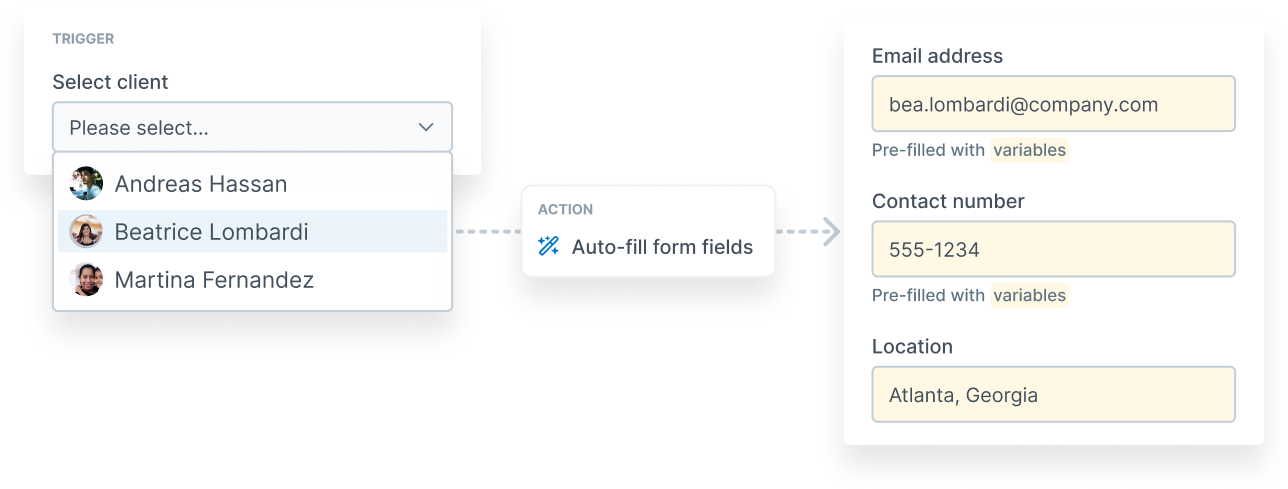
Process Street is the tool I’d hand to an operations manager who’s tired of onboarding checklists living in a Google Doc. You turn a process into a workflow with tasks, form fields, approvals, and conditional logic, then run it as many times as you need. Each run keeps a record of who did what and when.
You can store SOPs, policies, business documents in Docs, so the policy and the process that enforces it is available in one place.
Cora, its AI agent, monitors regulations, automates work, and flags risks before they turn into audit findings.
Enforced task order, dynamic due dates, and role assignments are the details that make it work in practice. A step can’t be skipped, and a task lands with the right person automatically. It connects to the rest of your stack through Zapier, Make, Power Automate, and Microsoft Teams apps.
Pros & Cons
PROS
CONS
Pricing
Pricing is quoted by sales. The Startup plan covers five users and ten guests. Pro comes with a 14-day free trial that doesn’t need a credit card.
02. Zapier
App-to-app automationNon-technical teams that want to connect the apps they already use
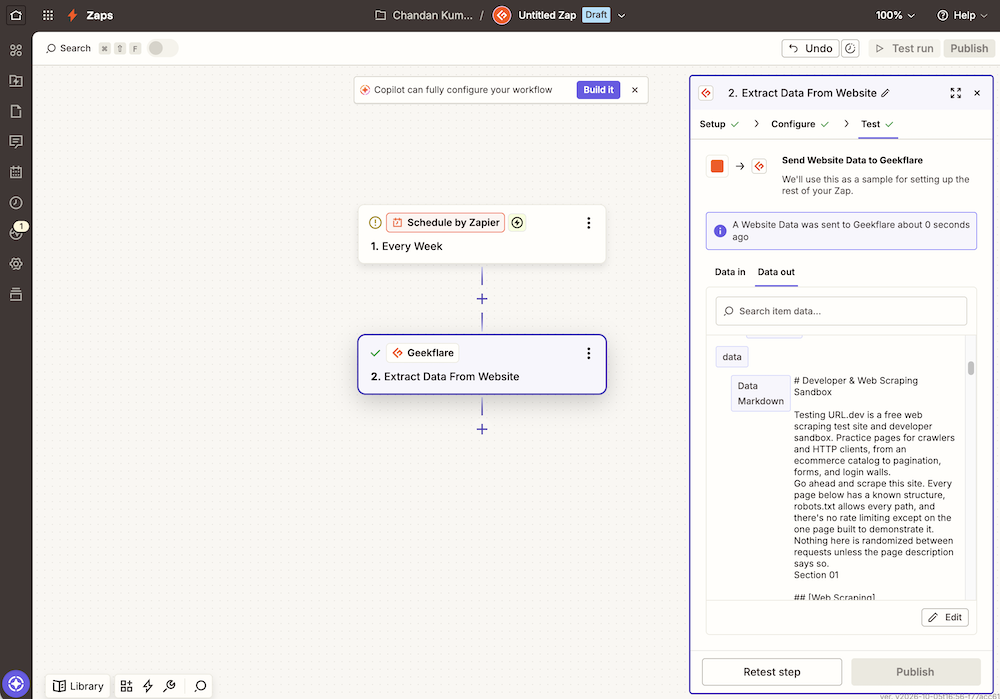
If you’ve never automated anything, start with Zapier. It now connects to more than 9,000 apps, which means the obscure tool your finance team insists on is probably covered. You pick a trigger, add actions, and test each step as you go. Zapier Copilot can draft the Zap from a plain-English description.
It’s grown well beyond simple Zaps. Tables stores data your automations can read and update, Forms collects it, and AI fields let a step summarize or classify text. Zapier Agents and Chatbots are sold as separate plans, and Zapier MCP lets AI assistants trigger actions in your apps.
Zapier bills by tasks, and every action step in every run counts. A busy multi-step Zap can burn through a plan’s allowance quickly and that is where teams start looking at Make or n8n.
Pros & Cons
PROS
CONS
Pricing
The Free plan includes 100 tasks a month and two-step Zaps. Professional starts at $19.99 a month and Team at $69 a month, billed yearly.
03. n8n
App automation and AI agentsTechnical teams that want full control, self-hosting, or AI workflows
n8n has become the default choice for technical teams. It charges per workflow execution. A 20-step workflow that runs once counts as one execution, which makes long automations cheaper than on task-based tools.
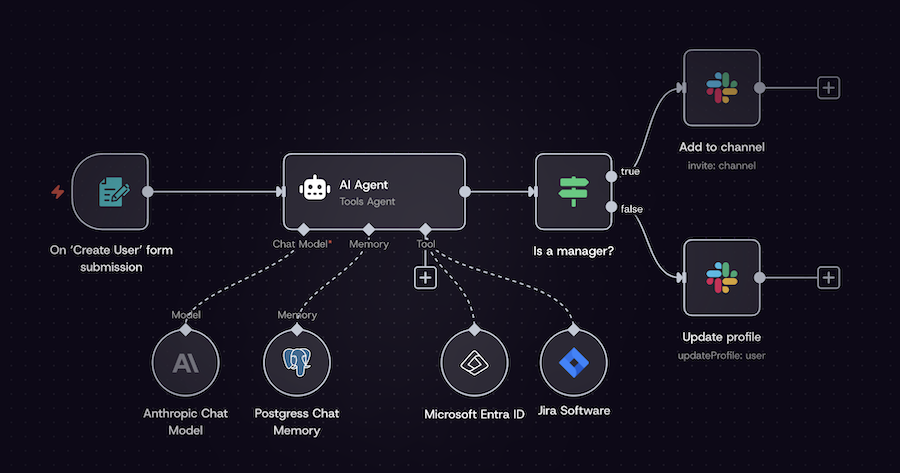
It’s also the flexible builder on this list. You can drop JavaScript or Python into any step, call any API, and build AI agents with its AI Agent node, MCP client and server, and human approval for tool calls. If you’d rather not pay at all, the Community Edition is free to self-host.
That flexibility comes with a learning curve. Non-technical users will find it harder than Zapier. And the jump from the Pro cloud plan to Business, which adds SSO and Git version control, is steep. If you want to give n8n agents live web data, our guide to connecting n8n to the Geekflare MCP server walks through it.
Pros & Cons
PROS
CONS
Pricing
Starter costs $20 a month for 2,500 executions and Pro $50 a month for 10,000, when billed annually.
Business is $800 a month (self-hosted).
The Community Edition is free if you host it yourself.
04. Make
Visual app automationTeams that want powerful visual automations at a low price per action
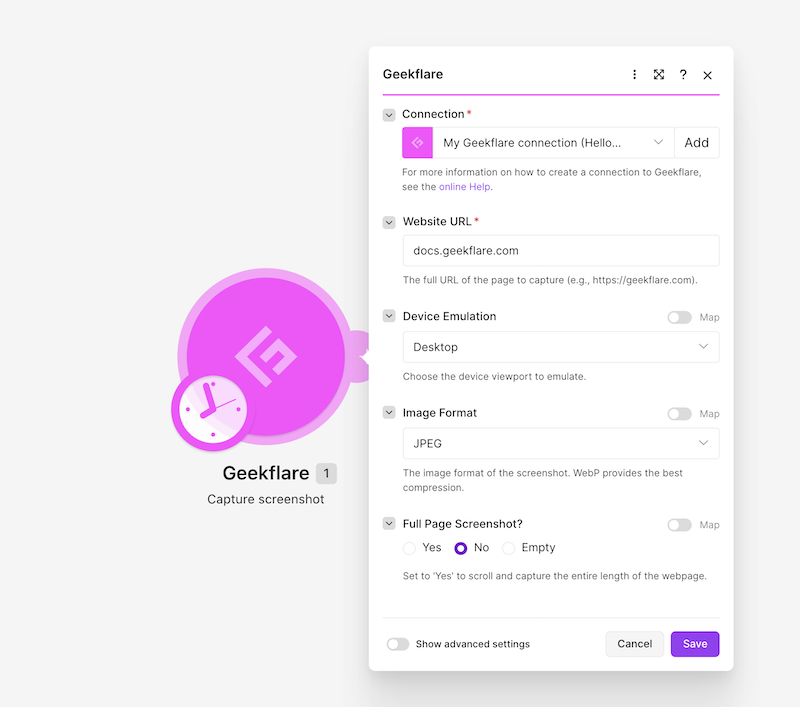
Make is somewhere between Zapier and n8n. Its scenario builder lays your automation out as a flowchart, with routers and filters that branch the flow, so complex logic is easier to see than in a long list of steps. It connects to more than 3,000 apps.
Each module action costs one credit, and 10,000 credits start at $9 a month on annual billing. Maia, Make’s AI assistant, builds scenarios from a conversation, and AI Agents and an MCP server bring it up to date with the agent trend. You can run JavaScript or Python with the Code app when the visual modules aren’t enough.
Credits are the thing to watch. Every module counts, including the ones that just fetch or format data, so a scenario that polls frequently can use more than you expect.
Pros & Cons
PROS
CONS
Pricing
Free includes 1,000 credits a month.
Core starts at $9 a month, Pro at $16, and Teams at $29, each priced for 10,000 credits a month on annual billing.
05. Microsoft Power Automate
Automation and RPA for Microsoft 365Organizations that run on Microsoft 365, Teams, and SharePoint
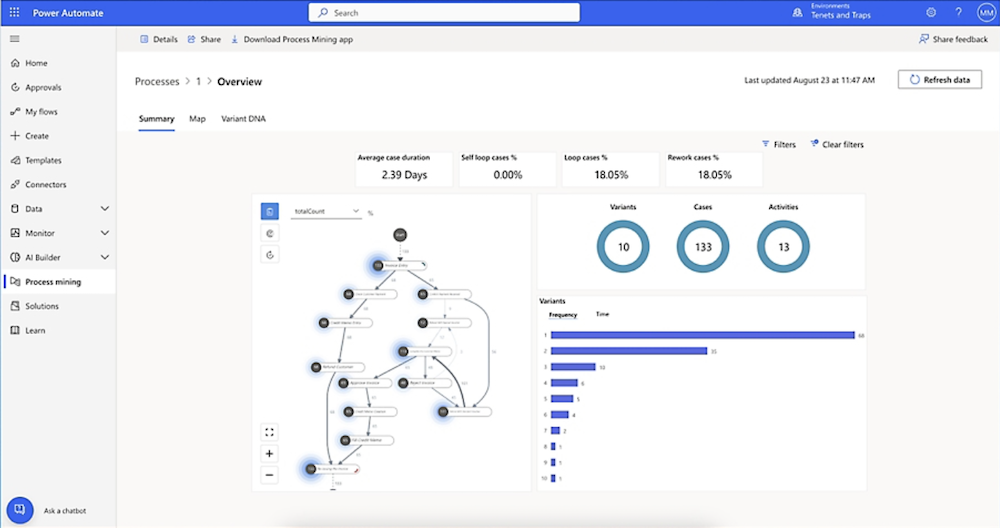
If your company uses Outlook, Teams, SharePoint, and Excel, Power Automate is the obvious place to start. Its cloud flows automate across Microsoft 365 and hundreds of other services, and its desktop flows do something the others mostly can’t like robotic process automation (RPA) that clicks through old desktop apps.
Power Automate for desktop comes preinstalled on Windows 11, and Microsoft makes it available to Windows users at no extra cost for personal. It’s a gentle way to see whether RPA is useful before you buy anything.
Premium connectors, unattended bots, and process mining are each priced differently, and it’s easy to end up confused about what your team is entitled to. Outside the Microsoft ecosystem, Zapier and Make are friendlier.
Pros & Cons
PROS
CONS
Pricing
Power Automate Premium costs $15 per user a month, paid yearly. Unattended RPA bots start at $150 per bot a month, and the Process Mining add-on costs $5,000 per tenant a month.
06. Gumloop
AI agent platformTeams that want AI agents to handle work across their tools
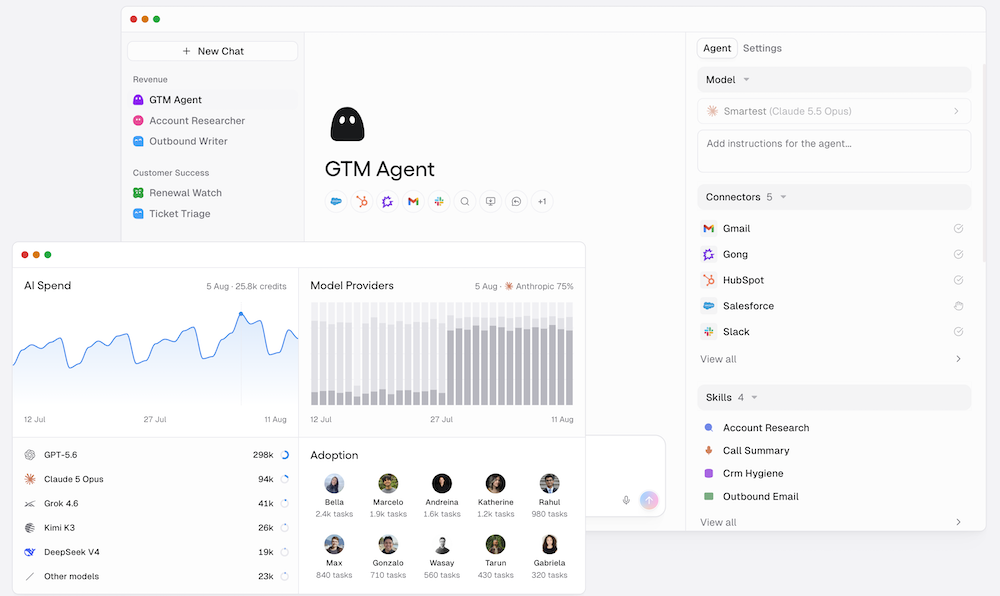
Gumloop started as a drag-and-drop AI workflow builder and has since rebuilt itself around agents. You describe what you want done, and an agent works across your connected tools to do it.
The Pro plan includes unlimited seats and teams, access to more than 35 AI models, and the option to bring your own API keys. It hosts an MCP server and has a CLI for developers.
I’d pick Gumloop for marketing, sales, and research work where each step needs some judgment, like qualifying leads or analyzing competitors. For predictable data syncing, a classic automation tool is cheaper and easier to reason about.
Pros & Cons
PROS
CONS
Pricing
Pro starts at $37 a month with 20,000 credits and a 14-day free trial.
07. Workato
Enterprise automationLarge companies that need governed automation and AI agents at scale
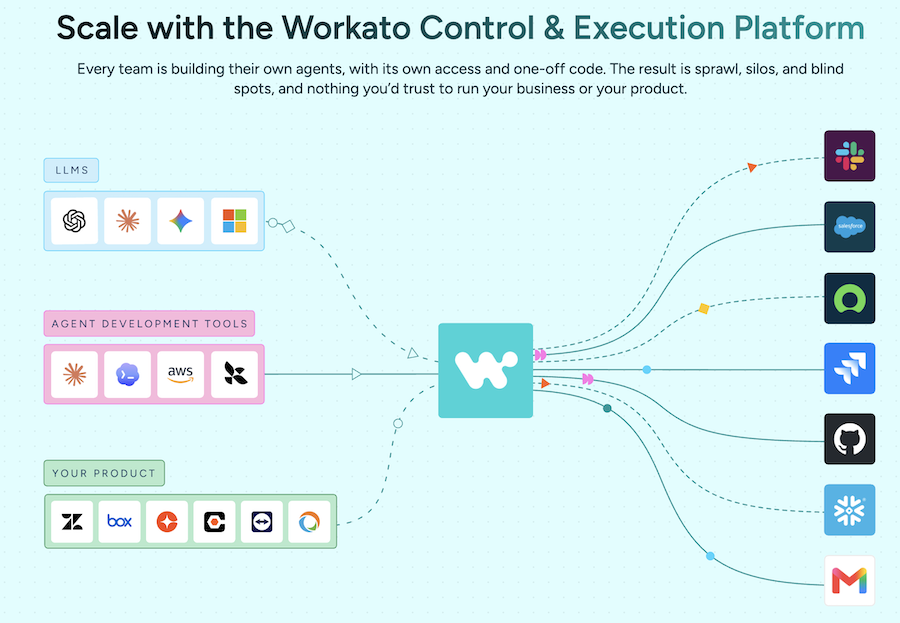
Workato is what IT teams at large companies can try when Zapier stops being acceptable to security and compliance. It combines an integration platform with API management, an AI gateway, and an agent layer, all under central governance.
Its AI features are aimed at the enterprise. Agent Studio for building agents, ready-made agents it calls Genies, agent orchestration, and enterprise MCP servers that expose company apps and data to AI tools in a controlled way.
It’s not built for a small team. But if you need hundreds of automations across departments with access control and audit trails, Workato is worth giving a shot.
Pros & Cons
PROS
CONS
08. Activepieces
Open-source app automationBudget-conscious teams and anyone who wants an open-source Zapier alternative
Activepieces is open source as well, you can run it on your Docker or Kubernetes server. If you’d rather not, you can go for managed solutions which is hosted in Frankfurt and important if your data needs to stay in the EU.
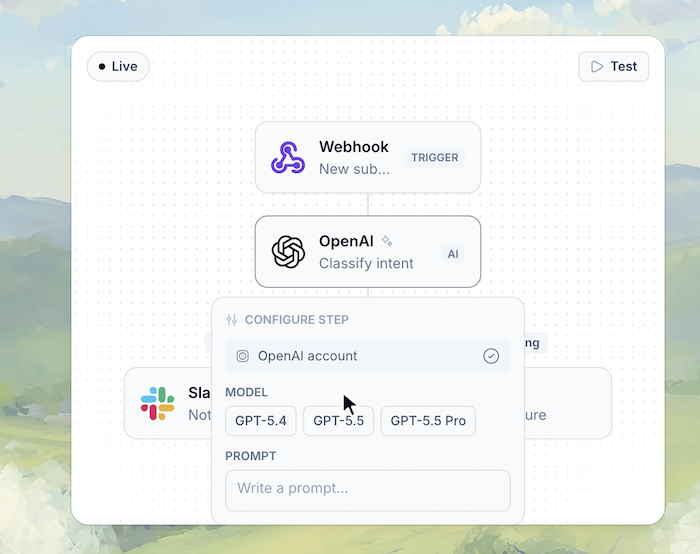
It has more than 760 integrations, AI agents, Tables, and MCP support. You can describe a step in English and let AI write it, or drop into TypeScript. The builder feels closer to Zapier, so non-technical users pick it up quickly.
The library is smaller than Zapier’s or Make’s, so check that your key apps are covered.
Pros & Cons
PROS
CONS
Pricing
In managed hosting, Free includes 1,000 credits a month. Plus costs a flat $20 a month for up to five users and Team $200 a month for 25 users.
An Embed plan for software companies starts at $36,000 a year.
09. Kissflow
Low-code process platformEnterprises building approval-heavy business processes and internal apps
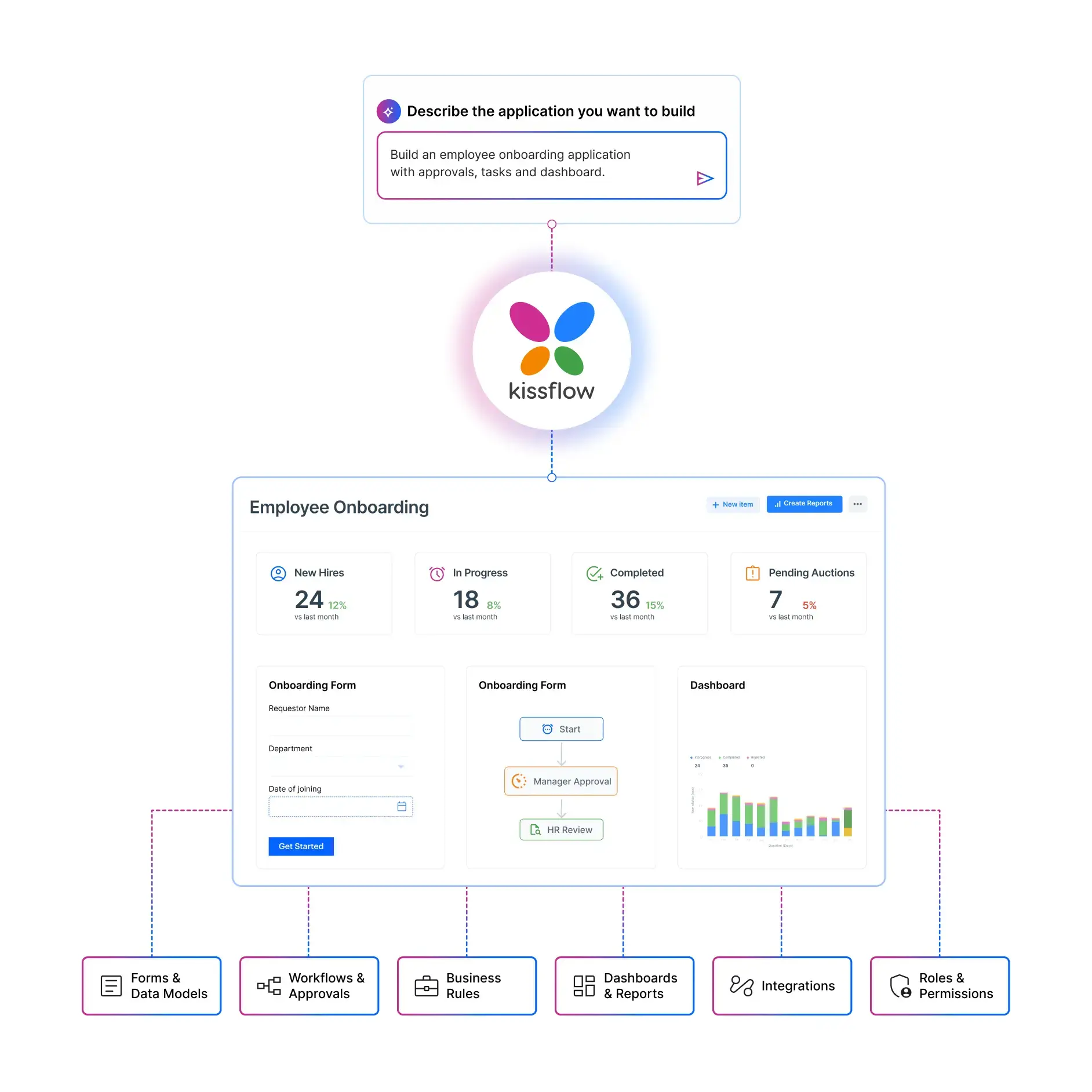
Kissflow now presents itself as a low-code platform for enterprise apps, covering BPM, case management, and citizen development, and it actively courts companies migrating off Power Apps and Lotus Notes.
The core use case is still process workflows with approvals for purchase requests, vendor onboarding, leave approvals, and the forms that bounce between departments. Business users can build these themselves, while IT keeps central control over the platform.
It’s a good fit when you have dozens of internal processes and want one governed place for all of them. For a small team with a handful of approvals, Process Street or Pipefy will be quicker to get going.
Pros & Cons
PROS
CONS
10. Pipefy
Process management with AI agentsBack-office teams handling requests and approvals
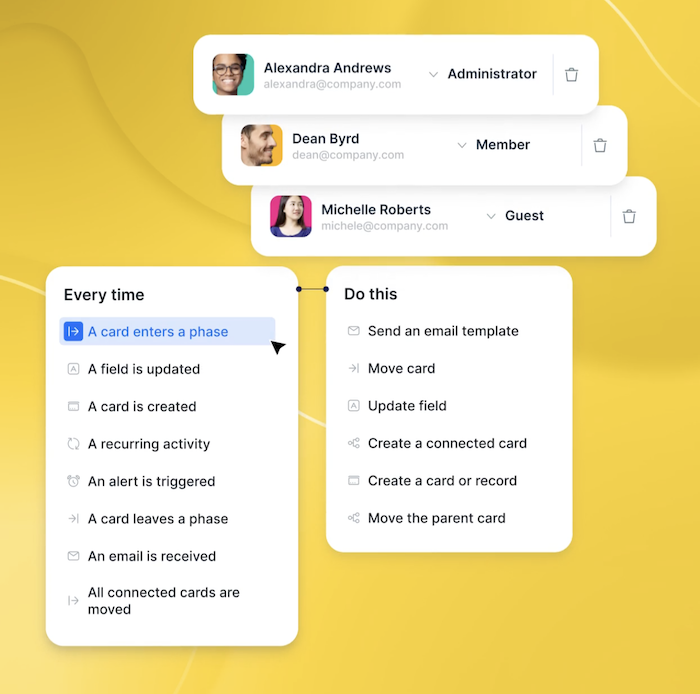
Pipefy organizes work as pipes, each process is a series of phases that requests move through, like a Kanban board with rules. It’s suited to finance, procurement, HR, and IT teams that handle a steady stream of requests and need them to follow the same path every time.
Pipefy now has AI agents, which is capable of running processes like HR service delivery and procure-to-pay from start to finish. A portal gathers all your request forms in one place, and an AI Assistant on the portal, in Slack, or in Microsoft Teams answers common questions and helps people submit and track requests.
The free Starter plan is generous with up to five processes and ten users. Paid plans are billed per user, but guests aren’t counted, which keeps costs down when many people only submit requests.
Pros & Cons
PROS
CONS
Pricing
The Starter plan is free for up to five processes and ten users.
Business and Enterprise plans are billed per user, with Enterprise adding SSO, more automations, and higher limits.
Other Workflow Automation Tools Worth Knowing
Work management boards with built-in automations. Standard includes 250 automation actions a month, and Pro raises that to 25,000 and adds an AI workflow builder.
AI agents you set up as assistants for everyday work. You get $50 in free credits to start, and the Team plan begins at $29.99 a month.
Workflow orchestration and integration from Zoho, covering BPM, IT orchestration, and middleware.
Box replaced Box Relay with Box Automate, adding a visual builder, conditional branching, and AI agents for document-heavy workflows. Available on Business plans and above.
Which One Should You Pick?
I would go like this.
Pick Process Street if the work is done by people following steps and you need to prove they followed them.
Pick Pipefy for a free, request-driven back office, or Kissflow if you’re an enterprise with dozens of approval processes.
For moving data between apps, start with Zapier if nobody on the team writes code. Move to Make when you want more logic for less money, and to n8n when you have a developer and want to self-host or build serious AI workflows.
Activepieces is the pick if you want open source without n8n’s learning curve.
A Microsoft 365 company should try Power Automate first, since it plugs straight into the tools you already use. A large enterprise with security reviews should talk to Workato. And if most of the steps need judgment rather than rules, try Gumloop.
How Pricing Works
The starting prices don’t give a clear picture, because each tool counts usage differently.
For an example, take one workflow with a trigger and nine steps, running 1,000 times a month:
| Tool | How it counts | Usage for this workflow |
|---|---|---|
| Zapier | Each action step is a task | About 9,000 tasks |
| Make | Each module action is a credit | About 10,000 credits |
| n8n | Each full workflow run is an execution | 1,000 executions |
| Power Automate, Pipefy | Per user (or per bot for RPA) | Depends on headcount |
| Process Street, Kissflow, Workato | Quoted per contract | Agreed with sales |
Long, multi-step automations tend to end up on n8n for this reason, while simple two-step ones are cheapest on Zapier or Make. Before you commit, estimate how many runs and steps you’ll have in a month, then price it on each tool you’re considering. If your automations call outside services, it helps to know the web APIs that are useful for business automation as well.
FAQ
What is workflow automation software?
Workflow automation software runs repeatable work without manual effort. Some tools manage processes people complete, such as approvals and onboarding checklists. Others move data between apps automatically, and AI agent platforms handle steps that need judgment.
Is Jira a workflow automation tool?
Partly, Jira includes a built-in automation rule builder that’s useful for engineering and IT work inside Jira, with a monthly allowance of rule runs on every cloud plan.
What’s better than n8n?
It depends on why n8n isn’t working for you. Zapier is easier for non-technical users, Make offers a similar visual style with a learning curve, and Activepieces is another open-source option that’s simpler to pick up.
Is there free workflow automation software?
Yes. Zapier, Make, Activepieces, and Pipefy all have free plans with monthly limits, and n8n’s Community Edition is free to self-host. Windows 11 also includes Power Automate for desktop at no extra cost for personal automation.
What’s the difference between workflow automation and project management software?
Project management tools like Jira or monday.com organize tasks and timelines, and include some automation for work inside them. Workflow automation software is built to run processes or move data across many tools without person involvement.