An email signature sounds like a small thing until you are asked to follow for consistency and branding. And worse, if you need need to ensure everyone in your team follows after a rebrand.
That’s the problem email signature software solves. There are mainly two types of tools.
- Signature management platforms connect to Microsoft 365 or Google Workspace and push one design to everyone.
- Signature generators are simpler where you fill in your details, copy the result, and paste it into Gmail or Outlook yourself.
Do You Need a Signature Manager or a Generator?
If you’re one person, or a team of three who can each paste a signature into their own inbox, a free generator is enough.
Once you have more than a handful of people, a management platform starts paying for itself. It pulls names, titles, and phone numbers from your company directory, so a new hire gets the right signature on day one. Many can add the signature on the server, which means it appears on emails sent from phones too. And marketing can swap a banner across every employee’s email in a few minutes.
Check which email system a tool supports before anything else. CodeTwo, for example, is built only for Microsoft 365, while most of the others cover both Microsoft 365 and Google Workspace.
| Tool | Type | Best for | Starting price | Works with | Free plan or trial | Link |
|---|---|---|---|---|---|---|
| 01 Exclaimer | Signature management platform | Most organizations on Microsoft 365 or Google Workspace | $0.90/user/mo (billed yearly) | Microsoft 365, Google Workspace | 14-day trial, no card | Visit |
| 02 CodeTwo | Microsoft 365 signature management | Companies that run entirely on Microsoft 365 | $1.22/user/mo (10 users, yearly) | Microsoft 365 only | 14-day trial, no card | Visit |
| 03 Letsignit | Signatures, campaigns, and digital business cards | Marketing-led teams that want more than a signature | $2/user/mo | Microsoft 365, Google Workspace | Free trial | Visit |
| 04 WiseStamp | Signature marketing platform | Small and mid-size teams using signatures for marketing | $19/mo + $1/employee (billed yearly) | Google Workspace, Microsoft 365 | 14-day trial, no card | Visit |
| 05 Xink | Signature management platform | Organizations that want flexible monthly billing | £1.10/user/mo (10 users) | Microsoft 365, Google Workspace | Free trial | Visit |
| 06 BulkSignature | Low-cost signature management | Budget-conscious companies with 10 or more people | $0.88/user/mo (billed yearly) | Google Workspace, Microsoft 365 | Free trial, no card | Visit |
| 07 Newoldstamp | Signature management with banner campaigns | Small businesses that want signatures to drive clicks | $1.80/signature/mo (billed yearly) | Google Workspace, Microsoft 365 | 7-day trial | Visit |
| 08 Rocketseed | Managed signature service | Companies that want design and setup done for them | £59/mo (50 users) | Microsoft 365, Google Workspace | 14-day trial (50+ users) | Visit |
| 09 Signitic | Signature management with a free plan | Teams that want to start free | Free; Standard €1/user/mo | Google Workspace, Microsoft 365 | Free plan | Visit |
| 10 Geekflare | Free signature generator | Anyone who wants a clean signature in a few minutes | Free | Gmail, Outlook, Apple Mail | Free, no sign-up | Visit |
| 11 HubSpot | Free signature generator | People who want lots of templates to choose from | Free | Gmail, Outlook, Apple Mail, Yahoo Mail | Free, no account needed | Visit |
| 12 MySignature | Signature generator with email tracking | Freelancers and teams of up to five | $6/user/mo (billed yearly) | Gmail, Outlook, Apple Mail, Thunderbird | Free generator to start | Visit |
| 13 Email Signature Rescue | Signature design studio | Designers and agencies creating signatures for clients | $99/year (3 signatures) | Gmail, Outlook, Apple Mail | $1 trial of SigStudio | Visit |
Best Email Signature Management Software for Teams
01. Exclaimer
Signature management platformMost organizations on Microsoft 365 or Google Workspace
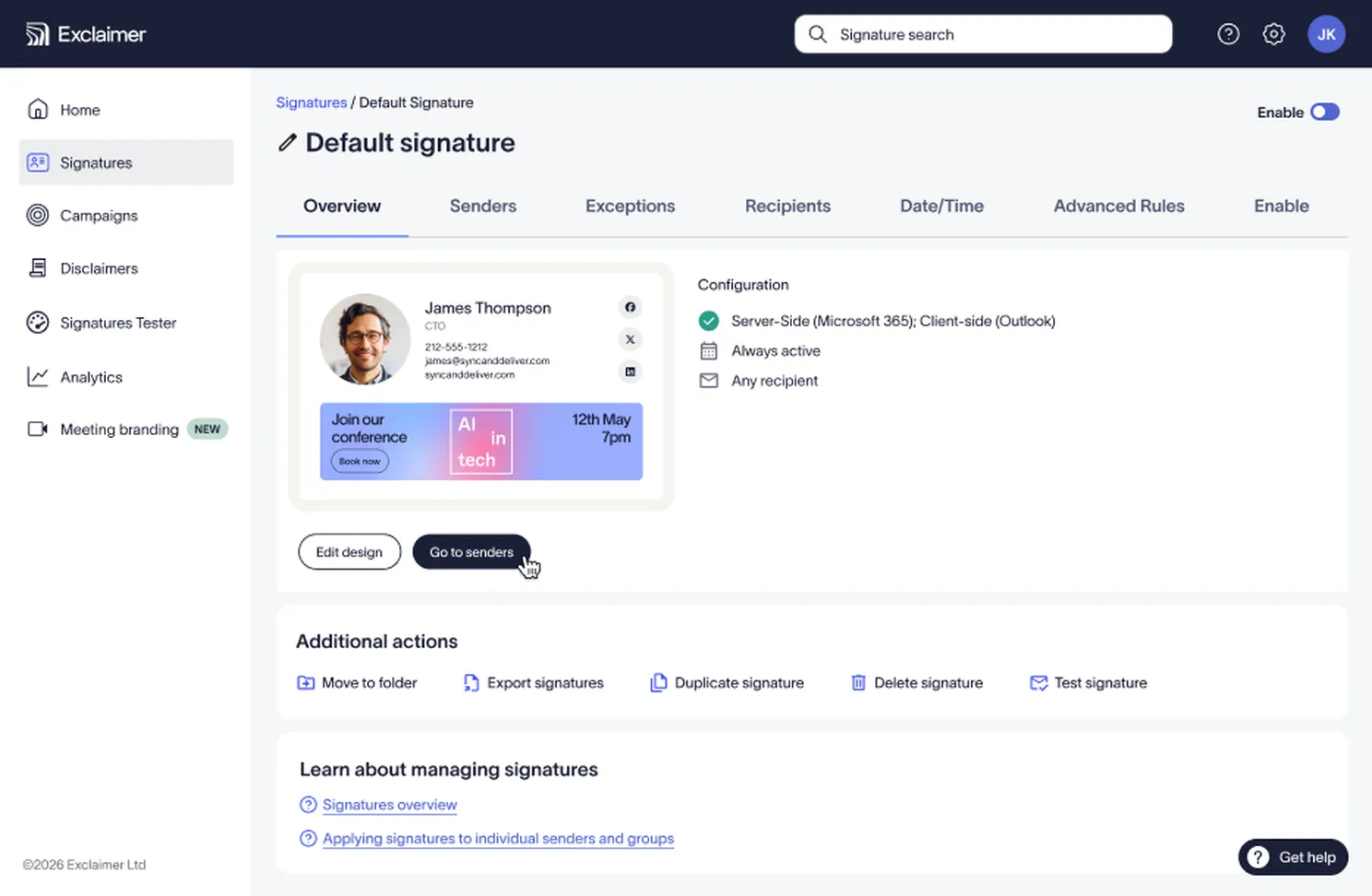
Exclaimer works with Microsoft 365, Microsoft Exchange and Google Workspace. It starts at under a dollar per user.
Signatures fill in automatically from Azure Active Directory or Google Directory. When your directory has gaps, you can fill them from your HR system or a CSV, and employees can edit details like pronouns or direct dial numbers themselves in Outlook.
The Starter plan covers one team with one brand kit. Standard lets separate teams and regions run their own signatures and banners. Pro adds multiple brands, engagement data, and more control over directory data.
Exclaimer now also does branded themes for video meetings, which is handy if you want one brand kit for both.
Pricing
Starter costs $0.90 per user a month, Standard $1.45, and Pro $1.75, all billed yearly.
The 14-day trial doesn’t need a credit card.
CodeTwo
Microsoft 365 signature managementCompanies that run entirely on Microsoft 365
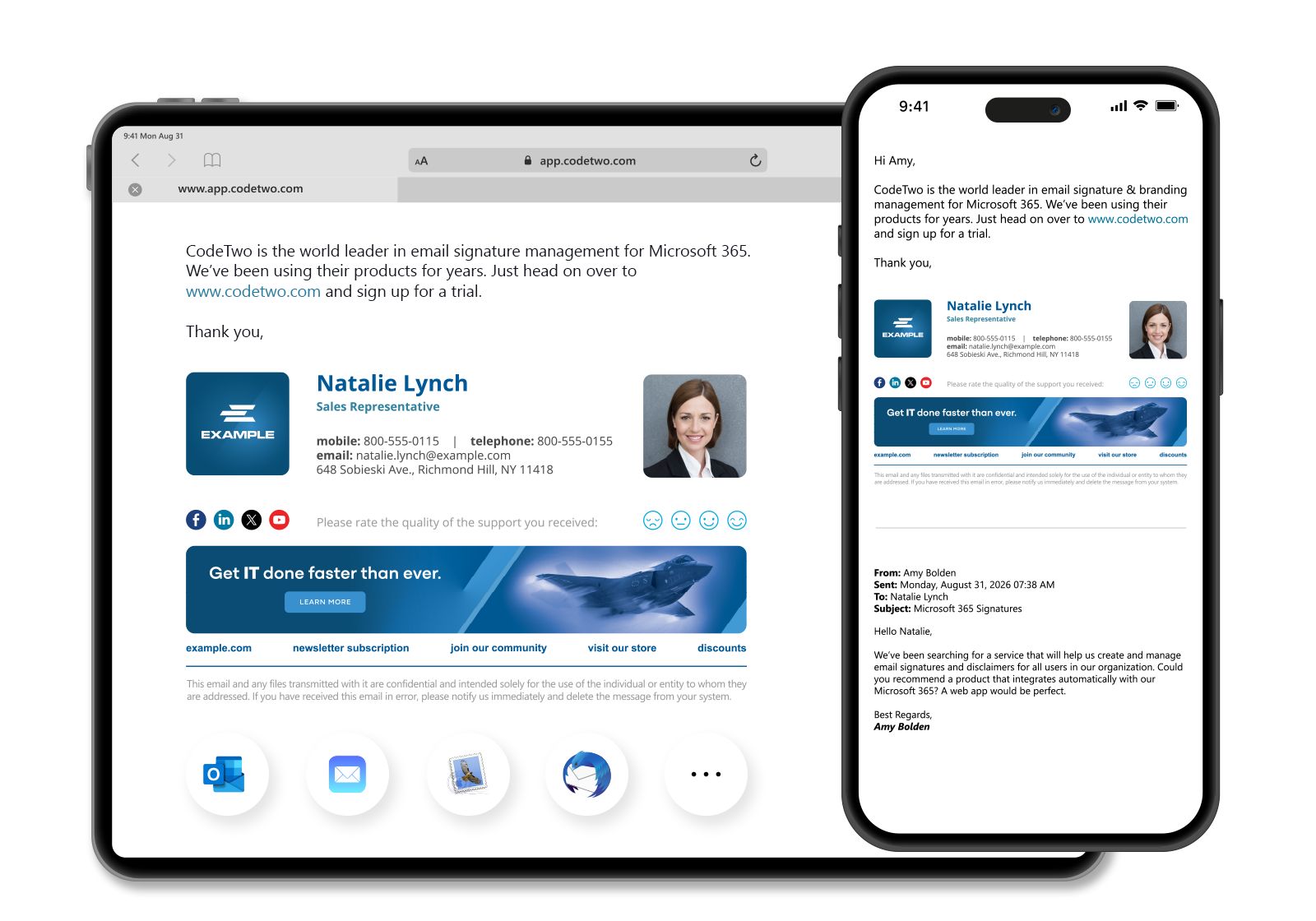
If your company lives in Microsoft 365, CodeTwo deserves a try. It’s built for that one platform and its email signature solution is certified by Microsoft.
You can choose how signatures get added. Cloud signatures are applied as mail passes through CodeTwo’s service, so they work from any device. The Outlook add-in inserts them as people type, so they can see the signature before they hit send. Rules decide who gets which signature, and you can schedule changes ahead of a campaign or a rebrand.
There’s one pricing plan with all the features, including legal disclaimers, auto-reply messages, and 24/7 support by email and phone. You only choose the number of users and whether to pay monthly or yearly.
Pricing
On yearly billing it works out to about $1.22 per user a month . Yearly billing saves around 10% over monthly.
03. Letsignit
Signatures, campaigns, and digital business cardsMarketing-led teams that want more than a signature
Letsignit has grown into a broader brand platform. Alongside managed signatures, it deploys digital business cards to Apple and Android wallets and manages PowerPoint templates through a native add-in, so the same brand rules apply across email, cards, and slides.
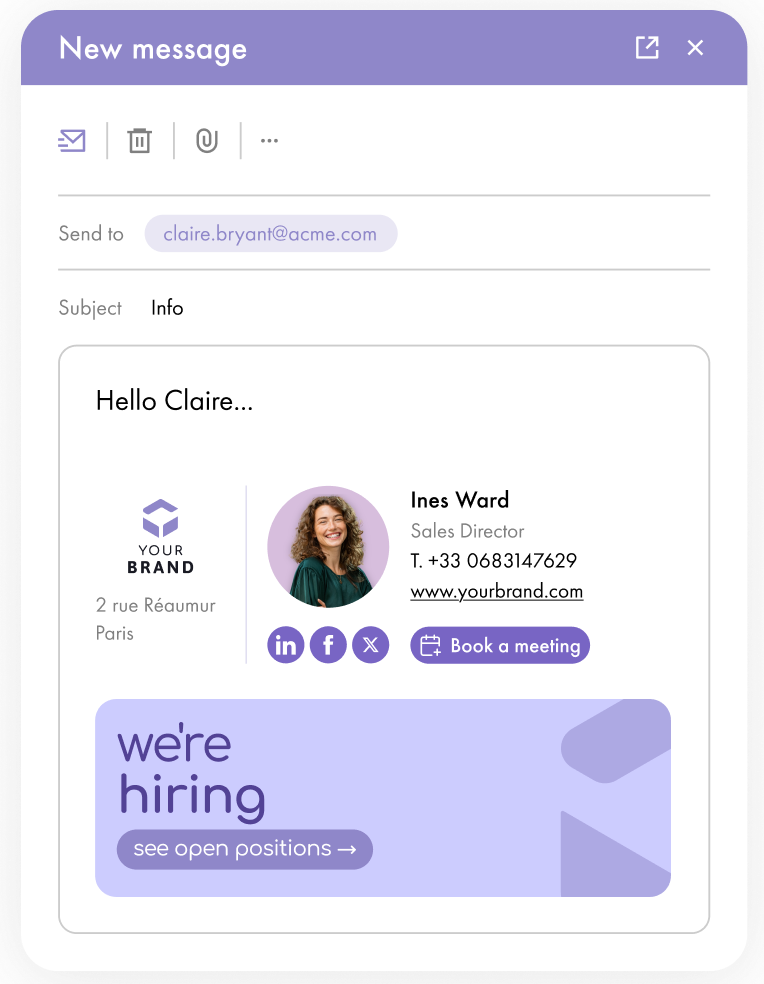
Its campaign tools are the strongest reason to pick it. You can target banners to specific groups, run A/B tests, and drop polls into signatures. Calendar and Switch to Teams buttons let recipients book a meeting or start a call from the signature.
Marketing team manages the content, while access and data stay with IT, and the platform syncs with multiple directories through API and SCIM. Letsignit holds ISO 27001 and 27018 certifications.
Pricing
Plans start at $2 per user a month. You choose email signatures and digital business cards, Slides, or the full platform.
04. WiseStamp
Signature marketing platformSmall and mid-size teams using signatures for marketing

WiseStamp started as a free signature generator and is now a full management platform, but it still feels approachable for smaller teams. Its AI Signature Designer gives you a starting design in seconds, and connecting Google Workspace or Microsoft Entra keeps employee details current without manual entry.
Marketing is where it pulls ahead of cheaper tools. You can create trackable links and QR codes, run banner campaigns, and embed one-click surveys in signatures, then read the results with AI Insights. Rules can even switch the signature depending on whether an email is new, a reply, or a forward.
- Pro+ from $9 a month for individuals and micro-teams
- Basic, $19 a month: directory integration and auto-install, 5 templates
- Grow, $49 a month: campaigns, analytics, rules, and an employee hub
- Platform, $189 a month: SSO and server-side signatures
05. Xink
Signature management platformOrganizations that want flexible monthly billing
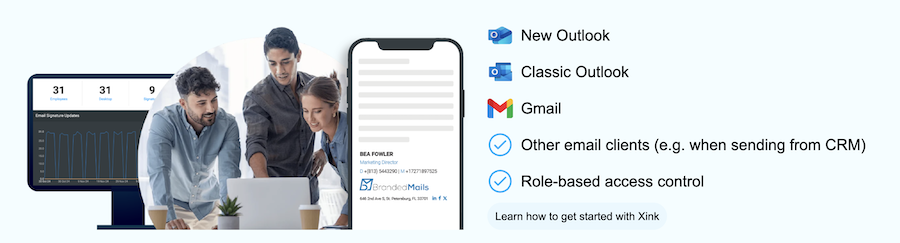
Xink has been around since 2013 and works in new and classic Outlook, Gmail, and other email clients, including email sent from a CRM. It is GDPR compliant platform.
Its directory support is broad. Besides Microsoft 365, Google Workspace, and Entra ID, it can read employee data from on-premises Active Directory, SQL databases, or other through API. You can also schedule banner campaigns.
You can pay monthly or yearly, and Xink offers discounts for education, non-profit, and government organizations.
Pricing
Xink prices by number of users and you need to purchase minimum ten costing $11 a month ($1.10 per user) on monthly billing.
06. BulkSignature
Low-cost signature managementBudget-conscious companies with 10 or more people
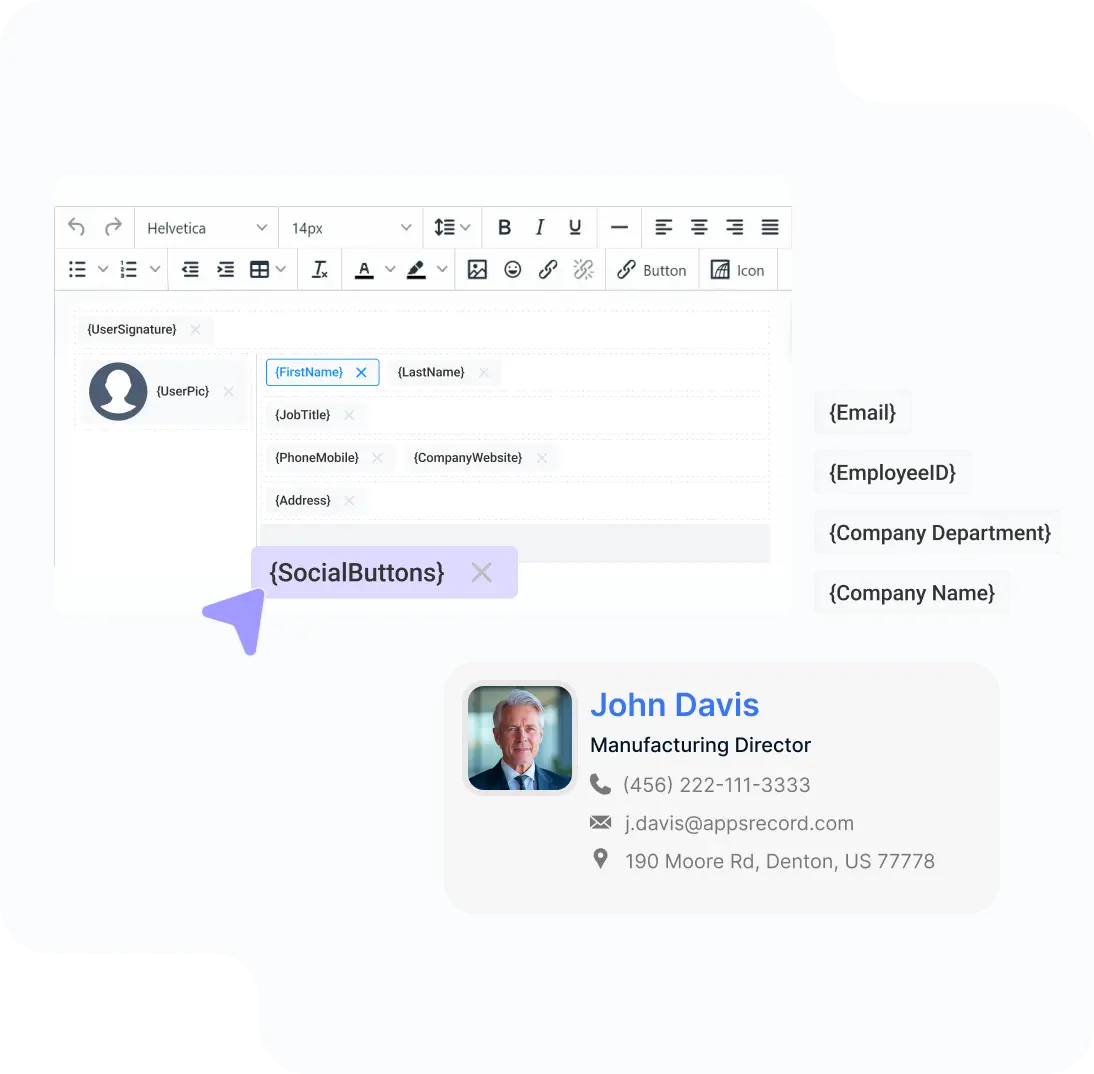
BulkSignature is the cheapest management platform I found, and it doesn’t hold features back on its standard plan. Everything is included like an AI signature designer, locked templates employees can’t tamper with, disclaimers, separate reply and internal signatures, and clickable banners with real-time click tracking.
You can install signatures centrally for Gmail and Outlook on the web, desktop, iOS, and Android, and syncs from Google or Microsoft directories. Larger companies can move to Enterprise for SSO, SCIM, audit-log export, and a 99.9% uptime SLA.
Pricing
Standard costs $0.88 per user a month billed yearly, or $1.10 billed monthly, with a minimum of 10 seats.
07. Newoldstamp
Signature management with banner campaignsSmall businesses that want signatures to drive clicks
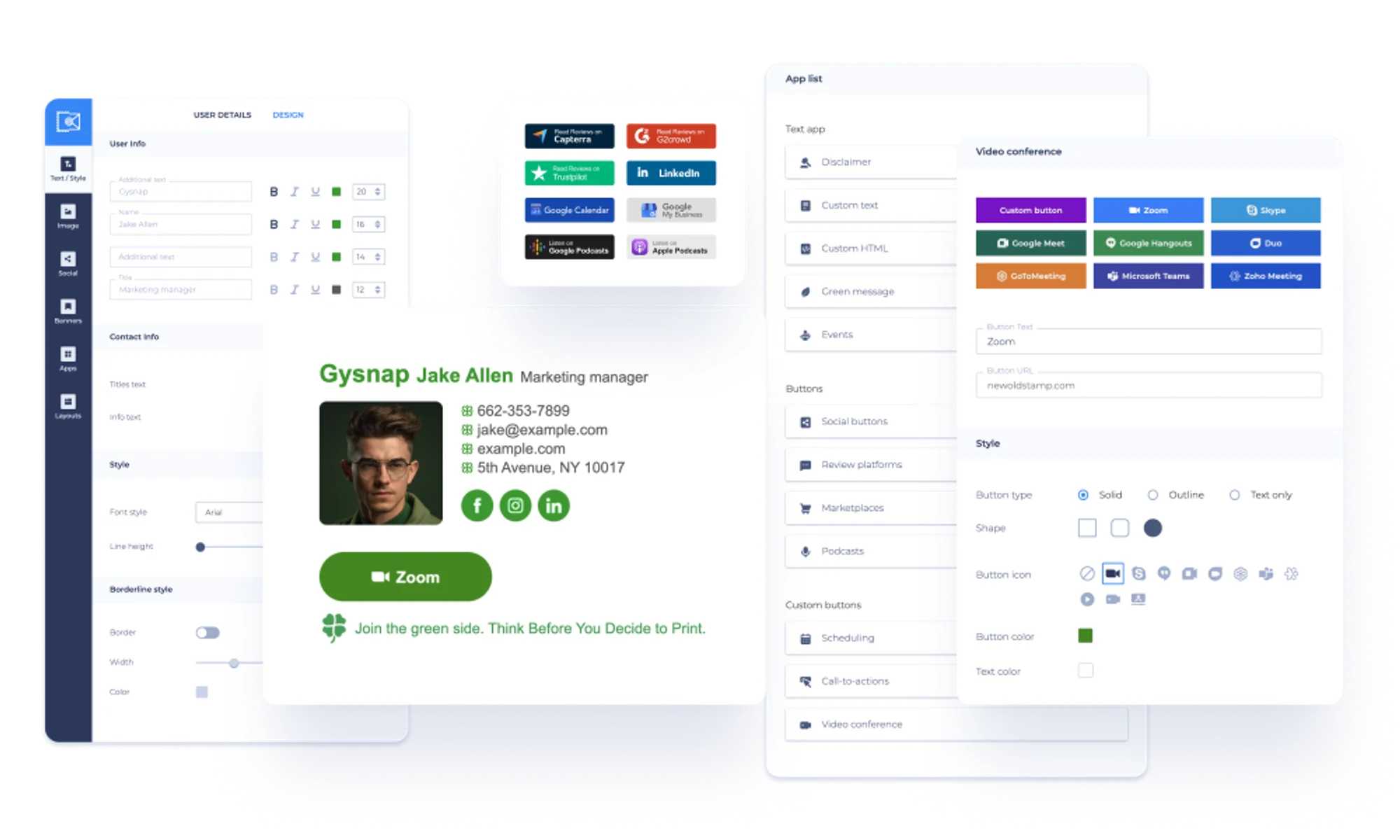
Newoldstamp was one of the first tools to treat the signature as a marketing channel. You build a branded design from its templates, manage everyone’s signatures, and run banner campaigns with analytics on how they perform.
It integrates with Google Workspace and Microsoft 365 and used by more than 8,000 businesses. Pricing is per signature rather than per plan, so a small team can start with exactly the number it needs.
Pricing
Pricing scales by number of signatures, from $1.80 per signature a month billed yearly.
Five signatures cost $109 a year. The 7-day trial includes all the features.
08. Rocketseed
Managed signature serviceCompanies that want design and setup done for them
Rocketseed is closer to a managed service than a self-serve tool. A one-time setup fee covers technical implementation, signature and banner design, account activation, and training for your team.
You get centralized signatures and banners for Microsoft 365 and Google Workspace, with analytics and reporting on clicks. Pricing is one bundle by company size. It’s suitable for businesses of 50 people or more.
Pricing
Plans are priced by employee count. It would cost $705/year for 50 users.
A one-time setup fee is charged separately. The 14-day trial is for businesses with 50 or more users.
09. Signitic
Signature management with a free planTeams that want to start free
Signitic offers a good free plan. You get one signature template and one banner campaign for your whole company, with a small Signitic badge at the bottom of each signature.
The paid Standard plan removes the badge and deploys consistent signatures and campaigns across the organization.
You can use UTM tags to monitor clicks in Google Analytics and perform A/B testing on your signatures. Signitic is ISO 27001 certified.

Pricing
Signitic paid plan starts from €1 per user, with a minimum of 20 licenses.
Best Email Signature Generators for Individuals
If you only need your own signature, or for a small team, these tools are cheaper to free. You copy the finished signature and paste it into your email app’s settings.
10. Geekflare
Free signature generatorAnyone who wants a clean signature in a few minutes
Disclosure: this is our own tool. We built it because most free generators either ask for your email before you can copy the result or add their branding to your signature. Ours does neither.
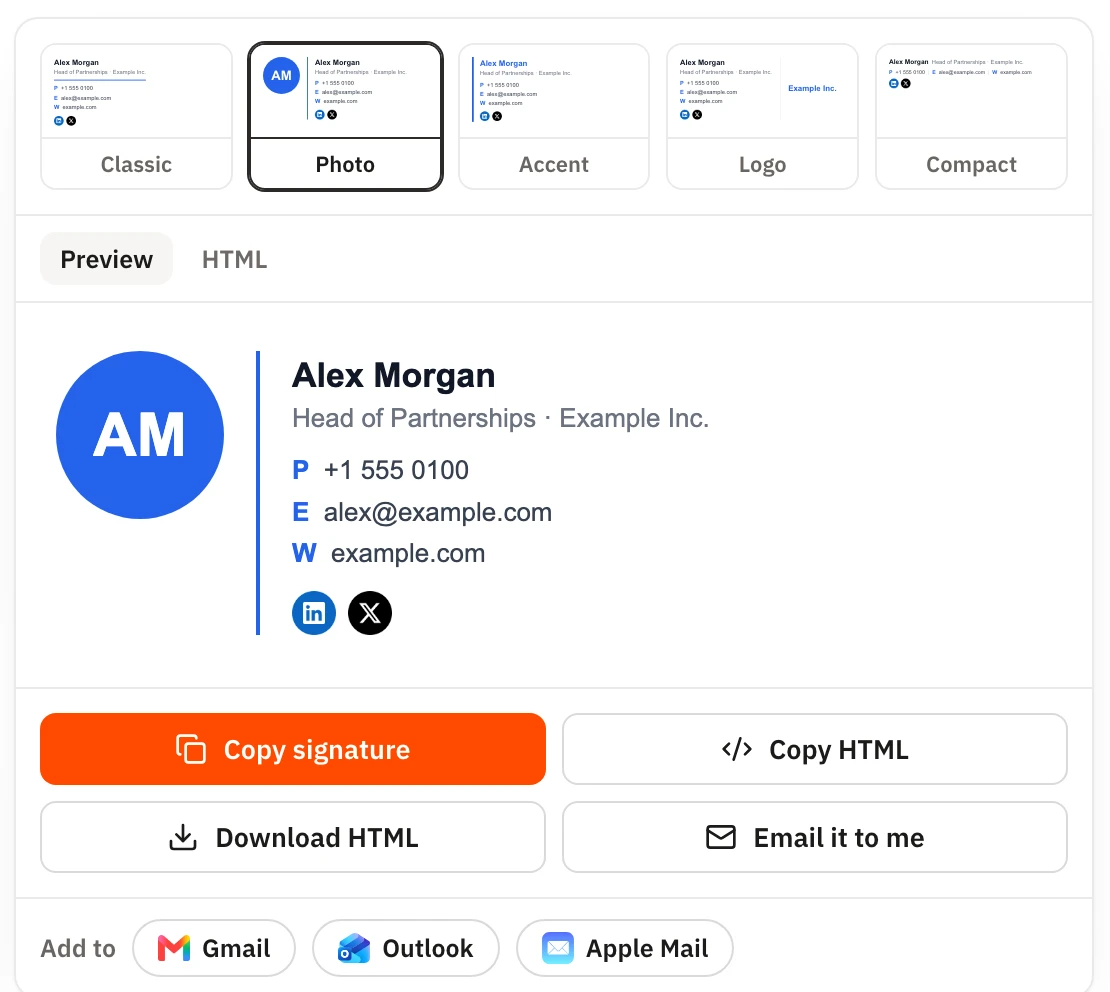
You fill in your details and pick one of the five layouts
- Classic
- Photo
- Accent
- Logo
- Compact)
You can set a brand color, font, and social icon style. You can also add a call-to-action button, like “Book a meeting”, and a legal disclaimer.
Getting the signature into your email app is where it saves the most time. Click Add to and choose Gmail, Outlook, or Apple Mail. The signature is copied with its formatting. You can also copy the HTML, download it, or email it to yourself.
Everything runs in your browser, so nothing you type is sent to Geekflare.
Pricing
Free, with no account and no branding added to your signature.
11. HubSpot
Free signature generatorPeople who want lots of templates to choose from
HubSpot’s generator is the best-known free option. You pick from 12 templates, add your details, logo, and social links, and copy the HTML into Gmail, Outlook, Apple Mail, Yahoo Mail, or HubSpot’s own CRM. No account is required.
It’s a good choice if you want more template variety than our generator. Like every generator here, it creates one signature at a time, and, it won’t keep a team’s signatures in sync.
12. MySignature
Signature generator with email trackingFreelancers and teams of up to five
MySignature is between a free generator and a management platform. It’s for individuals and businesses, both.
You get professional templates, promotional buttons, custom HTML, legal disclaimers, and a scan-to-save QR code.
Email tracking for Gmail shows when someone opens your message, which freelancers sending proposals and invoices tend to like. The Connect plan adds a digital business card and a second signature for replies and forwards.
Pricing
Core costs $6 per user a month and Connect $7.
13. Email Signature Rescue
Signature design studioDesigners and agencies creating signatures for clients
Email Signature Rescue is for agencies who often design signatures for their clients. Its SigStudio editor comes with hundreds of templates, a banner and social icon creator, and Google Analytics tracking for the links in your signatures.
Pricing is per signature for small accounts, which suits consultants and agencies, while a per-user plan covers larger companies that want to create, manage, and install signatures for everyone.
Pricing
Founder 3 costs $99 a year for three signatures, Advantage 10 is $299 a year, and Leader 20 is $499 a year.
Other Email Signature Tools to Consider
A free plan with one template, plus a $6 a month Solo plan and a Team plan at $10 a month plus $2 per user, with auto-install for Google Workspace and Microsoft 365.
A flexible designer for custom signatures. Individuals pay $19 once, and team plans that share a signature link with employees start at $19 a month.
Signature management built specifically for Google Workspace, with central control and banners.
A long-standing option for Microsoft 365 and Exchange with central management and banner campaigns.
Aimed at large sales and marketing teams, combining signatures with ad-style campaigns and email tracking. Plans run $1 to $5 per user a month with a $500 monthly minimum.
What 50 Employees Would Pay
Per-user prices look similar until you multiply them. This is what a 50-person company would pay a year on the entry plan.
| Tool | Entry plan | Yearly cost for 50 users |
|---|---|---|
| BulkSignature | Standard | $528 |
| Exclaimer | Starter | $540 |
| Rocketseed | 50-user bundle | $705 + a one-time setup fee |
| Signitic | Standard | €600 |
| CodeTwo Email Signatures 365 | All features | $726.25 |
| WiseStamp | Basic | $828 |
| Letsignit | Email signatures | $1,200 |
The cheapest isn’t always the best value. So, I would suggest checking against the features you need.
What to Put in Your Email Signature
Every email you send carries your brand, so it works quietly for you. Recipients learn your name and company, see a real person behind the message, and can reach you without going to your website.
Keep it short.
Your name, job title, and company come first. Add a phone number and website, and maybe one social profile if your clients actually use it. A photo helps in sales, recruiting, and other client-facing roles. Use one call to action at most, and add a disclaimer only if your industry requires it.
FAQ
What is email signature software?
Email signature software creates and manages the signature block at the end of your emails. Management platforms like Exclaimer and CodeTwo apply one design to every employee automatically through Microsoft 365 or Google Workspace. Signature generators like HubSpot’s and Geekflare’s help one person create a signature to paste into their own email app.
Is there free email signature software?
Yes. Free generators from Geekflare and HubSpot create a signature without an account. For teams, Signitic and SyncSignature have free plans with limits.
Which email signature software works best with Microsoft 365?
CodeTwo Email Signatures 365 is built only for Microsoft 365. Exclaimer, Letsignit, Xink, and BulkSignature also support Microsoft 365, along with Google Workspace.
Can email signature software add signatures to emails sent from phones?
Many management platforms can. Tools such as Exclaimer, CodeTwo, and WiseStamp’s Platform plan apply signatures on the server or in the cloud, so they’re added to emails sent from mobile apps too.