



Not able to answer all customer calls?
You’re not alone. Invoca’s 2026 home services benchmarks report, based on over 70 million calls, found that only 52% of callers to home services businesses speak with a person. An earlier Invoca study revealed that 27% of those calls are met with no answer at all.
Most callers won’t call back, which means missed business opportunities.
Your business can use an AI receptionist that works 24/7, answering calls that your business generally misses.
An AI receptionist is software that uses conversational AI to answer and act on customer conversations, capture and qualify leads, and book or modify appointments via calls or text. An AI receptionist can also record the interaction in connected systems like a CRM.
In case of urgency or inability to solve a customer’s problem, AI phone receptionists (also known as virtual AI receptionists) can escalate the call and text conversation to a human agent.
However, an AI receptionist is a different category from a trained business answering service, as its results depend on the knowledge base, routing rules, and escalation design.
In this comparison article, I’ll go through the best AI receptionist software for calls, texts, and bookings.
How We Tested AI Receptionists
To rank AI receptionists, I used the following criteria:
- How well does the AI receptionist handle calls? Does it have a natural flow or sound robotic?
- How accurate is the AI receptionist in creating the knowledge base? What resources does it take to build it?
- How well can the AI receptionist perform tasks, including booking, rescheduling meetings, escalating calls, and recording calls in the CRM?
- Does the AI receptionist identify urgency and properly escalate calls when needed?
- Is the product well priced with clear language on how it charges?
AI Receptionist Software Comparison
| Software | Type | Best for | Channels | Starting price | Free trial | Human handoff | Link |
|---|---|---|---|---|---|---|---|
| 01 XBert by Nextiva | Omnichannel AI receptionist | Calls, texts, and web chat | Voice, SMS, web chat | $99/mo (100 conversations) | 14-day free trial | Live transfer; Contact Center handoff | Visit |
| 02 RingCentral AI Receptionist | AI receptionist for RingEX | RingCentral phone customers | Voice, SMS | $49/mo standalone (100 min) | 14-day free trial | Live transfer with caller summary | Visit |
| 03 Smith.ai | AI receptionist with live agents | Live-agent fallback | Voice (English, Spanish) | Free (25 calls); Pro $150/mo | Free plan | Smith.ai live agents or your team | Visit |
| 04 IONOS AI Receptionist | Voice AI receptionist | Straightforward appointment capture | Voice | $39/mo (30 calls) | First month free (limited offer) | Rule-based and emergency transfers | Visit |
| 05 Synthflow | Enterprise voice AI platform | Enterprise AI call workflows | Voice, chat, SMS, WhatsApp | From $30,000/year | No, demo on request | Rule- and sentiment-based handoff | Visit |
| 06 Goodcall | AI phone answering | Small-business AI phone answering | Voice | $79/agent/mo (100 unique customers) | 14-day free trial | Transfer to line, person, or department | Visit |
| 07 Frontdesk | Omnichannel AI receptionist | Local businesses | Voice, SMS, web chat, WhatsApp, email | $79/mo billed annually ($99 monthly) | 7-day free trial | Real-time escalation with transcript | Visit |
| 08 Slang AI | Restaurant AI receptionist | Hospitality and reservation calls | Voice | $399/location/mo | No, demo only | Forwards to staff or texts contact details | Visit |
| 09 Rosie | AI answering service | AI answering and lead capture for solo owners | Voice, web chat | $49/mo (250 min) | 7-day free trial | Warm (Scale) and waterfall (Growth) transfers | Visit |
| 10 Dialpad AI Receptionist | AI receptionist for Dialpad | Best for Dialpad customers | Voice (chat and SMS via AI Agents) | Credit-based; contact sales | Not published | Handoff with full transcript | Visit |
| 11 CloudTalk AI Receptionist | Multilingual voice AI agent | Multilingual AI call handling | Voice | $99/mo (200 min) | 14-day free trial (50 AI min) | Handoff with full context | Visit |
| 12 Retell AI | Voice agent platform | Tailored voice agents | Voice, chat, SMS | $0.07 to $0.31/min | $10 free credits | Agentic human handoff | Visit |
| 13 GoTo Connect AI Receptionist | AI receptionist for GoTo Connect | Best for existing GoTo customers | Voice | Add-on; contact sales | Not published | Transfer by name; handoff with context | Visit |
| 14 AIRA | AI receptionist for service businesses | Budget-friendly service businesses | Voice | $24.95/mo (30 calls) | No | Call transfer to staff | Visit |
Best AI Receptionist Software
01. XBert by Nextiva
Omnichannel AI receptionistCalls, texts, and web chat
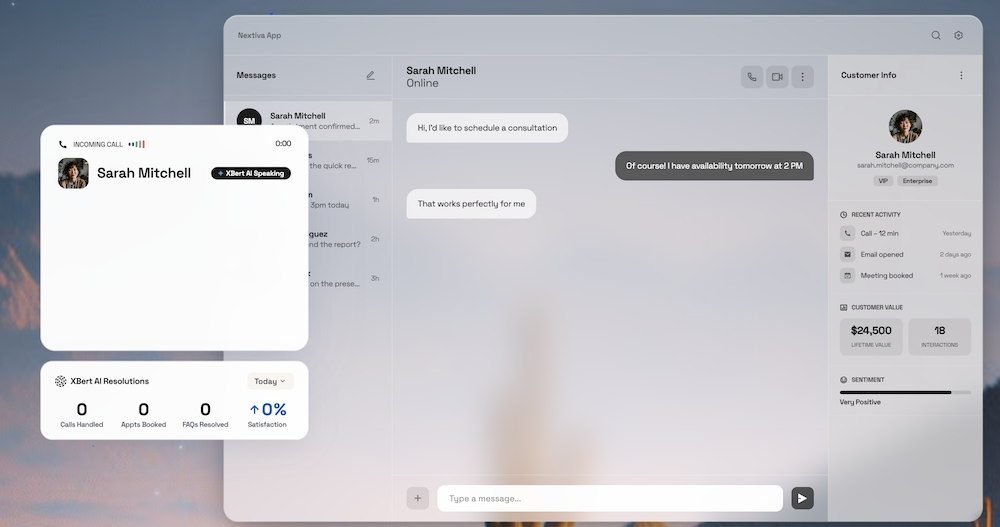
XBert by Nextiva offers both a standalone and bundled AI receptionist for your business. In my recent Nextiva XBert review, I found XBert to offer an excellent customer-facing AI receptionist.
I recommend XBert for small-to-medium-scale businesses. They can delegate routine work like booking appointments and answering common questions via XBert’s AI employee. It can also reschedule appointments.
In my testing, I found XBert to perform exceptionally well. Its different voice options are carefully designed to sound human.
It excels at omnichannel operations as it works via voice, SMS, and web chat.
You can try XBert via its 14-day free trial. Nextiva also provides a 30-day money-back guarantee for its plans.
During onboarding, you can create a basic AI receptionist, which can then be further trained. It automatically captures website information, with the option to load documents to further improve it.
Additionally, Nextiva XBert can escalate to live human support via Nextiva Contact Center. For standalone use, it notes down the information and transfers calls to the number set. It also supports SMS/chat handoff.
Pros & Cons
PROS
CONS
Pricing
XBert pricing is $99 per month for 100 conversations, and a flat 99 cents per conversation after that. A call over 30 seconds, or an SMS or web chat thread with three or more interactions, counts as a conversation.
02. RingCentral AI Receptionist
AI receptionist for RingEXRingCentral phone customers
RingCentral AI Receptionist is best for businesses already using RingCentral’s phone system, RingEX. It is capable of auto-syncing phone numbers, contacts, business settings, and the employee directory.
Like XBert, RingCentral AI Receptionist can operate 24/7. It offers support for six languages (English, Spanish, French, Italian, German, and Portuguese) and channels, including voice and SMS.
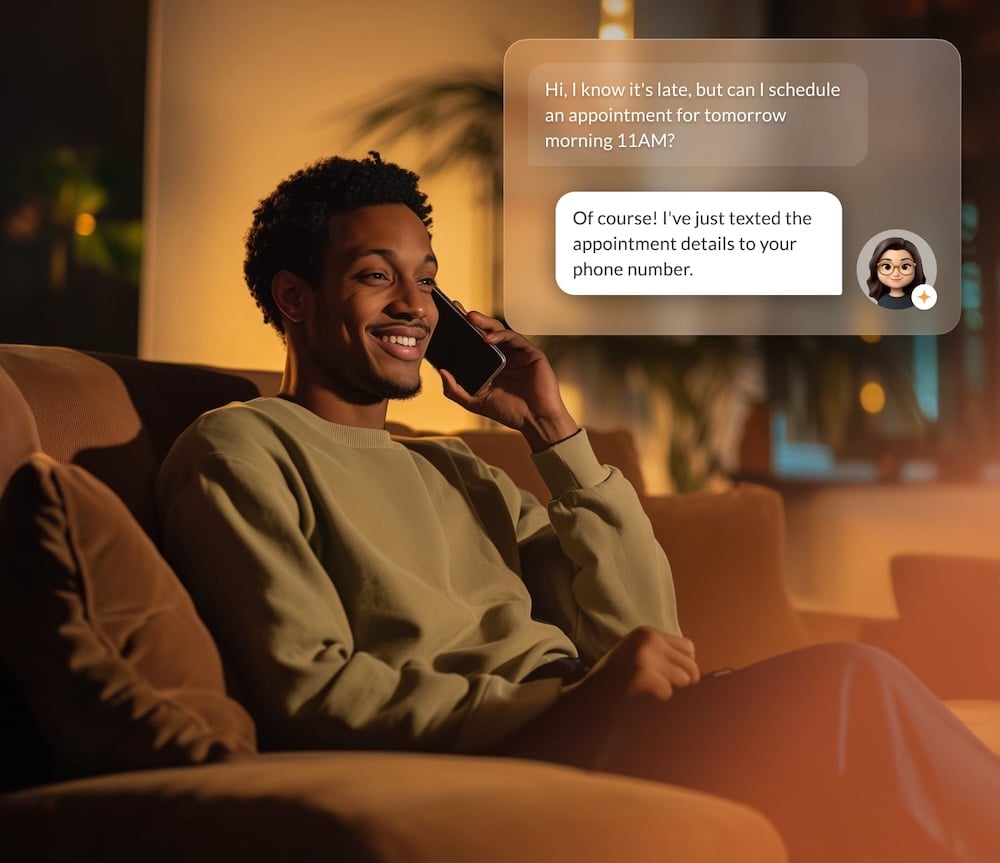
RingCentral AI Receptionist can answer and route calls via native calling for RingEX users. It can also schedule appointments and send SMS follow-ups.
Additionally, it is fairly easy to set up and uses your site’s content to understand your business. You can upload documents to refine it further, offering straightforward deployment.
RingCentral offers a 14-day free trial on their plans. Teams can get built-in reports that include call volumes, resolution rates, transfers, and unanswered questions.
As for integration, it works with popular CRMs including HubSpot, Salesforce, and Zoho. Calendar support for Google and Outlook is also available.
RingCentral AI can route calls by name, location, and keyword. It escalates with the caller’s name, reason for calling, and call summary.
Pros & Cons
PROS
CONS
Pricing
RingCentral AI Receptionist pricing starts at $49 per month, including 100 minutes. If you are already a RingEX user, you can buy the AI receptionist add-on at $39 per month with 100 minutes.
03. Smith.ai
AI receptionist with live agentsLive-agent fallback
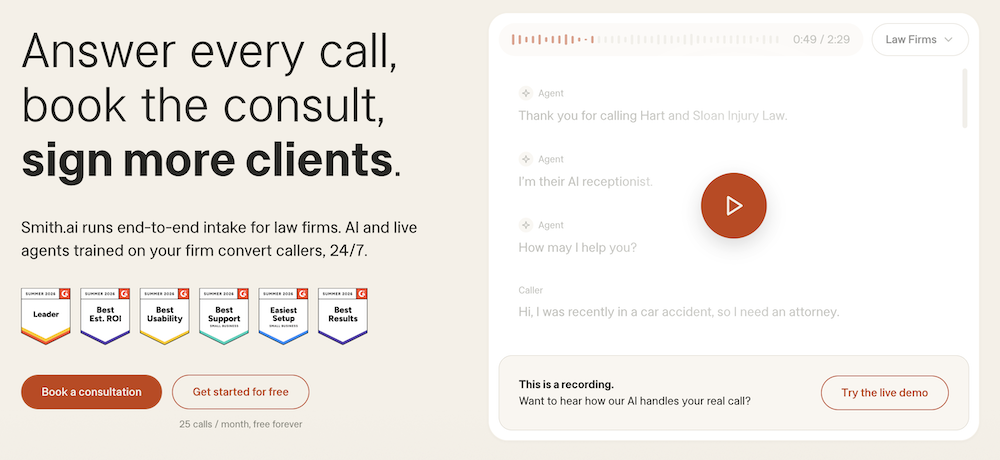
Smith.ai is a robust AI receptionist provider with live-agent fallback. It is popular with law firms due to native Clio integrations and legal intake.
However, it can be beneficial for other industries like finance, medical, staffing, insurance, and real estate.
Smith.ai’s AI receptionist can book appointments via Calendly. It can also qualify leads, route calls, and do warm transfers.
Smith.ai does offer a free plan with 25 calls per month, which is enough to test it. I tried their free plan. They offer 12+ AI receptionist voices, including Ava, Sierra, and Nolan. The ones I tried sound good, though slightly robotic. All voices are customizable.
Smith.ai offers Quality Studio to implement knowledge and accuracy control. Here, you can set goals, test real calls, and gradually improve the AI receptionist over time with a feedback loop.
In terms of integration, they have support for Salesforce, HubSpot, and the Clio ecosystem (Grow and Manage). Smith.ai also supports Zapier and Make, enabling integration of 5000+ apps via them.
As for hand-off, it escalates to a live agent if needed. They offer their own team for handling escalations, with the option to transfer calls to your team as well. If the escalation is AI-initiated, there is no fee.
Pros & Cons
PROS
CONS
Pricing
The free plan includes 25 calls a month, then $3 per call, and needs a credit card at signup. The Pro plan starts at $150 per month with 75 calls.
04. IONOS AI Receptionist
Voice AI receptionistStraightforward appointment capture
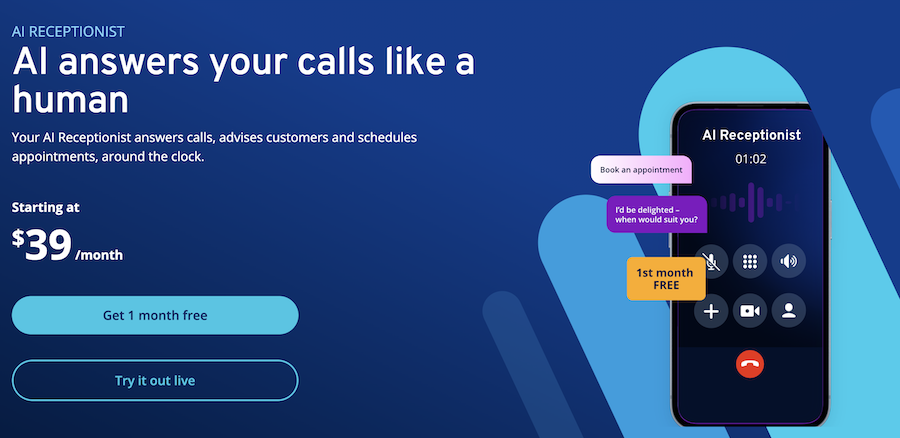
IONOS AI Receptionist is simple AI software that answers calls and schedules appointments 24/7. It is an affordable solution that works via phone only.
To schedule appointments, it works with Google Calendar, Outlook, Cal.com, and Calendly on the Flex Pro and Unlimited plans. It is smart enough to suggest appointments based on your schedule.
Before you sign up, you can test it by directly trying its public AI demo line. I found it sounded professional, though clearly AI.
As for knowledge creation and accuracy, it learns from your website URL. You can also feed the IONOS AI receptionist a custom knowledge base or documents. It also pulls customer data from HubSpot, Salesforce, or Zendesk to aid during calls.
For custom integration, advanced API access is available on the Unlimited plan.
Teams can configure IONOS AI Receptionist via Call Manager. It also has emergency phrase detection, which can identify urgent calls and transfer them to the right human agent.
Best fit: Small businesses that only need a voice AI receptionist that handles basic customer queries and appointment scheduling.
Pros & Cons
PROS
CONS
Pricing
IONOS AI Receptionist’s starting plan, Flex, is $39 per month with 30 calls, then $0.49 per call, and 1 call forwarding.
Flex Pro is $69 per month with 100 calls, then $0.39 per call, and 5 call forwardings.
The Unlimited plan costs $99 per month with unlimited calls and call forwarding. IONOS currently offers the first month free on any plan.
05. Synthflow
Enterprise voice AI platformEnterprise AI call workflows
Synthflow is best suited for enterprises that want to automate phone calls using enterprise-ready voice AI agents.
With Synthflow, you can set up custom AI agents for voice, chat, SMS, and WhatsApp channels.
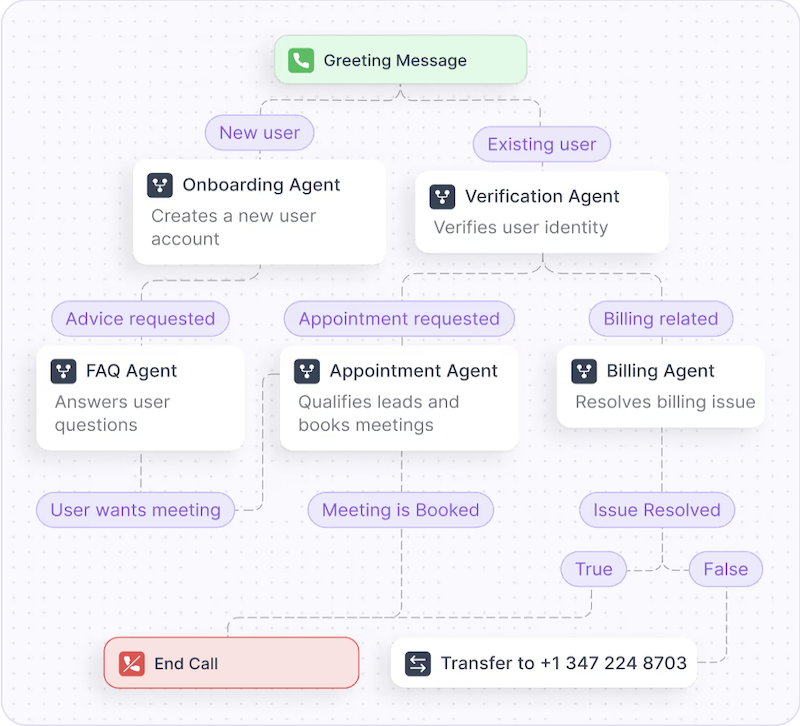
Each AI agent can be customized via multi-step workflows. The visual flow designer offers you the ability to customize every step, and you can use APIs to further customize it. You can also split a conversation across multiple AI agents, each handling a specialized task.
At the core of Synthflow is its BELL framework, which lets you build, evaluate, launch, and learn. Its AI Sandbox lets you preview, compare, and roll back agent versions before going live.
These agents, once deployed, can escalate to a human depending on the handoff triggers set by the team. They can also try to escalate if they fail to resolve the customer’s problem or if caller sentiment is negative.
As it is enterprise-ready, Synthflow offers 200+ integrations, which include HubSpot, GoHighLevel, Cal.com, Zapier, and others. It works with most popular phone systems, including Cisco, Avaya, RingCentral, and Genesys. It also supports SIP trunking.
The Flow Designer is no-code, but enterprise telephony and integrations still need technical expertise.
Pros & Cons
PROS
CONS
Pricing
Synthflow publishes enterprise pricing only. Contracts start at $30,000 a year.
06. Goodcall
AI phone answeringSmall-business AI phone answering
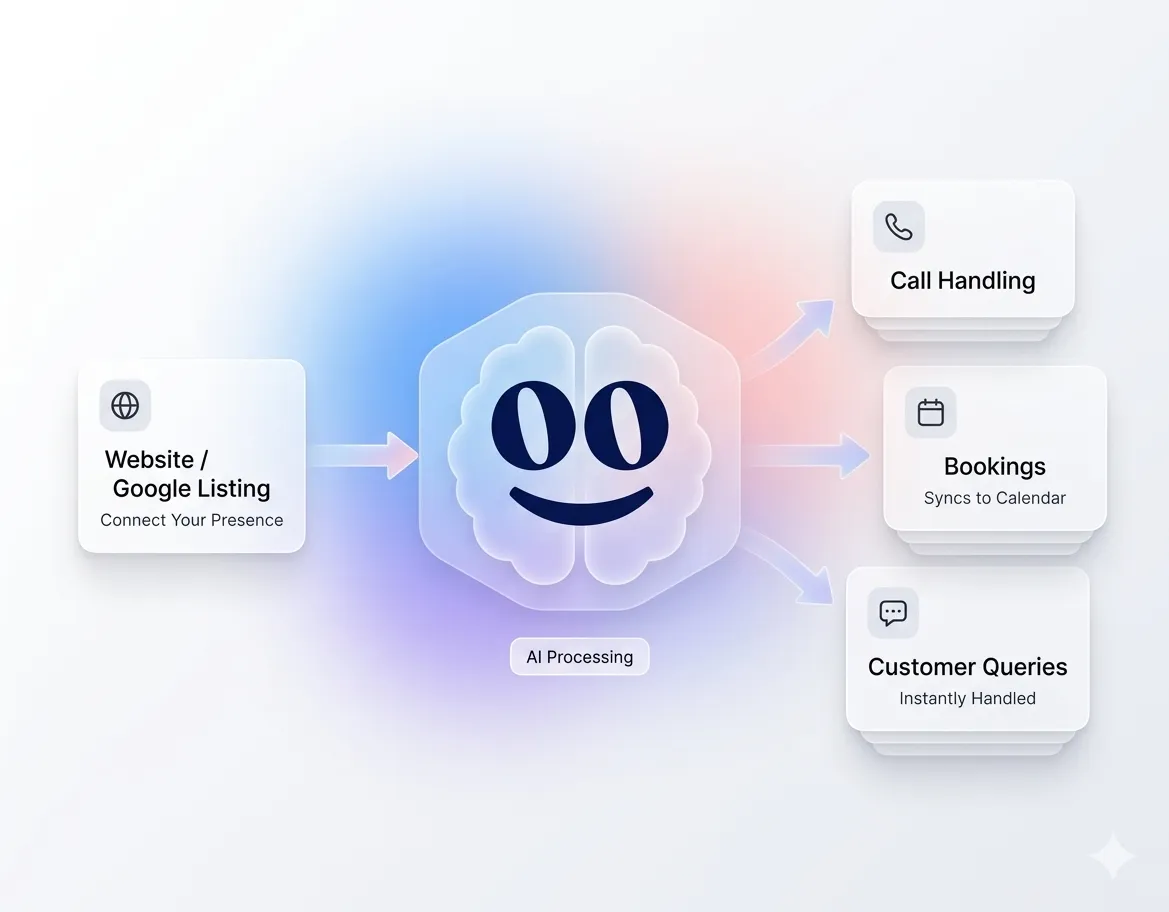
Goodcall is a voice-based AI phone answering solution. Its plans support 3 to 50 team members, which suits small businesses.
With Goodcall, you can automate customer service. It focuses on lead capturing. Once a lead is captured, it can be sent via SMS, email, Google Sheets, or CRM. This cuts manual data entry and the errors that come with it.
Goodcall is easy to set up and supports knowledge sources, business tools, and database connectivity. Its no-code, intuitive setup helps you set it up with no engineering team required. The number of logic flows differs based on the chosen plan.
Integration-wise, Goodcall supports calendars, CRMs, Zapier, and Google Sheets.
Goodcall can handle inbound calls and tries to resolve customers’ queries. If it is not able to, it transfers to your business line by default, with the option to configure it to a specific person or department.
Pros & Cons
PROS
CONS
Pricing
Goodcall charges per agent per month with unlimited minutes. The Starter plan is $79 per month for 100 unique customers, then $0.50 per extra unique customer.
A unique customer is any caller with a distinct phone number in a given month, so a caller who rings five times still counts once. Goodcall also offers a 14-day free trial.
07. Frontdesk
Omnichannel AI receptionistLocal businesses
Front Desk is the best pick for local businesses such as retail, therapy, real estate, legal, automotive, and accounting.
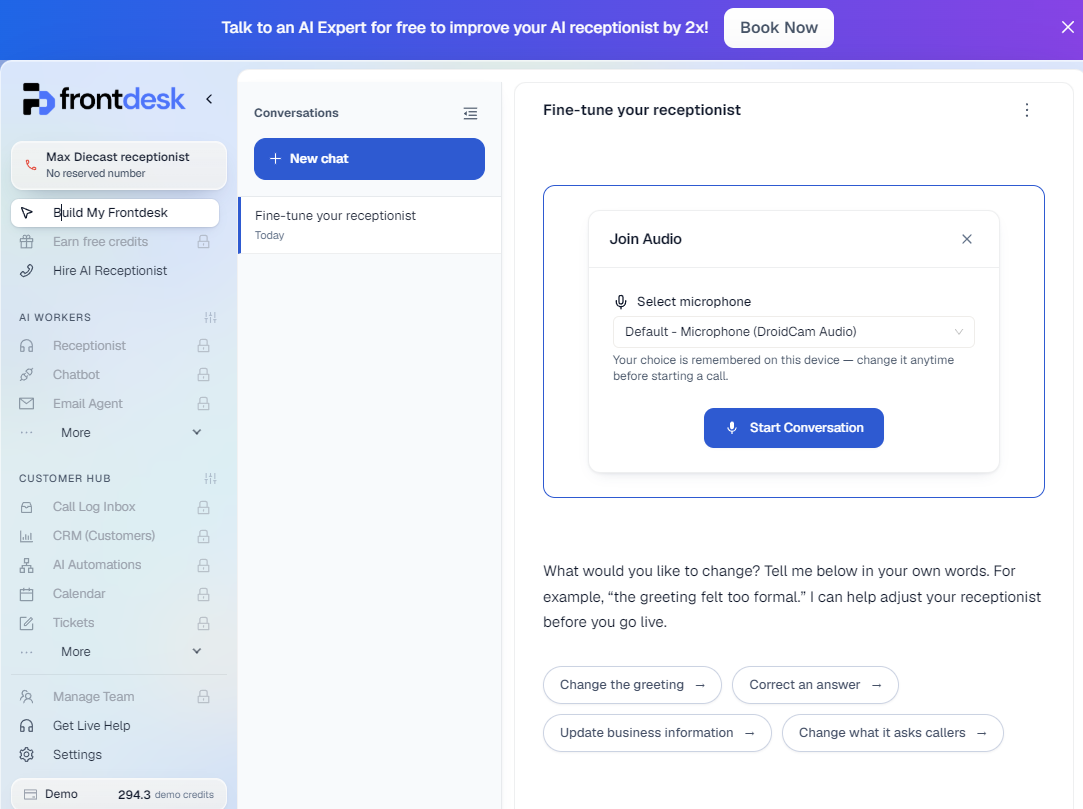
I tried their demo account, which offers access to the backend with demo credits (300 credits). You can also use its 7-day free trial to further test it.
Frontdesk offers scheduling with double-booking prevention. It also checks for availability by taking into account business hours and daily booking limits. To do so, it integrates with popular calendar apps including Google Calendar, Outlook, and Calendly.
It integrates well with CRMs like HubSpot, Salesforce, Zoho, and others, so that all information with context gets logged automatically.
Knowledge building starts the first time you spin up an AI agent. It reads your website and documents and builds the knowledge base. You can then refine its guardrails and playbooks. Furthermore, these AI receptionist agents work with unified memory, and conversations via all channels (voice, text, email, chat, and WhatsApp) are taken into account when dealing with customers.
If needed, Frontdesk can escalate to a human agent in real time with the full transcript.
Pros & Cons
PROS
CONS
Pricing
The Business plan costs $99 per month with 200 voice minutes, 100 chatbot conversations, and 400 SMS a month.
Extra usage uses credits at $0.01 each: $0.25 per voice minute (25 credits), $0.04 per SMS (4 credits), and $0.05 per chat (5 credits).
08. Slang AI
Restaurant AI receptionistHospitality and reservation calls
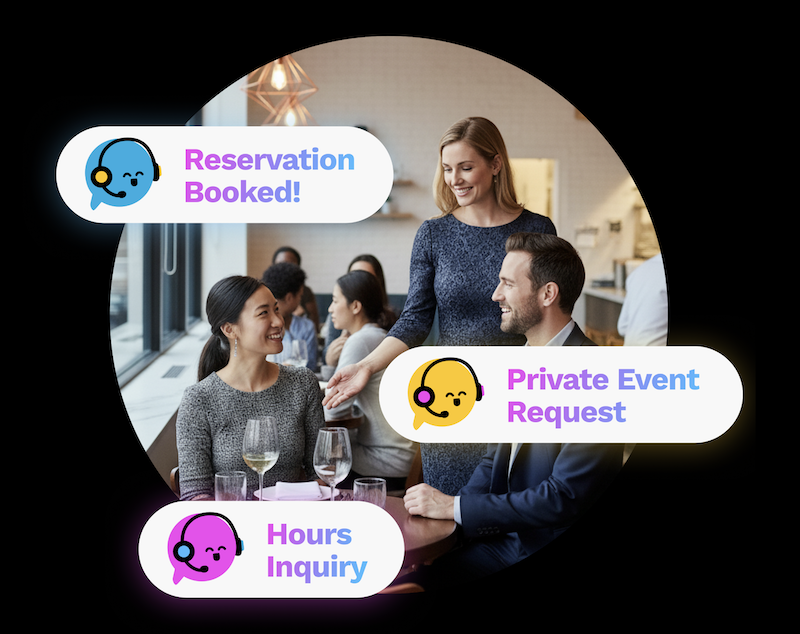
Slang AI is the best pick for businesses in the hospitality industry. It helps restaurants and restaurant groups maximize bookings by answering every inbound call 24/7.
It answers guest queries, cross-sells other locations if one location is full (premium feature), and offers custom VIP call routing to direct staff for a seamless experience. If Slang AI can’t handle a request, it forwards the call to a staff member or texts the guest your contact details.
Slang AI is customizable, with the option to set custom greetings, responses, and voices.
Integration-wise, it supports major restaurant platforms including OpenTable, SevenRooms, and Yelp, with Tripleseat available as an add-on for private events. This keeps the reservation pipeline smooth with proper text confirmations.
Slang AI is purposely built for restaurant businesses, unlike other entries in our list.
Pros & Cons
PROS
CONS
Pricing
Slang AI pricing starts at $399 per location per month. Custom branding and cross-location features are on the Premium plan at $599 per location per month, and a custom enterprise plan is also available.
09. Rosie
AI answering serviceAI answering and lead capture for solo owners
Rosie AI answering service is aimed at small businesses that want a 24/7 AI receptionist for their customers.
Rosie offers appointment booking (Scale plan and above) and answers FAQs, with an easy option to escalate when needed. Each call is properly documented and easily available via the dashboard.
It learns directly from your site and Google Business Profile, with an additional option to add custom FAQs when needed. However, more customization and custom agent training are locked behind its Growth plan.
It connects to Google Calendar and Calendly on the Scale plan and above, and Zapier extends it to 1,000+ apps.
Rosie offers two types of escalation: warm transfers, where it briefs your team before connecting (Scale plan and above), and waterfall transfers that try backup numbers (Growth plan).
Pros & Cons
PROS
CONS
Pricing
Rosie starts at $49 per month (Professional) with 250 minutes and 2 custom message-taking scenarios.
Scale ($149 per month) and Growth ($299 per month) include 1,000 and 2,000 minutes per month, respectively.
Every plan comes with a 7-day free trial.
10. Dialpad AI Receptionist
AI receptionist for DialpadBest for Dialpad customers
Dialpad AI Receptionist is an AI receptionist that handles high inbound call volume, especially for those already on the Dialpad platform.
The AI Receptionist handles calls, and Dialpad’s wider AI Agents platform extends to chat and SMS.
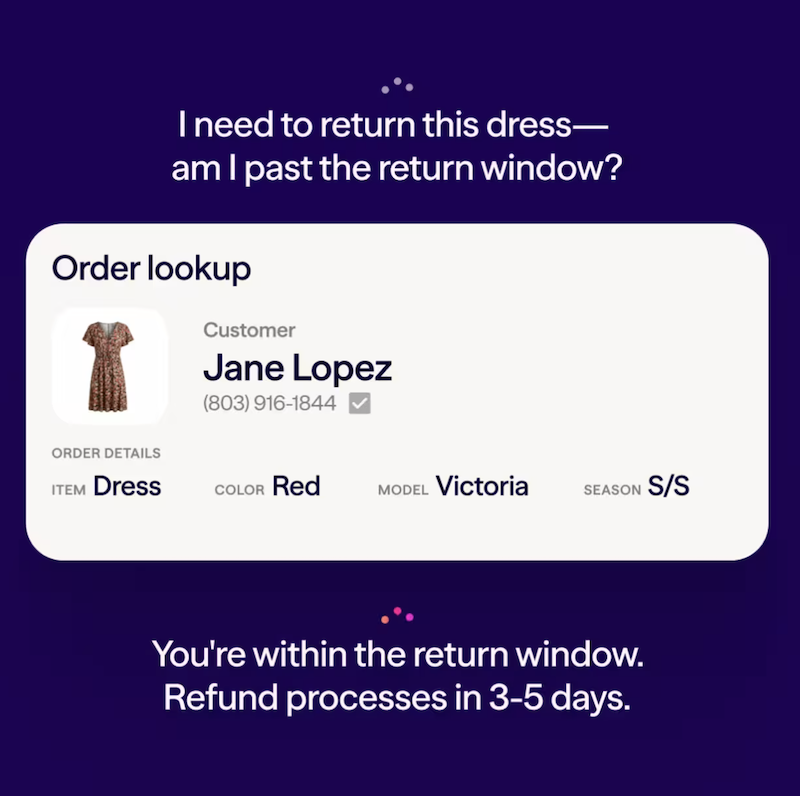
In my research, I found that the Dialpad AI Receptionist can book appointments directly. The wider AI Agents platform can also check order status and reset passwords.
You can create the AI receptionist via their no-code builder. It also offers the ability to configure via plain language. For advanced users, Dialpad offers Agent Studio that lets you do Skill Mining, helping in finding automation opportunities in past call data.
For escalation, it provides full context to the human agent, including a complete transcript.
Pros & Cons
PROS
CONS
Pricing
Dialpad doesn’t publish pricing. You buy a pool of AI Agent credits, billed per conversation when the AI takes an action. Contact sales for a quote.
11. CloudTalk AI Receptionist
Multilingual voice AI agentMultilingual AI call handling
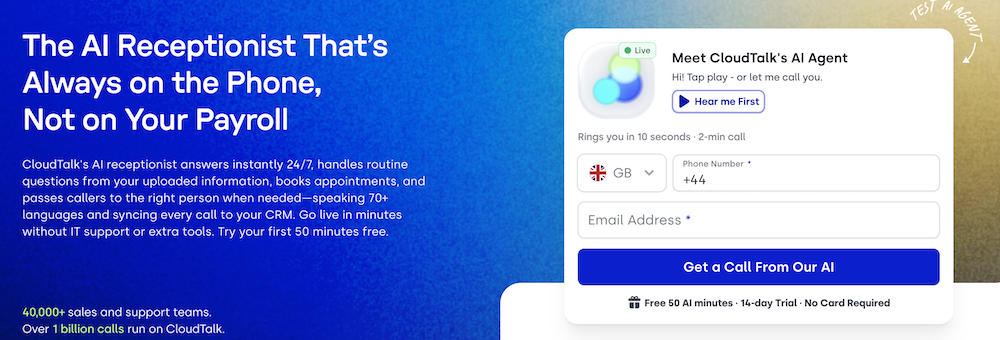
If your business has an audience from around the world, then CloudTalk is a great pick, as it offers 70+ languages and accents.
However, it only supports a voice channel. With CloudTalk, you can let customers book appointments via calendar integration, route calls, and screen and qualify leads. It also works with CRMs (HubSpot, Salesforce) to log caller details.
The CloudTalk AI receptionist learns from content on your site and FAQs. It is also capable of escalating calls with full context.
Pros & Cons
PROS
CONS
Pricing
CloudTalk’s AI receptionist starts at $99 per month for 200 minutes, and every user gets the first 50 minutes free.
The AI Specialist plan costs $349 per month with 1,000 minutes. A 14-day free trial includes 50 AI minutes.
12. Retell AI
Voice agent platformTailored voice agents
If your business wants tailored voice agents, then Retell AI is for you. It allows teams to create custom voice agents via its no-code studio. For more technical teams, it also has usable APIs and SDKs.
Retell AI supports multiple conversation channels, including voice, web, in-app chat, and SMS.
You can choose all the components of your AI agent, including LLM (GPT, Claude, etc.), Text-to-Speech (Retell Platform Voices, Fish Voices, etc.), and Telephony (Custom Telephony or Retell Twilio/Telnyx).
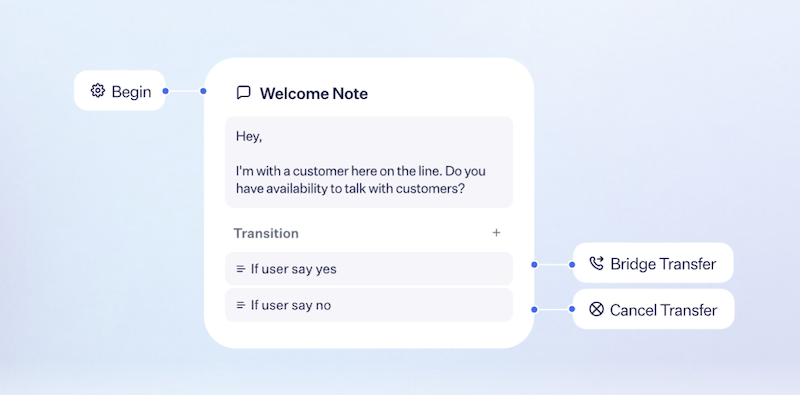
As for escalation, it supports agentic human handoffs.
Pros & Cons
PROS
CONS
Pricing
Uses a pay-as-you-go model with prices ranging from $0.07 to $0.31 per minute for voice. Check their pricing page for full details.
13. GoTo Connect AI Receptionist
AI receptionist for GoTo ConnectBest for existing GoTo customers
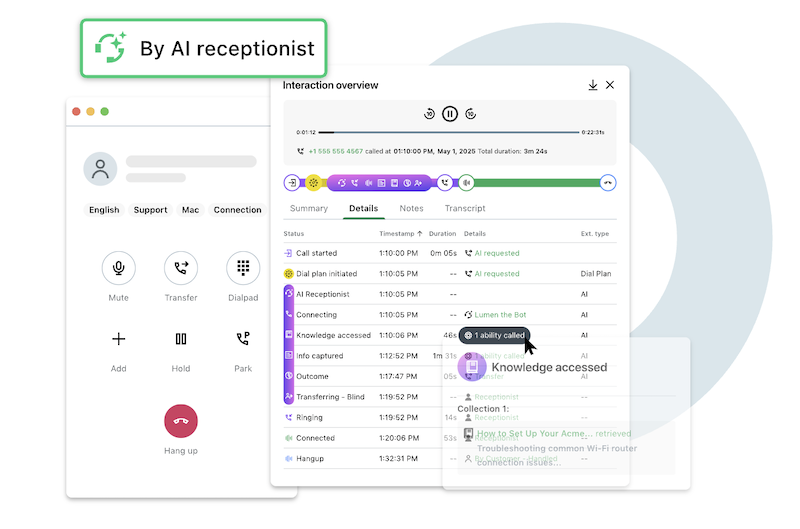
GoTo Connect is another 24/7 smart assistant. I recommend it to small businesses as it includes the necessary features, such as automating tasks, resolving customer queries, and escalating if there is a need (urgency or inability to resolve customers’ problems).
In the demo I heard, the voice was clear but sounded somewhat robotic. Setting up GoTo Connect involves uploading existing documents and setting up question-and-answer pairs.
Integration-wise, it is part of the GoTo platform, which makes it easy for CRM syncs and directory transfers. Hand-offs are done with full context. It also supports a “transfer by name” feature where callers say an employee’s name and get connected.
Pros & Cons
PROS
CONS
14. AIRA
AI receptionist for service businessesBudget-friendly service businesses
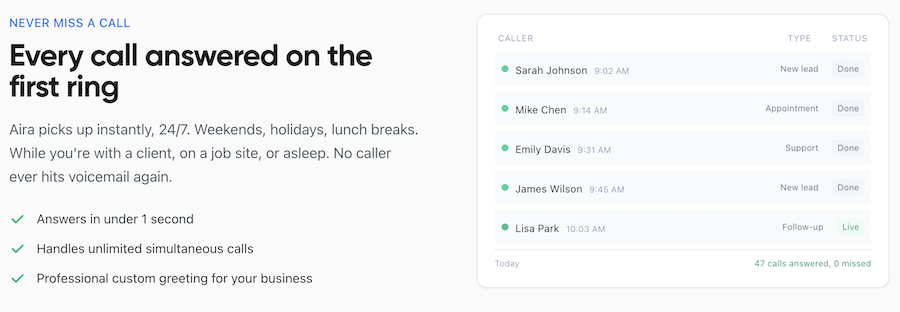
AIRA is a budget-friendly option for service businesses including HVAC, roofing, and auto repair.
AIRA offers a 24/7 AI workforce that can handle customer queries, send booking links, do lead qualification, and call routing. It uses its built-in CRM and lead pipeline. You also get the option to use other CRM software, including HubSpot and Salesforce.
With AIRA, you can get your AI receptionist live in ten minutes (as claimed by them) as it learns from your website information, including services, operational hours, FAQs, and most importantly, brand voice.
AIRA offers call escalation on all plans if the AI receptionist cannot resolve the customer’s queries or problem.
Pros & Cons
PROS
CONS
Pricing
AIRA pricing starts at $24.95 per month for 30 calls, then $1.50 per call. Higher plans add more calls, up to 600 a month on Scale ($299).
What an AI Receptionist Can and Cannot Do
Here, we’ll take a look at what an AI receptionist does well and what needs careful design or a person.
What It Can Do Well
- Answer routine questions from approved content
- Qualify callers through defined intake flow
- Book, alter, or cancel appointments
- Route calls by intent, location, or urgency
- Send confirmations and follow-up when configured
- Create searchable conversation records
What Needs Careful Design or a Person
- Sensitive, high-stakes, or emotionally charged calls
- Complex exceptions and negotiations
- Requests without a dependable source of truth
- Urgent scenarios that need an accountable decision-maker
- Compliance-sensitive workflows without appropriate controls
Seven-Step Implementation Checklist
Follow this seven-step implementation checklist for the best initial AI receptionist setup.
- Choose the first call types and success metrics: Decide what hours your AI receptionist works and action types, such as the ability to book appointments.
- Prepare approved answers, rules, FAQs, and non-answer boundaries: Carefully design your AI receptionist boundaries by providing it approved answers, rules to follow, FAQs, and non-answer boundaries. For example, you only want to book appointments and not cancel them or issue refunds based on the return window. XBert lets you do just that.
- Connect the phone number, calendar, CRM, and messaging tools: Make sure to connect the phone number, calendar, and CRM for automation. Many tools work via forwarding and might require other setup before they can go live.
- Configure identity, hours, transfer paths, and urgent handling: Give your AI receptionist proper identity, hours at which it is operational, and the ability to escalate when needed via transfer paths.
- Test unclear requests, interruptions, booking conflicts, and transfer failures: Use built-in testing tools (such as Smith.ai’s Quality Studio or Synthflow’s AI Sandbox) to iron out any issues and improve overall functioning.
- Launch to a limited segment or after-hours calls first: To ensure a smooth transition, launch it to a limited segment of customers or enable it after-hours.
- Review outcomes, transcripts, unanswered questions, and costs weekly; refine the agent: AI receptionists require ongoing effort to improve and hence need weekly reviews, including associated costs.
Good to Know
What is an AI receptionist?
An AI receptionist is software that uses conversational AI to answer calls and texts. It can also carry out actions like booking appointments, capturing leads, and routing calls.
How is an AI receptionist different from an answering service or virtual receptionist?
The core difference between them is who handles the call. An AI receptionist is software that answers calls, resolves customer queries, and carries out tasks, with the option to escalate to a live agent if needed. In a virtual receptionist (also known as an answering service), a trained person handles the call.
Can an AI receptionist book appointments?
Yes, it can book appointments when connected with a supported calendar like Google, Outlook, or Calendly.
Can it transfer a call to a person?
Yes, an AI receptionist can escalate to a live person if it cannot resolve the customer’s query. Some tools such as IONOS can also escalate for complex queries or if it detects urgency in the call.
Does it work after hours?
Yes, it does. Most tools offer 24/7 coverage, and some, like XBert, can be limited to after hours only
Is it appropriate for healthcare, legal, or financial services?
Yes, but with proper compliance certificates such as a signed BAA for healthcare, PCI DSS for card payments, and all-party consent for call recording.
Conclusion
Choosing the right AI receptionist depends on the channels you need and the tasks you want to automate. You also need to look into escalation quality and associated costs.
I recommend XBert as a great starting place to deploy an AI receptionist if you want to cover calls, texts, and web chat. It can also book and reschedule appointments, sync with your CRM and calendar, and escalate the call to a real person with full context via Nextiva Contact Center.
For other needs, here are good places to start:
- Already on RingEX: RingCentral AI Receptionist
- Want a live-agent fallback: Smith.ai
- Run a restaurant or hospitality group: Slang AI
- Need a budget option for a service business: AIRA
- Have a technical team building custom voice agents: Retell AI or Synthflow
It’s crucial to estimate your monthly volume and expenses before choosing a tool. This can include minutes, calls, sessions, unique customers, depending on how these AI receptionist providers measure it.






