



Customers are unpredictable. Two people can land on the same product page, and one buys in five minutes while the other three weeks later from an email. A customer journey map helps you make sense of both.
A customer journey map is a visual picture of everything a customer goes through with your business, from the moment they first hear about you to what happens after they buy. Think of it as a road map of their needs, questions, and frustrations at each step.
In this guide, I cover the four main types of journey maps, a 10-step process for building one, and the mistakes that make most maps useless. I also cover a faster way to get a first draft with AI.
What Goes Into a Customer Journey Map
Some teams use a whiteboard and sticky notes, others build polished maps in dedicated software. Almost every useful map shares the same building blocks, though:
- A persona, meaning the specific type of customer whose journey you’re mapping
- Stages, such as awareness, consideration, purchase, and loyalty
- Touchpoints, or every place the customer interacts with you, from ads to support chats
- The customer’s actions, thoughts, and emotions at each stage
- Pain points, plus the opportunities to fix them
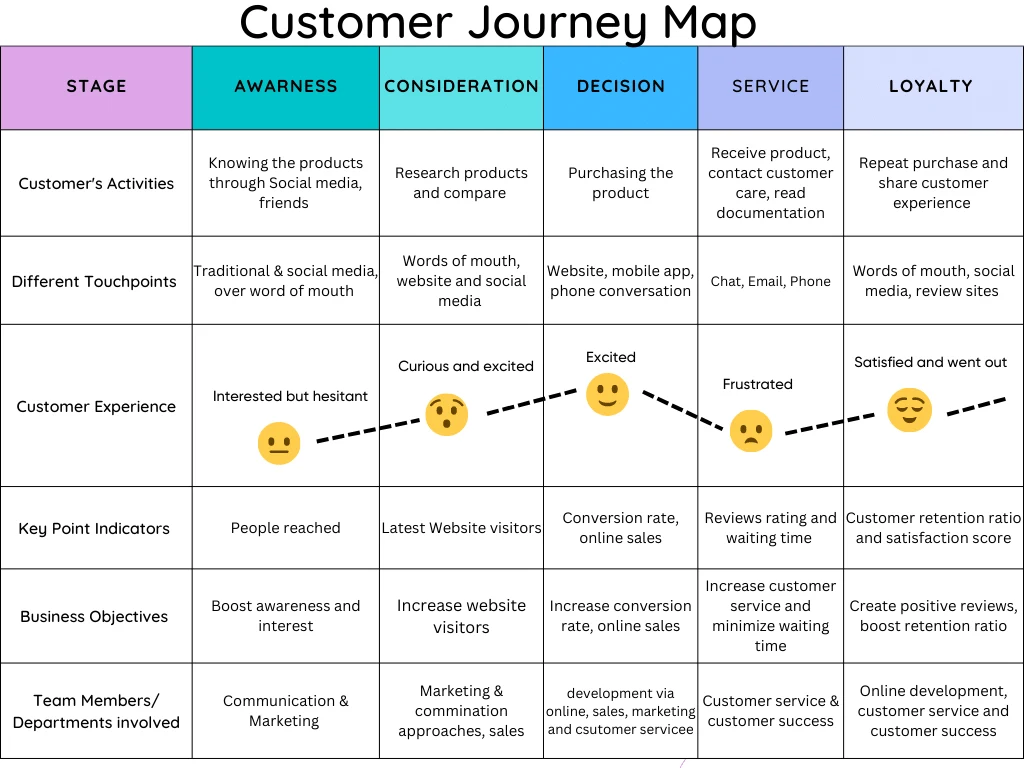
The sample above follows one customer from awareness to loyalty. Look at the emotion line in the middle. The customer is excited at the decision stage, then frustrated once they need service. Surfacing a dip like that is exactly what a map is for.
Types of Customer Journey Maps
Not every business needs the same map. A healthcare provider might focus on giving patients clear information at each step, while a retailer cares more about making in-store and online shopping feel like one experience. B2B and B2C journeys look different too, and so do service businesses compared with product companies.
Depending on what you want to learn, you’ll usually pick one of four types.
Current State Map
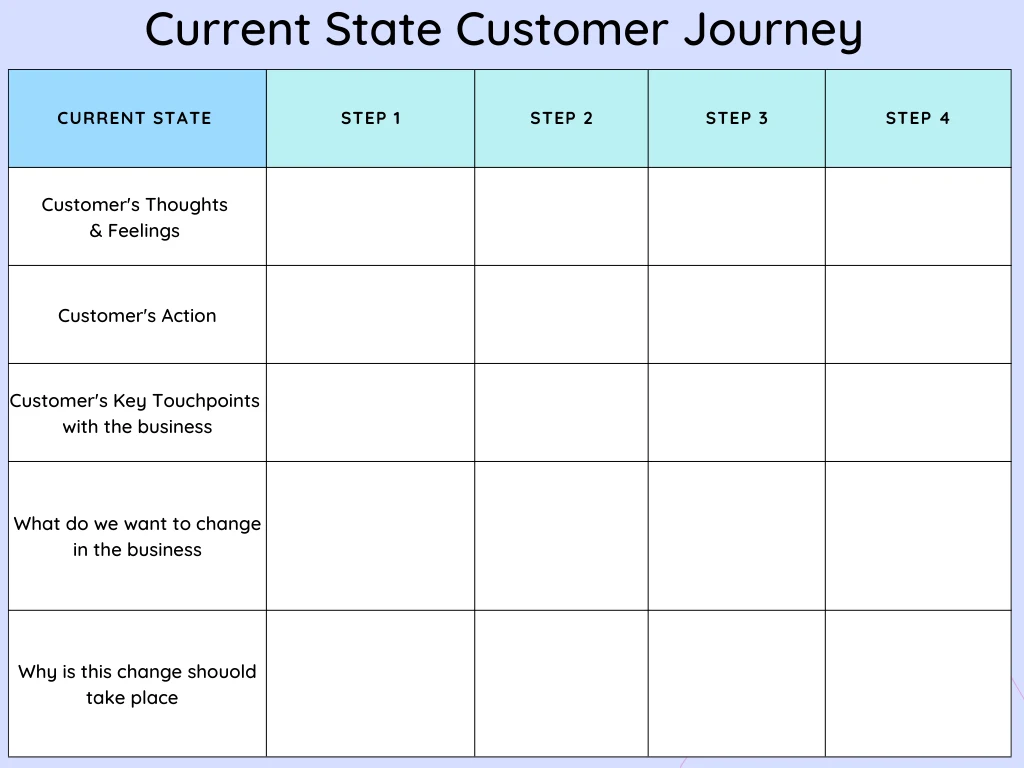
A current state map shows the experience customers have today, step by step and touchpoint by touchpoint, flaws included.
Most businesses start here.
It’s ideal for finding inconsistencies and quick wins for the user experience. You might follow a customer from the moment they discover your brand, through purchase, to the follow-up period afterward. Typical touchpoints include browsing your website, visiting a store, completing checkout, and contacting support.
Future State Map
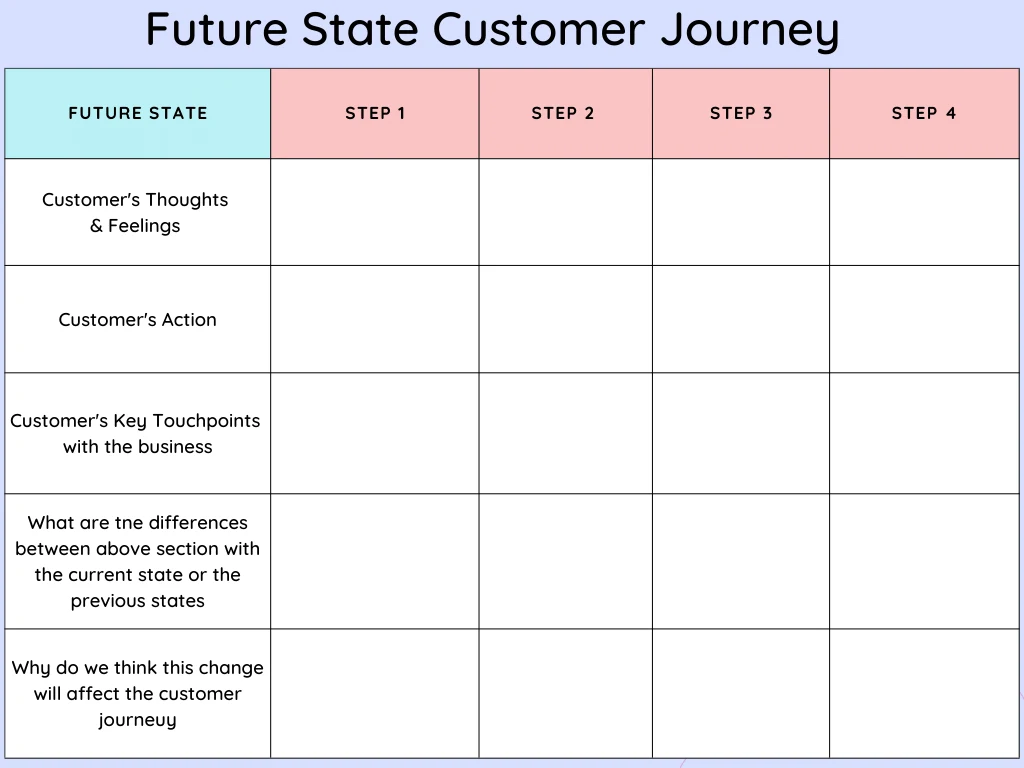
A future state map imagines the experience you want customers to have like the ideas, actions, and feelings you’d like them to encounter a year from now.
You can’t design a good future state without knowing where you stand, so build the current state map first. Then pinpoint the gaps, set specific goals, and sketch the improved journey across your apps, physical locations, campaigns, and post-purchase follow-up. A future state map is also good at getting teams and stakeholders behind one goal.
Day in the Life Map
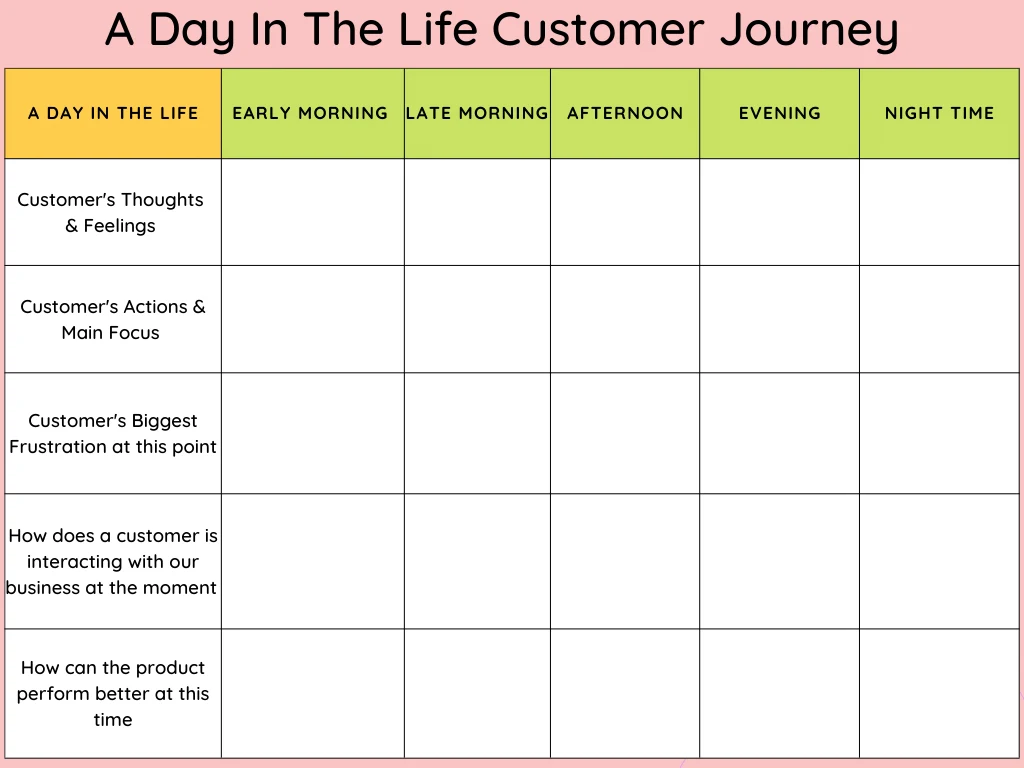
Instead of mapping only the interactions with your business, a day in the life map follows what customers do across a typical day. It exposes problems that already exist in their lives, and those often lead to ideas you’d never find by staring at your funnel.
These maps usually include where customers are, how they use certain products, and basic demographics. With that, you can time your messages and reach people when they’re actually ready to buy.
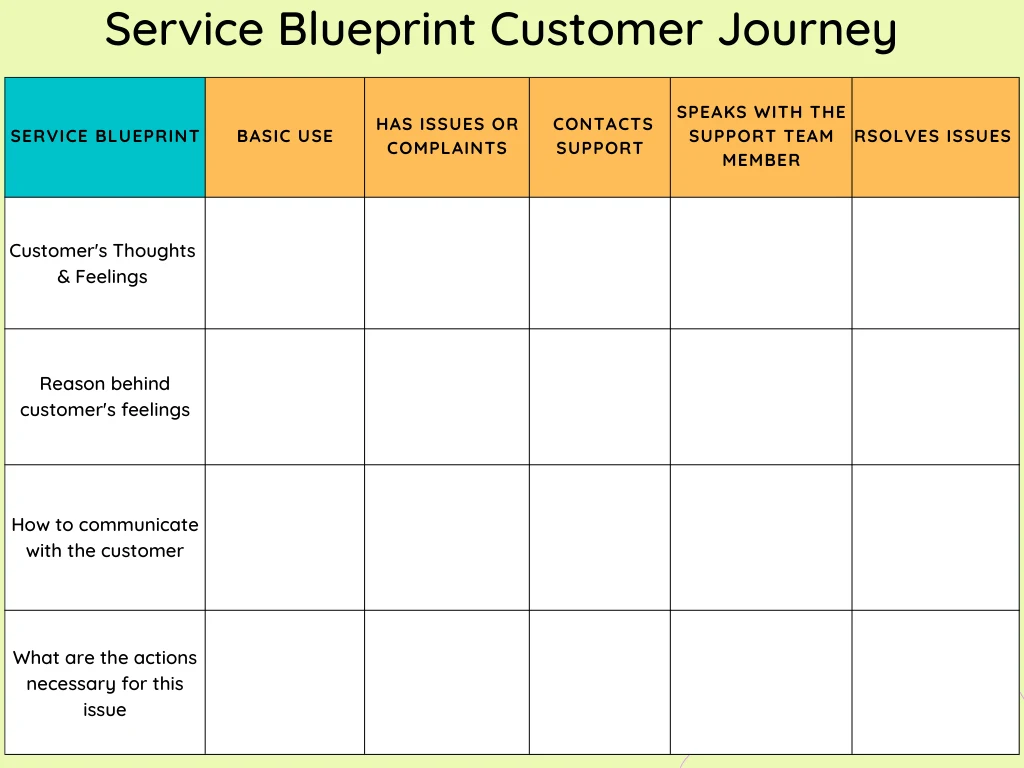
Service Blueprint
A service blueprint takes one of the other three maps and adds a layer underneath it like what your business does behind the scenes to deliver each step. Support teams, internal systems, policies. Customers never see any of it, but they feel the results.
The idea is to look at each stage through the customer’s eyes, then work out which internal process has to change to improve it. A blueprint helps you answer practical questions, like where customers will need help next and how your service can meet that need.
Why You Need a Customer Journey Map
Customers expect a business to remember them. If they leave something in a cart, they want it there when they come back. If they’ve explained a problem to support once, they don’t want to explain it again. Meeting those expectations is hard when nobody in the company can see the whole journey.
A journey map fixes that visibility problem, and the benefits spread from there. You find the pain points that quietly cost you sales. Product teams get evidence about what customers actually need. Marketing can time campaigns around the moments people are deciding. Maps also tend to expose waste, like duplicated work, avoidable support tickets, and steps that serve the company more than the customer, so they save money too.
Marketing, sales, and support rarely look at the same picture of the customer, and building a map together puts them in one room. The conversation is as valuable as the finished map. And once you have it, you’ll notice when customer preferences or technology start to shift.
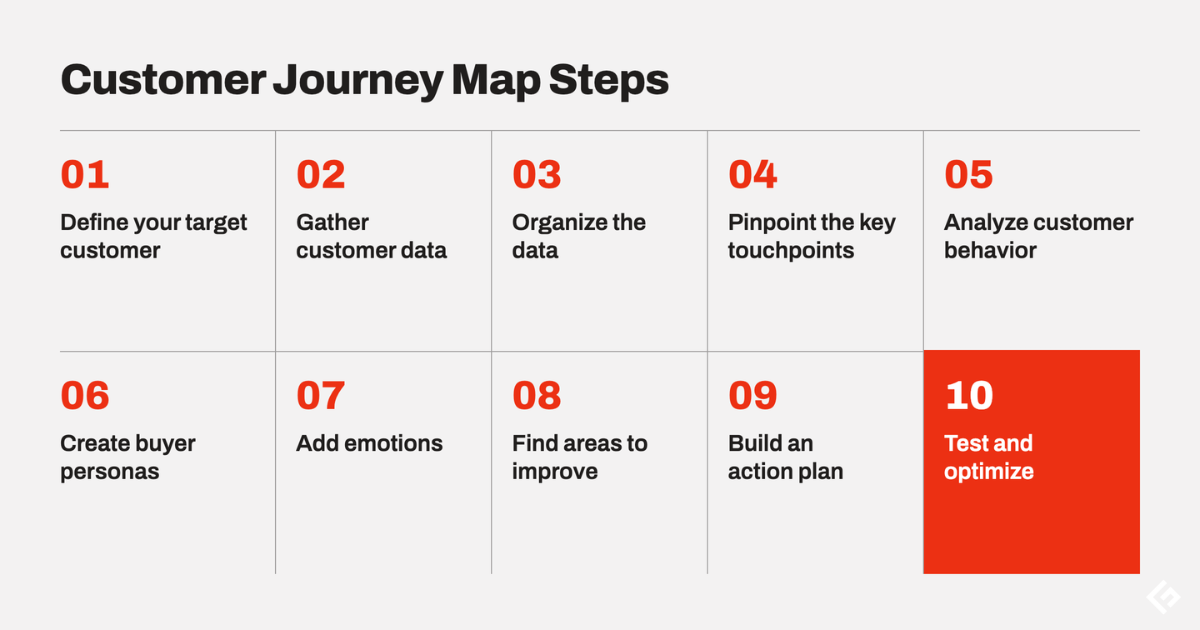
How to Create a Customer Journey Map in 10 Steps
Every map looks a little different depending on your customers and the tools you use. The fundamentals don’t change much, so start with these ten steps and adapt them as you go.
1. Define your target customer
Decide whose journey you’re mapping. Learn their characteristics, habits, and problems through market research and customer surveys.
If you serve very different groups, segment them by demographics, purchase history, or whatever factor matters most to your business, and map one segment at a time. A map that tries to cover everyone usually ends up describing no one.
2. Gather customer data
Next, collect data on how customers actually interact with you, including the touchpoints they use and where they get frustrated. Interviews, analytics, and support logs all help. Your help desk is especially useful, because tickets record frustrations in the customer’s own words.
Survey numbers tell you where people drop off. A 20-minute interview tells you why. Don’t ignore public conversations either, social listening tools show how people talk about you.
3. Organize the data
Put what you’ve gathered into a visual format, usually a timeline or flowchart with the stages running across the top. Laid out this way, gaps and repetition jump out in a way they never do in a spreadsheet.
4. Pinpoint the key touchpoints
Identify the touchpoints that matter most, such as the first interaction, the moment of decision, and the post-purchase experience. Then find the ones where people are most likely to hit problems or lose interest. Analytics and customer feedback will usually point you straight to them.
5. Analyze customer behavior
Where do the same complaints keep coming up? Which steps take far longer than they should? With enough data, statistical methods like clustering can group customers by behavior. A careful read through feedback often surfaces the biggest issues.
6. Create buyer personas
Turn your findings into personas, semi-fictional profiles that stand in for your main customer segments. You might have one for early adopters and another for price-sensitive shoppers. Personas make the map feel human, and they keep the team focused on real needs instead of internal assumptions.
7. Add emotions
It’s also the one that makes a map worth having. Note how customers feel at each point like annoyed, confused, relieved, delighted using feedback and interviews as your source. Draw an emotion line across the map and the low points become impossible to ignore.
8. Find areas to improve
Combine your analysis with the emotions to see where the journey breaks down. Pay close attention to the spots where customers drop off, then brainstorm possible fixes for each one.
9. Build an action plan
Turn those fixes into a plan with specific actions, owners, and deadlines. Decide upfront how you’ll measure whether each change worked.
10. Test and optimize
Roll out the changes and watch what happens. A/B testing shows how customers respond to a new version of a step, and follow-up surveys or conversations in your customer service software tell you whether satisfaction actually improved. Feed what you learn back into the map. It should never be a one-time project.
How to Create a Customer Journey Map With AI
Give an AI chat a persona and a set of stages, and it will draft a complete map in under a minute. It won’t replace your research. What it gives you is a first draft to brainstorm with.
I tested this in Sparkian, which lets you chat with models from OpenAI, Anthropic, and Google in one place. I picked GPT-6 Luna and a made-up business, an online meal-kit subscription, and used this prompt:
Act as a customer experience researcher. Build a current-state customer journey map for a first-time customer of an online meal-kit subscription. Persona: Priya, 34, works full-time, cooks three nights a week, watches her grocery budget. Use five stages: Awareness, Consideration, Purchase, First delivery, Retention. For each stage, list her goal, actions, touchpoints, what she's thinking, her emotion on a scale of -2 to +2, pain points, and one improvement idea. Put it in a table, then name the three biggest drop-off risks. Flag anything that's an assumption so I can check it against real customer data.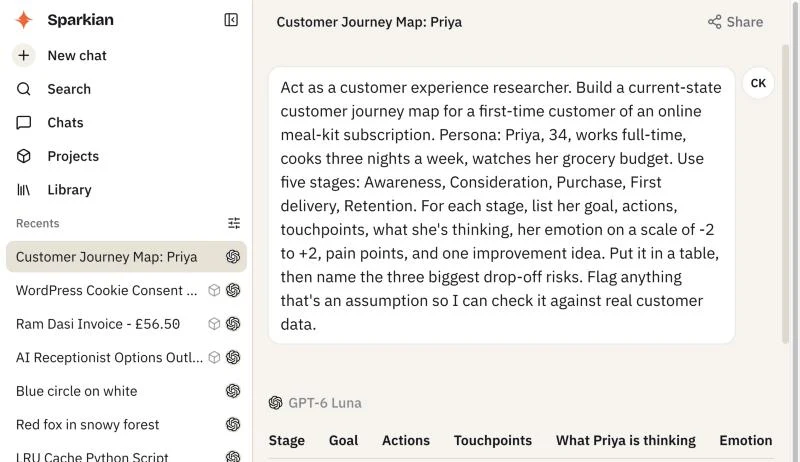
The answer came back as a full table covering all five stages.
| Stage | Priya’s main action | Emotion | Pain point | Improvement idea |
|---|---|---|---|---|
| Awareness | Notices an ad or a friend’s recommendation and compares meal kits with grocery shopping | 0 | Unclear total cost; promotions hide the regular price | Show per-serving and weekly cost, including delivery fees |
| Consideration | Checks menus, portion sizes, delivery coverage, and cancellation terms | 0 | Hard to compare plans; unclear how to skip or cancel | A simple plan comparison and a plain explanation of how flexibility works |
| Purchase | Picks a plan and meals, then pays | -1 | Renewal terms are easy to miss; surprise fees | Show the recurring price, next charge date, and skip or cancel controls before payment |
| First delivery | Tracks the box, checks the ingredients, cooks a meal | +1 | Late delivery, missing items, confusing recipe steps | A delivery-day checklist with tracking and an easy way to report missing items |
| Retention | Reviews the next menu and upcoming charge, then keeps, skips, or cancels | 0 | Repetitive menus; poor value versus groceries; missed cutoffs | A pre-renewal reminder with the next menu, full price, and one-step skip |
The last part of the answer impressed me. Because I’d asked it to flag assumptions, it labeled the emotion scores as illustrative and framed the three drop-off risks as hypotheses. It even suggested checking them against funnel data, cancellations, support contacts, and interviews with first-time customers. That’s exactly how you should treat an AI-drafted map.
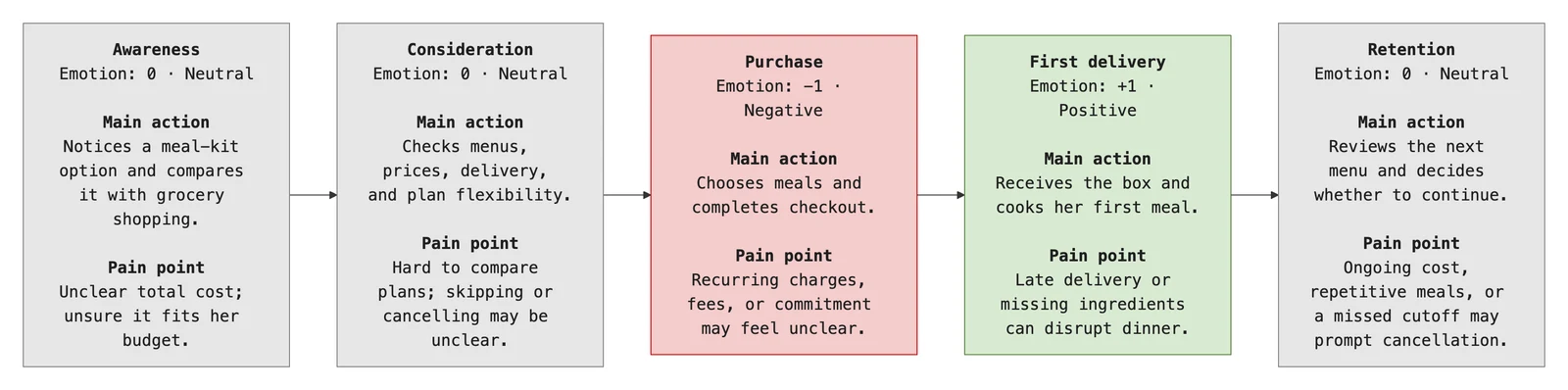
Next, I asked for a visual version:
Now turn this into a visual journey map diagram. Show the five stages left to right, with Priya's main action and pain point under each stage, and color each stage by her emotion (green for positive, grey for neutral, red for negative).Sparkian drew the diagram with each stage colored by Priya’s mood:
If you try this yourself, a few things make a big difference:
- Be specific about the persona. “Busy professional” gets you generic output, while age, schedule, and budget give you something you can test.
- Name the stages you want. Otherwise the model invents its own, and they may not match how your business works.
- Paste in real data where you can, such as anonymized survey answers or common support ticket themes. The more evidence it has, the less it guesses.
- Ask it to flag assumptions, then validate them before anyone acts on the map.
For more ideas along these lines, browse our collection of AI prompts for marketers.
Common Mistakes to Avoid
A journey map is only as good as the thinking behind it. These mistakes turn plenty of promising projects into a nice-looking poster nobody uses:
- Starting without a clear goal for the map
- Focusing only on how customers use your product and ignoring the wider journey
- Collecting feedback from loyal customers while ignoring the ones who left
- Skipping the early stages, when customers are still working out what they need
- Leaving out emotions
- Mapping in a silo, without sales, support, and other teams involved
- Relying on a single data source
- Never validating the map with real customers
- Forgetting the post-purchase experience
- Treating the map as finished
A map that was accurate two years ago can quietly send you in the wrong direction today, so revisit it whenever your product, pricing, or channels change.
Customer Journey Mapping Tools
A spreadsheet or whiteboard is enough for a basic map. Dedicated tools make it easier to collaborate, keep maps current, and share them across teams. Two are worth a look.
Miro
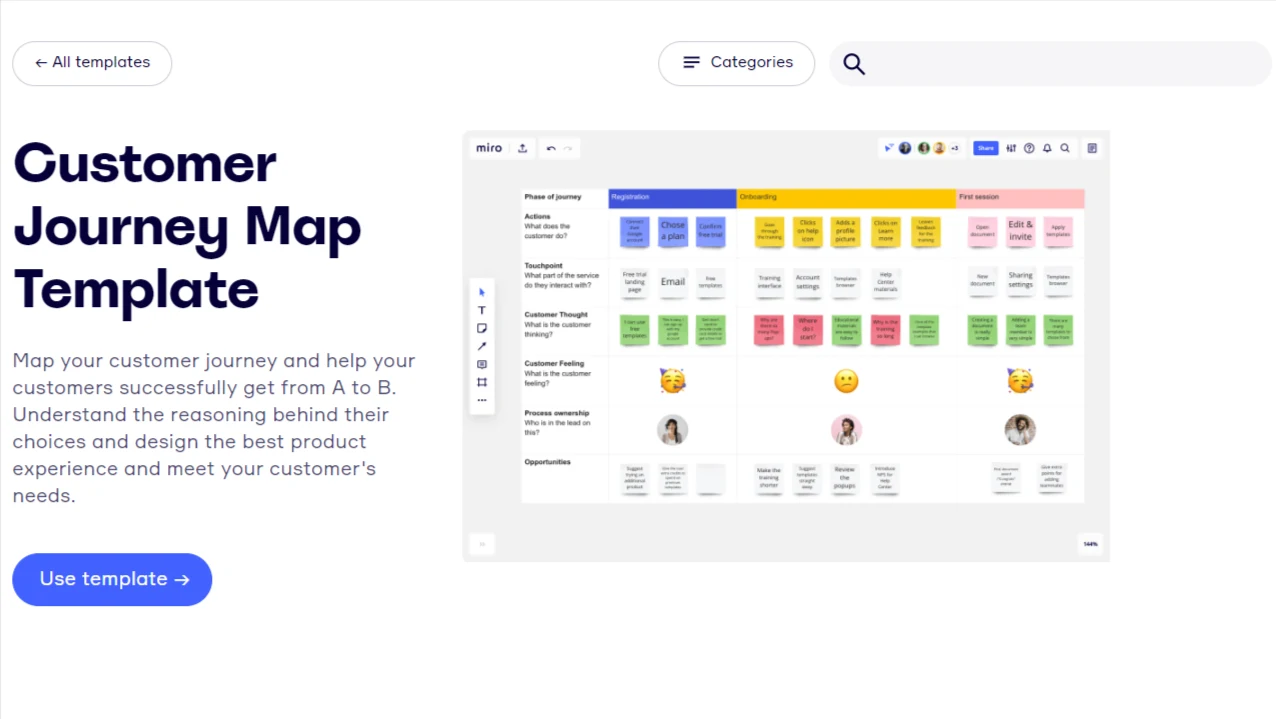
Miro is an online whiteboard that balances structure and flexibility well. Its customer journey map template gives you lanes for stages, actions, thoughts, emotions, and opportunities, and the whole team can edit the same board at once.
The free plan includes three boards and template library. Paid plans start at $8 per member per month and Miro’s built-in AI can generate diagrams and summaries on the board.
UXPressia
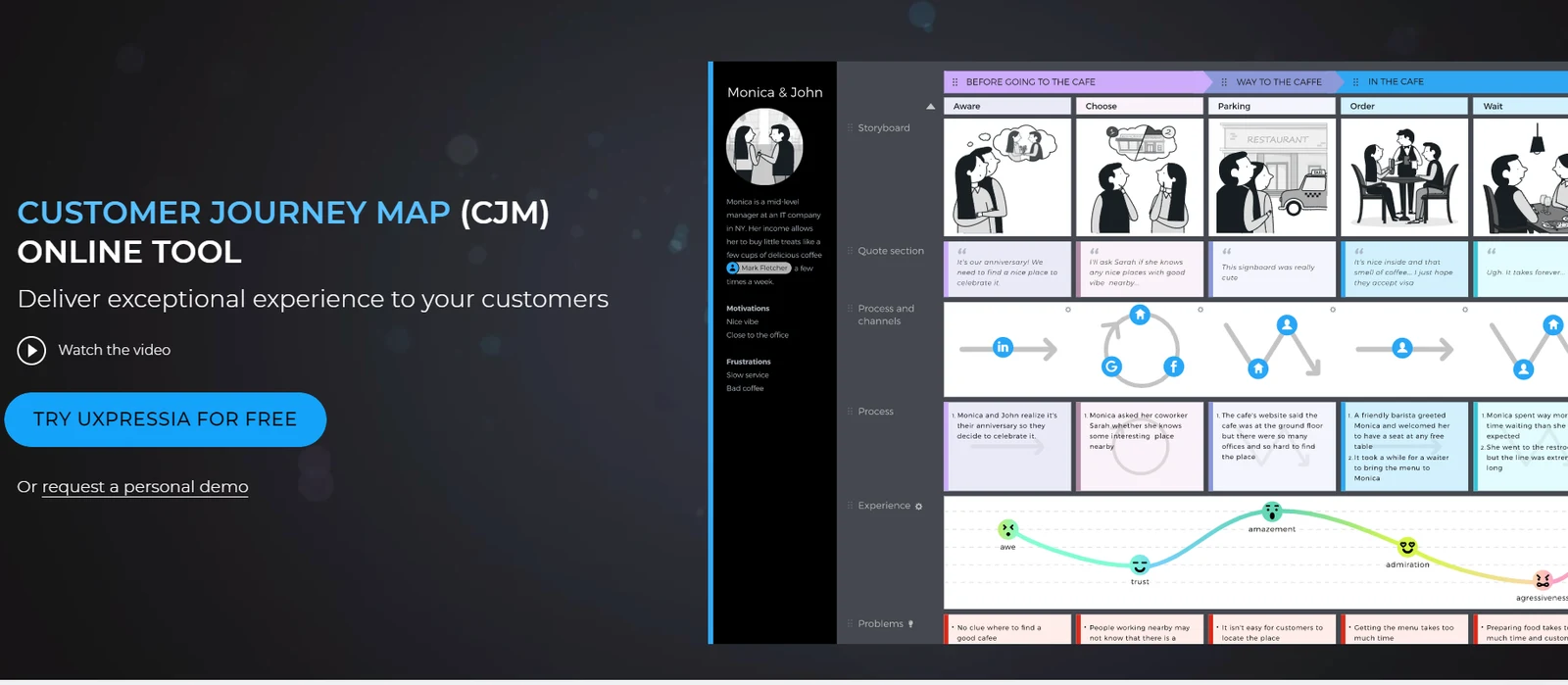
UXPressia is built for customer experience work. Besides journey maps, it handles personas, service blueprints, and impact maps, and its experience graph tracks customer emotions across every step.
The free plan covers three journey maps, three personas, and three impact maps, with PNG export.
Good to Know
What are the key elements of a customer journey map?
Most maps include a buyer persona, the stages of the buying journey, customer touchpoints, and the customer’s emotions at each stage. Many also add pain points and improvement opportunities.
What data do I need to create a customer journey map?
You need information about your customers, their main touchpoints with your business, how they make decisions, their feedback, the other brands or products they consider, and what they do after buying.
Can AI create a customer journey map?
Yes. AI tool can draft a map from a persona and a list of stages in under a minute. Treat the result as a hypothesis rather than research, and check it against real customer data before acting on it.
How often should you update a customer journey map?
Review it whenever something significant changes, such as a new product, channel, or pricing model. Even without big changes, a yearly review keeps it from drifting out of date.
Final Thoughts
Customers keep changing, and their journeys change with them. A journey map gives you one place to watch those shifts, which makes it much easier to stay customer-centered instead of guessing.
Every business ends up with a different map, but the steps to build one stay the same. Start with one persona and a current state map. Use AI to speed up the first draft if it helps, then test everything against what real customers tell you.






