



Data scraping is one of the most powerful capabilities in the modern tech toolkit. Companies use it to win pricing wars, build AI training datasets, track competitors in real time, and make decisions that would take human analysts weeks to make manually.
In this guide, we will discuss the techniques, the tools, and the legal realities of data scraping you need to be aware of in 2026.
What is Data Scraping?
Data scraping is the automated process of extracting structured or unstructured information from a source, which could be a website, document, or database, and converting it into a usable format like CSV, JSON, or a database record. When that source is a website, it’s specifically called web data scraping or website scraping.
A web page is just an HTML document served to your browser. Your browser renders it visually. A data scraper, instead of rendering it, reads it programmatically and pulls out what matters to you. It could be product prices, contact details, news headlines, flight fares, etc., and organizes that data so it can actually be used.
Modern web scraping is a cat-and-mouse game. Websites have bot detection tools, CAPTCHAs, IP rate-limiting, JavaScript rendering requirements, and dynamic content loading. Scrapers need to outsmart these tools with headless browsers, residential proxy rotation, human-like request timing, and AI-powered data detection.
Types of Data Scraping
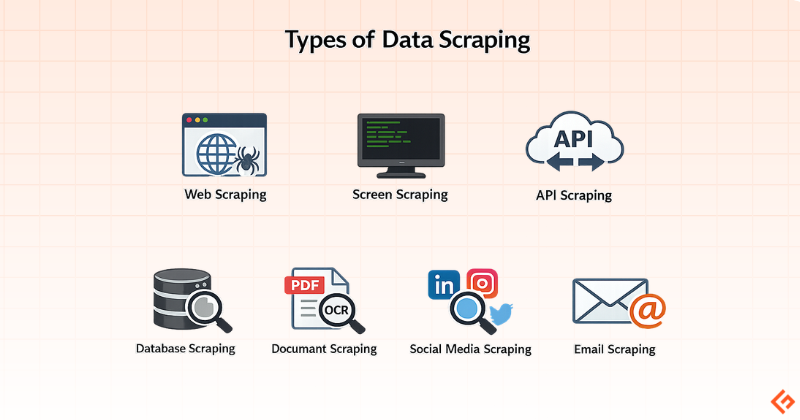
Data scraping is of several distinct types depending on what you’re extracting and from where:
Web Scraping: This is the most common form. Extracting data from web pages via HTTP requests or browser automation.
Screen Scraping: The older version of web scraping. It was originally used to capture data from terminals or legacy screens. Still relevant in enterprise environments running legacy software.
API Scraping: Here, you query a platform’s official API endpoints to extract data. It’s cleaner, rate-limited, and more stable, but APIs don’t always expose the data you actually want. You may have to use third-party APIs like Geekflare Web Scraping API.
Database Scraping: Extracting data from publicly accessible datasets or poorly secured backend systems. This is sometimes a gray area.
Document Scraping: Pulling structured data from PDFs, Word documents, or scanned files using OCR (Optical Character Recognition) and parsing logic.
Social Media Scraping: Scraping posts from platforms like LinkedIn, Twitter/X, or Instagram for user data, post content, or engagement metrics. Most major platforms prohibit it in their terms of service.
Email Scraping: Harvesting email addresses from websites, forums, and directories. This is frequently regulated under anti-spam laws like CAN-SPAM and GDPR.
Data Scraping Techniques
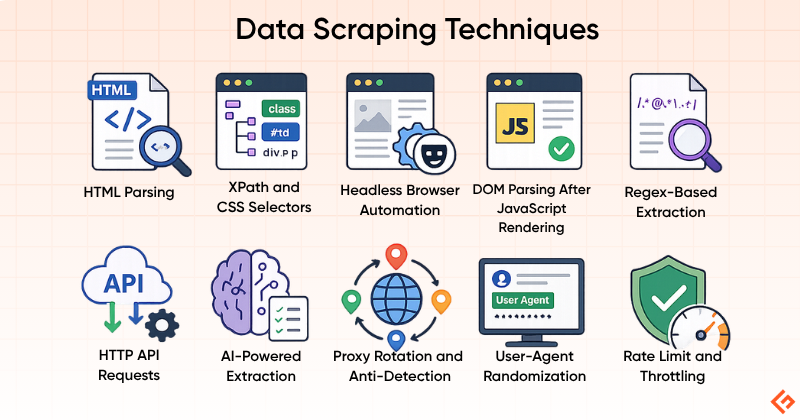
The technique you choose to scrape data determines your success rate, maintainability, and legal risk. Here are the main approaches:
HTML Parsing
This is the foundation of all web scraping. You fetch the raw HTML of a page and use a parser to navigate the DOM (Document Object Model), extracting elements by tag, class, ID, or CSS selector. Libraries like Beautiful Soup make this easy for beginners.
The limitation is that it only works on pages where the content is already present in the initial HTML response. Many modern websites render content client-side via JavaScript, which HTML parsing alone can’t handle.
XPath and CSS Selectors
These are query languages for navigating HTML/XML documents. XPath is more powerful but verbose; CSS selectors are cleaner and more familiar to front-end developers. Both are used within parsers to precisely target data elements.
Headless Browser Automation
Tools like Puppeteer and Playwright spin up a browser instance, execute JavaScript, interact with the page, and let you scrape the resulting DOM. This is how you handle single-page applications, infinite scroll, and sites that load data after the initial page load. The trade-off is resource intensity. Each headless browser instance consumes significant memory and CPU resources compared to a simple HTTP request.
DOM Parsing After JavaScript Rendering
This is a middle ground where you use a lightweight JavaScript engine (like Splash) to render a page without launching a full browser. Faster than headless browsing, more capable than static HTML parsing.
Regex-Based Extraction
This method uses Regular Expressions (Regex) to find and extract patterns in raw text. Useful for finding emails, phone numbers, or specific formatted strings, but pretty unreliable if the surrounding text structure changes.
HTTP API Requests
Many websites make internal API calls (XHR/Fetch requests) to load their content dynamically. By inspecting browser DevTools network traffic, you can often find these API endpoints, reverse-engineer their parameters, and call them directly, bypassing HTML rendering entirely. This is often faster, more stable, and less detectable than scraping the rendered page. It’s one of the most underutilized techniques among non-developers.
AI-Powered Extraction
This is the newest technique. Machine learning models identify relevant page elements without needing rigid CSS selectors or XPath. Tools using this approach can adapt when a website’s structure changes, something that breaks traditional scrapers. Diffbot is one of the examples of this approach.
Proxy Rotation and Anti-Detection
This is not a scraping technique but an operational necessity. Any sustained scraping operation needs to rotate IP addresses, randomize user-agent strings, throttle request rates, and handle CAPTCHAs. This is done via proxies. Residential proxies are much harder to detect than datacenter ones, as they mimic private traffic.
Popular Data Scraping Tools
I will now discuss some popular data scraping tools, including where they excel and who is the ideal user for each.
Geekflare API
Geekflare API has multiple APIs, but two are relevant for data scraping.
The first one is a web scraping API to get any webpage data into Markdown, JSON, HTML, and plain text.
And, the second one is the search API to get search results and scraped content in a single request. This is useful to feed AI apps to augment the answer from the web search for better accuracy.
Octoparse
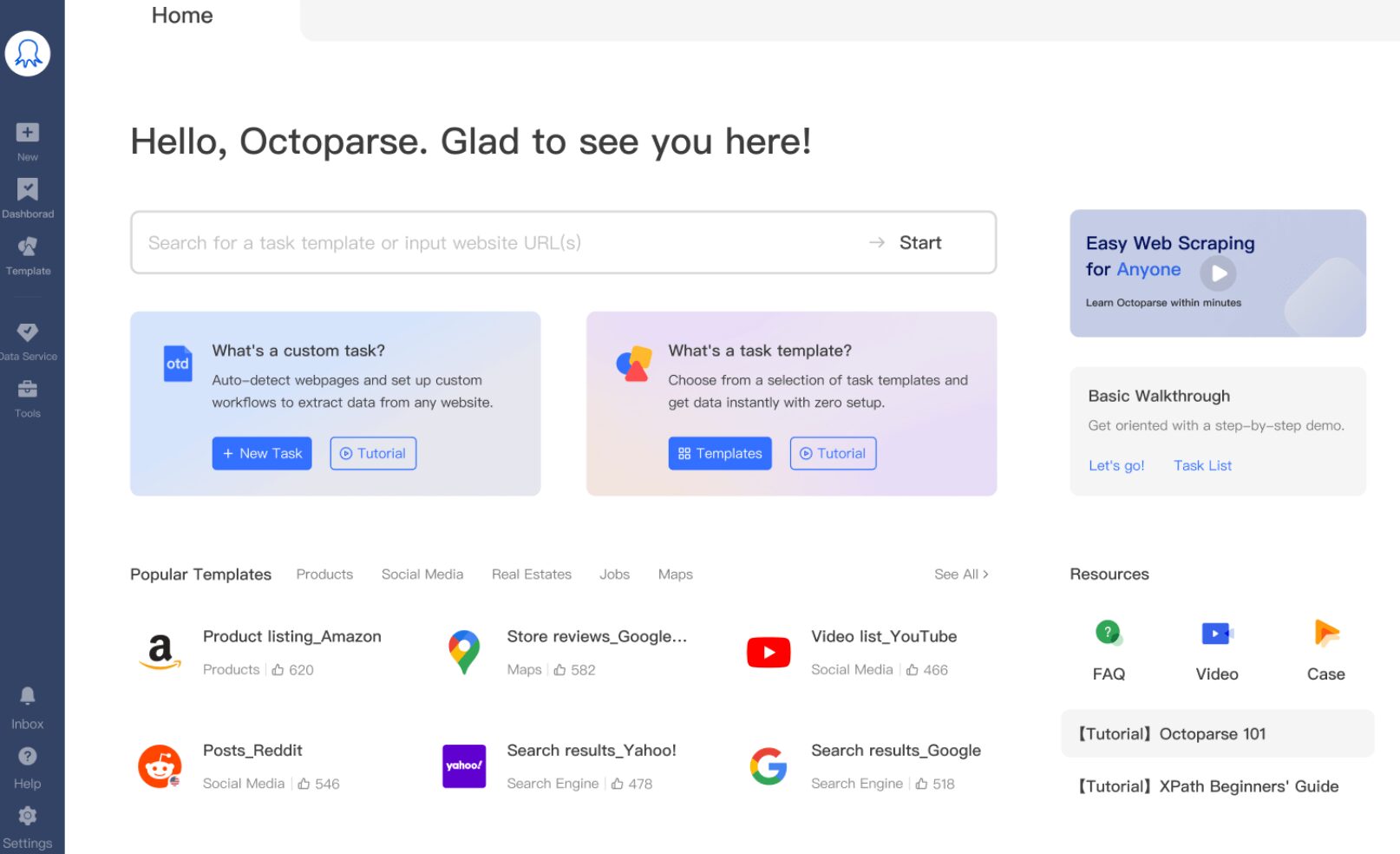
Octoparse is a desktop-first, no-code scraping tool that pioneered the point-and-click scraping workflow. You install a Windows or macOS application, open a browser within it, click on the elements you want to extract, and it builds a scraping workflow around your clicks. It’s fully no-code in the click-and-point sense. However, using it well requires a good understanding of how websites load and structure data.
ParseHub
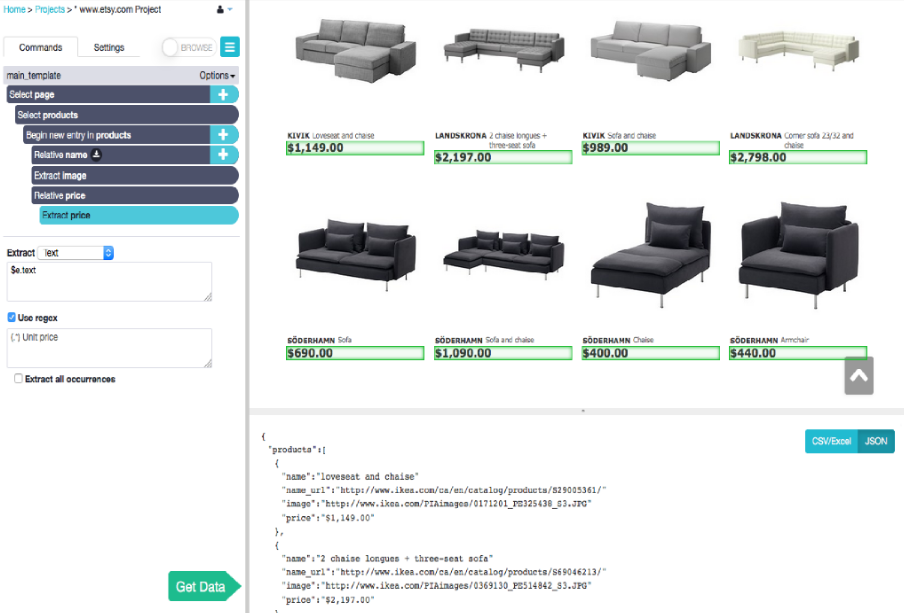
ParseHub is a desktop-based visual web scraper available on Windows, Mac, and Linux. It handles dynamic, JavaScript-heavy websites through its point-and-click interface.
Scrapy
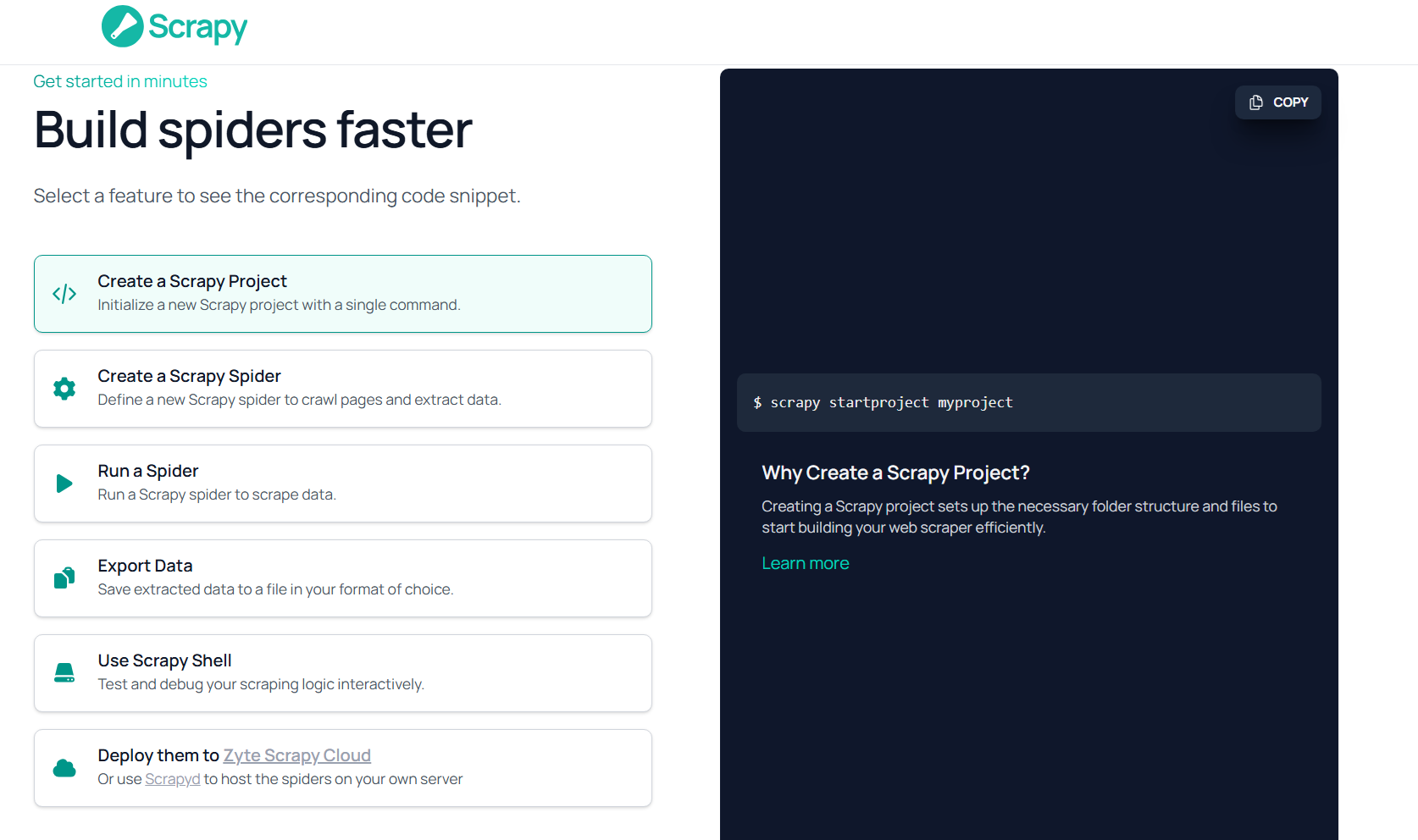
Scrapy is a fast, open-source data extraction framework for building web spiders and scrapers. It is the go-to framework for developers who need full control, performance, and scalability.
BeautifulSoup
BeautifulSoup is a Python library for parsing HTML and XML documents. It is not a scraper by itself. It’s a parsing tool used alongside Python’s requests library to extract data from already-downloaded web pages.
I have written this scraper with BeautifulSoup to extract the title and price of books from a website.
import requests
from bs4 import BeautifulSoup
url = "https://books.toscrape.com/"
response = requests.get(url)
soup = BeautifulSoup(response.text, "html.parser")
books = soup.select(".product_pod")
for book in books[:5]:
    title = book.h3.a["title"]
    price = book.select_one(".price_color").text
    print(title, "-", price)
The output looks like this
A Light in the Attic - £51.77
Tipping the Velvet - £53.74
Soumission - £50.10
Sharp Objects - £47.82
Sapiens: A Brief History of Humankind - £54.23
Import.io
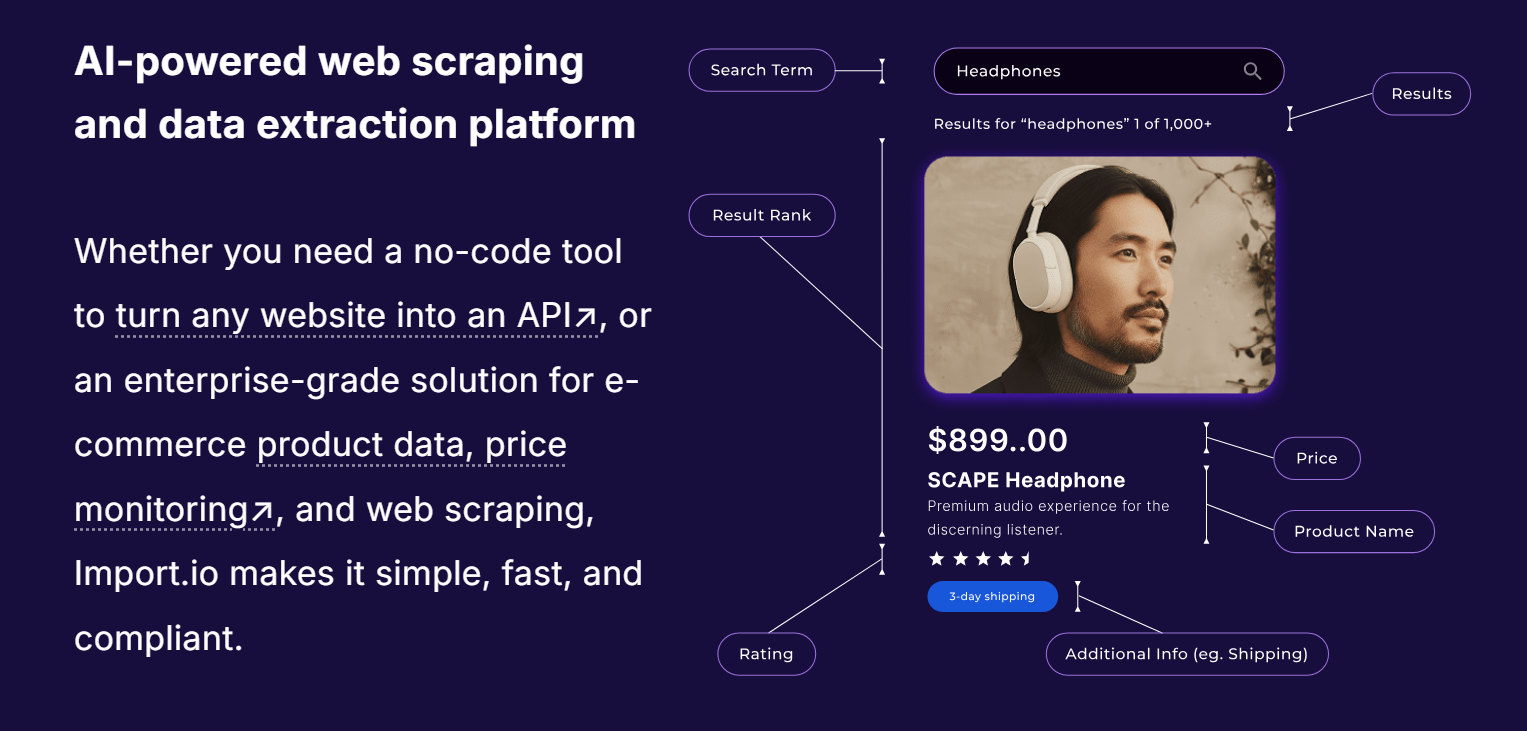
Import.io is an enterprise-focused web data integration platform. Unlike self-serve tools, it offers managed data extraction services, positioning itself more as a data-as-a-service provider than a DIY scraping tool.
WebHarvy
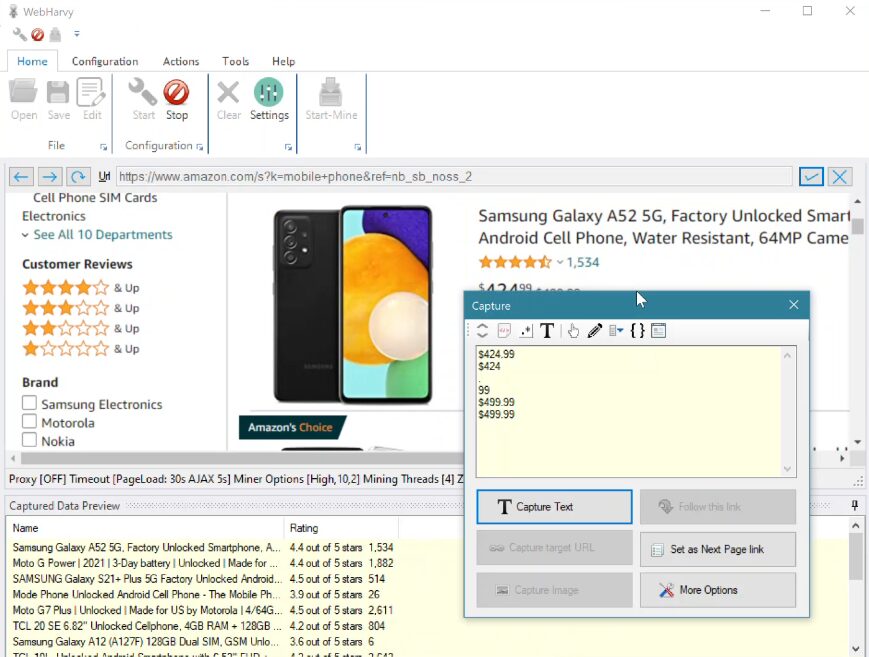
WebHarvy is a Windows-based, point-and-click web scraper suitable for non-technical users. It works as a desktop application with a built-in browser for visual selection.
Apify
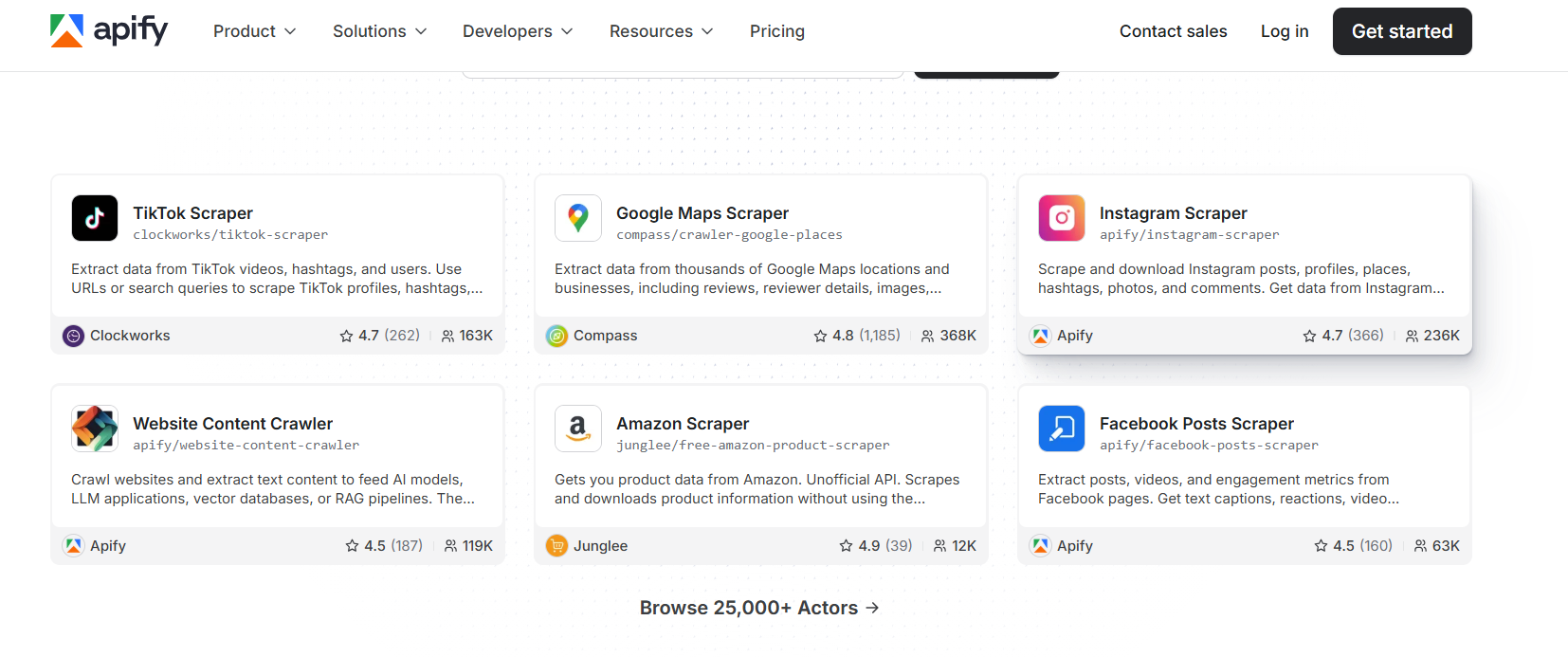
Apify is a cloud-based web scraping and automation platform built around a marketplace of 25,000+ reusable “Actors,” which are pre-built scrapers for popular sites like Amazon, LinkedIn, Google Maps, and hundreds more.
ScraperAPI
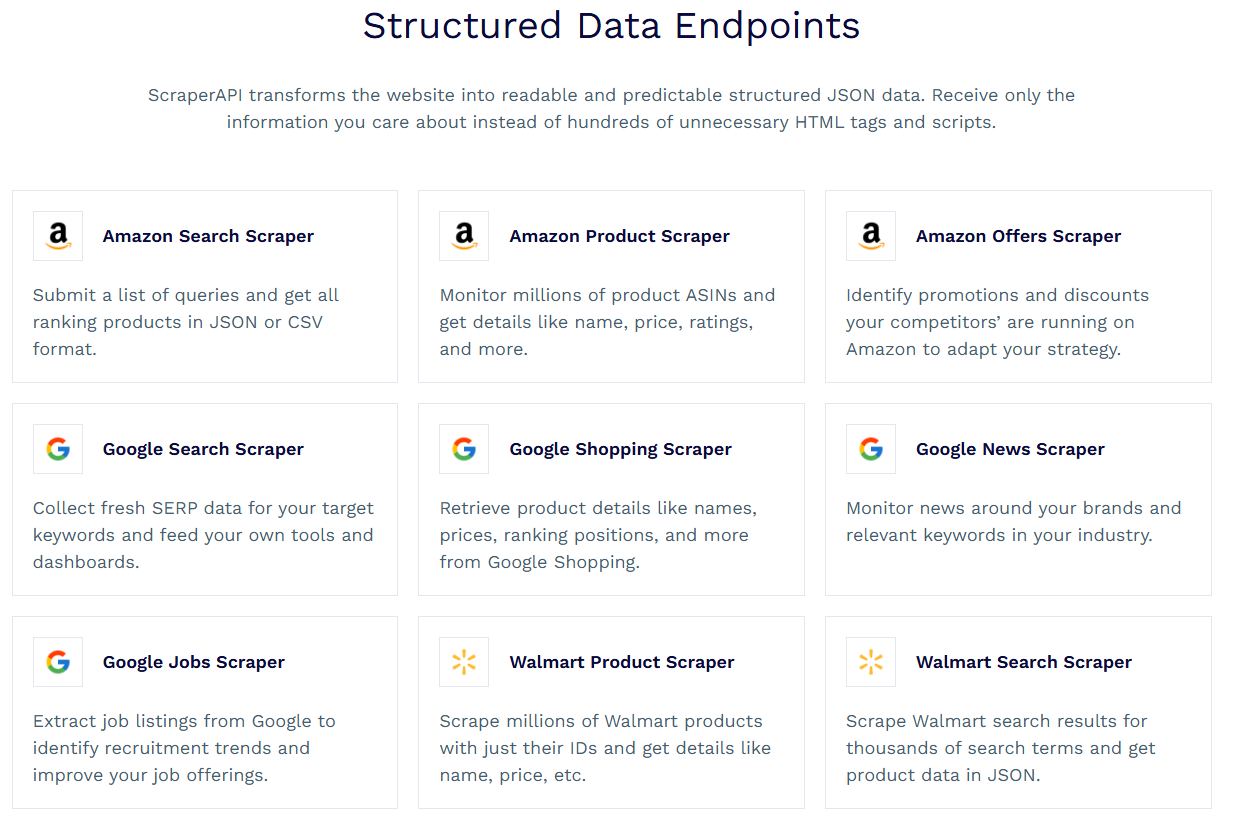
ScraperAPI is a developer-focused API that also handles proxy rotation, CAPTCHA solving, and browser rendering with a single API call.
It offers Structured Data Endpoints that automatically parse raw HTML from sites like Amazon, Google, and Walmart into clean, organized JSON format.
Diffbot
Diffbot uses machine learning to automatically extract structured data from any web page, without requiring you to configure selectors or templates. It identifies and classifies content (articles, products, people, discussions) automatically.
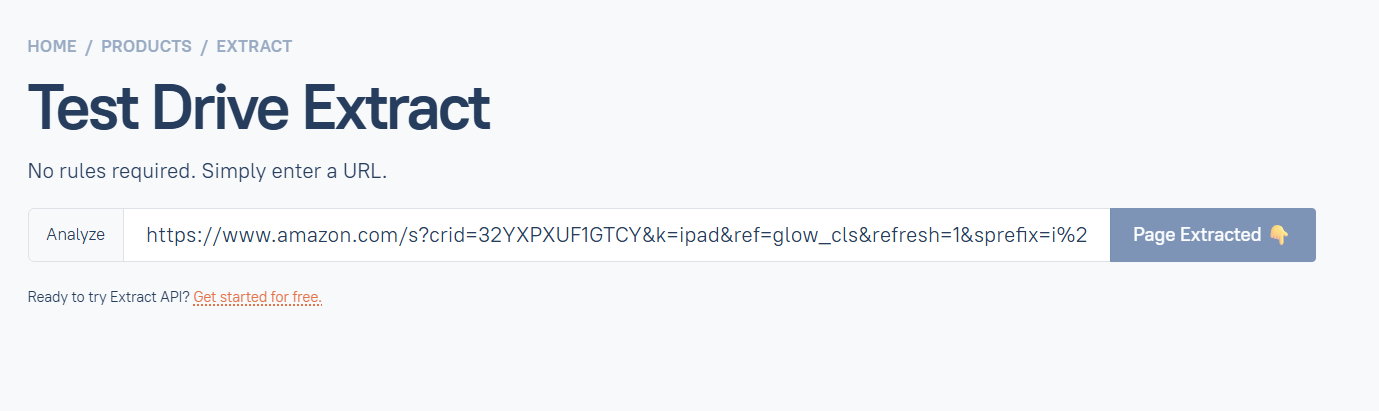
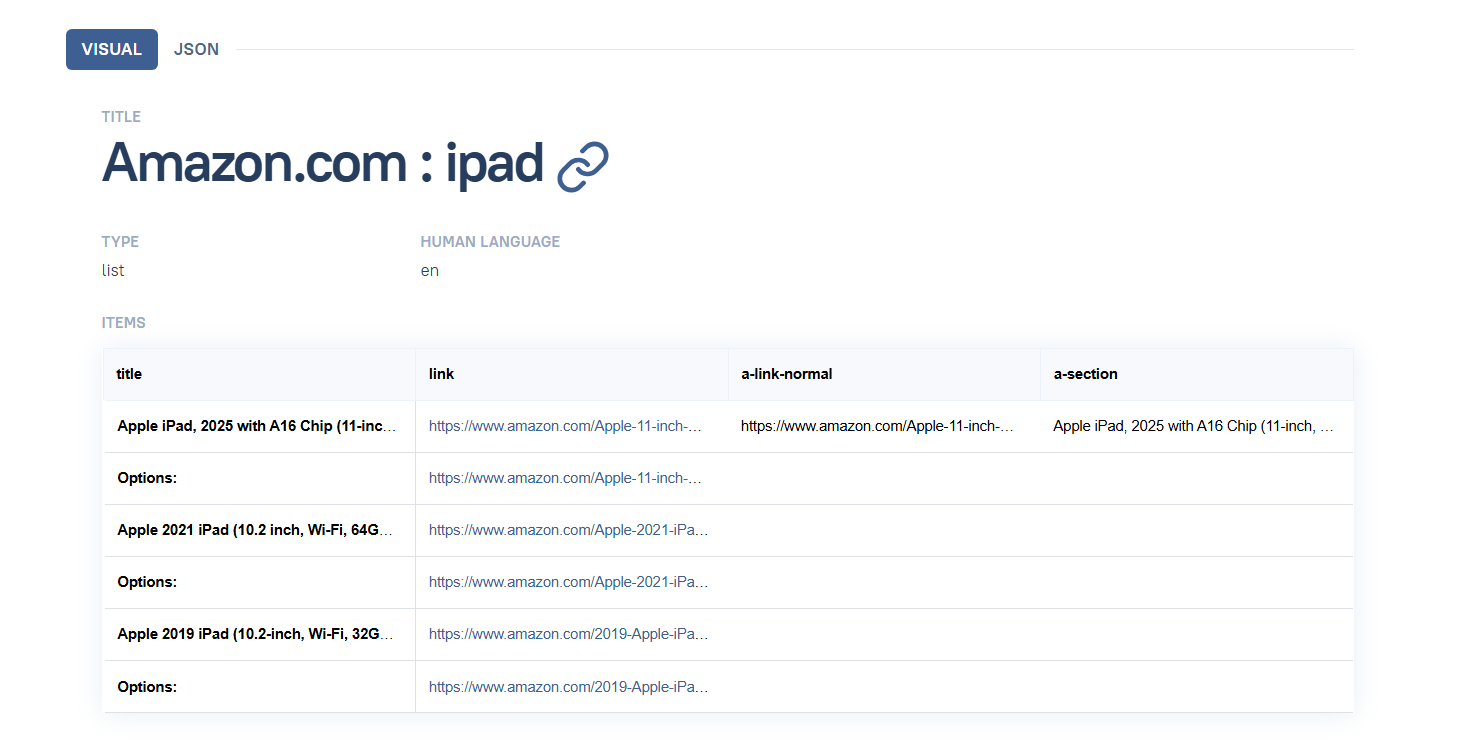
Below is a sample extraction from Amazon.
How Does Data Scraping Work?
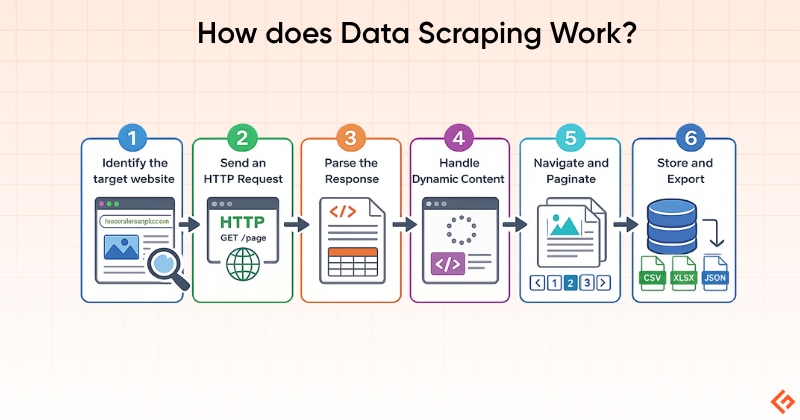
The web scraping process typically follows these steps:
1. Identify the Target: Define which website and which specific data you need: product prices, job listings, news headlines, etc.
2. Send an HTTP Request: The scraper sends a request to the target URL, just like a browser does. The server responds with HTML (or JSON from API calls).
3. Parse the Response: The HTML is parsed using selectors (CSS, XPath) or a library like Beautiful Soup to locate specific data elements.
4. Handle Dynamic Content: If the page relies on JavaScript to load content, a headless browser (like Playwright or Puppeteer) renders the page first before extraction.
5. Navigate and Paginate: For multi-page datasets, the scraper follows pagination links, “Load more” buttons, or iterates through URL patterns to collect data across pages.
6. Store and Export: Extracted data is cleaned, structured, and exported to CSV, JSON, a database, or directly into a business workflow.
Common Uses of Data Scraping
Below are some common uses of data scraping.
- Price Monitoring: Retailers and e-commerce businesses track competitor pricing in real time
- Lead generation: Extracting business contact information from directories and websites
- Market research: Aggregating product reviews, ratings, and sentiment across platforms
- Financial data: Collecting stock prices, earnings reports, and economic indicators
- Real estate: Aggregating property listings, prices, and market trends
- Academic research: Gathering large datasets from public sources for analysis
- News aggregation: Collecting and indexing articles from thousands of news sources
- SEO monitoring: Tracking keyword rankings, backlinks, and competitor content
Benefits of Data Scraping
Data scraping offers the following benefits:
- Data extraction collects in minutes what would take human researchers weeks. A single scraper can process thousands of pages per hour.
- Reduces data collection costs. The real cost of DIY manual data collection is estimated at $2,000–$4,000/month. A scraping tool subscription costs a fraction.
- Automated extraction is free from human errors
- Businesses can monitor markets, competitors, and trends in real time rather than relying on periodic manual snapshots.
- Access to large, structured datasets enables better competitive intelligence and data-driven decisions.
Legal and Ethical Considerations
Web scraping occupies a complex legal landscape. The hiQ Labs vs. LinkedIn case and Meta vs. BrightData cases established that scraping publicly accessible data, that is, data viewable without a login, does not constitute unauthorized access under the Computer Fraud and Abuse Act (CFAA). If a website lets you in without authentication, collecting that publicly visible information is generally legal.
Scraping publicly available data for research, analytics, and legitimate business intelligence is considered lawful in most jurisdictions.
What Carries Legal Risk
- Scraping data behind a login wall.
- Violating a site’s Terms of Service. While often unenforceable on their own, ToS violations can support other legal claims.
- Scraping personally identifiable information (PII) in jurisdictions covered by GDPR or CCPA.
- Ignoring robots.txt. Courts increasingly treat robots.txt compliance as a legal signal.
Final Words
Data scraping, and web scraping specifically, is now a mainstream business capability.
The tools available in 2026 range from free Python libraries to enterprise AI-powered extraction platforms. The right one depends entirely on your technical level, the complexity of your target sites, and the scale at which you need to operate.
For non-technical users: Octoparse and ParseHub offer genuine no-code capability, with Octoparse generally offering better value and more cloud options.
For developers: Geekflare API is best for webpage scraping to feed LLMs and AI agents. It offers LLM-ready data in Markdown, text, HTML, and JSON.
Whatever tool you choose, build compliance in from the start. Respect robots.txt, review terms of service, avoid backdoor methods, and collect only what you actually need.
Frequently Asked Questions (FAQs)
Is data scraping legal?
Scraping publicly available data is generally legal, as seen in the hiQ vs. LinkedIn ruling. However, scraping behind login walls, ignoring robots.txt, or violating Terms of Service carries legal risk. Always review the legal landscape specific to your jurisdiction and use case.
What is the difference between web scraping and data scraping?
Data scraping is the broader term covering extraction from any source: websites, PDFs, databases, documents. Web scraping is a subset focused specifically on websites. In practice, most commercial tools are web scrapers.
Which tools are best for beginners in data scraping?
Octoparse and ParseHub are the most accessible no-code options. ParseHub’s free tier (5 projects, 200 pages/run) is a good starting point.
Can data scraping be done without coding?
Yes. Octoparse, ParseHub, and WebHarvy offer visual, no-code interfaces.
How do websites prevent data scraping?
Common anti-scraping measures include CAPTCHAs, IP rate limiting and blocking, JavaScript rendering requirements, browser fingerprinting, and honeypot traps designed to detect bots.
Can I scrape data from Google, Facebook, or other major platforms?
Technically possible in limited cases, but strongly restricted by their Terms of Service. Both platforms actively block scrapers and have pursued legal action against large-scale scraping operations. Proceed with significant caution.
Is data scraping the same as web crawling?
No. Web crawling discovers and indexes URLs by following links across the web. Web scraping extracts specific data from those pages. Most large-scale projects use both: crawl to discover, and scrape to extract.
How accurate is scraped data?
Accuracy depends heavily on the stability of the target site’s structure. Selector-based scrapers can break when a site redesigns. A scraping workflow running cleanly for months can start returning empty results after a frontend update, with no warning.






